
Timeline and Recording Issues with H200 Hub SD Recording (C510W & C520WS)
 This thread has been locked for further replies. You can start a new thread to share your ideas or ask questions.
Timeline and Recording Issues with H200 Hub SD Recording (C510W & C520WS)
This thread has been locked for further replies. You can start a new thread to share your ideas or ask questions.
Since switching to SD card recording through the H200 hubs, both my C510W and C520WS cameras have had problems. Each camera is on its own dedicated H200, both using Ethernet. None of this happened when the SD cards were in the cameras directly.
Motion is often flagged when nothing happens, or a short event gets stretched into a 2–3 minute clip. Sometimes I just get one frame from a few seconds in, then it jumps ahead and skips the rest. In continuous mode, there are gaps where it doesn’t record anything. Right after those gaps, it usually shows a motion alert even though there was no motion.
The timeline is much faster to access now and downloads are quicker, but the footage itself is unreliable.
I’ve tried lowering FPS, reformatting SD cards, using endurance cards, rebooting everything, removing and re-adding hubs, and making sure the network is stable. Nothing has fixed it.
I’ve also had a separate issue on one camera where it just stops recording until I reboot it or reformat the SD card, but that’s not part of the timeline bug.
Anyone else had these problems with hub recording?
- Copy Link
- Subscribe
- Bookmark
- Report Inappropriate Content


JJJ33445 wrote
@Wayne-TP Hi, similar thing also happened with my C500 when recording to h200 hub.
My case is also that the footage has motion got cut off prematurely, even when there's still motion. So I missed like the last 15 seconds of footage, even those missing 15 seconds are full of motion activity within detection zone. I have my sensitivity set to maximum.
My hub is ethernet connected to router while my c500 is connected directly to the hub via wifi backup.
This does not happen with cloud recording and local sd
When the video cuts out, can you still see clear motion in the camera feed? If the movement isn’t obvious, the camera might miss it. If no activity is detected for a while, it will stop recording.
If you're not this case, please contact our forum support team for additional assistance:
1. For users from the United States, send an email to forumsupport.usa@tp-link.com.
2. For users from other countries and regions, send an email to support.forum@tp-link.com.
To receive efficient assistance, ensure to include the following information in your email:
Subject: [Forum Escalation][ID 827066] Camera video issues when saved to Tapo hub *You may replace the 'camera' and 'hub' with the actual model of the devices you own.
Forum Nickname: JJJ33445
Thread URL: https://community.tp-link.com/en/smart-home/forum/topic/827066?replyId=1642970
Device Information (Mac address/Model/Hardware & Firmware Versions): [User Provided] *Provide information for both the cameras and their connected hub.
Description: [User Provided]
Any Other Relevant Information (Logs, Config Files, Images, etc.): [User Provided] *Besides the information you have, it will be better to provide a screen recording of the problem.
- Copy Link
- Report Inappropriate Content

@Wayne-TP it has been fixed for my two c225v2 cameras with that beta firmware for h200 hub (Ethernet connection to the h200 hub, and I don't use WiFi backup at all, that WiFi backup is the most annoying thing, there should be option, when main WiFi is down, then connect to WiFi backup):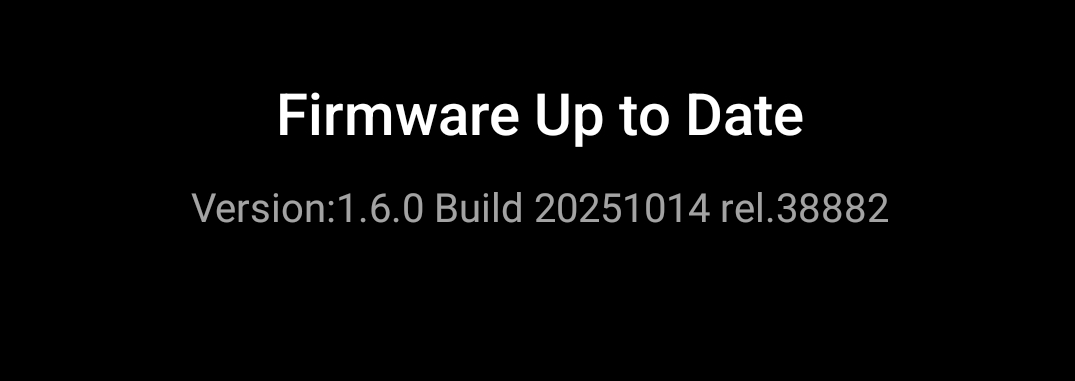
Edit: it's back, but not so often.
- Copy Link
- Report Inappropriate Content
Information
Helpful: 0
Views: 3017
Replies: 12
Voters 0
No one has voted for it yet.