
Doorbell
 This thread has been locked for further replies. You can start a new thread to share your ideas or ask questions.
I can't seem to record on my doorbell it says let's me know that someone's has pressed the button, if I miss it and then go and look on recordings there is nothing there. Any ideas on whats going on with it please. TIA
- Copy Link
- Subscribe
- Bookmark
- Report Inappropriate Content


Make sure the local recording is enabled and set up the recording schedule correctly.
>> doorbell Device Settings > Storage & Recording
If you have Tapo Care subscription, check whether the doorbell is added into the Tapo Care plan. How to add new cameras to my Tapo Care plan
Which Tapo doorbell do you have?
- Copy Link
- Report Inappropriate Content
Update: The issue discussed in the thread has been resolved by formatting the sd card in the Tapo app.
- Copy Link
- Report Inappropriate Content
Make sure the local recording is enabled and set up the recording schedule correctly.
>> doorbell Device Settings > Storage & Recording
If you have Tapo Care subscription, check whether the doorbell is added into the Tapo Care plan. How to add new cameras to my Tapo Care plan
Which Tapo doorbell do you have?
- Copy Link
- Report Inappropriate Content
Hi there, its D230 doorbell.
I've checked recording and its all on. Ieven removed the d[doorbell and reset it back and still unable to access the recordings just says no recordings.

- Copy Link
- Report Inappropriate Content
What's the sd card status shown on the hub's page? Try to format the sd card, see if that helps.
- Copy Link
- Report Inappropriate Content
@Wayne-TP I've formatted the SD card on the hub I cleared any of the recordings that was previously on there.
- Copy Link
- Report Inappropriate Content
Is the detection feature enabled on your doorbell? The detection feature should be on to trigger the camera start recording.
- Copy Link
- Report Inappropriate Content
@Wayne-TP can you give me your email address that I can send you attachments?
Have just looked on the recordings and storage bit of app and yesterday there is a blue dot to say its recorded but then there's nothing there on previous days. Ive sent one screenshot to show you 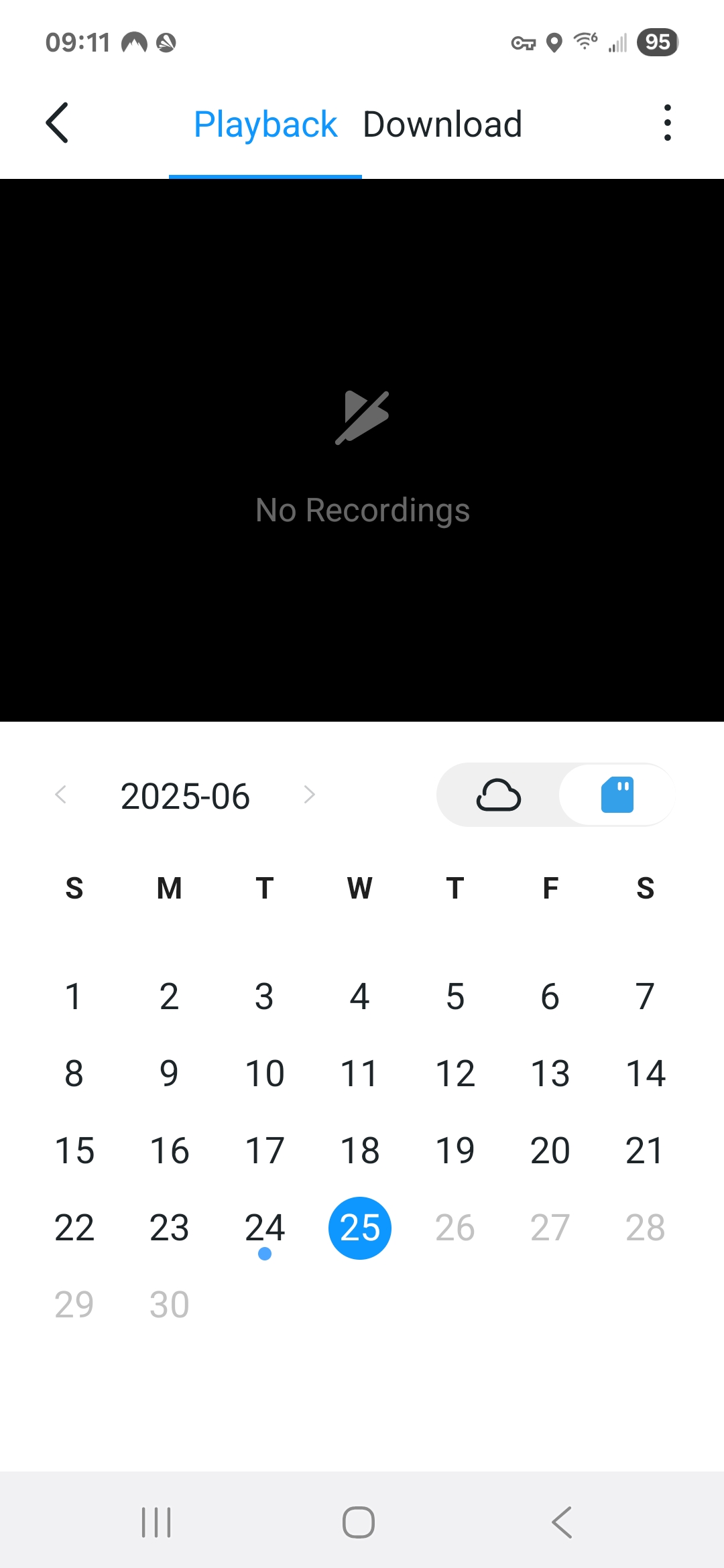
- Copy Link
- Report Inappropriate Content
Please enable the diagnostics mode on your Tapo H200 hub: Device Settings page > Diagnostics.
To assist with this case, a specialist will help to follow it up through email. Please check your inbox later to confirm.
If the email you used to register for the TP-Link community is not your contact email or you cannot access it, please send me your contact email through private message.
- Copy Link
- Report Inappropriate Content
Ive put on the diagnosis on the hub. I will watch for the email from your colleague.
- Copy Link
- Report Inappropriate Content
Update: The issue discussed in the thread has been resolved by formatting the sd card in the Tapo app.
- Copy Link
- Report Inappropriate Content
Information
Helpful: 0
Views: 715
Replies: 9
Voters 0
No one has voted for it yet.