Power Protection did not Turn off P110M

Power Protection did not Turn off P110M

Power Protection did not Turn off P110M
2025-08-19 21:27:08 - last edited 2025-09-18 11:52:10
Model: Tapo P110M  
Hardware Version: V1
Firmware Version: 1.3.2 Build 250526 Rel.171305

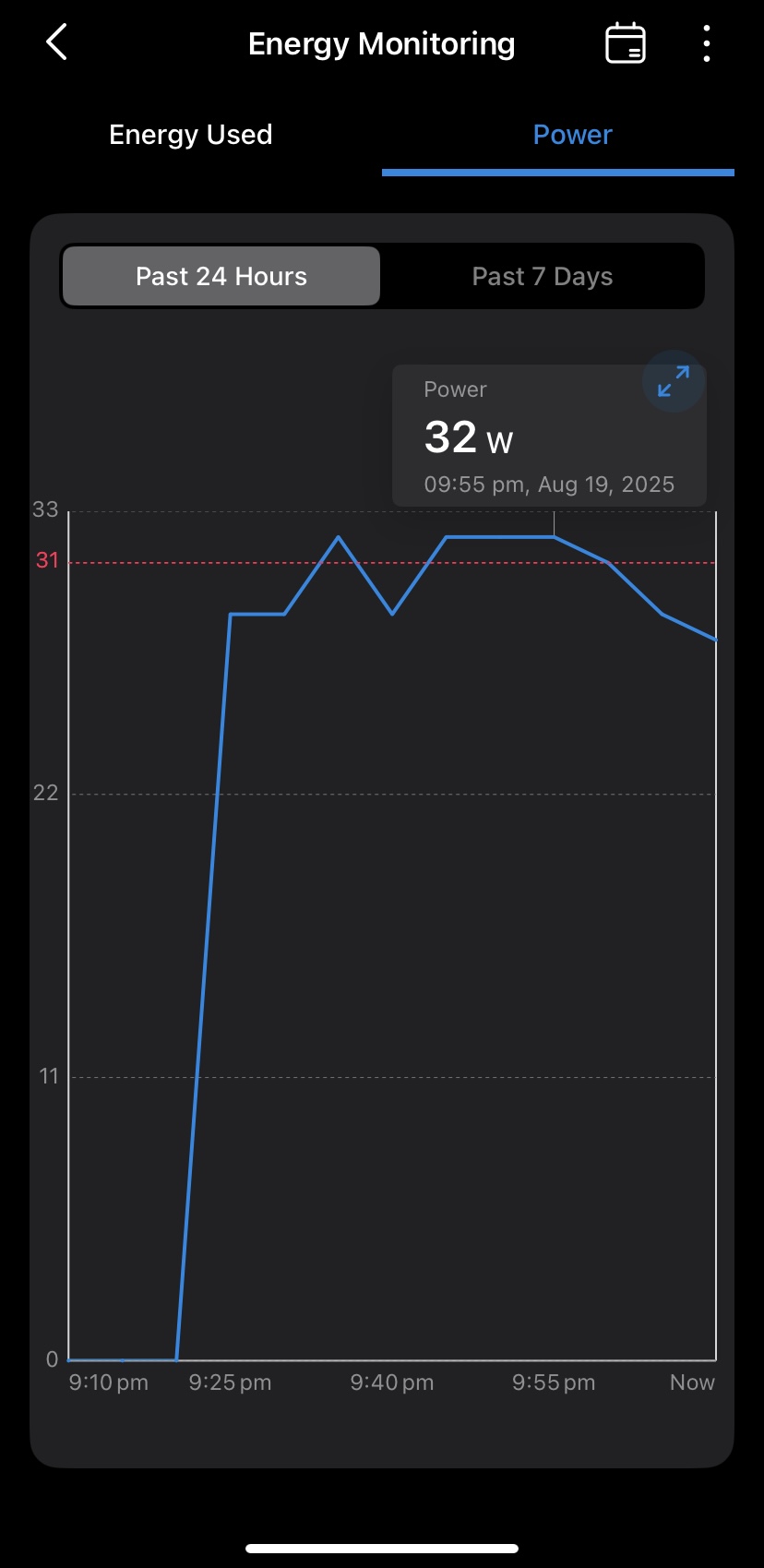
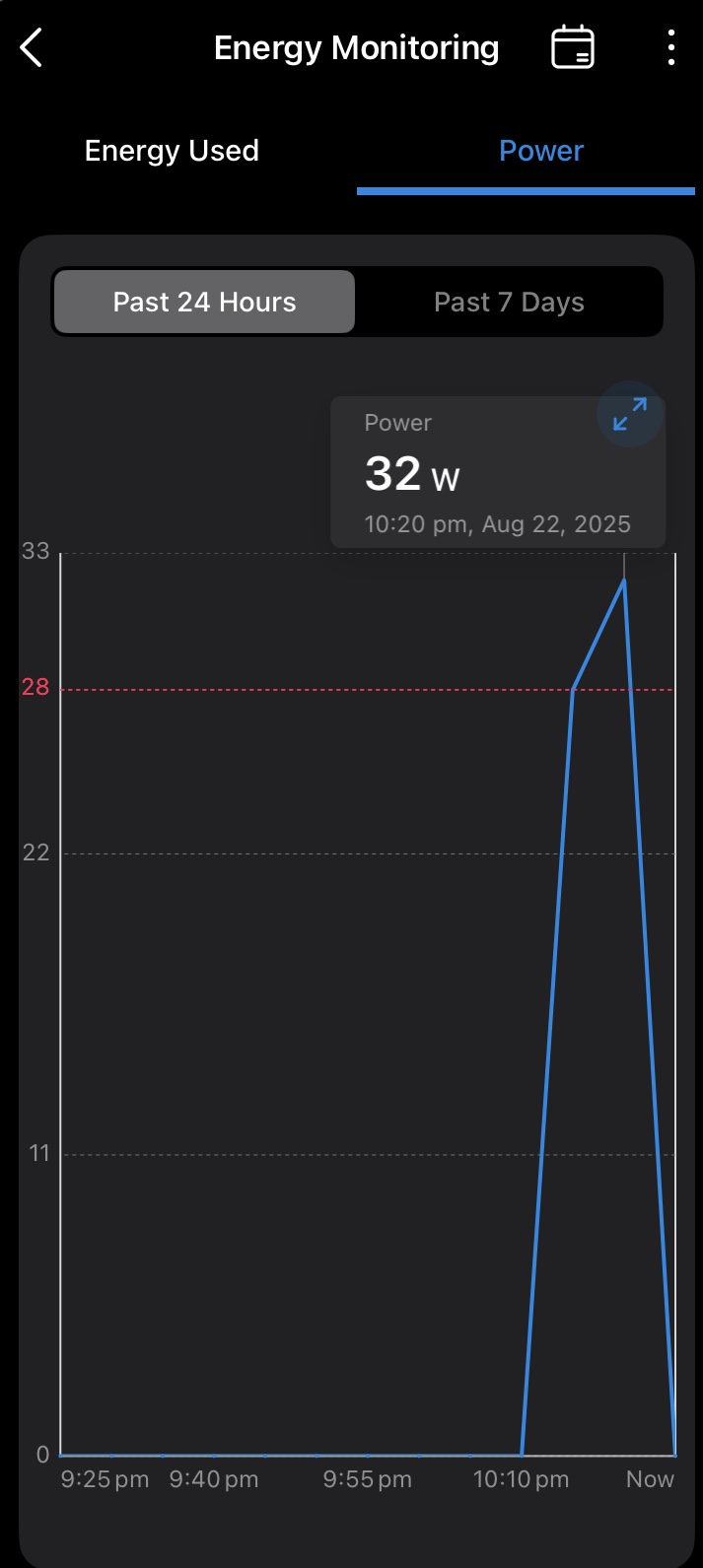
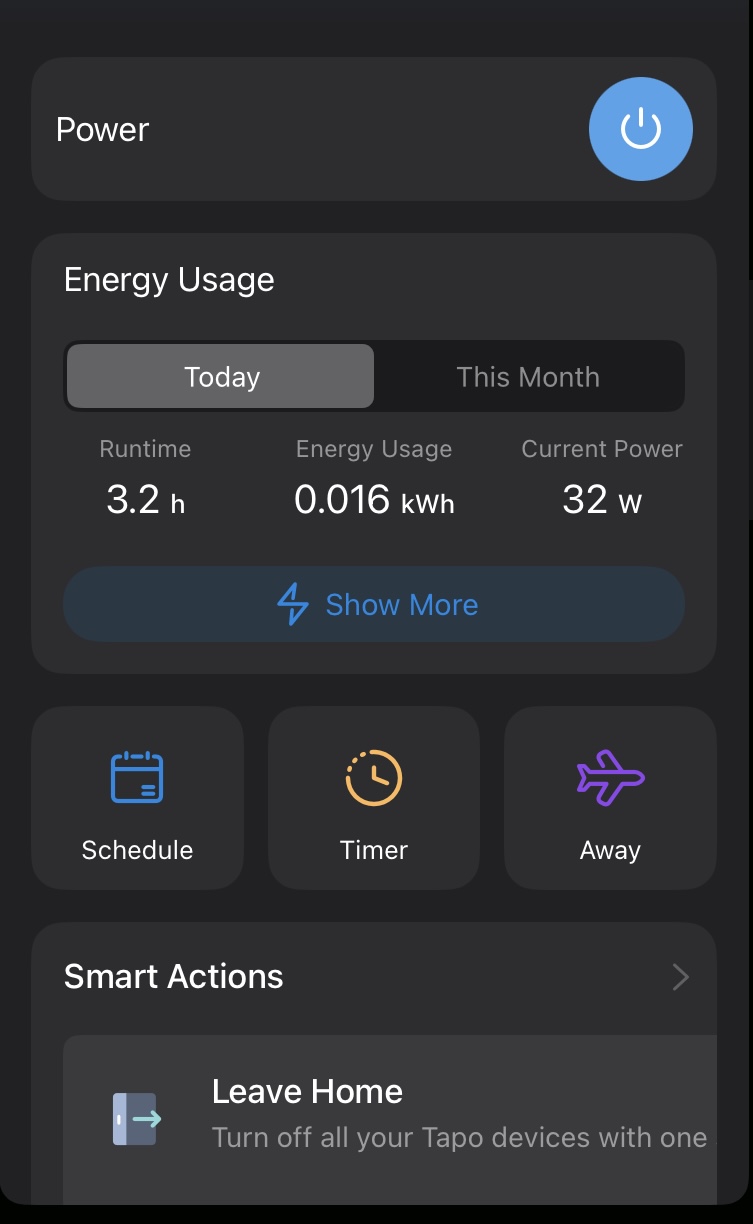
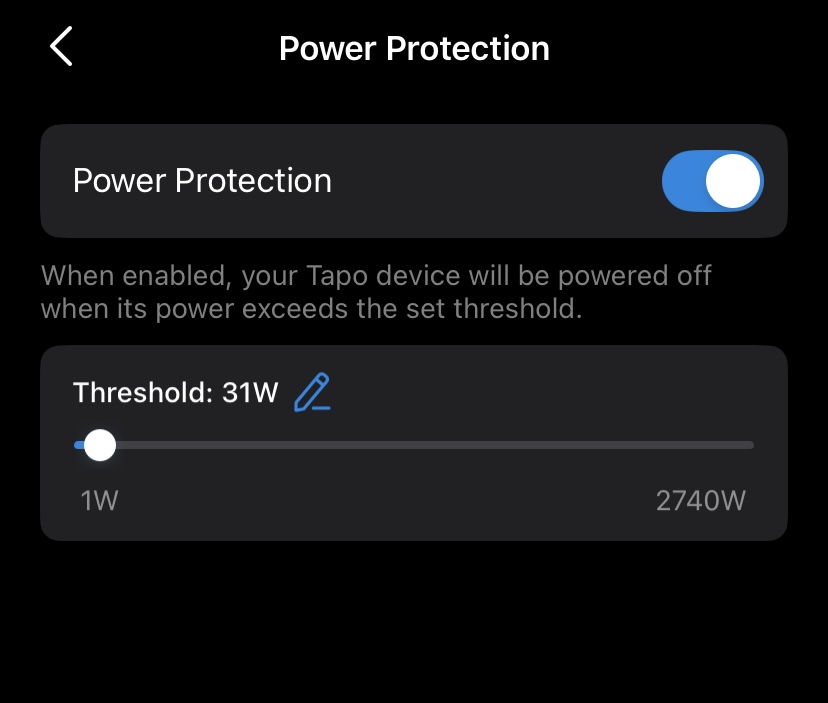
I was using my P110M and I have a 30W charger with a 60W cable, I set the "Power Protection" to be 31W as to never exceed what the plug itself can put out. The P110M registered the threshold (31W) had been triggered once during a spike and then again for 5 minutes and the Power Protection did not shut the plug off. Is this normal behaviour?


See the images below.


Apologies if i've failed to select the correct tags for this.


  0      
  0      
#1
Options
1 Accepted Solution
Re:Power Protection did not Turn off P110M-Solution
2025-08-25 02:06:48 - last edited 2025-09-18 11:52:10

  @Itisalwaysdns 


Checked with the tech team, the data in the chart updates every 5 minutes. The line connecting two adjacent points reflects the difference in data between those time points, rather than a continuous change. Specifically, in your case, the time period during which the displayed power remains at 32W likely indicates that the instantaneous power at the beginning and end of the period reached 32W, rather than being consistently at that level. Consequently, the power protection was not triggered.


However, it's important to note that the plug's data sampling cycle and the app's data upload cycle are different. Plug's data sampling cycle is measured in seconds, and the activation of power protection is based on this cycle. Power protection will be activated if the load power exceeds the set value and remains above it for a certain period (which is much shorter than 5 minutes).


CES 2026 Meet TP-Link AI Assistant and More New Products!
Recommended Solution
  0  
  0  
#4
Options
5 Reply
Re:Power Protection did not Turn off P110M
2025-08-20 10:09:27

  @Itisalwaysdns 


Try to reduce the threshold, monitor whether the same situation persists.

CES 2026 Meet TP-Link AI Assistant and More New Products!
  0  
  0  
#2
Options
Re:Power Protection did not Turn off P110M
2025-08-22 21:29:44


It seems it only powered off after exceeding 4W above the set threshold. I suspect this is not normal behaviour.


@Wayne-TP 


  0  
  0  
#3
Options
Re:Power Protection did not Turn off P110M-Solution
2025-08-25 02:06:48 - last edited 2025-09-18 11:52:10

  @Itisalwaysdns 


Checked with the tech team, the data in the chart updates every 5 minutes. The line connecting two adjacent points reflects the difference in data between those time points, rather than a continuous change. Specifically, in your case, the time period during which the displayed power remains at 32W likely indicates that the instantaneous power at the beginning and end of the period reached 32W, rather than being consistently at that level. Consequently, the power protection was not triggered.


However, it's important to note that the plug's data sampling cycle and the app's data upload cycle are different. Plug's data sampling cycle is measured in seconds, and the activation of power protection is based on this cycle. Power protection will be activated if the load power exceeds the set value and remains above it for a certain period (which is much shorter than 5 minutes).


CES 2026 Meet TP-Link AI Assistant and More New Products!
Recommended Solution
  0  
  0  
#4
Options
Re:Power Protection did not Turn off P110M
2025-08-26 15:57:34

  @Wayne-TP 


Awesome so the set threshold needs to be above the plugs sampling cycle for a consistent period before it will activate. So small spikes will not trigger it. Do you know how long the plugs sampling cycles total time is? 5 seconds, 10 seconds etc

  0  
  0  
#5
Options
Re:Power Protection did not Turn off P110M
2025-08-27 09:15:02 - last edited 2025-08-27 09:15:31

  @Itisalwaysdns 


Power protection will be triggered if the load power continuously exceeds the threshold for approximately 50 seconds, give or take.

CES 2026 Meet TP-Link AI Assistant and More New Products!
  1  
  1  
#6
Options