
Solution Why Can't Local Smart Rules Be Created Under Tapo H100 Control?


This Article Applies To
Tapo H100 - Firmware 1.5.23 and earlier versions
Description
To create a local smart automation, your setup must meet the following requirements:
1. Supported Firmware: The Tapo hub's firmware must support this feature. *The latest firmware for Tapo models H100, H110, H200, and H500 all support local smart automation. Update your Tapo hub if it is not in the latest version. How to update the firmware of the Tapo devices on the Tapo App
2. Compatible Devices & automation skills: The trigger and action devices and the selected skills must be of a supported type for Tapo Local Smart. If you select an unsupported device type or skill, the automation will not qualify for local smart creation.
Check this FAQ to verify your setup: What is Local Smart Action?
3. Same Hub and Network Subnet: All selected devices in the same automation must be sub-devices under the same Tapo hub. Additionally, Wi-Fi devices should be on the same subnet as the hub. Local smart automation cannot be created if you include a device from a different Tapo hub or a Wi-Fi device from a different subnet.
If you are using a Tapo H100 hub with firmware version 1.5.23 or earlier, you may occasionally find that local smart automation cannot be created successfully, even if everything else appears to be in order. If you are experiencing similar issues, please refer to the solution/workaround below.
Solution
Fixed in the official firmware 1.6.1 Build 250324 Rel.173226.
There is a new firmware for Tapo H100 optimizing its Local Smart feature. Before the official release, a beta version is available for community users. If you would like to test it out, refer to the steps below to apply the beta firmware.
How to Apply Beta Firmware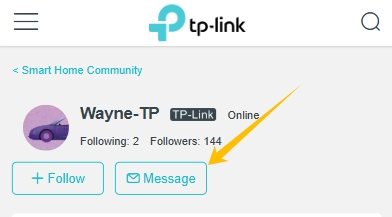
1. Find the Mac address of your Tapo H100: Open the Tapo app and navigate to the smart hub's Device Settings page > Device Info.
2. Send a private message to @Wayne-TP with this format: [ID 841746][Tapo H100 Local Smart Creation Failure] + Mac address of your Tapo H100
Before the Upgrade
(1) Please be sure you have read the Beta Test Agreement before upgrading the Pre-release firmware!
(2) How to update the firmware of the Tapo devices on the Tapo App
(3) Firmware downgrade is not supported. When a new official version is released, updating it will overwrite the beta version.
- Copy Link
- Subscribe
- Bookmark
- Report Inappropriate Content

it won't work well with home assistant, you need internet for tapo integration for devices without matter and that integration likes to stop working (I'm not even sure if you can control tapo locks with home assistant) so you will have to keep visiting tenants to fix it and it's not cheap solution.
buy aqara ZigBee or any matter lock and then bridge tapo h100 to aqara m100 and connect p110m plugs by using matter integration. with tapo lock you will never make it truly working locally.
good deals for locks now
- Copy Link
- Report Inappropriate Content

@SugarBaby really? I'm talking to the Google AI and it's saying that if the device can be controlled locally, then home assistantcan likely leverage it and use its own routines locally. I can definitely control the tapo lock from the tapo app even when internet is down, I tested it.
I'm kind of new to all this, I'm learning as I go along.
- Copy Link
- Report Inappropriate Content
@paulrataczak yes tapo is bad to use with home assistant.
you can control lock because you are on the same WiFi network,turn off WiFi and Bluetooth in phone, you won't be able to control it anymore locally
- Copy Link
- Report Inappropriate Content
@SugarBaby what a waste. It was so close to being everything I wanted. Now I'm considering sending everything back. The locks, the hub, the sensors. They got everything else right.
- Copy Link
- Report Inappropriate Content
@paulrataczak yeah, just change the lock or pick different system, IKEA will be fully matter over thread, new products will be available from new year and really cheap, but Im not sure if IKEA matter controller support locks, but even if it will be limited to close and open but it's enough to achieve what you want, you can use IKEA dirogera hub (only if support locks) or cheaper aqara m100. good luck hah xd
- Copy Link
- Report Inappropriate Content
@SugarBaby is there a way to make different contact sensors work with the tapo hub? I'm interested in the sensitive strips window and door contact sensors, they're supposed to last 10 years.
I'm really on the fence about the lock. I don't want to deal with replacing batteries, I like the fingerprint scanner, Schlage has a long battery life Z-Wave deadbolt, I was considering going that route. But it doesn't have a fingerprint scanner.
- Copy Link
- Report Inappropriate Content
- Copy Link
- Report Inappropriate Content
@Wayne-TP I feel like TP-Link needs to offer better solutions for security devices than what they are currently. If support for home assistant is not an option, then TP link needs to develop their own solutions for everything to work offline. Honestly that is what I was hoping I would be able to do with the hub, I misunderstood, and the functionality is a whole lot more limited. It's great that kasa and TP-Link does not require a hub out of the box for most of their products to work online, but everything then working on a local network with internet is down is also important, especially for people interested in home security.
There is no better, basic solution to arm the door contact sensor then for the Smart Lock to arm or disarm it when the door is locked or unlocked. If the battery life is so great on tapos sub GHz hub, and Tapo Smart locks are already getting one year with Wi-Fi before needing a recharge, then why don't they consider taking it to the next level and releasing a lock that requires the hub? That would solve two problems, the lock would work offline, and the battery life would likely be two plus years, which I promise you is what everyone using a smart lock wants. It is a non-issue to have to purchase an inexpensive hub if it means my door smart lock is not going to need recharged for a very long time.
Just to be clear I still think Tapo ought to find a way to do exactly what home assistant is doing so that all of their Wi-Fi devices can work offline, but making these hubs more functional with the sub GHz band is a selling point.
- Copy Link
- Report Inappropriate Content
Thank you for your feedback. I believe our team is already aware of this usage scenario and actively working on improvements, the ‘Local Smart’ feature is a great example of this effort. We’ll continue rolling out updates to enhance our product, so stay tuned!
- Copy Link
- Report Inappropriate Content
@paulrataczak no, you can't. Maybe in future with h500 hub.
Aqara is your only option for affordable lock with fingerprint and 3rd party integrations.
- Copy Link
- Report Inappropriate Content
Information
Helpful: 0
Views: 4116
Replies: 32
Voters 0
No one has voted for it yet.