
KC420WS - no longer loop recording

I have a couple of these cameras amd they have worked well for a number of years.
Recently, all my KC420WS cameras stopped loop recording, all of them have 256GB micro SD cards, they are set to continually record to SD card and also record to cloud.
The SD card is showing as full on all the cameras and stopped allowing playback from the SD card 'no recordings detected'.
I had no option to but to format all the SD cards to get these working again.
Please can KASA/TP-LINK return the loop recording feature for these cameras, overwriting the SD Card without issue.
Also, this camera is missing the option to remote restart from the Tapo app.
- Copy Link
- Subscribe
- Bookmark
- Report Inappropriate Content


Hi,
For the reported phenomenon, please confirm the following information for analysis.
1. What's the model number of the SD card inserted into the camera? Please refer to the instructions below to test the SD card with the third-party tool "H2testw", then send us a screenshot of the test result.
How to Verify Fake Micro SD Cards
2. How many KC420WS do you have?
3. On the Tapo app > camera's Device Settings > Storage & Recording > Local Storage page, can you see the Loop Recording option? Is it enabled?
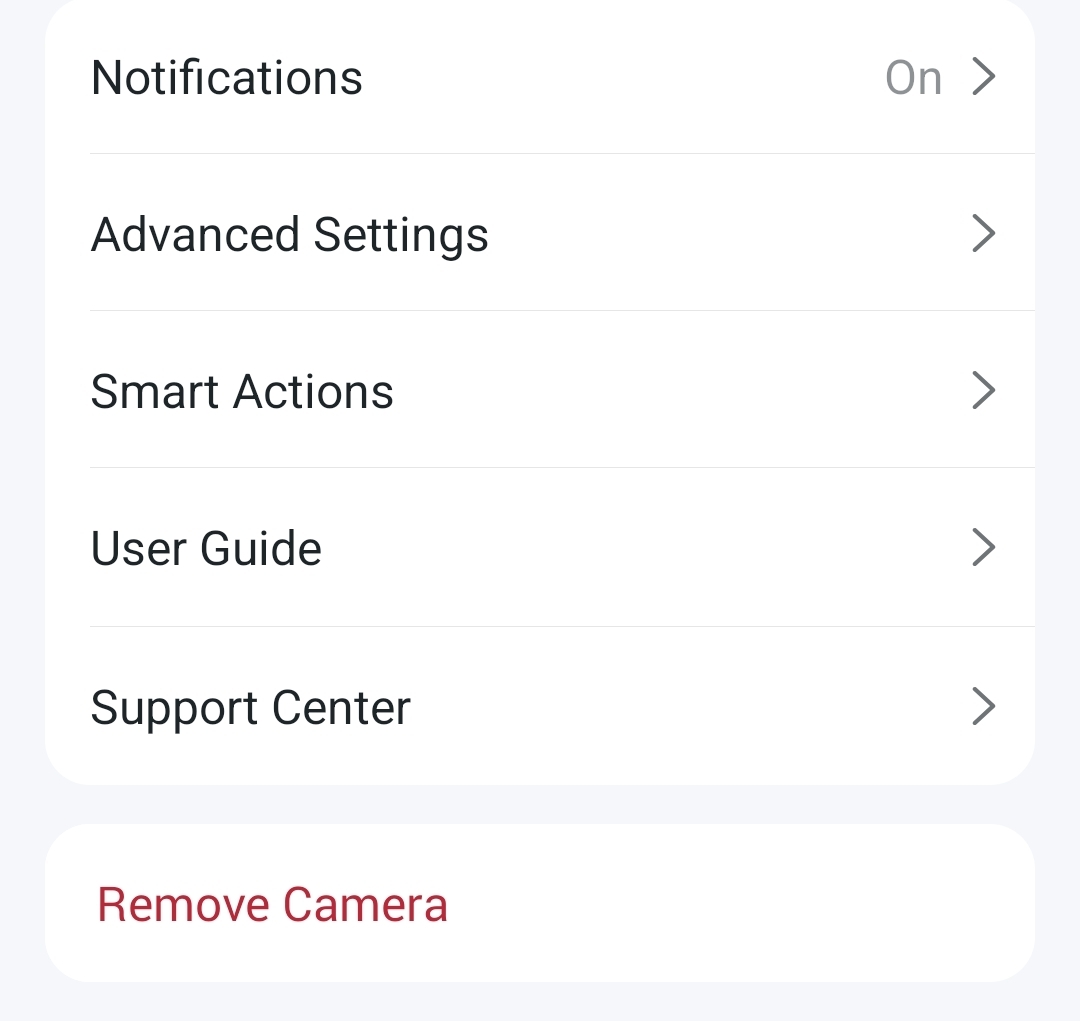
4. Can you see the Reboot Camera feature at the bottom of the camera's Device Settings page? Can you control the camera remotely via the Tapo app? For example, when your phone uses mobile data to go to the internet, does the KC420WS display online in the Tapo app?
5. What's the model number and OS version of your phone? What's the Tapo app version?
Best Regards
- Copy Link
- Report Inappropriate Content
Hi
The SD card is supported, SanDisk 256GB Ultra
I own 4 of these cameras.
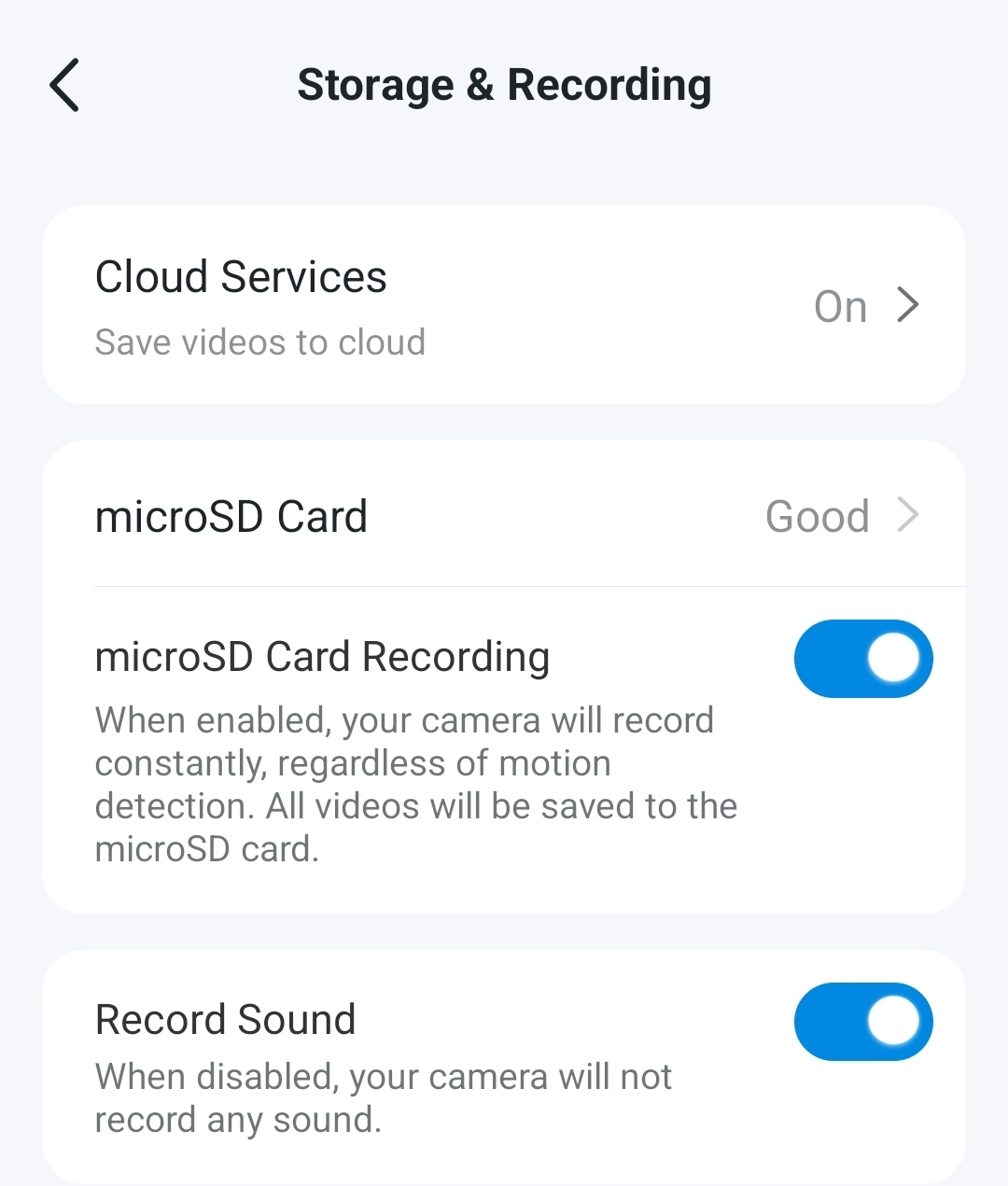
The loop option is no longer visible
Android mobile, Tapo app 3.15.112
Restart option is missing for these cameras but not other models
- Copy Link
- Report Inappropriate Content
Hi,
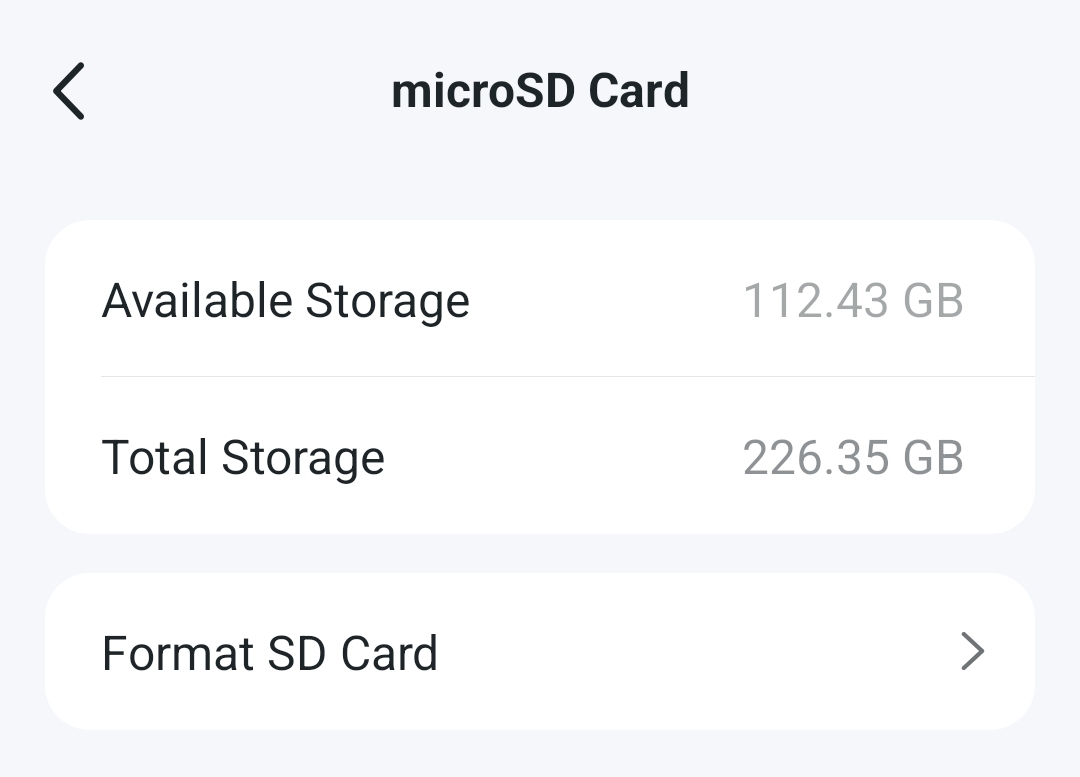
1. Please click "microSD Card" on the camera's Storage & Recording page, then check if the Loop Recording feature is enabled.
2. According to the KC420WS's UG, it should be the camera does not have the Reboot feature, so you can't see this feature in the Kasa or Tapo app.
3. Whether the reported phenomenon starts occurring after updating the Tapo app to v3.15.112?
You can uninstall the Tapo app on your phone, copy this link, paste it into your phone's browser to download and install the Tapo Trial app(v3.15.117), then test whether this resolves the reported phenomenon.
Note: You can refer to the instructions below to see the "Compatibility List of microSD Cards We've Tested", and the Sandisk Ultra 256GB SD card is not on the list.
What type of microSD card does Tapo/Kasa Camera support?
Best Regards
- Copy Link
- Report Inappropriate Content
Hi, I have checked and the loop feature appears to be missing, this was available in the older Tapo app
- Copy Link
- Report Inappropriate Content
- Copy Link
- Report Inappropriate Content
Hi
I have installed the trial version and sadly the loop button is still missing.
Please can this be logged as a bug and added back to the app
- Copy Link
- Report Inappropriate Content
Hi,
Thank you for your attempt.
I have escalated your case to our tech team, and they will contact you via email to assist you further. Please wait patiently.
Best Regards
- Copy Link
- Report Inappropriate Content
Information
Helpful: 0
Views: 4577
Replies: 7
Voters 0
No one has voted for it yet.