
Troubleshooting Tapo D210/TD21 Won't Wake Up Unless Watching Liveview in the Tapo App


This Article Applies To
Tapo D210(US/EU/JP/KP) V1.0
TD21(US/UK) V1.0
Description
Recently, you might have noticed that the Tapo D210 V1 or TD21 V1 doorbell has stopped detecting motion or recording events, except when you are watching the live stream in the Tapo app, where detection and recording work normally.
Troubleshooting Guide
Set the doorbell's detection sensitivity to the maximum level, then run the detection-range test on your doorbell. *We recommend conducting multiple tests to avoid coincidental or inconsistent results. How to test the detection range of Tapo battery camera
If the doorbell cannot detect anything during testing, or if the detection range is noticeably limited—for example, within just 1–2 meters, the issue is likely hardware‑related, specifically with the PIR sensor. In this case, a replacement will be needed. To proceed with the warranty, please contact the retailer or local TP-Link support. Contact Technical Support
For other cases, please contact technical support for further investigation.
- Copy Link
- Subscribe
- Bookmark
- Report Inappropriate Content

can confirm having same issues
not the first time, in fact my third doorbell. Like previous said can't be the hardware all having same fault. Must be some issue going on. Might turn off updates as seemed to work fine for few weeks then stopped strangely
- Copy Link
- Report Inappropriate Content

- Copy Link
- Report Inappropriate Content

@Wayne-TP I have been having these issues and now contacted support for a warranty claim. Do you know the turn around time on responses currently? Also if the TD21 is broken, will they issue a different device in replacement? Many thanks
- Copy Link
- Report Inappropriate Content
They really need to issue a response about this issue and mention if they are looking into a fix or something.
- Copy Link
- Report Inappropriate Content

Mine appears to have started waking up again today, anyone else? I'm at work so haven't been able to test it but am getting notifications again... Fingers crossed something has been pushed down to it
- Copy Link
- Report Inappropriate Content
@Kazbop Their email tech support are going to send a firmware update to mine to see if it resolves. Just waiting on a confirmation as to when.
- Copy Link
- Report Inappropriate Content

@Kazbop Do you kow what software version is installed?
Tech support have been not very supportive. Basically "Send it back to Amazon"
- Copy Link
- Report Inappropriate Content
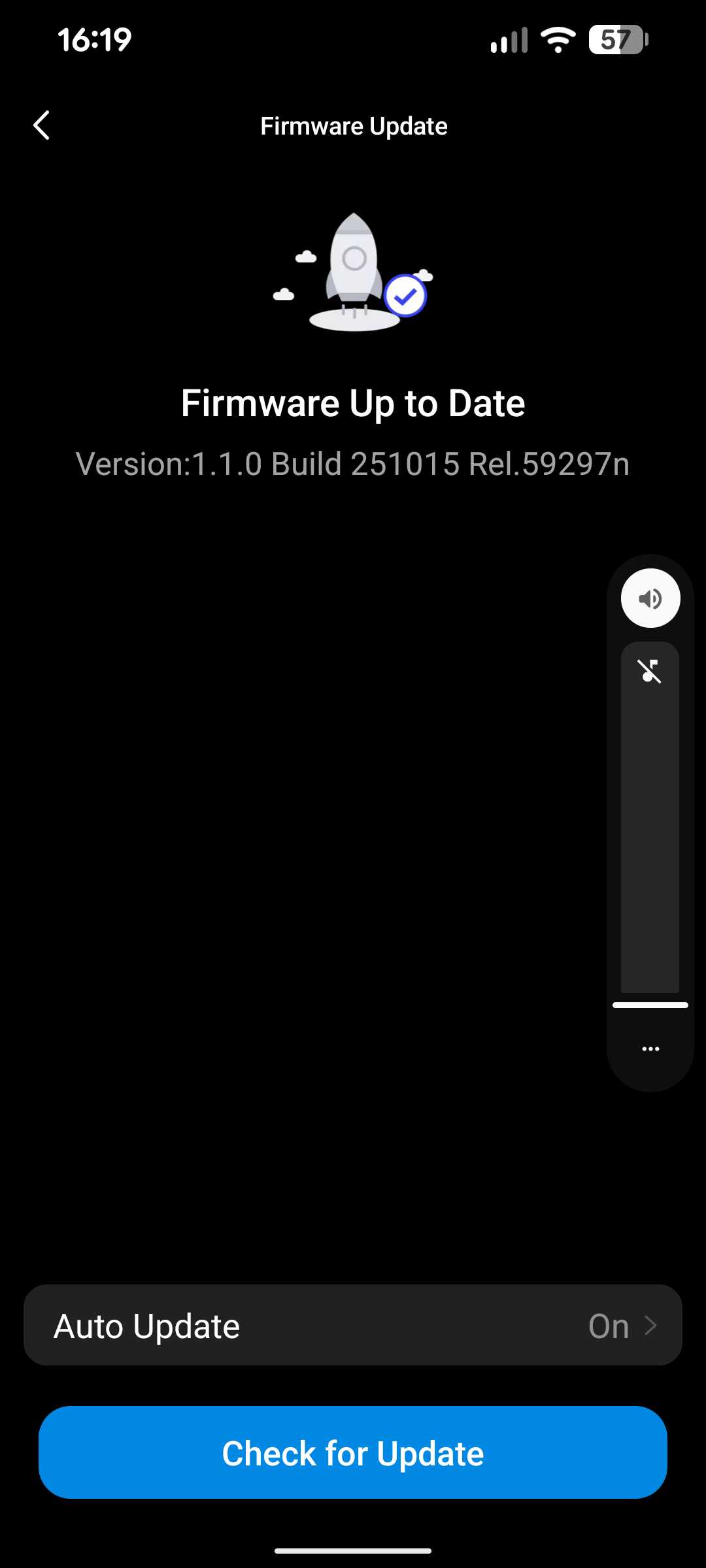
- Copy Link
- Report Inappropriate Content
@Kazbop not sure if that's different tbh but after 4 days of no notifications I've had 4 while at work today.
- Copy Link
- Report Inappropriate Content
@Kazbop Thats a different version than mine! I have v1.1.0 Build 260123 Rel.43611n
Looking at the date it is from 15th Oct 2025!
- Copy Link
- Report Inappropriate Content
Information
Helpful: 1
Views: 6816
Replies: 75
Voters 1
