
Early Access Deco BE65/BE63/BE11000_V2_1.3.0 Added DoH & DoT, Speed Limit and Internet Backup


This Article Applies to:
Deco BE65(EU/US/AU/CA/UK)_V2.0
Deco BE63(US)_V2.6
Deco BE11000(US)_V2.6
Hey Everyone!
We are excited to announce a pre-release firmware update introducing DoH & DoT, Speed Limit, and Internet Backup, as well as other advanced features for Deco BE65/63/BE11000. We encourage users to install this firmware and share their feedback with us.
Firmware Modifications
New Features/Enhancements:
- Added WiFi Heatmap. (It also requires the Deco App version to be: 3.10.133 for IOS and 3.10.80 for Android.)
- Supported fixing a specific port as the WAN port.
- Added Hybrid Mesh feature.
- Added Internet Backup feature.
- Added DoH & DoT feature.
- Added Speed Limit feature for client devices.
- Optimized HomeShield feature.
- Improved System Stability.
Bug Fixes:
- Fixed the NAT Loopback issue.
- Fixed the issue where the Online List doesn't show IP addresses of connected clients when Deco is in AP mode.
- Resolved the issue where the Qos Total Bandwidth doesn't take effect as expected under certain circumstances.
- Addressed the issue where the Deco may restart automatically under certain circumstances.
Download Link:
Deco BE65/BE63/BE11000_V2.0/V2.6 |
1.3.0_build_2602261_rel_21001_Beta 2026.3.9 updated |
Update Notice:
- Please be sure you have read the Beta Test Agreement before upgrading the Pre-release firmware!
- Please make sure the Deco APP is up-to-date.
- This firmware can’t be degraded directly to the previous 1.2.10/1.2.0 version.
- How to manually update the firmware via web UI.
As always, we value your feedback. If you happen to encounter any concerns during or after the firmware upgrade, please feel free to comment below with the following information. Your input helps us continue to improve and provide the best possible products and support.
- Provide a detailed network layout, including how the devices are connected.
- Include a detailed description of the issue and as much information as possible regarding the specific conditions that seem to trigger the behavior.
Thank you for your continued support and for being part of our community.
- Copy Link
- Subscribe
- Bookmark
- Report Inappropriate Content

Any idea, when this firmware became official (not beta?) At least in Hungary, even 1.2.1 was not released, the last official one is 1.2.0 back in August...
- Copy Link
- Report Inappropriate Content

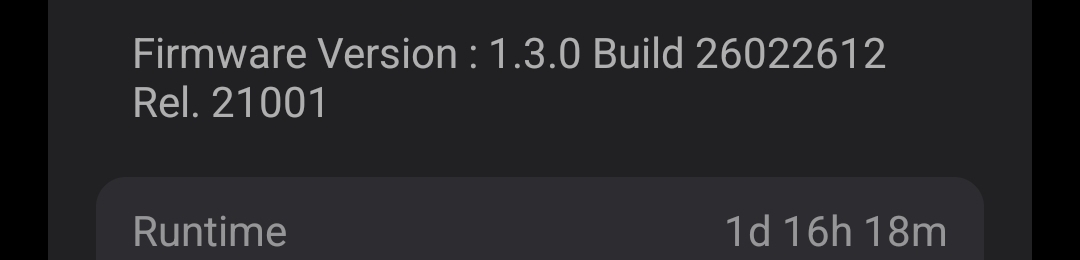
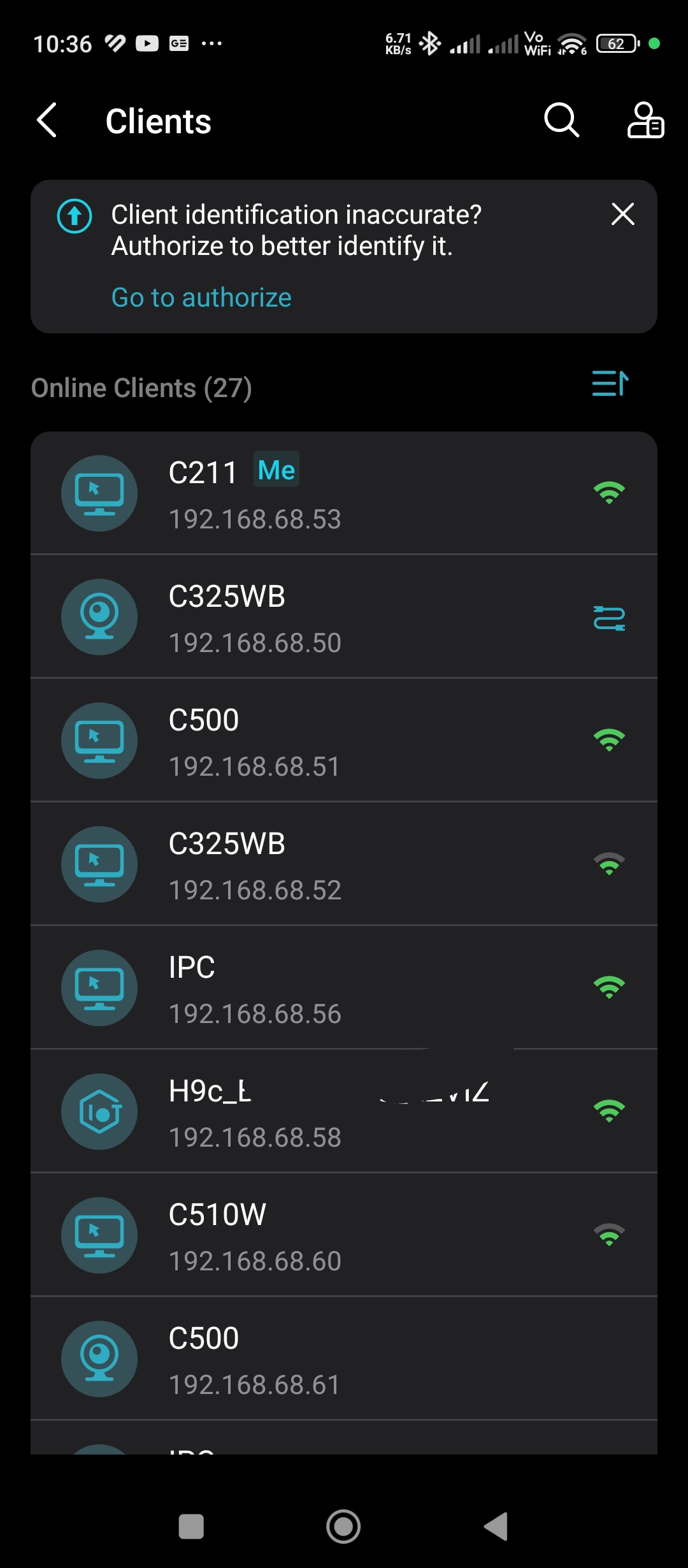
@David-TP now the identification of client list is messed up, this was working properly before this beta ver. The names of client doesn't match the assigned IPs.
- Copy Link
- Report Inappropriate Content

- Copy Link
- Report Inappropriate Content

David should be on the clock in a few hours. Would the both of you mind referring to this link to submit the Deco App log so he can pass it on to the senior engineers thank you.
- Copy Link
- Report Inappropriate Content

@David-TP when all this is coming to BE65-5G because I want to replace my BE65 with it ?
- Copy Link
- Report Inappropriate Content
Hi, thank you very much for your feedback.
HelpFixDecoApp is right, and if you're having any issues with the client lists, please do remember to submit the Deco App log here:
And add some screenshots of the incorrect or empty online client list.
Wait for your reply.
Best regards.
- Copy Link
- Report Inappropriate Content

- Copy Link
- Report Inappropriate Content
When you sent in the app log you should have received a TKID number, Can you please provide that number so @David-TP can look into this for you?
Thanks.
- Copy Link
- Report Inappropriate Content
Hi, thank you very much for the feedback.
Things were looking good for about the 1st week or so but for the last 2-3 weeks I've had no client list despite all my clients being connected with no issue. I've submitted APP feedback via the Android app twice now in the past couple of weeks.
Did you get any support ticket ID after submitting the App feedback?
Or could you please leave me a message with the email ID that you used to submit the Deco App feedback?
Wait for your reply.
Best regards.
- Copy Link
- Report Inappropriate Content

Root cause of periodic ping spikes every ~11 seconds on Mac — AWDL (not the Deco)
If you're seeing paired ping spikes every 11 seconds on a Mac connected to your Deco, the culprit is likely AWDL (Apple Wireless Direct Link) — a background macOS process that supports AirDrop and AirPlay by periodically forcing the WiFi radio to hop channels and scan for nearby devices.
To confirm, run a continuous ping and watch for a repeating spike pattern. You can temporarily disable AWDL with sudo ifconfig awdl0 down and the spikes will stop immediately.
For a permanent fix I installed Ping Warden, a macOS utility that blocks AWDL scanning without disabling AirDrop entirely. After doing so all ping tests are clean with stddev under 3ms, max under 30ms and zero periodic pattern.
This is a well-documented macOS issue going back to 2016 and affects all Mac models including the M4 Mac Mini. iPhones do not exhibit the same behaviour. The Deco hardware and firmware are not the cause.
Thanks to the TP-Link support team for pointing me toward the Mac side during diagnosis.
- Copy Link
- Report Inappropriate Content
Information
Helpful: 5
Views: 24849
Replies: 161
Voters 4



