
"Mopping attachment removed. Please check."
"Mopping attachment removed. Please check."

I got my RV50 so I could leave it to the mopping, but now it can't complete a single task without the infernal notification. This seems to have gotten worse since the latest firmware, which I didn't think was possible. Anybody else had the same issue and more importantly found a solution?
- Copy Link
- Subscribe
- Bookmark
- Report Inappropriate Content

Wayne-TP wrote
A beta firmware is available to resolve this issue. If you would like to try it, send me the Mac address of your device via private message.
Before the Upgrade
(1) Please be sure you have read the Beta Test Agreement before upgrading the Pre-release firmware!
(2) How to update the firmware of the Tapo devices on the Tapo App
(3) Firmware downgrade is not supported. When a new official version is released, updating it will overwrite the beta version.
- Copy Link
- Report Inappropriate Content

@Wayne-TP Some feedback: After the beta firmware update, I've consistently (daily) experienced "Wheel module error" and "Failed to install mopping attachment" + that the robot drops one of the mops during cleaning (the one on the extension arm).
One morning it had also remapped one of the floors during the night cleaning so it was completely inaccurate. It did this although the map was locked. Fortunately I had a backup I could restore.
All in all, there is quite a bit of issues with this beta release.
- Copy Link
- Report Inappropriate Content
Lucas-h wrote
@Wayne-TP Some feedback: After the beta firmware update, I've consistently (daily) experienced "Wheel module error" and "Failed to install mopping attachment" + that the robot drops one of the mops during cleaning (the one on the extension arm).
One morning it had also remapped one of the floors during the night cleaning so it was completely inaccurate. It did this although the map was locked. Fortunately I had a backup I could restore.
All in all, there is quite a bit of issues with this beta release.
Based on the current symptoms you’ve described, the earlier error messages you saw probably weren’t false alarms. It’s looking like there could be an underlying hardware issue here.
I recommend reaching out to your local TP-Link support for further assistance. They might be able to inspect the product and determine if service or replacement is required. Contact Technical Support
- Copy Link
- Report Inappropriate Content

- Copy Link
- Report Inappropriate Content

The issue reported in this thread has been identified and will be addressed in the future firmware release.
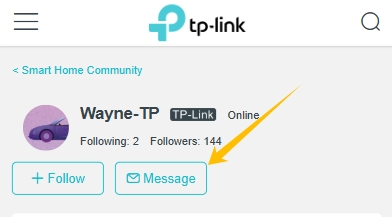 Before the official release, a beta firmware can be provided to our community members to resolve the problem. For users who experience a similar issue, you can follow the guidance below to apply the beta:
1. Find the Mac address of your robot vacuum.
2. Send a private message to me (@Wayne-TP) with the following information:
[Forum 860482] + Mac address of your Tapo RV50 Pro Omni
Before the Upgrade
(1) Please be sure you have read the Beta Test Agreement before upgrading the Pre-release firmware!
(2) How to update firmware of Tapo smart devices
(3) Firmware downgrade is not supported. When a new official version is released, updating it will overwrite the beta version.
- Copy Link
- Report Inappropriate Content
Wayne-TP wrote
The issue reported in this thread has been identified and will be addressed in the future firmware release.
1. Find the Mac address of your robot vacuum.
2. Send a private message to me (@Wayne-TP) with the following information:
[Forum 860482] + Mac address of your Tapo RV50 Pro Omni
Before the Upgrade
(1) Please be sure you have read the Beta Test Agreement before upgrading the Pre-release firmware!
(2) How to update firmware of Tapo smart devices
(3) Firmware downgrade is not supported. When a new official version is released, updating it will overwrite the beta version.
- Copy Link
- Report Inappropriate Content
Information
Helpful: 0
Views: 715
Replies: 16
Voters 0
No one has voted for it yet.