
C630 not switching to night mode

I have 2 C630 cameras running in different areas of my property. Neither of them switch to night mode automatically. They're both set to auto but fail to switch over. I have to do it manually.
They'll automatically switch to day mode from night mode in the morning, but not to night mode.
- Copy Link
- Subscribe
- Bookmark
- Report Inappropriate Content


Hello,
Welcome to the community, and thank you for sharing the details of the issue you’re experiencing with your Tapo C630 KIT.
To begin with, we kindly recommend the following checks:
-
Please try restarting the cameras first. If the issue persists, we suggest performing a factory reset on the affected cameras and setting them up again to see whether the automatic night‑mode switching resumes normally.
-
If restarting or resetting does not resolve the issue, please enable the camera diagnostic mode in the Tapo app. This will allow us to gather more detailed information if further analysis is needed, please refer to this FAQ: How to get the log of Tapo Camera
-
We would also appreciate it if you could provide:
- A recent time period when the cameras failed to switch from day mode to night mode automatically, and
- A screenshot of the live view taken during that time, showing the lighting conditions.
This information will help us better understand the environment and determine why the cameras are not transitioning into night mode as expected.
If the issue remains after completing the above steps, please reply to this post with the requested details so that we can continue assisting you.
Best Regards.
- Copy Link
- Report Inappropriate Content
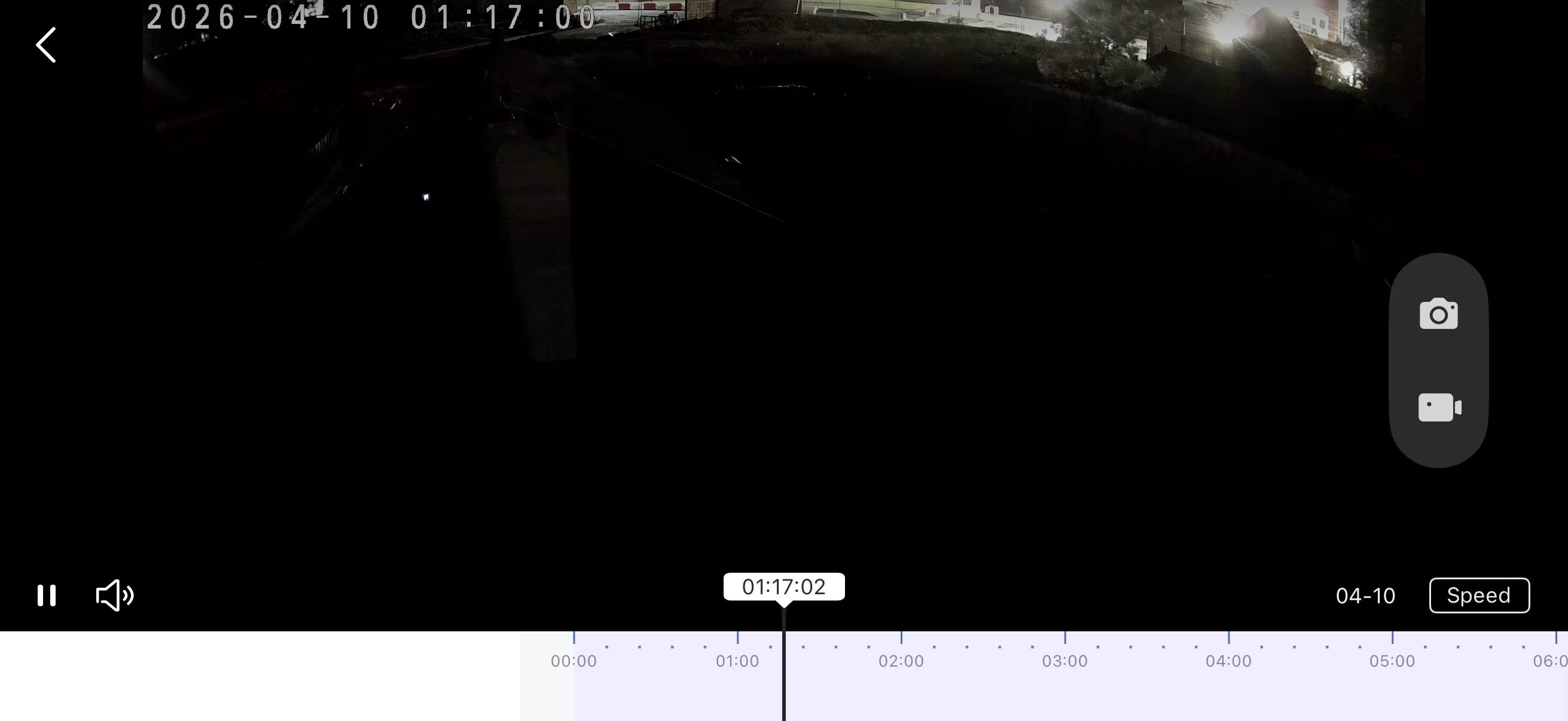 @Hilbert-TP thank you for your reply.
I've enabled diagnostic mode for both cameras.
I've tried to reset both and still have the same issue.
ive attached an image from my camera where it hasn't changed. The time period is everyday, after sunset when it gets dark.
Thanks for your help.
- Copy Link
- Report Inappropriate Content
Hi,
Thank you for the update, and we appreciate you letting us know what you’ve already tried.
Could you please double‑check that Diagnostic Mode is currently enabled on both cameras and remains enabled after the reset? This confirmation is important for us to ensure that the necessary diagnostic information is being collected while the issue is occurring.
This case seems to require further investigation. To assist with this case, a specialist will help to follow it up through email. Please check your inbox later to confirm.
If the email you used to register for the TP-Link community is not your contact email or you cannot access it, please send me your contact email through private message( @hilbert ).
- Copy Link
- Report Inappropriate Content
Information
Helpful: 0
Views: 112
Replies: 3
Voters 0
No one has voted for it yet.