
C310 false area detection

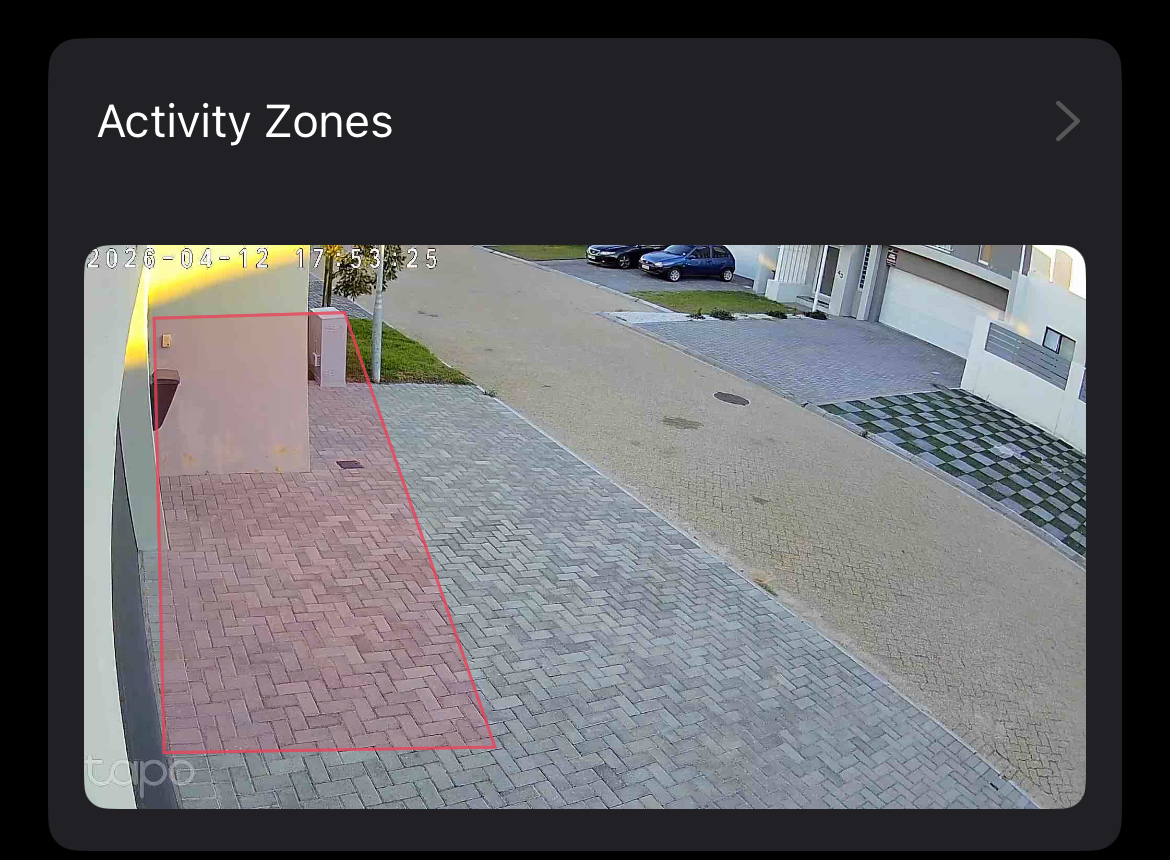
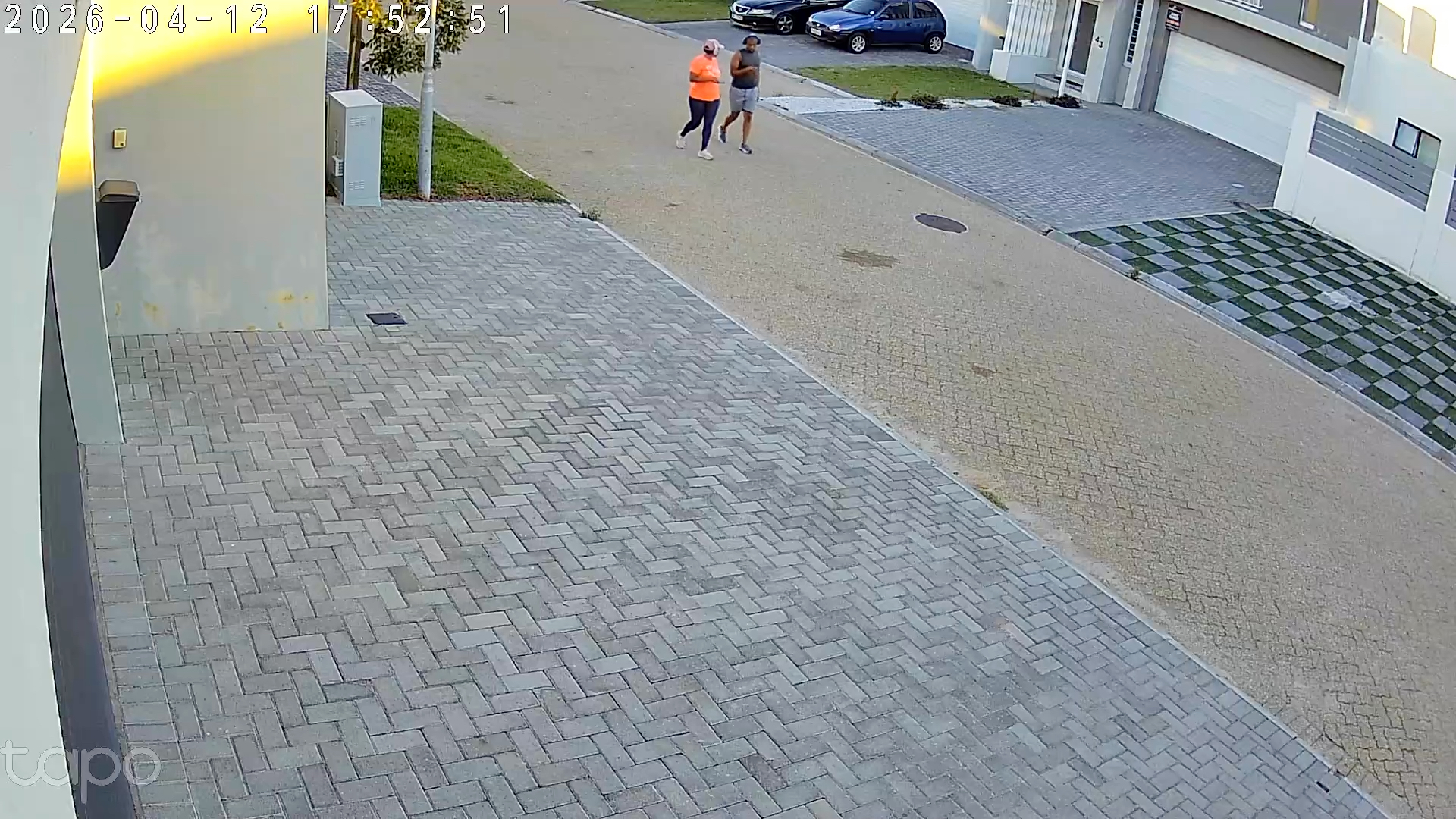
Hi, I have my camera set up with area intrusion detection and camera tampering enabled. I get notifications of area intrusions every time motion is detected anywhere in the frame. It is behaving as if it is completely ignoring the area I defined. Attached is one of many examples I have of false detections.
- Copy Link
- Subscribe
- Bookmark
- Report Inappropriate Content


Hello,
Welcome to the community, and thank you for sharing the details of the issue you’re experiencing with your Tapo C310.
To help us investigate this more thoroughly, we’ll need to review some device‑specific information and examples of the false detections. Could you please provide the following:
- The MAC address of the affected camera
- One or more video clips showing the false area‑intrusion detections
Please send both the MAC address and the videos via a private message (backend direct message) to me(Hilbert-TP), rather than posting them publicly in this thread. This will allow us to analyze the detection behavior in more detail and determine the next steps.
Best Regards
- Copy Link
- Report Inappropriate Content
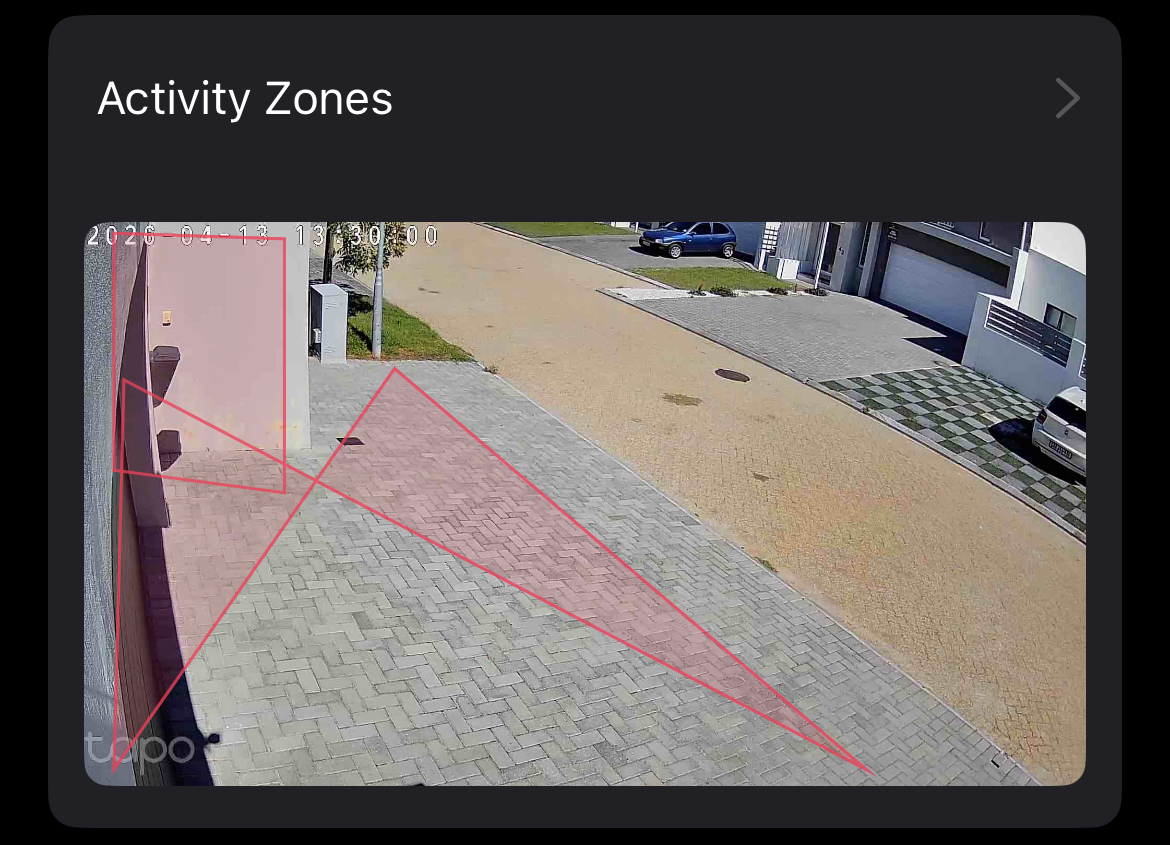
Thanks I have replied and sent video samples to you directly. Im also experiencing this bug. When creating a zone, and I press save, it flips 2 the points and makes this X pattern.
- Copy Link
- Report Inappropriate Content
Hello,
Thank you for your follow‑up and for sending the video samples via private message.
At this stage, we recommend trying the following steps:
Please perform a factory reset on the camera and set it up again in the Tapo app, then recreate the detection zone to see whether the issue persists.
If possible, please also try connecting the camera via an Ethernet cable temporarily and then reconfigure the detection zone. This will help us determine whether the issue may be related to network stability.
From our initial assessment, this looks like a detection zone display/configuration issue potentially caused by network conditions, and the false detections you’re experiencing may be related to the detection zone not being saved correctly.
If the issue persists and you’re willing to assist us further with troubleshooting, please let me know and we’ll arrange for a dedicated follow‑up via email. If the email you used to register for the TP-Link community is not your contact email or you cannot access it, please send me your contact email through private message.
Best Regards.
- Copy Link
- Report Inappropriate Content
Information
Helpful: 0
Views: 148
Replies: 3
Voters 0
No one has voted for it yet.