RV50 Pro Omni always detect environment change

RV50 Pro Omni always detect environment change

RV50 Pro Omni always detect environment change
3 weeks ago
Tags: #Map
Model: Tapo RV50 Pro Omni  
Hardware Version:
Firmware Version:

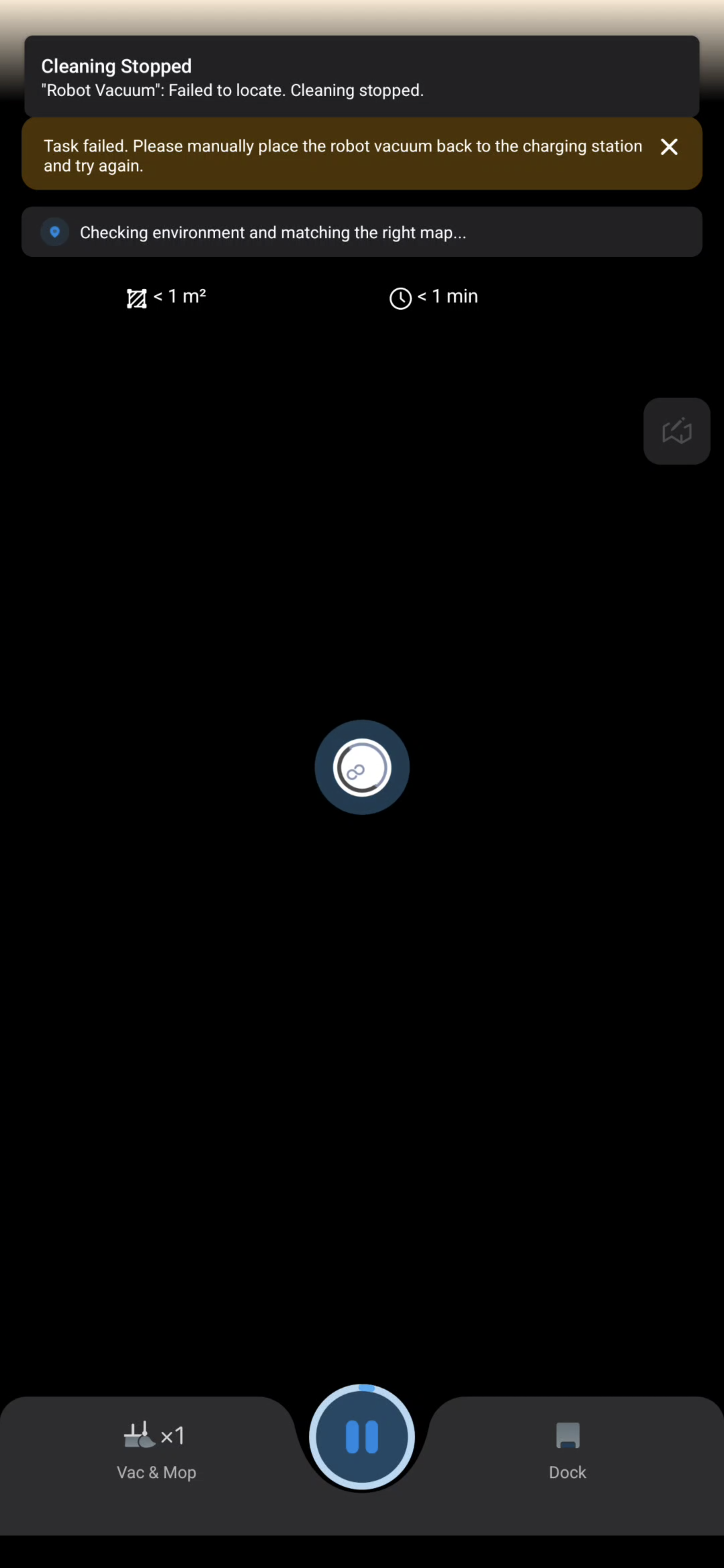
When I start any function, the robot will come out of the dock and do a scan even when a map is already available. When it detects a change in the map, I will go back to it's dock and refuse to work. The change detected can be as small as having a pillow dropping off the sofa. 


Can I disable this function and allow the robot to always correlate to the dock instead?  Or am I doing anything wrong?

  0      
0
#1
Options
3 Reply
Re:RV50 Pro Omni always detect environment change
3 weeks ago

  @paradonal 


This doesn't seem normal. Please try to reboot your device, see if that helps: press and hold the power button to turn on or off the robot vacuum.


Is this something that can be reproduced consistently? Can you share some screenshots of the cleaning report from when the problem occurred?

CES 2026 Meet TP-Link AI Assistant and More New Products!
  0  
0
#2
Options
Re:RV50 Pro Omni always detect environment change
2 weeks ago
  0  
0
#3
Options
Re:RV50 Pro Omni always detect environment change
2 weeks ago - last edited 2 weeks ago

  @paradonal 


Do you have a report photo taken after the cleaning task finished (manually ended)?


Can you confirm if this is an issue that can be reproduced consistently? For example, you can try to do some tests yourself -- place something like a box in the middle of the room and then send the robot in to clean. Then watch what it does: does it just go around the box and clean normally, or does it hit the box and immediately give an error and go back to the dock?

CES 2026 Meet TP-Link AI Assistant and More New Products!
  0  
0
#4
Options