
T100+L530E

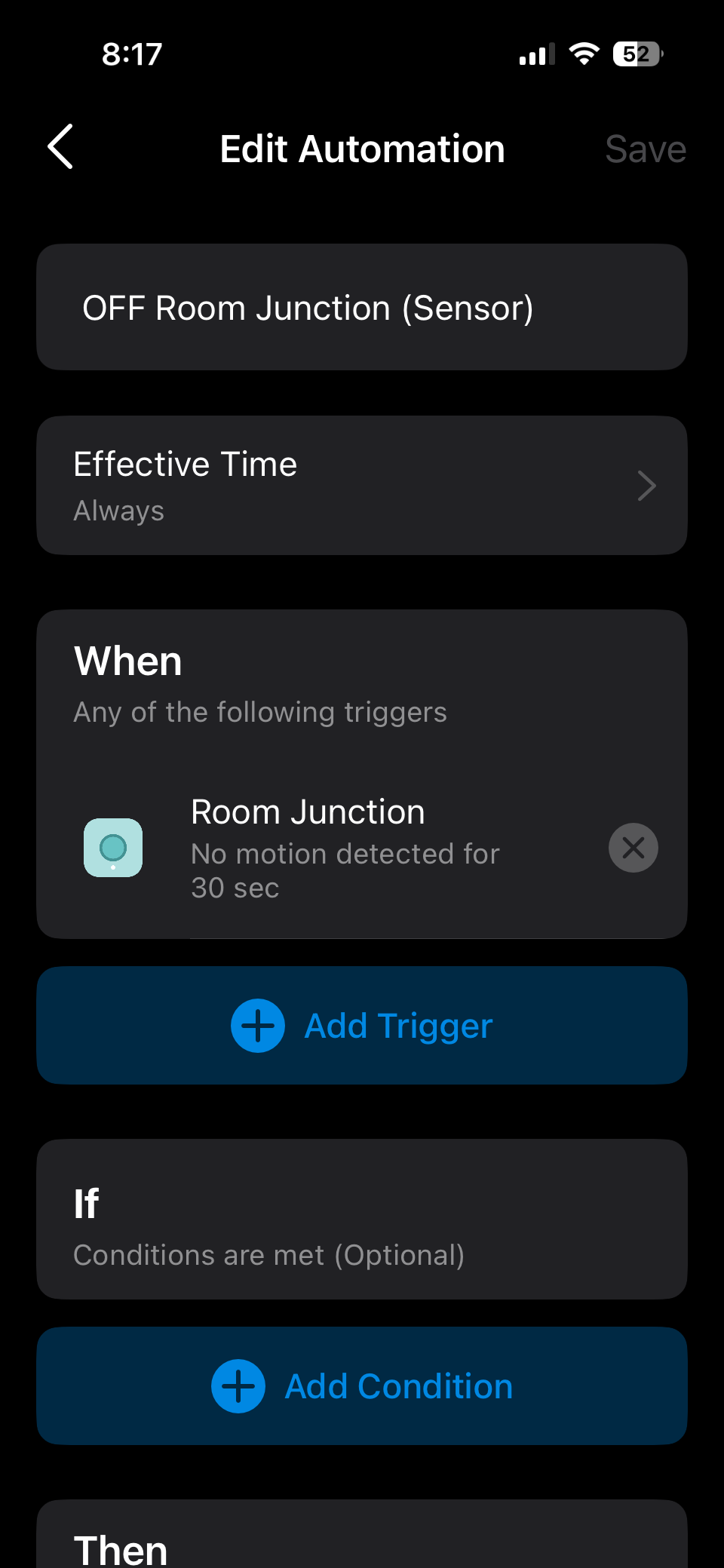 I tried to set the retrigger of T100 to 32 sec, and automation of "No motion detected" to 30 sec to switch off the L530E bulb.
it always stay at a time frame of 1min 30sec before switching itself off , I measured the time from beginning upon triggering the T100 sensor to detect my motion , till the bulb switch itself off, it took 1min 30sec.
I had tried a slightly longer retrigger time frame of 60sec , but let the automation rule of "no motion detected" remain at 30sec to switch off the L530E, the result is the same 1min 30sec.
is there a bug in the app automation feature?

- Copy Link
- Subscribe
- Bookmark
- Report Inappropriate Content


How are you determining that the sensor has been triggered? Is it when you physically pass by it, or when you receive a detection notification in the app?
You could run a simple test to verify the automation’s behavior: create a new rule where the sensor triggers the light to turn on, then watch whether the light turns off automatically after 30 seconds (the current rule).
- Copy Link
- Report Inappropriate Content
Hi Wayne,
I tried walking past a sensor with a stop watch at hand, kept an eye on the yellow led flashes yellow once it sensed me. The lights then switch itself ON, there is a slight gap between yellow led flashes to the light switching ON, but this process takes less than a second so it's negligible. The 1min and 30sec +/- timing is what I get from yellow led flashes till the light bulb turns off.
the ON and OFF automations are done via 2 seperate entries for sensors. So there are a bunch of ON and OFF automation created for each light around the house.
This problem actually exist for all the T100 sensors+ P110 power plugs around the house too. There are many lights that are the generic light which have power connected to the P110 for ON and OFF state switching.
so my guess is either the automation app script or the T100 setting script might have bug.
John
- Copy Link
- Report Inappropriate Content
Double-check if you have any duplicate or conflicting automation rules set up in the Tapo app. If your device is also synced to a third-party platform like Alexa or Google Home, please check there as well for any similar automation rules.
Try to factory reset a sensor and a bulb or plug. When you set them up again, give them device names you’ve never used before, then create a new automation rule to see if the problem happens again.
- How to reset T100: Remove the cover, then use a pin to press and hold the Reset button for 5 seconds until the front LED starts blinking.
- How to reset the Tapo smart bulb
- How to factory reset the Tapo/Kasa smart plug
- Copy Link
- Report Inappropriate Content
I have 10 x P110 plugs and 8 xT100 sensors , all behaves the same manner that is not logically correct to me. I do not use any other 3rd party automation, so only Tapo devices and app are involved. All plugs have latest software updated.
From the start, i aware duplicate and conflicting rules on automation are no good. That's why i have spend hours going through the automations that I have created to ensure no conflicting or duplicate rules.
Let's zoom into the problem,
This is my understanding of how it works,
Upon detection of motion -> lights on (settings on T100 "detection interval is 32sec).
After this phase, automation of 30secs without motion starts a countdown , that will switch off the light after 30 seconds.
32secs of detection interval+ 30sec of without motion countdown should give around 1min of ON/OFF cycle.
My actual timing on stop watch is at 1min 30-35sec.
there is a question that I have regarding the start of countdown of "motion not detected" , it begins when motion is first detected? Or it begins counting down after the 32 seconds of "detection interval" setting on the sensor's app?
the problem that I see is that, on the automation settings , regardless that "no motion detected for" 30sec or 1min, both of these gave the same ON/OFF cycle time that I had timed , that is 1min 30-35sec.
iohn
- Copy Link
- Report Inappropriate Content
Information
Helpful: 0
Views: 84
Replies: 4
Voters 0
No one has voted for it yet.