
Deco BE65Pro rebooting after firmware upgrade

Hi,
My Deco BE65Pro is my main node. Got an update notification to firmware 1.3.1. After updating, it restarts every 8-10 minutes. I can see a spike in cpu usage to 100% right before it reboots. I've tried setting into recovery mode to see if i can downgrade but it fails, flashes green very quickly and goes to solid red. The only "current fix" is to turn off 4 satellite deco units - by doing this, the main node no longer reaches a 100% cpu spike and doesn't reboot. Doesn't seem to matter which 4 satellites I turn off. Is anyone having similar issues after the 1.3.1 update?
Thanks!
- Copy Link
- Subscribe
- Bookmark
- Report Inappropriate Content


Hi,
Please ensure your Deco is powered by the original power adapter and cord that came with the Deco from the package.
If the same phenomenon persists, please confirm the following information.
1. How many Deco nodes do you have in the Deco network? Please go to the Deco app > Network tab, tap a Deco, and send us the screenshots of the Show Map and Show List pages.
2. How many client devices are connected to the Deco network?
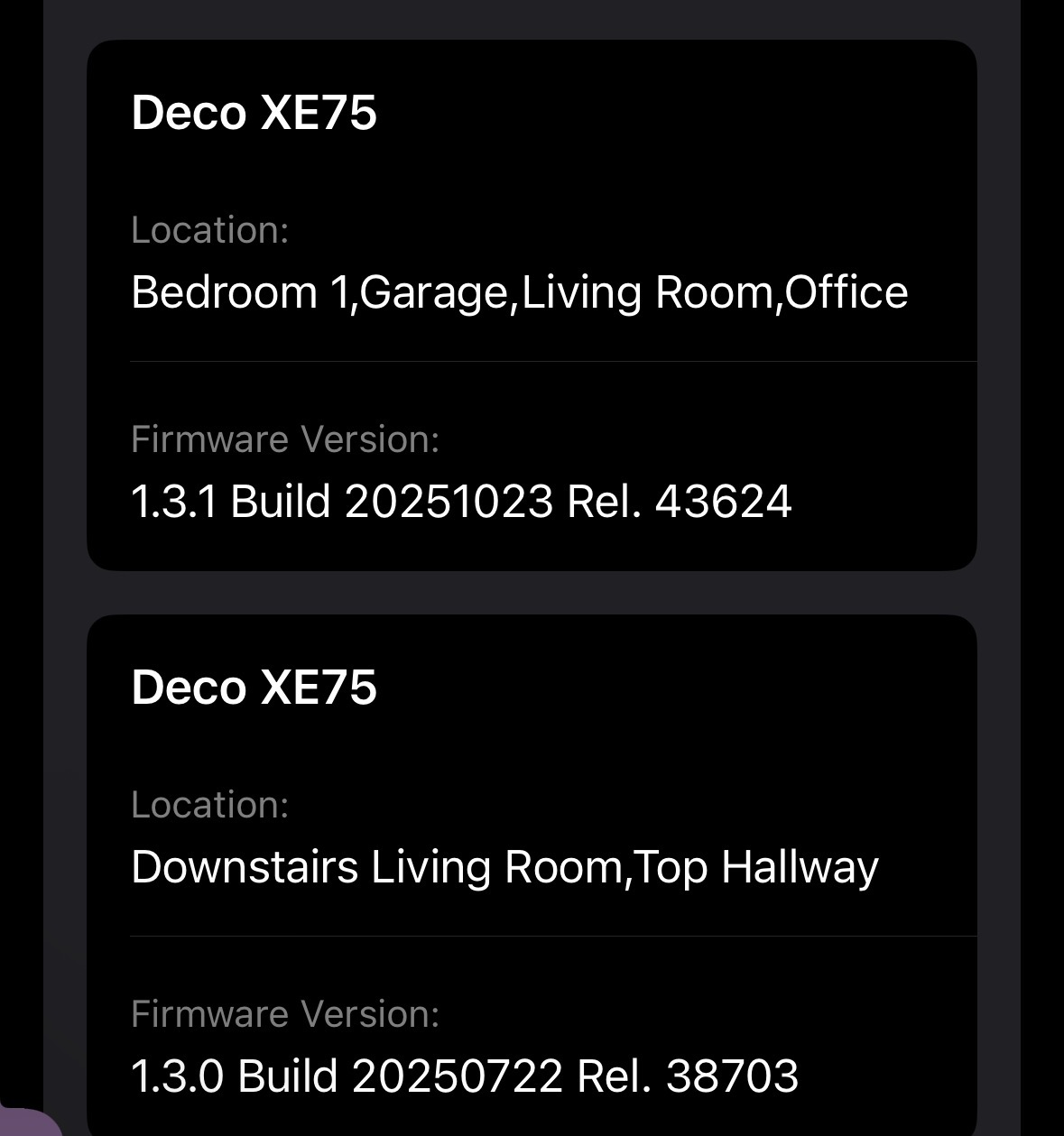
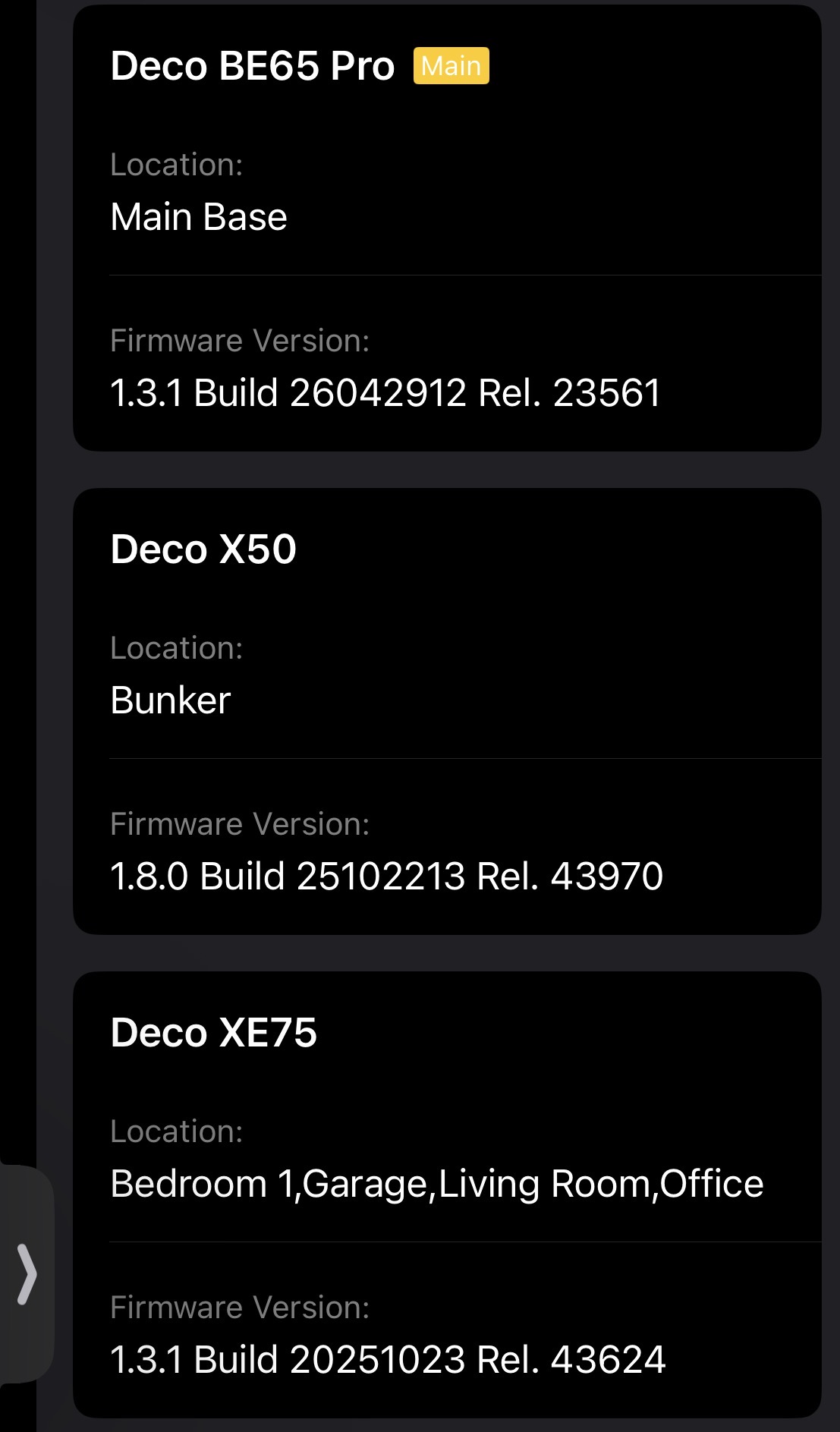
3. Are the satellite Deco nodes model number Deco BE65 Pro? If not, please provide the Deco nodes' model numbers, hardware versions, and firmware versions.
Best Regards
- Copy Link
- Report Inappropriate Content
Hi,
The Deco BE65 Pro is connected using all original accessories. I
I have 11 satellites, average of 30-40 clients connected. 2 Deco x50 (on 1.8.0), remaining are Deco XE75 (some on 1.3.0, some on 1.3.1). All of them are updated to the latest version. Below is the screenshot of the network.
Just to reiterate, all was working absolutely fine before the main node BE65 Pro got upgraded to 1.3.1 via the app.
Thanks
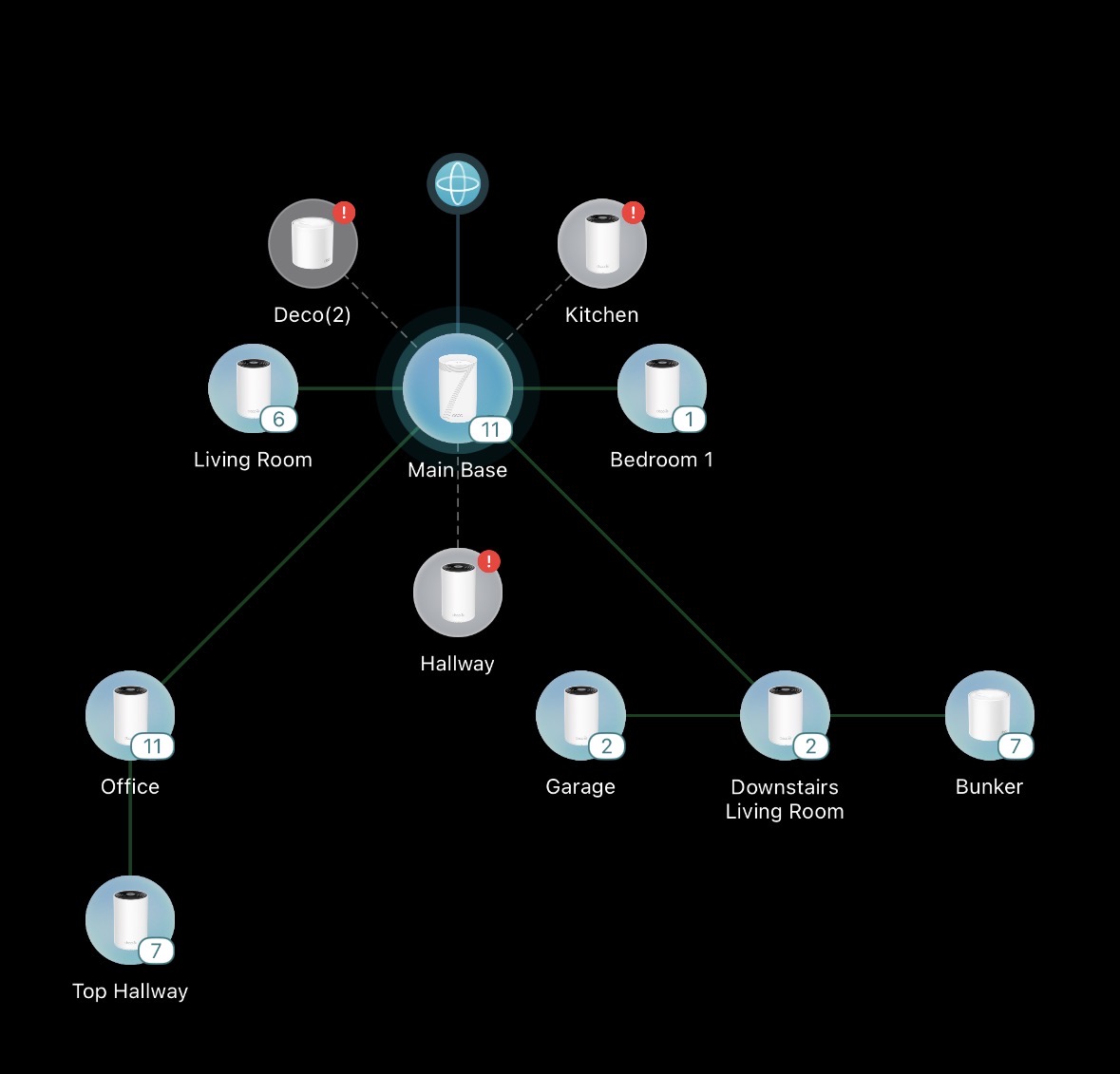
- Copy Link
- Report Inappropriate Content
Hi,
Please log in to the main Deco's Web UI, then go to Advanced > System > Firmware Upgrade page, tap Check for Update, and send us a screenshot of the page showing all Deco's hardware and firmware versions.
Please try to reproduce the reported phenomenon and follow the instructions below to send us the Deco app log. Then reply to us once you have sent the log file.
How to Get and Send Deco App Log to TP-Link Support
Best Regards
- Copy Link
- Report Inappropriate Content

Aqui estou exatamente com o mesmo problema. Atualizei meu BE65 pro para a última versão (1.3.1) e desde então ele reinicia a cada 10 minutos.
- Copy Link
- Report Inappropriate Content
Hi,
Screenshots of the Deco units.
I sent the logs via the Deco App and got a ticket number.
Thanks
- Copy Link
- Report Inappropriate Content
@rjtc Acabei de resolver o problema promovendo o BE65 como nó principal e deixando o BE65 Pro como secundário. É algum bug mesmo de firmware do Be65 Pro
- Copy Link
- Report Inappropriate Content
- Copy Link
- Report Inappropriate Content
Hi,
Your case (TKID260631272) has been escalated to our tech team, and they will contact you via email to assist you further. Please wait patiently.
Best Regards
- Copy Link
- Report Inappropriate Content
Information
Helpful: 0
Views: 246
Replies: 8
Voters 0
No one has voted for it yet.