How to share my Tapo Smart Devices with my family?
With the Device Sharing feature, you can invite your families to manage the smart devices together.
Please Note:
- Tapo Cameras, Doorbells, and Robot Vacuums may be shared with up to five (5) TP-Link Accounts, and Other Smart Home Devices may be shared with up to eight (8) other accounts.
- These accounts will have access to the Live View, Talk, Voice Call, Pan/Tilt Control, and the Playback + Memory Features of the Camera, but will be unable to change the other settings of the camera.
- Shared Doorbells will also provide quick response and Ring/Call Features
- Please ensure that the firmware of your Tapo device and your Tapo App is up to date.
- Some devices may not currently support the device-sharing feature, but the Tapo app will inform you that the sharing feature is not supported by the device.
Step 1.
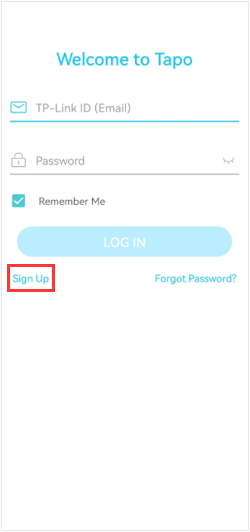
Let the invitees launch the Tapo app, and choose “Sign up” to create their own TP-Link ID first.
Step 2.
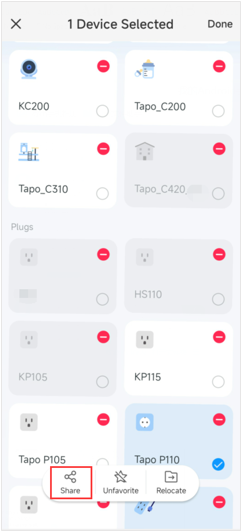
Here we take the Tapo P110 as an example.
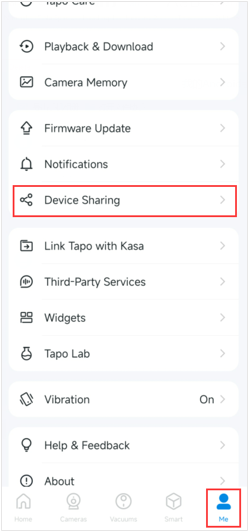
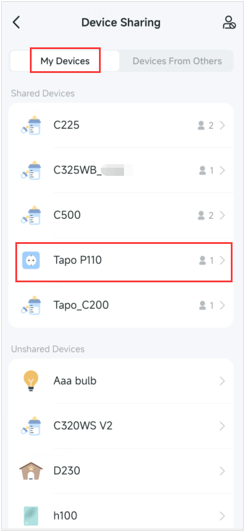
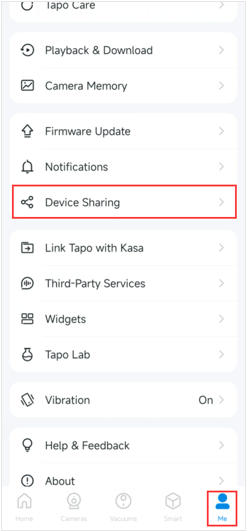
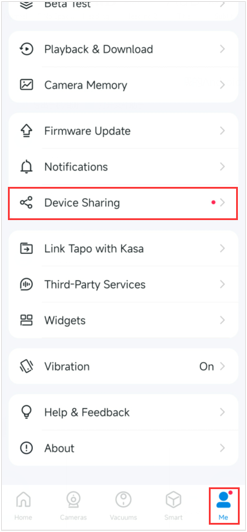
On your own home page, long-press the device you want to share, then tap Share. Or on the Me page, tap Device Sharing and select the device you want to share.
Step 3.
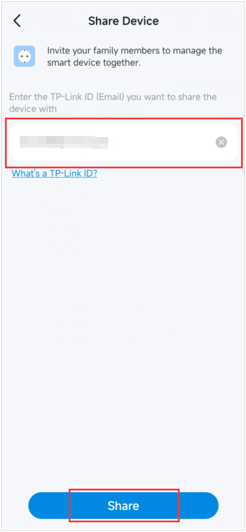
Enter the invitee’s TP-Link ID, then tap SHARE.
Note: For Tapo cameras, invitees have limited permissions to control the cameras.
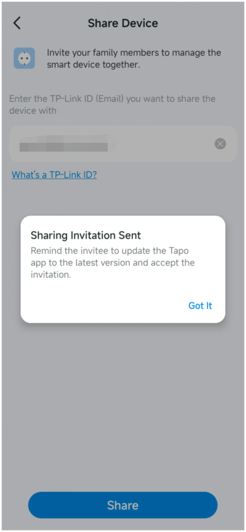
Step 4.
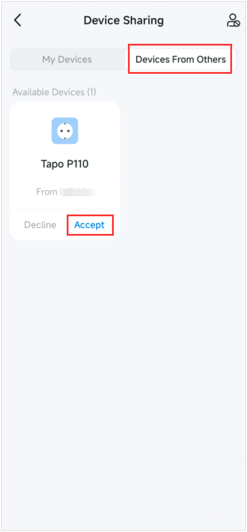
Let the invitee log in to the Tapo app, go to Me>Device Sharing to check the invitation under Devices From Others, and tap ACCEPT. After that, the invitee can manage this shared device.
How to stop device sharing?
If you want to stop this device sharing:
- Click on the Tapo device on the home page and go to its control panel.
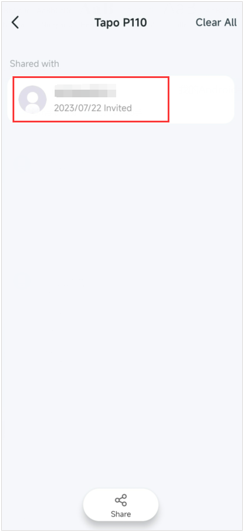
- Tap Device Sharing, and click on the account you want to stop sharing.
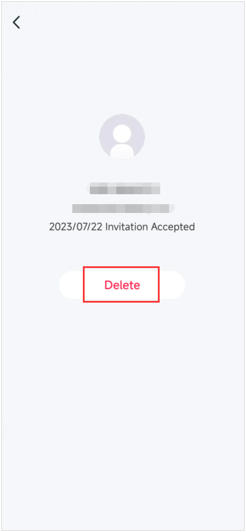
- Tap Delete to stop sharing the device with this account.
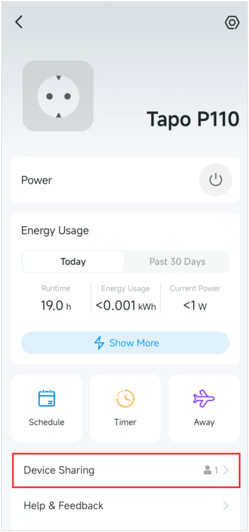
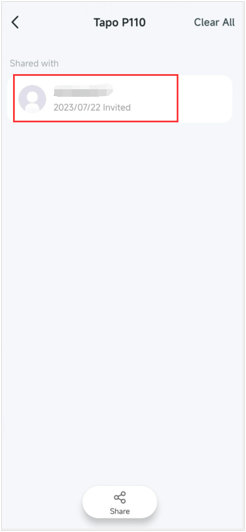
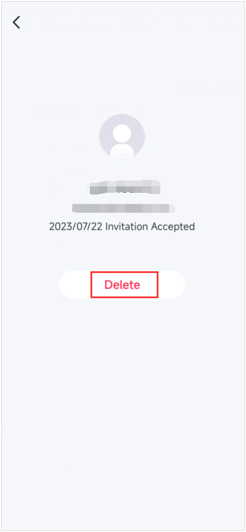
You could also click on Me >Device Sharing >My Devices> tap the Tapo device you want to stop sharing> click on the account you want to stop sharing> tap Delete to stop sharing the Tapo device with the account you have deleted.