
Download limited on Deco

Hello. Got kind of a goofy one here. I recently upgraded my internet speed to 2Gbps. When I run the Internet Speed Test on the deco device, (and a device plugged directly into the Deco) I'm getting 1Gbps download and 2Gbps upload speeds. If we plug a device directly into the modem, then we get 2Gbps on both.
Firmware states that it's the latest version. I've even swapped out the Ethernet cable between the Deco and the modem just in case it was something weird with the cable.
Uhm, any other ideas what might cause something like this? Both me and my tech are very confused.
- Copy Link
- Subscribe
- Bookmark
- Report Inappropriate Content


I can only think of 2 things that could cause this?
- You had set QoS for that device in the Deco App, or in Parental Controls?
- After you upgraded service, you didn't FORGET the Network from the Deco Unit? It might still think it is on 1Gbps Service?
- Copy Link
- Report Inappropriate Content
1. There are no devices set for QoS.
2. Uhmmmmmm .... what?
How do I "forget" that connection???
- Copy Link
- Report Inappropriate Content
Grueny wrote
Depends on what the OS in each device you have the problem, with is running?
I'll assume it is a Windows PC.
Open Settings and select the wireless SSID at the top. Than Manage Known Networks, and you'll see the FORGET for each Network that was saved on the device.
For an iPhone, it is different.
Best to Google 'How to forget network on xxxxxx' to see how to do it fo each device. Can be difficult and have different methods for IOT devices but most of those devices will operate OK and they don't need a lot of speed.
- Copy Link
- Report Inappropriate Content
Gotcha, I misunderstood what you meant.
My problem is that the Deco router is reporting 1Gbps Down and 2Gbps Up from the modem. I'm getting that running the Internet Speed test directly within the router. So it appears to be an issue between the Deco router and the Internet modem ... before it even has a chance to get to the individual devices.
- Copy Link
- Report Inappropriate Content
OK, then I suspect it is the router that still thinks it is connected to the old ISP speed.
Normally, when a Modem or router change is made (and in this case a delivered change of speed), the modem, router, and any connected devices hard wired need to be powered off.
Then in order until one is completely up, is powered up. Modem first, waiting for it to complete connection and powering up, then the router with the same wait time before powering up wired connected devices.
Note, some wireless may need to 'forget' the network too.
- Copy Link
- Report Inappropriate Content


I know you mentioned that QoS is not enabled for any devices, but if you open your Deco app and navigate to More > QoS, are you able to scroll down and see a section called "Total Bandwidth"? If so, are there specific download and upload speed values set?
For example:
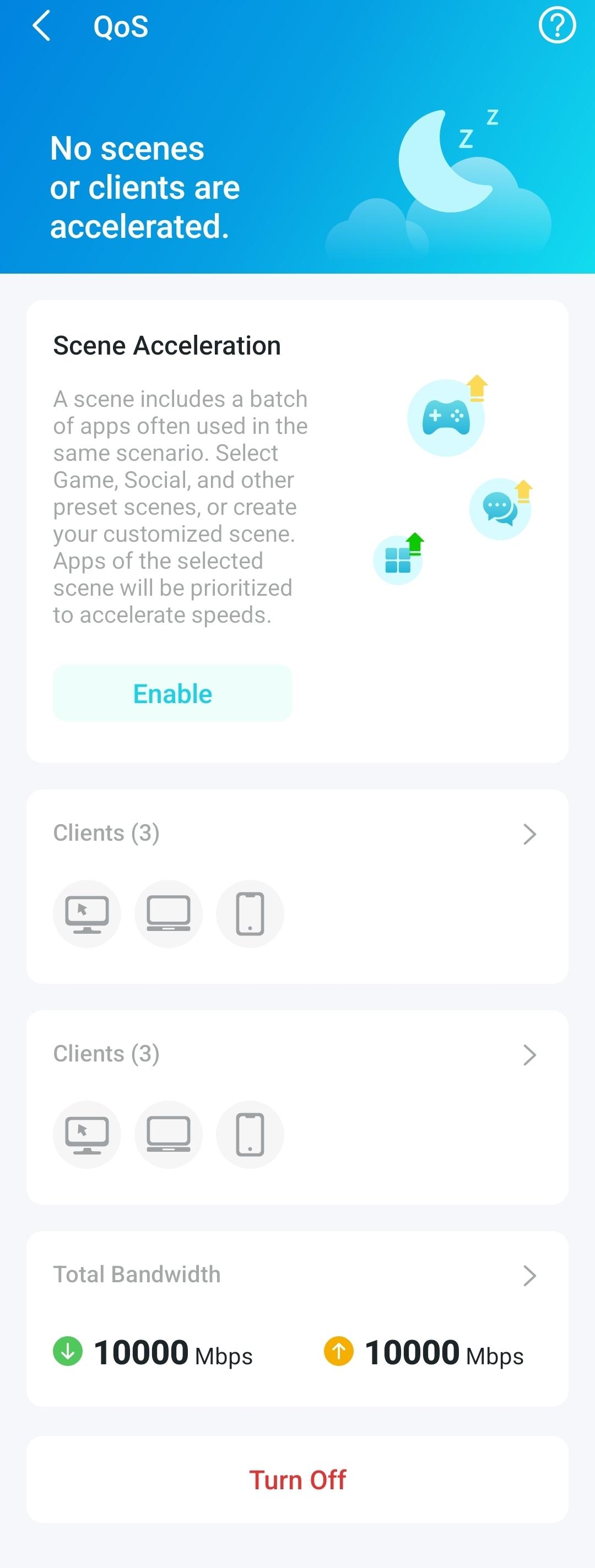
- Copy Link
- Report Inappropriate Content
It does not ... QoS is not even enabled so my only option is to enable it. (when enabled it's set to 2250Mbps for both)
- Copy Link
- Report Inappropriate Content
Information
Helpful: 0
Views: 599
Replies: 7
Voters 0
No one has voted for it yet.