
Confusion around firmware for BE11000
 This thread has been locked for further replies. You can start a new thread to share your ideas or ask questions.
This is kind of confusing...
Using the BE11000 and I always let the units update their firmware themselves. They are all on 1.1.3 Build 20250403 Rel. 28046. All good!
My confusion came when I was thinking about updating to the newest firmware manually. The firmware currently installed is not listed.
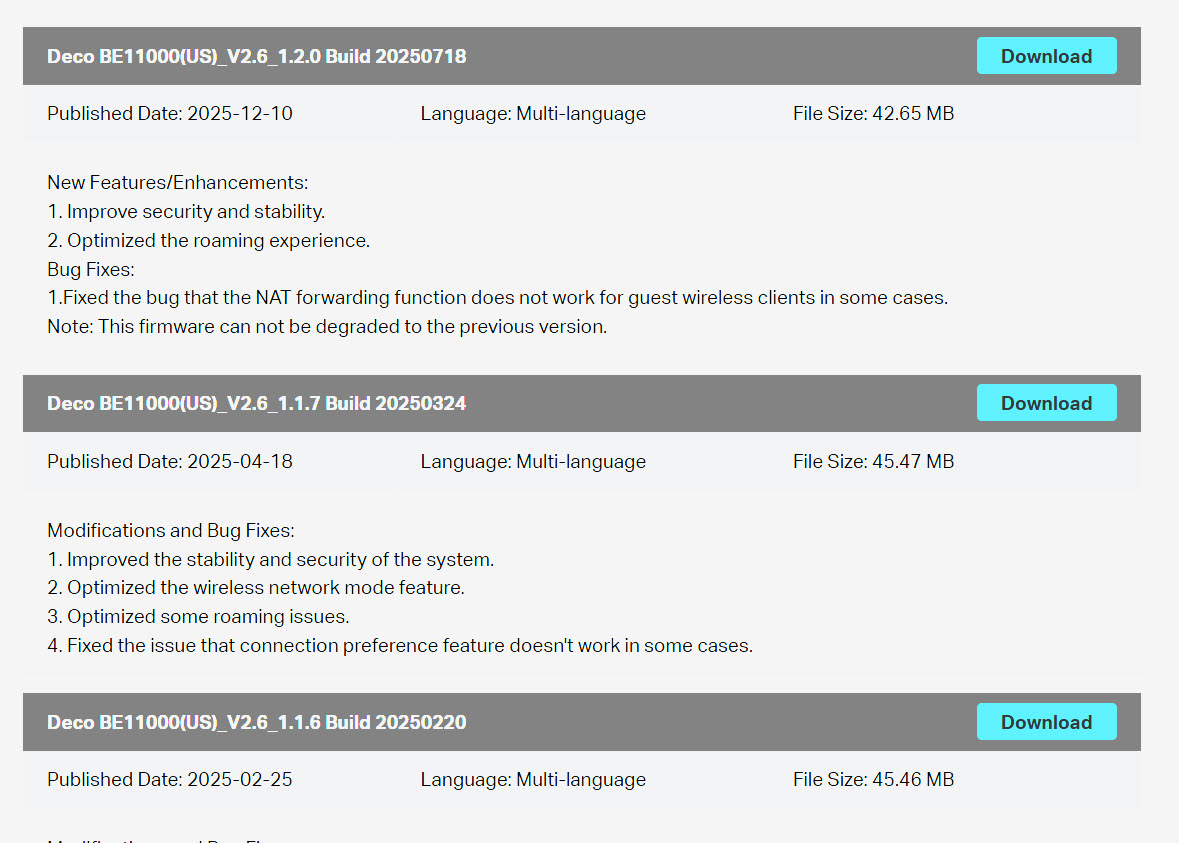
So I went to.the BE65 Pro and sure enough, that is where it was.
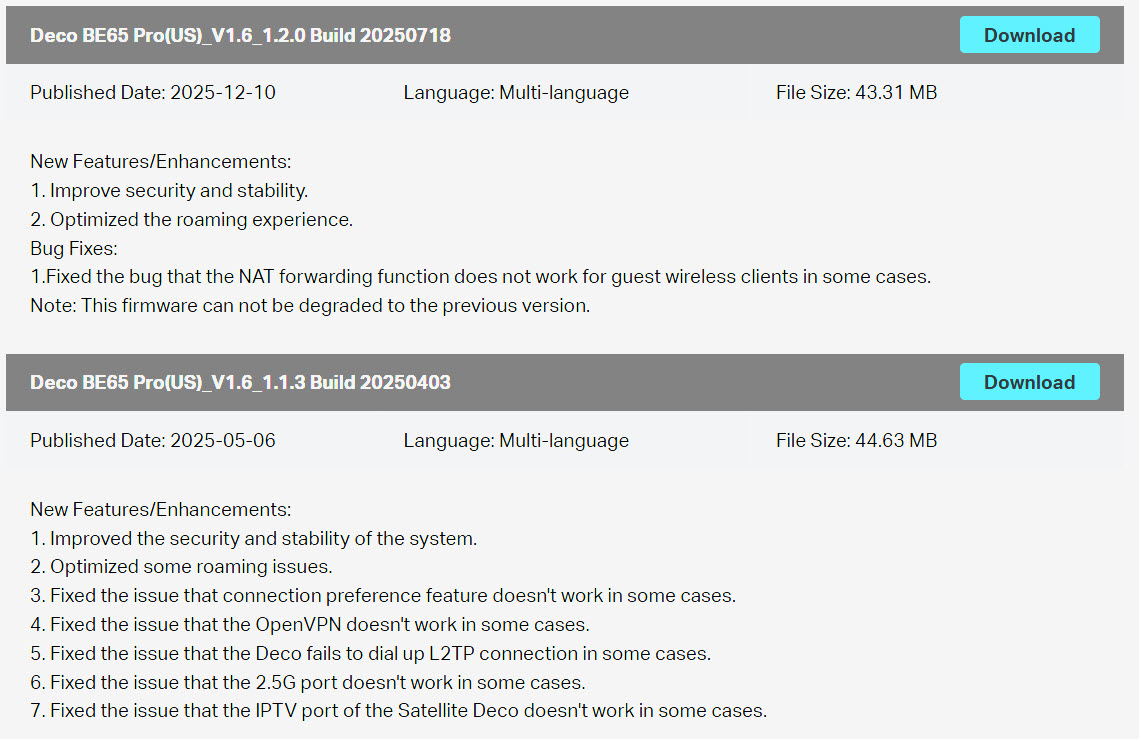
I thought the BE11000 bundle is the BE65 Pro with some changes in the ports but they are different?
Anyhow, I'm probably going to just let the units update themselves but hoping to maybe help to get some clarification. I'm assuming since when it updated automatically and it used the BE65 Pro firmware, that is where you should get the firmware?
- Copy Link
- Subscribe
- Bookmark
- Report Inappropriate Content

@BradLouKy The firmware follow both the model AND the HW Version #. There should be a label on the bottom of the units, which lists the HW Vx and the model. There should be a small pull down on the web page to change the version to the appropriate one...
Sometimes it is not clear if there are many versions over the years, and yes it is probably safer just to allow it to automatically update themselves.
- Copy Link
- Report Inappropriate Content
@BradLouKy Is this by any chance the Costco 3-pack that you have? It does seem that the wrong firmware is installed as the BE65 Pro has 2 5 Gb Ethernet and 2 2.5 Gb Ethernet while the BE11000 has all 4 2.5 Gb Ethernet...
- Copy Link
- Report Inappropriate Content
@jzchen I got it at BestBuy but pretty sure it's the same one at Costco...4 x 2.5g
- Copy Link
- Report Inappropriate Content
@BradLouKy I went to the BestBuy pages on the BE65 Pro. (You got the better version). It mistakenly lists 10000 Mbps in one part but also confirms the 2 5 Gb Ethernet ports. There is an available update which does not appear to have self installed, for whatever reason. There should be an option for you to check for updates either on the Web GUI or the Deco App. Does it show up in either? Please note 1.2.0 is not reversible it warns in the description...
- Copy Link
- Report Inappropriate Content
@jzchen It hasn't shown up on either the app or web interface. I am a little nervous about forcing an update since it is not clear which update is the proper one.
I've got to say, the BE11000 units have been incredibly good for the past 9 months. The tech enthusiast in me wants the latest firmware but the practical side of my brain is screaming not to mess with a good thing!
I'm probably going to let the units themselves figure this one out! 
- Copy Link
- Report Inappropriate Content
@BradLouKy I'm sure it will install eventually. Good idea. I remember the last update for my BE95 I was complaining it did not auto update as soon as I found the update on the website. Apparently TP-Link likes to gradually roll them out...
- Copy Link
- Report Inappropriate Content
@jzchen It popped up today & like the previous time, it installed the BE65 Pro firmware. Working well.
Not a big deal...Just confused what the 11000 firmware is actually for....
- Copy Link
- Report Inappropriate Content
@BradLouKy TP-Link makes a lot of different model routers. Even different versions of the same model have different firmware versions associated based on Version #. In this case they've named one model, the BE11000, based on its maximum WiFi throughput, while they also have a BE65 Pro with the same BE11000 throughput. It probably would have been easier if they named the one sold at Costco the BE65, but I think they are concealing the fact that one loses two 5 Gb Ethernet ports to 2.5 Gb Ethernet ports, which appears to be the only difference between them.
AT&T for example offers 5 Gb Fiber service in some locations. The BE65 Pro would be the right choice if someone opted for that service. The BE11000 would not be well suited as you'd lose 2.5 Gbps throughput if you used it...
- Copy Link
- Report Inappropriate Content
Information
Helpful: 0
Views: 1124
Replies: 8
Voters 0
No one has voted for it yet.