
to-link extender doesn't link to Archer C4000 router

When setting up the range extender RE705X with router Archer C4000 the wireless light turns solid blue, then after a few minutes it turns off without 2.4GHz and 5GHz lights never lighting. How can I make this work?
- Copy Link
- Subscribe
- Bookmark
- Report Inappropriate Content


Hello @KayTangles3-_ ,
Welcome to our community.
Besides WiFi lights, are there other lights on? Did you connect the RE705X to C4000 via wireless?
If you are unable to configure the TP-Link range extender successfully, please refer to What should I do if I fail to configure TP-Link Range Extender?
- Copy Link
- Report Inappropriate Content
Thanks for reply! All lights are on (lit) and extender -EXT appears on available wifi network. When I click on it, then enter correct password, it triggers wifi network to shutdown and also gives "incorrect password" error. It is the correct password. Your shared article does not address incorrect address error. Is there an article addressing this issue other than the one I found where their solution was to buy another router?
- Copy Link
- Report Inappropriate Content
Hello @KayTangles3-_ ,
Have you set up the extender via WPS button? Please take a hard reset and reconfigure it:
With the power on, use a pin to press the button for 1 second to reset the extender.
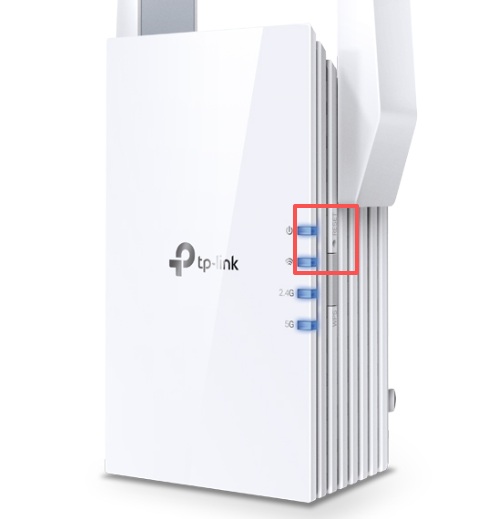
- Copy Link
- Report Inappropriate Content
- Copy Link
- Report Inappropriate Content
Information
Helpful: 0
Views: 431
Replies: 4
Voters 0
No one has voted for it yet.