Archer 5400 & Verizon FIOS G3100 - what am I doing wrong?

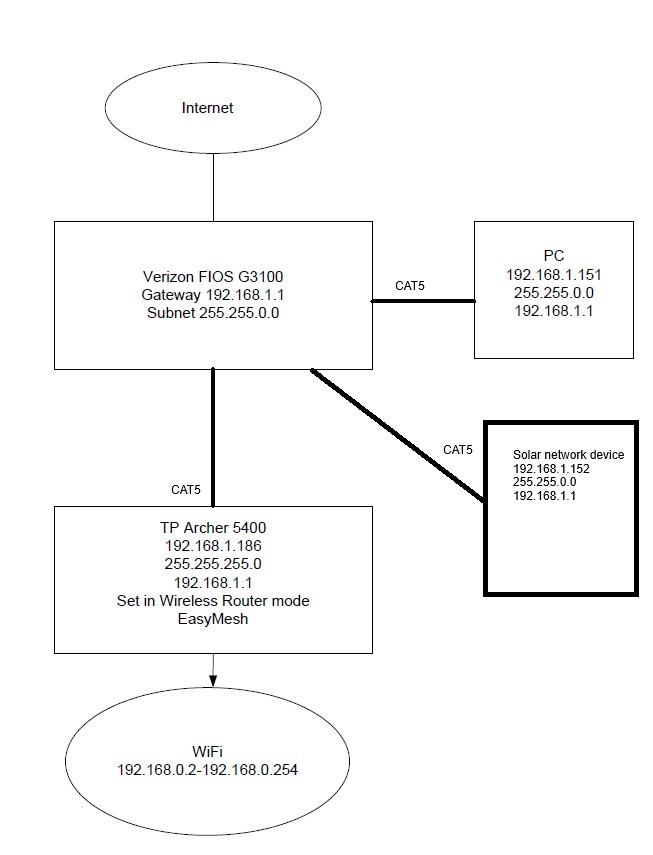
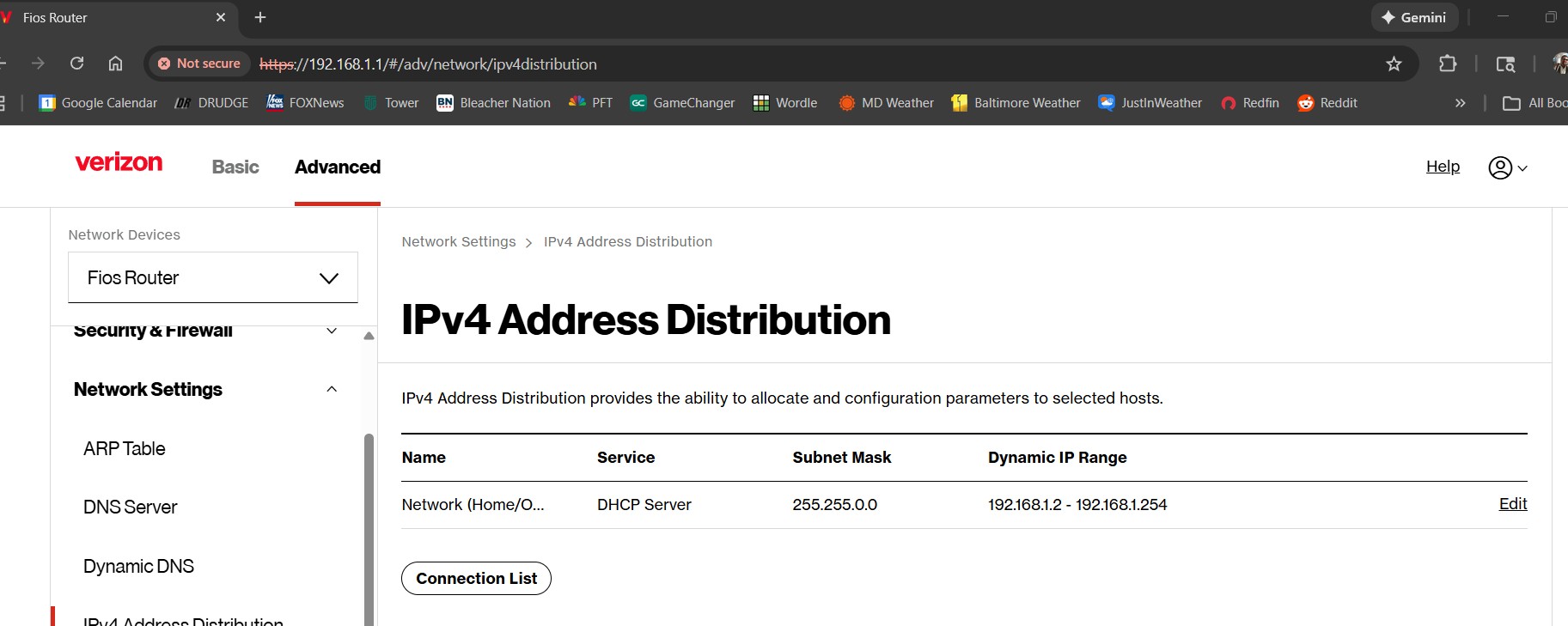
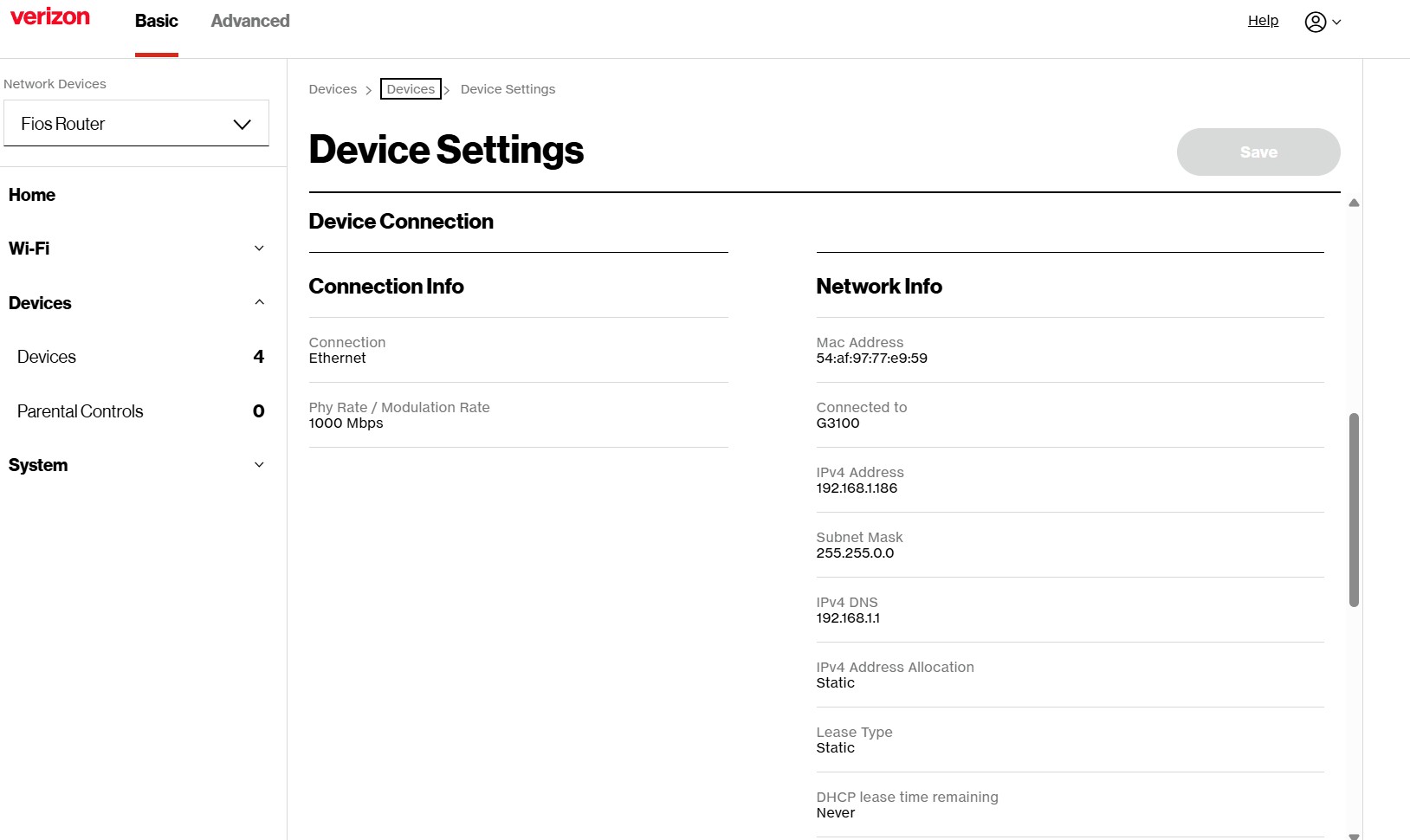
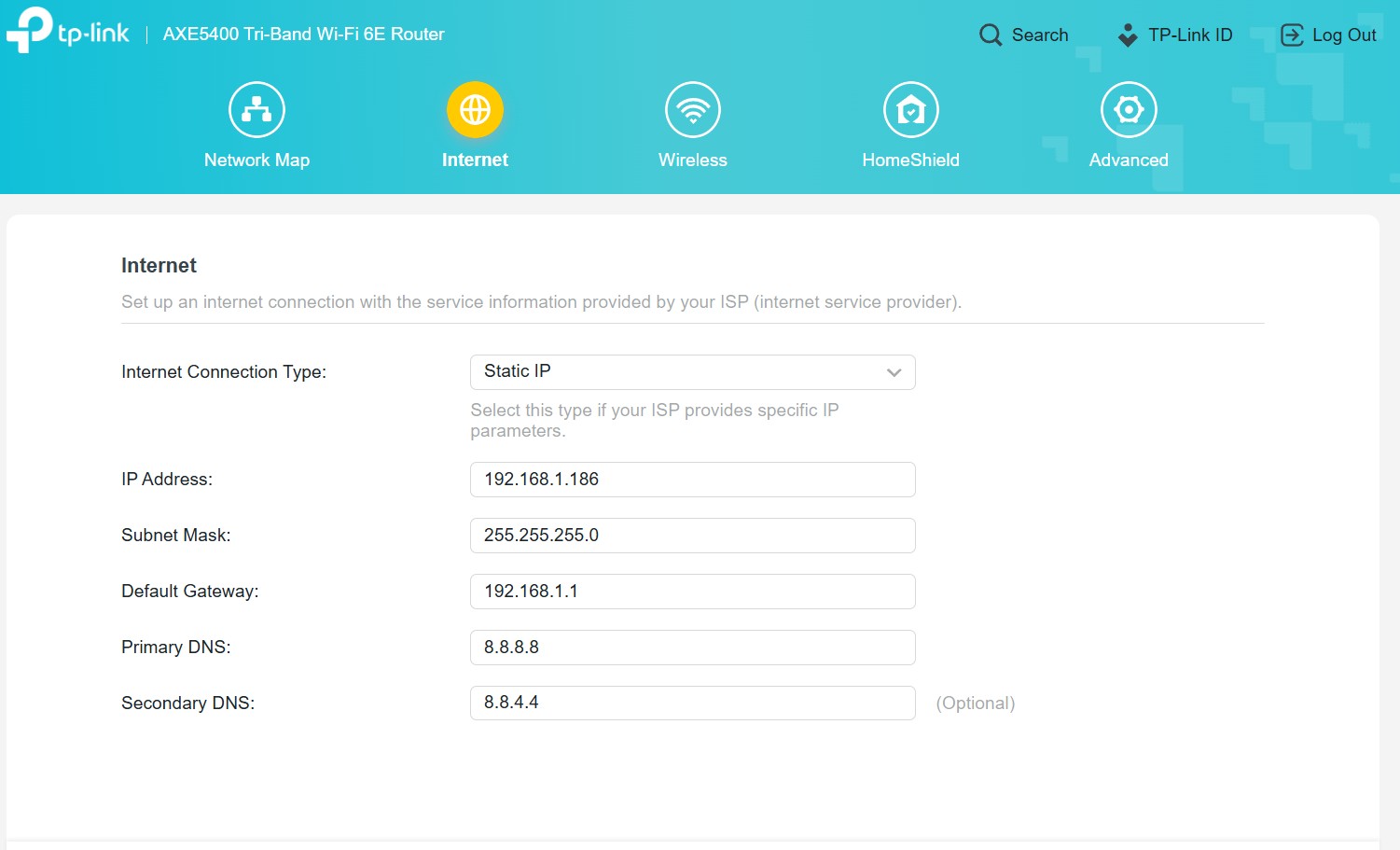
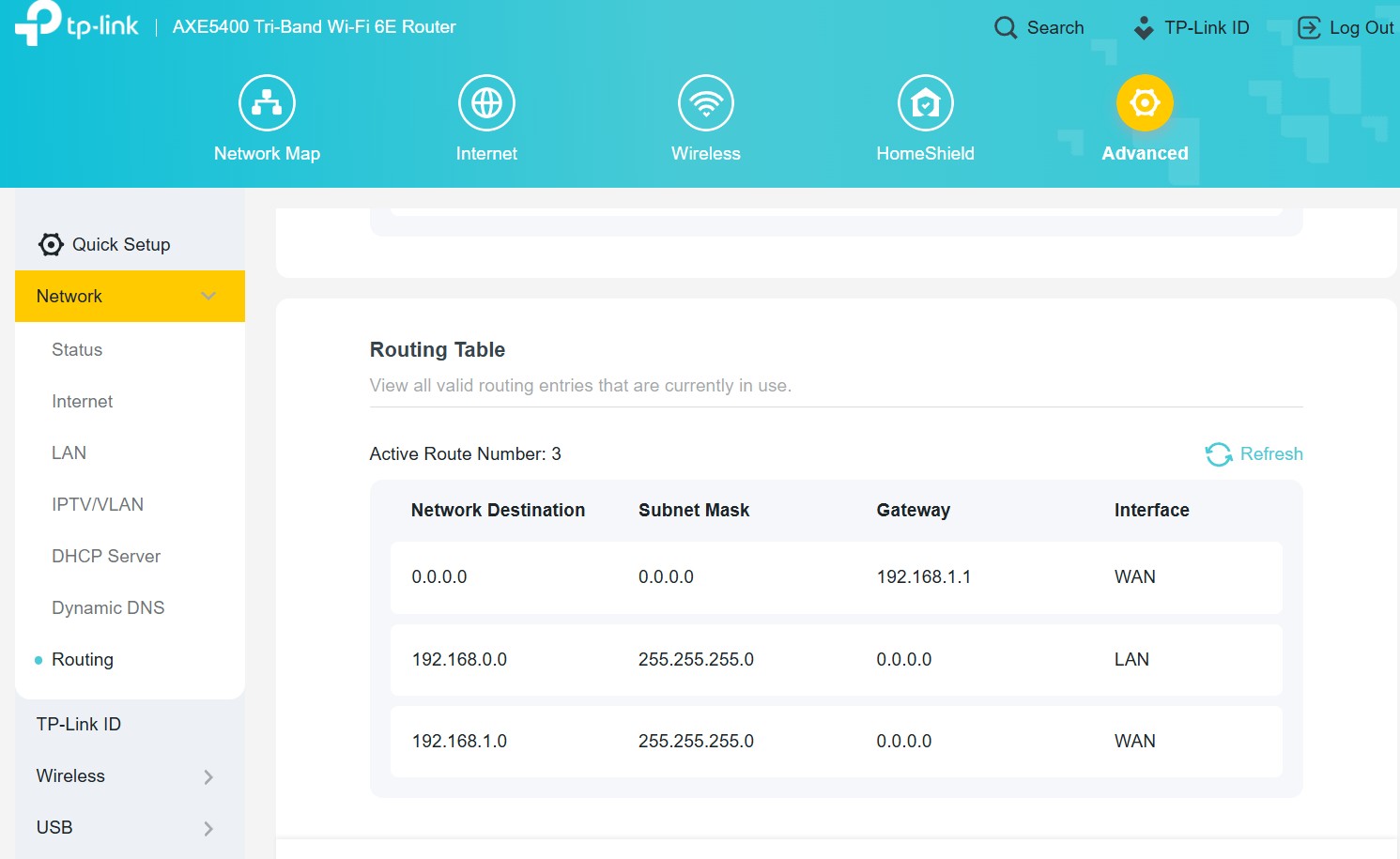
This is probably very basic networking stuff, my knowledge is limited and I need help. Below is my network, basically Verizon FIOS G3100 to Archer AXE75 over CAT5. I am using the Archer as the wifi, disabled the wifi on the FIOS G3100 router. The Archer is set in Wireless Router mode and has an IP of 192.168.1.xxx and the wifi serves 192.168.0.xxx. My PC and another network device(solar device) are connected to the FIOS G3100 via CAT5 and receive 192.168.1.xxx IP. The issue is my PC cannot see any of the wifi devices on my network. If I disable ethernet and enable wifi adapter on my PC I can see wifi connected devices. I'd prefer not having wifi enabled on my PC just to see wireless devices. I thought it would be as easy as changing Subnet Masks, the Verizon Fios G3100 has Subnet Mask of 255.255.0.0 and the wifi router has Subnet Mask of 255.255.255.0. If I try to change the wifi Subnet Mask in the TP Link page I get a message stating the WAN and LAN cannot be on the same network. I know the traffic is going from wifi to ethernet because I can use my phone through wifi and connect to my solar device page. The solar device is connected to Verizon FIOS G3100 via ethernet cable. So it appears traffic will go from wifi to enet but will not go ent to wifi. If I change Subnet Mask on Verizon FIOS G3100 to 255.255.255.0 I can no longer see the solar device.
I don't understand what I am doing wrong here. Any help would be appreciated. I have a bunch of screen caps to share, hopefully they come through ok.