
XE75 Pro Download Performance Issues
XE75 Pro Download Performance Issues

Problem:
On speed tests from a hardwired PC, my download speed is consistently significantly lower than my upload speed. The download is usually around 1.2 Gbps, while the upload speed is between 1.7 and 2 Gbps. Speed tests on mobile devices over Wi-Fi show similar results, where the download speeds are significantly lower than the upload speeds.
Background:
I have symmetrical 2 Gbps download/upload service from my ISP. I am using two Deco XE75 Pro nodes. One node is on the main level of the home and is connected to the modem with a Cat 7 cable. The second node is on the second floor in my office. There are no QoS settings enabled, no known interference, and no heavy bandwidth usage during testing. I am currently unable to test speeds directly from the modem.
Speed tests from my PC are done while hardwired to the node on the second floor. Speed tests on a mobile device are done over Wi-Fi while connected directly to the main node on the first floor, standing next to it.
Question:
Does anyone have any suggestions on why my download speeds would consistently be significantly lower than my upload speeds on both wired and wireless tests?
- Copy Link
- Subscribe
- Bookmark
- Report Inappropriate Content

1st place I would start is with your firmware it is out of date if your deco is hardware version 1. To check for firmware updates do the following
1. Go to http://tplinkdeco.net/ and sign in - use the same password you use to log into the deco app
2. Once your logged in click on Advanced
3, Click on System from the menu on the left
4, Now click on Firmware Upgrade
5. Scroll down to the bottom of the page and click on Check for upgrades
Install the firmware it finds then try the speed test again. Let us know if it fixes the issue or not
- Copy Link
- Report Inappropriate Content
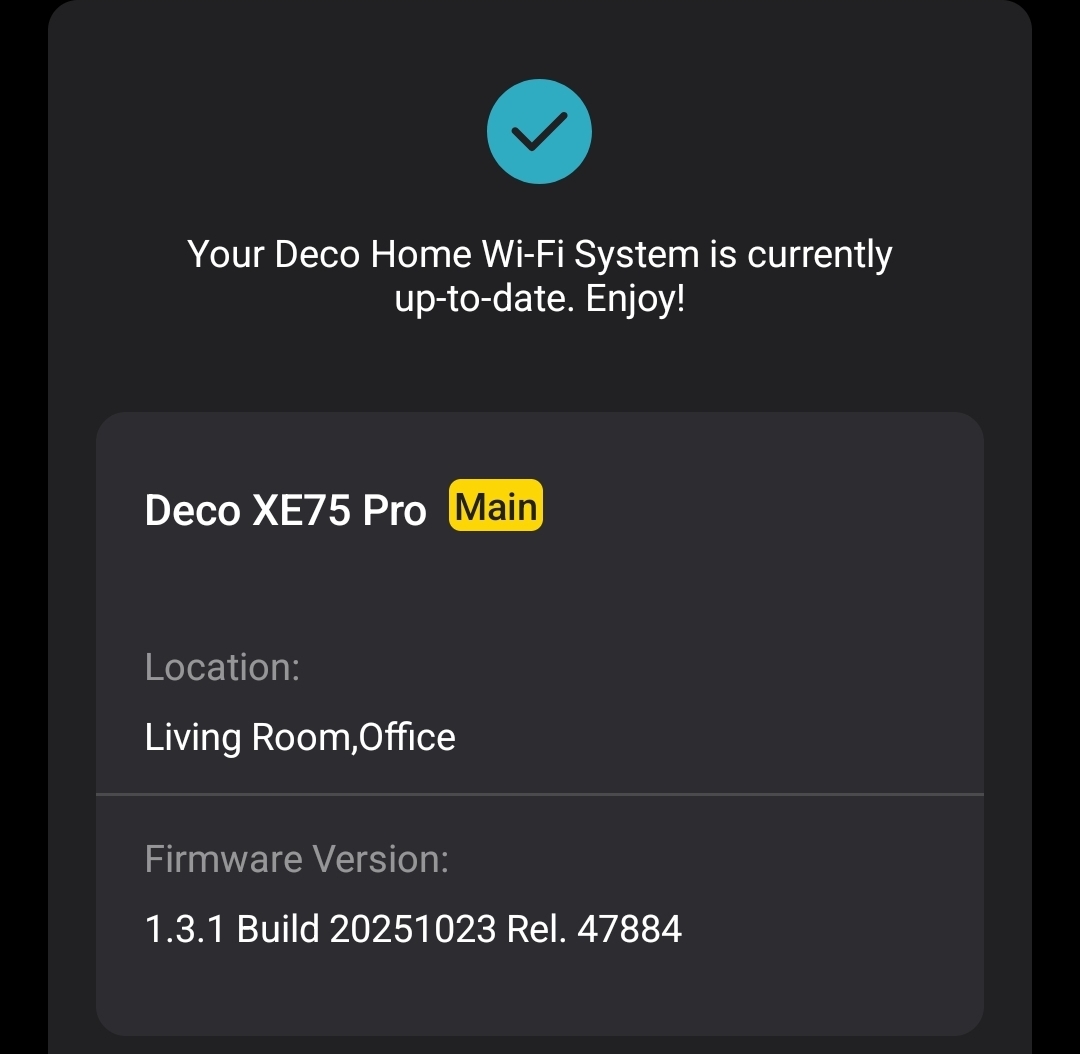
I have updated the firmware here is a screenshot of that. I will test the speeds when I get home. I only selected the hardware version 1 because I thought it was a required field. I am unsure which hardware version my system is.
- Copy Link
- Report Inappropriate Content
- Copy Link
- Report Inappropriate Content
Hardware version is V3.
After updating, my latest speed test is 1.1g down and 1.9g upload.
- Copy Link
- Report Inappropriate Content
- Copy Link
- Report Inappropriate Content

I am having similar issues, but worse. I have been on a fiber connection for about 2 months now and just a couple days ago I noticed a significant drop in my hardwired PC's download performance. I speed tested it and I am getting terribly slow speeds

It is a 1.1 gb speed. Previously my speeds were typically tested like this
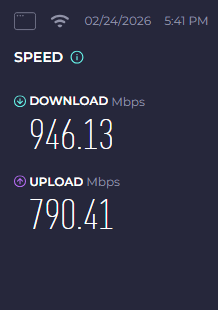
I am updated to the most recent firmware version. Nothing has changed (same ethernet cables, same position in the house) and speed test directly into pc bypassing router provides similar speeds as I previously received
- Copy Link
- Report Inappropriate Content
I don't believe the network card would limit strictly the download speed as the upload speed represents the actual isp speed.
The issue is also on my mobile device just slightly slower speeds logically because it's wireless not wired.
- Copy Link
- Report Inappropriate Content
It's affecting the both of you please follow the directions listed below.
First please access the Deco web UI by entering "tplinkdeco.net" in your browser. Navigate to Advanced > System > System Log, select "ALL" in the log type, and save the file to your local computer. Then follow the steps below making sure to attach the logs to the email.
I recommend sending an email to forumsupport.usa@tp-link.com with the following information:
Subject: [Forum Escalation][ID 861006] XE75 Pro Download Performance Issues
Forum Nickname: [User Provided]
Thread URL: https://community.tp-link.com/us/home/forum/topic/861006
Model&Version: [User Provided]
Description: [User Provided]
Any Other Relevant Information (Logs, Config Files, Images, etc.): [User Provided]
In the template above please fill in the areas that say [User Provided]. This will open a case with our engineering team, and they will work with you via email.
- Copy Link
- Report Inappropriate Content
@HelpFixDecoApp I was able to find a solution with my fiber ISP. Apparently there is a known issue with TP Link (Specifically the Deco models) and fiber. TP Link devices prefer a Public Facing IP address over our Carrier Grade NAT. Once they made that switch on the back end my hardwired PCs returned to normal download speeds and my smart devices could finally interact with my router again.
- Copy Link
- Report Inappropriate Content
- Copy Link
- Report Inappropriate Content
Information
Helpful: 0
Views: 848
Replies: 11
Voters 0
No one has voted for it yet.