
Parental Controls Bedtime

The bedtime parental controls are horribly designed and I need some help configuring them correctly. Please.
The latest update says the off time starts the night before, which makes no sense. Who came up with that? I'm trying to set my schedule to have the Wi-Fi shut off for the child profile at 11 PM on school nights and 1 AM on the weekends. When I try to set the 1 AM off time, it will not allow it. At all. It tells me to pick a time after midnight, which makes zero sense because that is what I am doing!
How do I set up the time controls so that Sunday through Thursday Internet shuts off at 11 PM and Friday and Saturday Internet shuts off at 1 AM? The stupid circle time dial does not work at all for my scenario.
Someone please help before I throw these stupid things in the trash and just chuck it all. I pay good money annually for this service. The least it could do is work with a normal GUI that is intuitive and actually does what I needed to do.
Sorry for the rant. With this latest update now my kids' profiles show off-line right now even though it is 9 AM and none of my parameters are set to be off at 9 AM. None of them have that! Just incredibly frustrating that a simple time parameter does not work.
- Copy Link
- Subscribe
- Bookmark
- Report Inappropriate Content
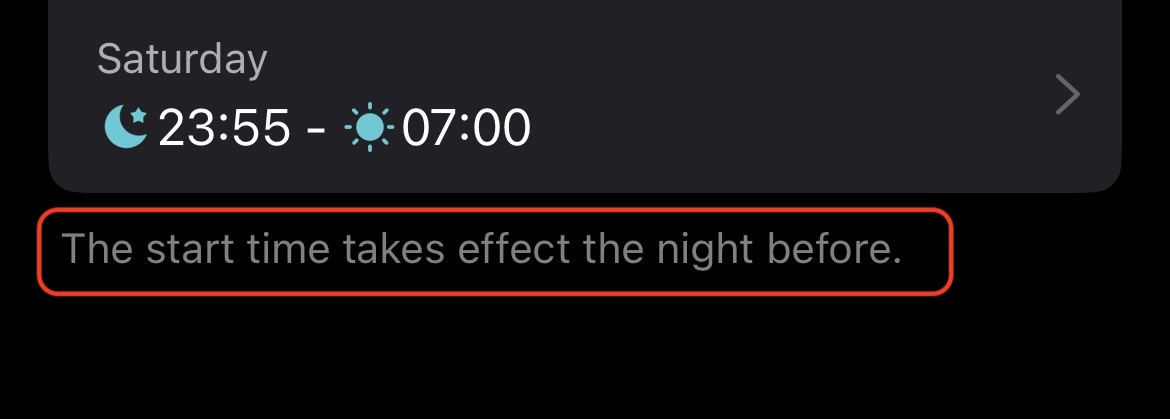
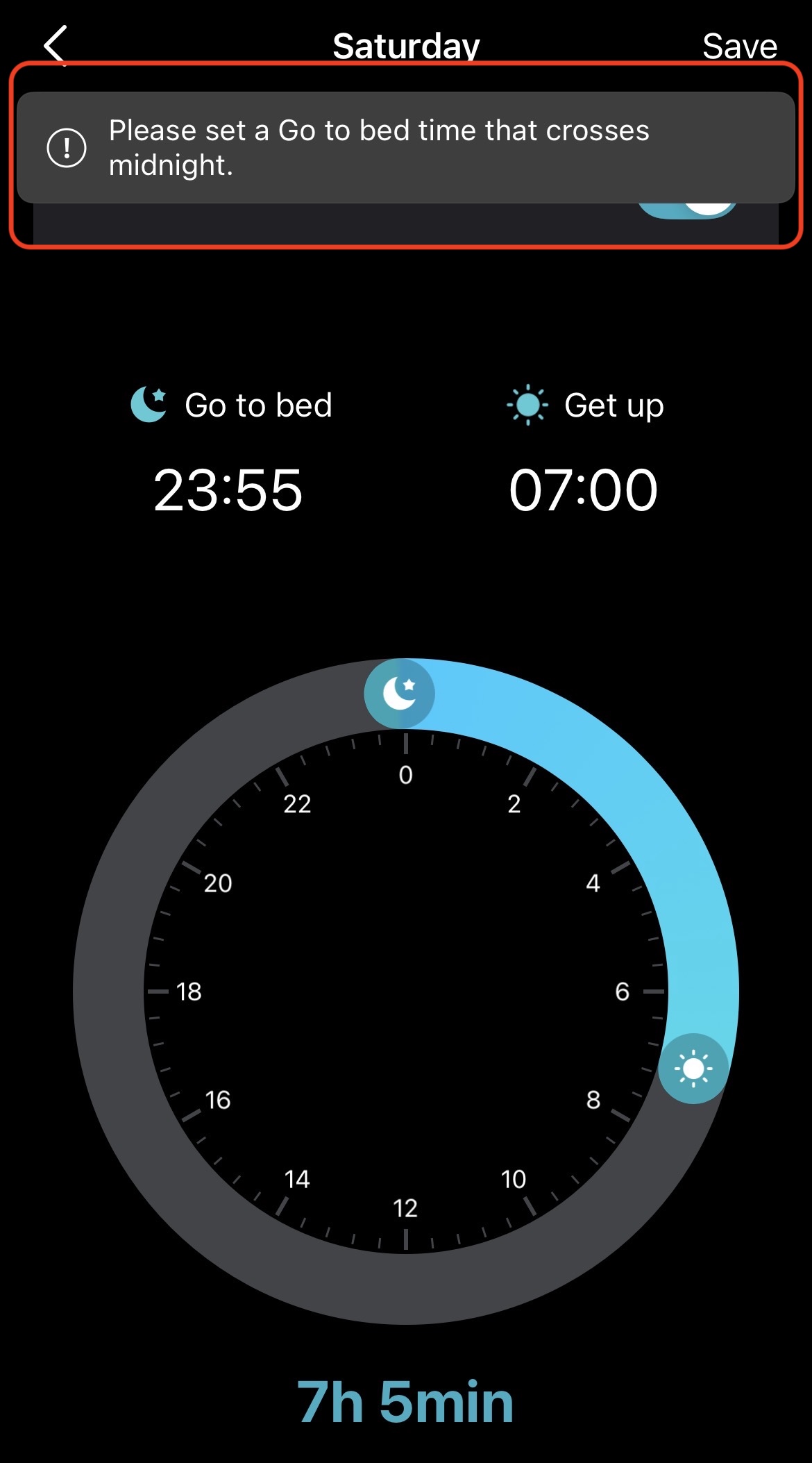
@Shonuff_24 Screenshots to help elaborate. New text that says 'start time takes effect the night before' which isn't clear to an American ear, but ok. That means the Saturday dial starts Friday night. So I want to allow internet until 1AM Friday night / Saturday morning, but when I slide the dial to 0100 I get the 'set a time that crosses midnight' which makes absolutely no sense. Please help. Please.
- Copy Link
- Report Inappropriate Content
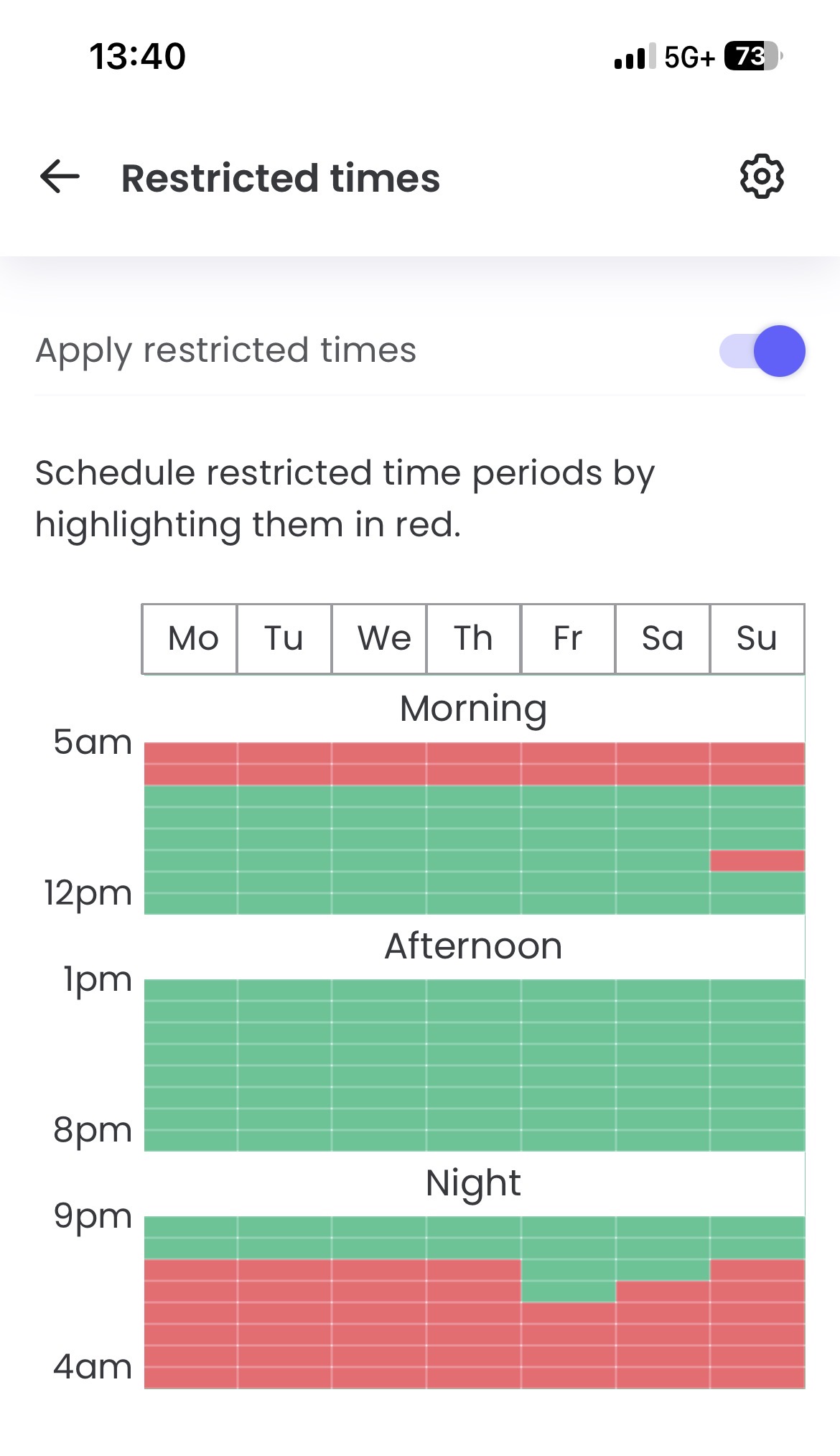
This option (as Qustodio does it) would be so much better!
- Copy Link
- Report Inappropriate Content
Do I use Offtime instead? Is there a difference between the two - Offtime and Bedtime? Offtime controls seem more flexible if they do the same thing as Bedtime.
- Copy Link
- Report Inappropriate Content

Sorry for the late reply.
First please access the Deco web UI by entering "tplinkdeco.net" in your browser. Navigate to Advanced > System > System Log, select "ALL" in the log type, and save the file to your local computer. Then follow the steps below making sure to attach the logs to the email.
I recommend sending an email to forumsupport.usa@tp-link.com with the following information:
Subject: [Forum Escalation][ID 861880] Parental Controls Bedtime
Forum Nickname: [User Provided]
Thread URL: https://community.tp-link.com/us/home/forum/topic/861880?moduleId=2424
Model&Version: [User Provided]
Description: [User Provided]
Any Other Relevant Information (Logs, Config Files, Images, etc.): [User Provided]
In the template above please fill in the areas that say [User Provided]. This will open a case with our engineering team, and they will work with you via email.
- Copy Link
- Report Inappropriate Content

@Shonuff_24 I have the same problem with my x20, did you get around to email the forum support as suggested?
- Copy Link
- Report Inappropriate Content
@Bsukram No, I've not found that avenue to be a good use of my time and resources in the past as there are communication issues with that entire team. Instead I disabled 'Bedtime' and tried 'Offtime' and that seems to allow more granularity to accomplish what I wanted to do. Caveat - 'Offtime' does not sync with the time zone on your Deco so it will take some trial and error to figure out how to configure those times. For me, I had to go 4 hours off my time zone to have it sync to the times I wanted (I'm U.S. Eastern time), so heads-up.
To others following this thread - yes, I am aware of the time zone 'fix' where you log into your Deco via a browser, change the time zone to something different, then change it back to force a time sync. I did that three times to no avail and gave up. It appears the Deco has a hard-coded bizarre time zone that is unchangeable.
Hope that helps. :)
- Copy Link
- Report Inappropriate Content
If you haven't done so already can you please submit your logs. The more people who report this issue the better chance we have that it will get fixed. You can find the directions to submit the ticke from the link below.
https://community.tp-link.com/us/home/forum/topic/861880?replyId=1682824
@Shonuff_24 I would still like you to submit a ticket as well if your willing to.
Thanks.
- Copy Link
- Report Inappropriate Content
@HelpFixDecoApp I did for your reference, but at this point I'm just going to use the "Offtime" option with a 4-hour offset to my actual time zone. Not ideal, but that's the only way this thing will work. Frustrating for the $ spent on this. :\
- Copy Link
- Report Inappropriate Content
I understand your frustration it took them over two years to get to doing the beta firmware I've been wanting for my XE75 Pro I will say they are doing a better job latley of listening :)
Thank you for submitting the ticket.
- Copy Link
- Report Inappropriate Content
Information
Helpful: 4
Views: 369
Replies: 9
Voters 1
