
Connect tapo hub with tapo doorbell

I bought a Tapo doorbel with camera and was very pleased with it. It came with the remote chime. Great! I plugged it in the kitchen. Then I bought a TAPO hub with a chime too to be able to hear the doorbell upstairs. I don't seem to be able to connect these 2 devices? Can anyone help?
- Copy Link
- Subscribe
- Bookmark
- Report Inappropriate Content


Hi,
If you want to use the Tapo hub as a chime to work with the doorbell camera, please set up the Tapo hub in the Tapo app first. (Please send us the Tapo hub's model number if you need the instructions to set up your Tapo hub.)
Then you can set an Automation entry in the Tapo app to ring the hub when the doorbell camera detects events or when the doorbell is pressed.
How to create Smart Action (Automation or Shortcut) on Tapo app
Best Regards
- Copy Link
- Report Inappropriate Content
Hi,
If you want to use the Tapo hub as a chime to work with the doorbell camera, please set up the Tapo hub in the Tapo app first. (Please send us the Tapo hub's model number if you need the instructions to set up your Tapo hub.)
Then you can set an Automation entry in the Tapo app to ring the hub when the doorbell camera detects events or when the doorbell is pressed.
How to create Smart Action (Automation or Shortcut) on Tapo app
Best Regards
- Copy Link
- Report Inappropriate Content
Thank you
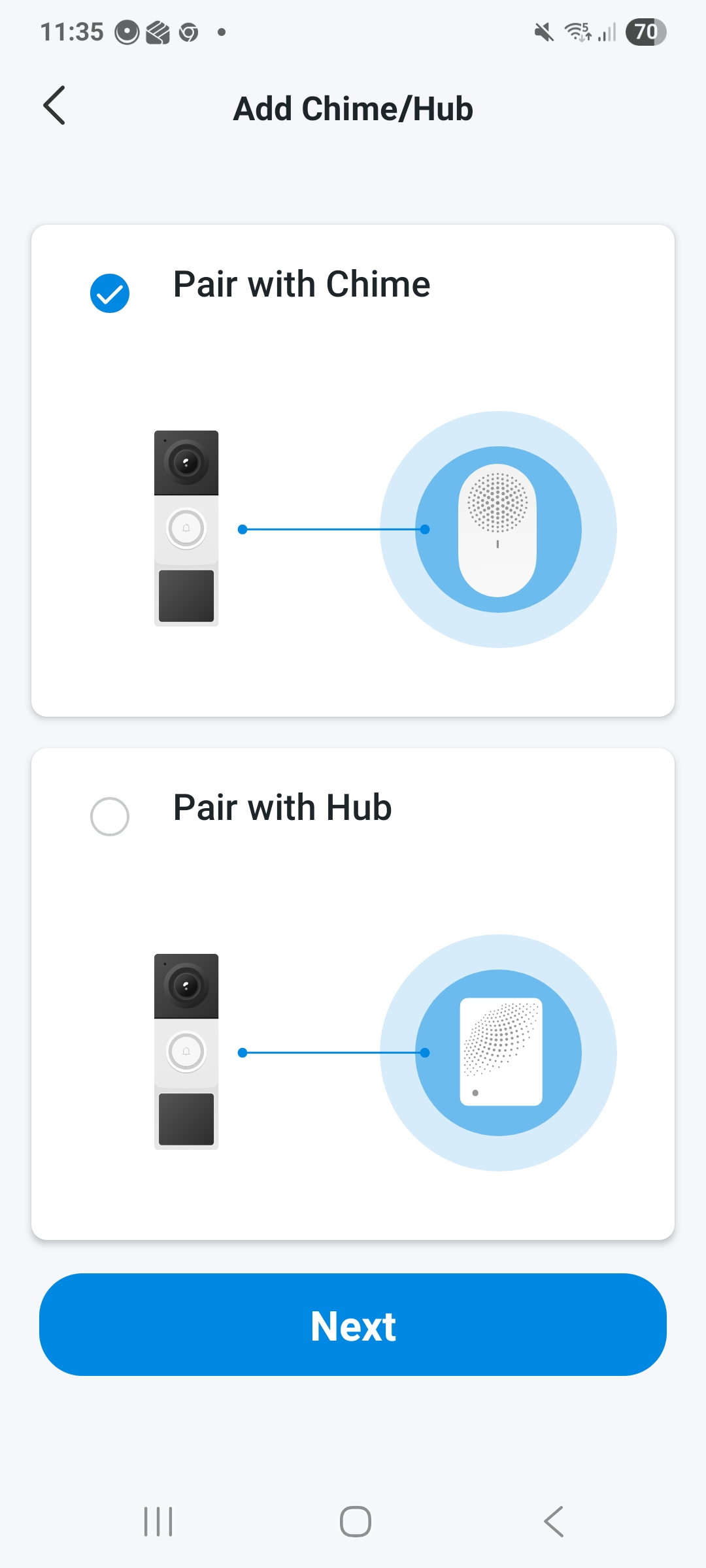
I think my issue is that I want to be able to use both, the chime downstairs in the kitchen and the smart hub upstairs at the same time. But, The door bell can only be paired with one device, not both devices?
- Copy Link
- Report Inappropriate Content
Hi,
The Tapo doorbell camera can be paired with a hub and a chime.
On the Tapo doorbell camera's Device Settings > Doorbell > Paired Chimes page, you can tap the "+" icon in the top-right corner to link more chimes or hubs.
Note: Please ensure the hub and the doorbell camera are under the same network when you add the hub on the "Paired Chimes" page.
Best Regards
- Copy Link
- Report Inappropriate Content
Information
Helpful: 0
Views: 502
Replies: 3
Voters 0
No one has voted for it yet.