EAP783 Firmware Update Failing - Can't access Controller HTTPS port

EAP783 Firmware Update Failing - Can't access Controller HTTPS port

EAP783 Firmware Update Failing - Can't access Controller HTTPS port
a week ago
Hardware Version:
Firmware Version: 6.1.0.19

I am running the software controller on a TrueNAS system, version  6.1.0.19. When I log into it, it shows me that a firmware update is available for my EAP783. Current version is 1.1.4, update would be to 1.1.5. When I try to upgrade the firmware, it shows "UPGRADING" as the status for about 10 minutes, but does not succeed in updating the firmware.

The error message shown in the logs is "[EAP783 MAC address] failed to upgrade online. Please check your network configuration and make sure the device can access the Controller's HTTPS management port."

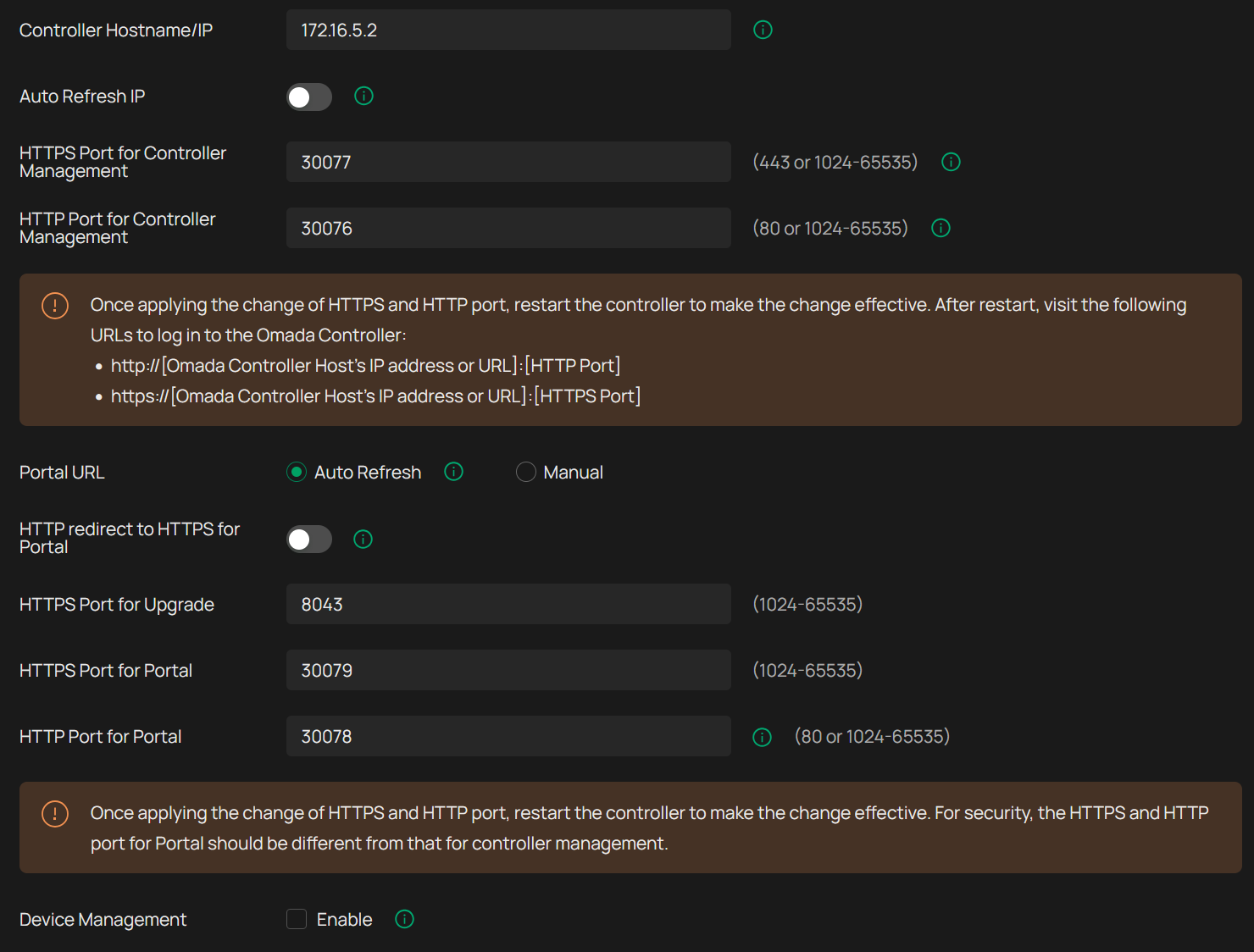
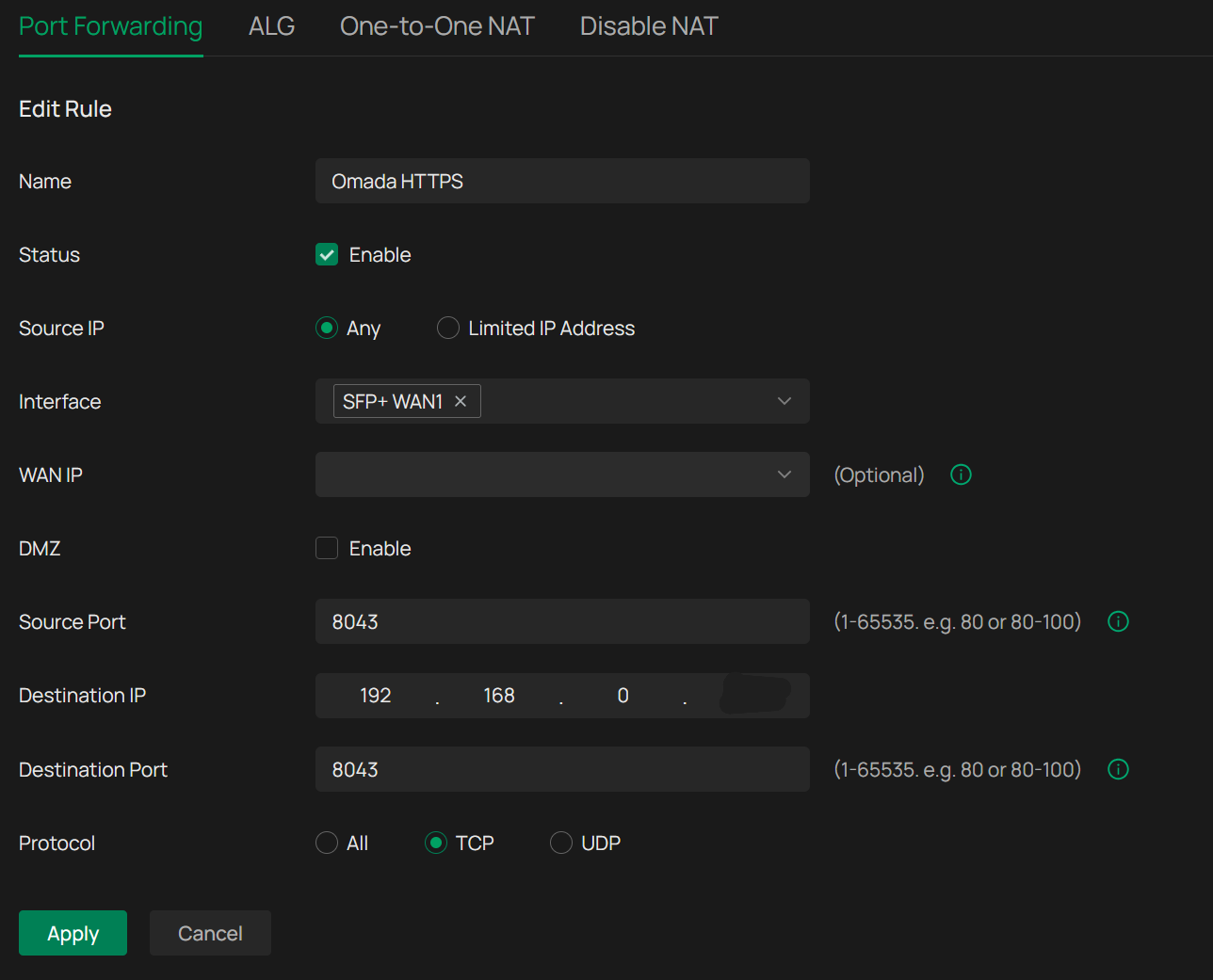
I have tried changing to another port besides 8043 and changing the port forwarding accordingly with the same result.


Topology
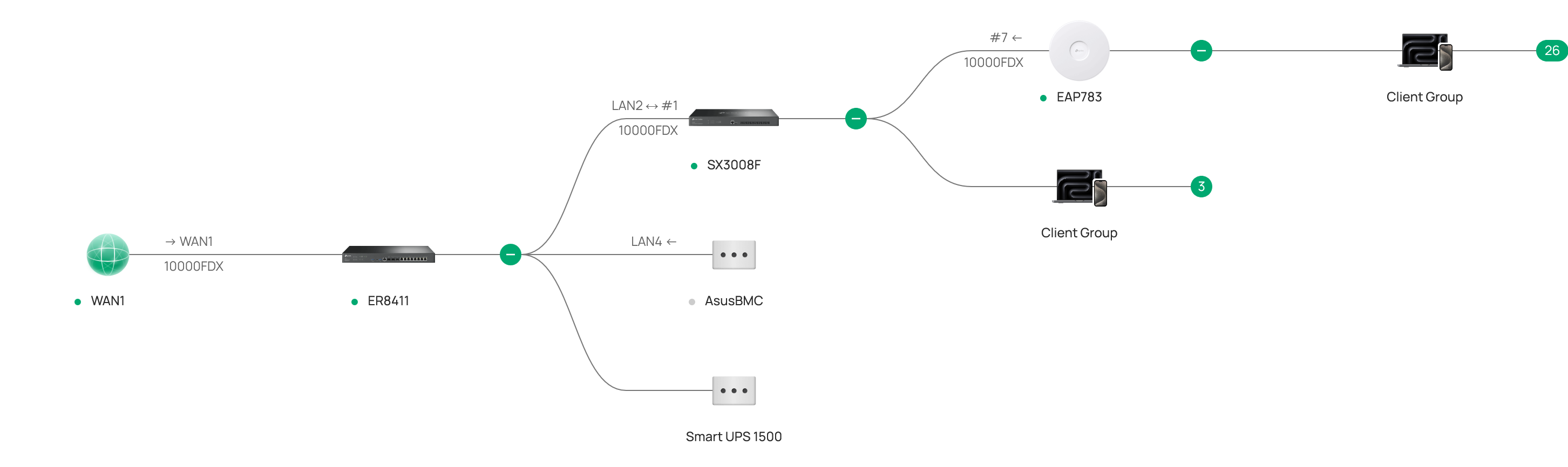
 

Access Control Settings (the IP shown here is an internal one based on it running in Docker, not the real IP that I use to access the controller)
 

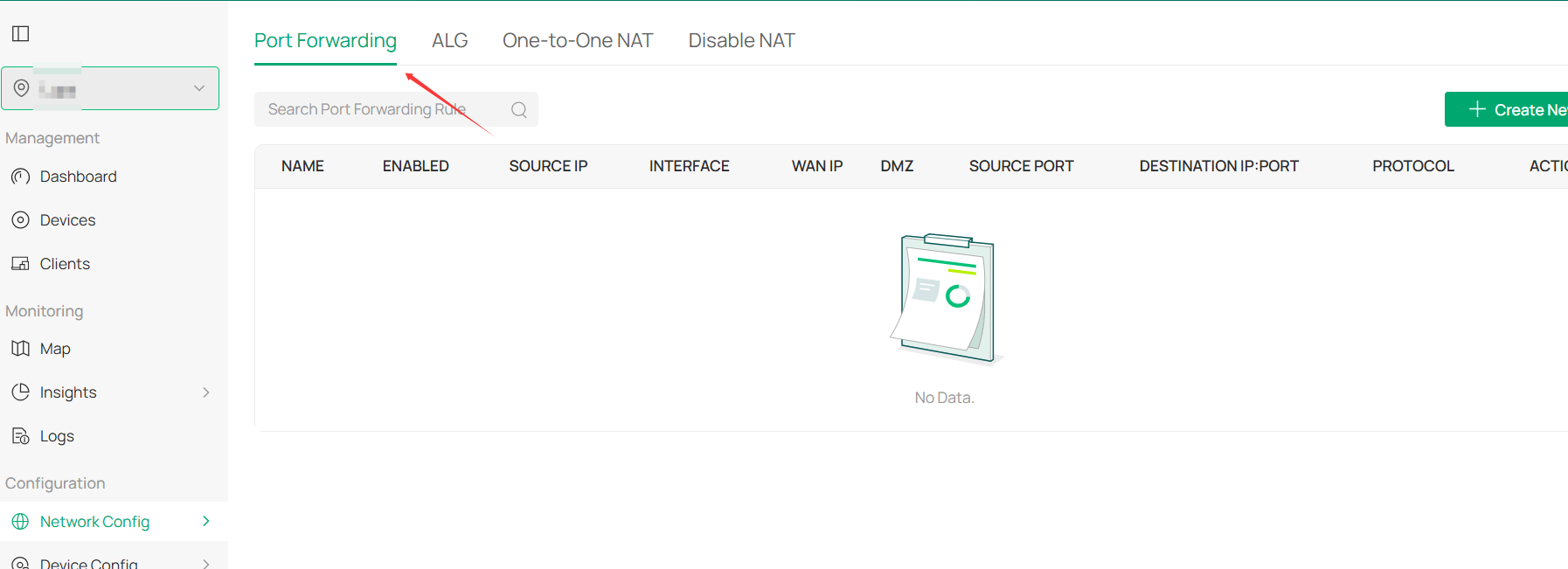
Port Forward (IP partially shown here is the real address where I access the controller through)
 

I have an ACL on the SX3008 that allows all devices on the primary VLAN (including the EAP783 and controller) to communicate on all protocols. I have also tried explicitly adding an ACL on the ER8411 that permits the controller IP and ports to be accessible through WAN and vice versa, but nothing has worked.

I want to note that before I upgraded to the v6 controller, I had successfully updated firmware on all three of the Omada devices with basically the same network configuration. I have also tried manually upgrading the firmware by downloading it to a computer on the same VLAN and uploading it directly via the controller, but I get the same error.

Let me know what other information I can provide, and thank you!

 

  0      
  0      
#1
Options
9 Reply
Re:EAP783 Firmware Update Failing - Can't access Controller HTTPS port
a week ago

Hi  @underpickled 


Thanks for posting here.


Could you let me know how you logged into the controller? Via the omada cloud platform, or locally?


Please share a screenshot of the router's port forwarding list, and ensure that 29810-29817 are all forwarded.


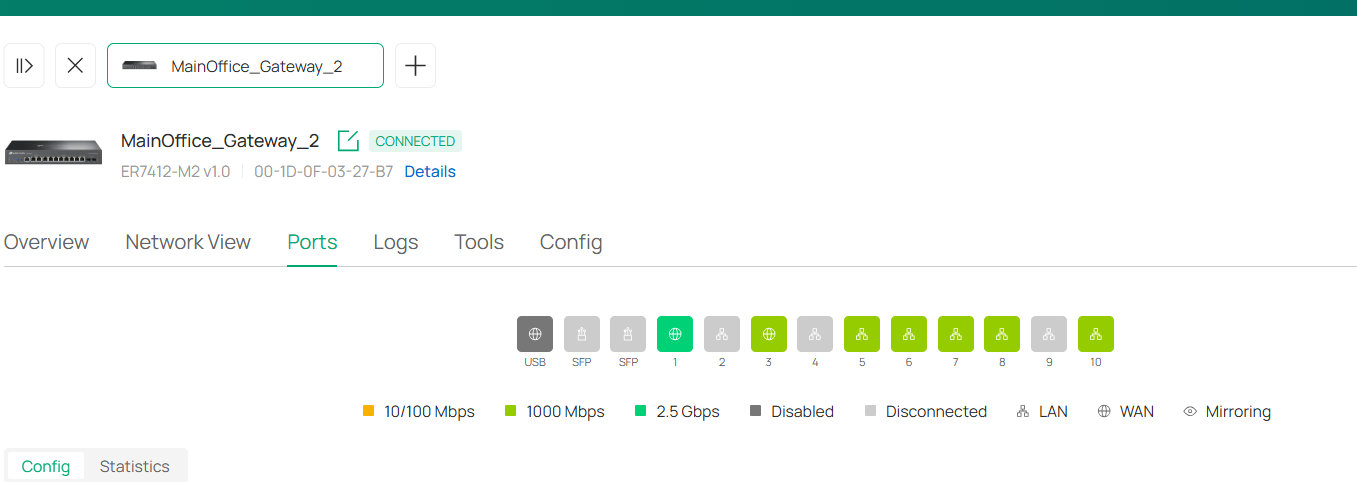
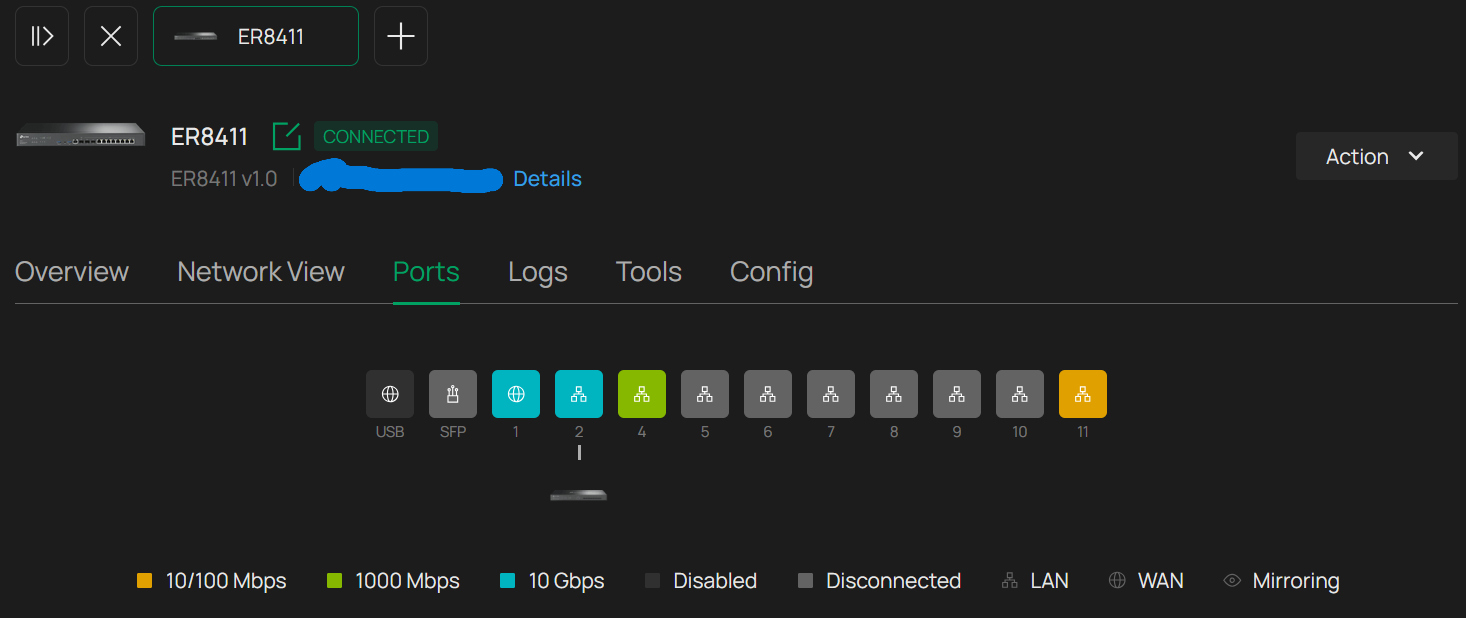
What's more, please share with us the details page of the gateway's port status:


  0  
  0  
#2
Options
Re:EAP783 Firmware Update Failing - Can't access Controller HTTPS port
a week ago

@Vincent-TP I'm typically accessing the controller locally. I've tried cloud access to see if it works differently, but it does not.


Port forwarding (I didn't include everything, but I figured these were the important ones)


Gateway Ports:


Thanks!

  0  
  0  
#3
Options
Re:EAP783 Firmware Update Failing - Can't access Controller HTTPS port
a week ago

  @underpickled What browser are you using?  I have an open support case because I get the same error when I try to update firmware with Safari.  It works on Chrome though.

  0  
  0  
#4
Options
Re:EAP783 Firmware Update Failing - Can't access Controller HTTPS port
a week ago - last edited a week ago

  @mackworth by my side, on Edge brower it doesn't work better than on Safari

  0  
  0  
#5
Options
Re:EAP783 Firmware Update Failing - Can't access Controller HTTPS port
a week ago - last edited a week ago

  @mackworth I'm using Firefox. I haven't tried with Chrome or Safari, but I have also tried on the Omada app for iOS. It's remote access there, but since it's the same error I'd be surprised if it was my browser. 

  0  
  0  
#6
Options
Re:EAP783 Firmware Update Failing - Can't access Controller HTTPS port
a week ago

Hi  @underpickled 


Thank you so much for the reply.


Generally, local firmware upgrades should not encounter this issue. 


We released the 6.2 controller yesterday. If you don't mind, please update the controller to 6.2 and see if the situation persists.

Omada_Network_Application_V6.2.x.x Pre-Release Firmware (Released on 11th Feb, 2026)


If yes, please export the running log during the update, and send the following info to the support team. They will provide further analysis.

1. This Forum ID 857468;
2. your community nickname;
3. The type of controller you are using;
4. The config file of the controller.

5. The exported running log.

  0  
  0  
#7
Options
Re:EAP783 Firmware Update Failing - Can't access Controller HTTPS port
Friday - last edited Friday

  @Vincent-TP thanks for your help!


I saw there was an update to the dockerized Omada controller. It wasn't to 6.2 yet, but after updating I noticed it included a port argument for the HTTPS upgrade port (which I had looked for before, but hadn't seen). It was set to a port other than 8043. I changed that argument to 8043 and afterwards the upgrade worked normally. It seems that there were two problems: 1) the port was not properly exposed in the TrueNAS app, but still configurable in the Omada interface, which meant although it was set properly there was no pathway for that port to reach the container from the host machine. 2) When the port was exposed, it was defaulted to a different port (despite all the other defaults matching the standard Omada ports).


Sorry for the false alarm, but thanks for your help!

  0  
  0  
#8
Options
Re:EAP783 Firmware Update Failing - Can't access Controller HTTPS port
Tuesday

Hi @Vincent-TP,


I've experienced the same issue with 6.1 controller - and just upgraded my Windows controller to the 6.2.0.12 version.

trying to upgrade SG2008 firmware I still get following error in Audit log:

"F0-09-0D-XX-XX-XX failed to upgrade online. Please check your network configuration and make sure the device can access the Controller's HTTPS management port."


/BR ZoloNN ----------------------------------------------------------------------------------- Omada 2x ER605(UN) v2.0 + SG2008P(UN) V3.20 + SG2218 V1.20 + 2x SG2008 V4.20 + 3x EAP615-Wall(EU) V1.0
  0  
  0  
#9
Options
Re:EAP783 Firmware Update Failing - Can't access Controller HTTPS port
Yesterday

Hi @Vincent-TP,


Update: suddenly is the upgrade today working flawlessly.....


/BR ZoloNN ----------------------------------------------------------------------------------- Omada 2x ER605(UN) v2.0 + SG2008P(UN) V3.20 + SG2218 V1.20 + 2x SG2008 V4.20 + 3x EAP615-Wall(EU) V1.0
  0  
  0  
#10
Options