
Deco XE75 V1 - IoT 2.4GHz instability + requesting beta firmware

Hello,
I have a 3-node Deco XE75 V1.0 system (1 main + 1 wired satellite + 1 wireless satellite) running firmware 1.4.5 Build 20241129 Rel. 44718, which is confirmed as the latest available version.
I am experiencing frequent instability on the IoT 2.4 GHz network. Devices disconnect periodically and do not reconnect automatically, requiring a manual network reboot to restore connectivity. I have approximately 13 devices on the IoT network (ESP8266-based smart home controllers, Tuya smart locks, smart lights, robot vacuum, and others).
Based on research in this community, I understand this is a known issue caused by the Deco nodes using the 2.4 GHz band as an additional backhaul channel, creating interference with IoT client devices. I also found that TP-Link has provided a beta firmware to some users that includes a setting to disable the 2.4 GHz backhaul — and this resolved the issue for them.
I would like to request:
- The beta firmware for Deco XE75 V1 that includes the 2.4 GHz backhaul disable option
- Any information on when the official 1.5.x firmware will be released for the V1 hardware
Additional details:
- Hardware: Deco XE75 V1.0 (3-pack)
- Backhaul: Main → Planta Alta (wired), Main → Galería (wireless)
- IoT network: enabled, WPA2-PSK, 2.4 GHz only
- Fast Roaming: enabled
- Beamforming: enabled
Thank you in advance.
- Copy Link
- Subscribe
- Bookmark
- Report Inappropriate Content


Hi,
We do not have the information on when the new official firmware for the Deco XE75_V1 will be released. It's recommended to visit our official website and pay attention to the firmware info on the Deco XE75 V1's Support page. If a new official firmware is released, you will see the new firmware here.
Regarding the unstable IoT 2.4 GHz Wi-Fi network, I have escalated the case to our tech team, and they will contact you via email to assist you further. Please wait patiently.
Best Regards
- Copy Link
- Report Inappropriate Content

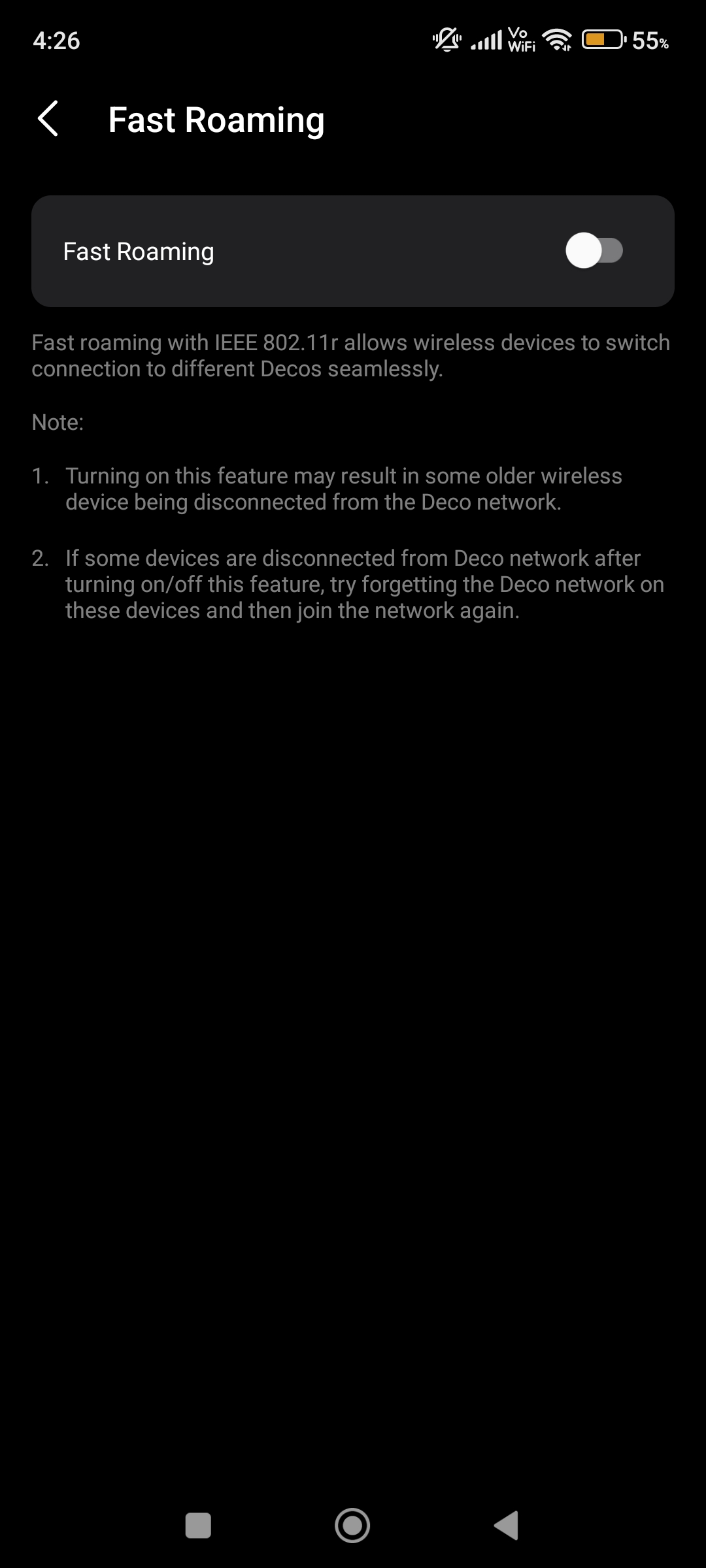
@Javito_ar Your main reason of IoT devices got disconnected from Deco and could'nt back to connect again automatically all because of Fast Roaming. They mentioned that too.
- Copy Link
- Report Inappropriate Content
@ARGamingPK1 Thank you for the reply. However, as shown in the screenshot, Fast Roaming is already disabled on my system, so this is not the root cause.
Based on other threads in this community (topics #799958 and #712394), the issue appears to be related to the 2.4 GHz band being used as backhaul, causing interference with IoT client devices. A beta firmware that includes a setting to disable 2.4 GHz backhaul was provided to some users and resolved the problem.
Could @David-TP or another TP-Link staff member please assist with providing the beta firmware for Deco XE75 V1.0 (firmware 1.4.5)?
Thank you.
- Copy Link
- Report Inappropriate Content
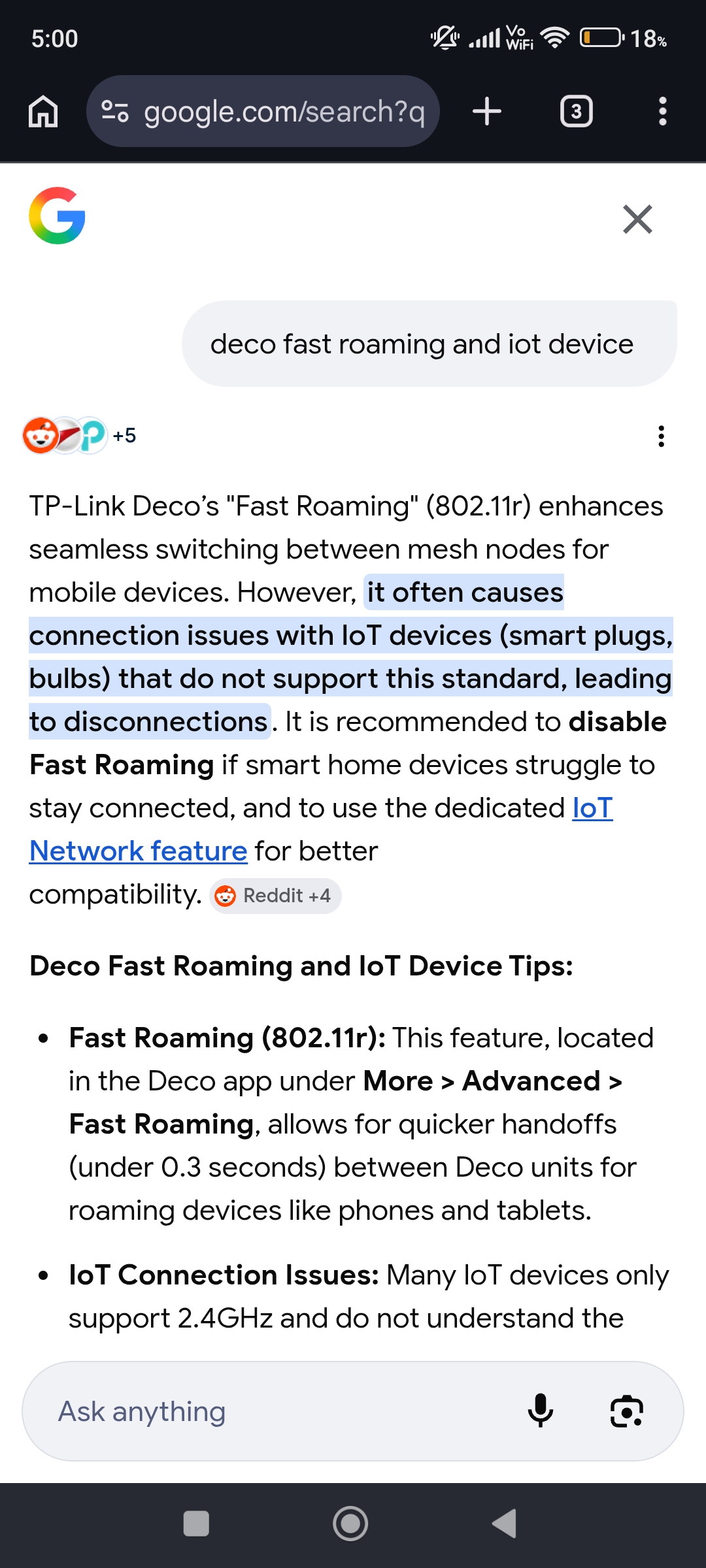
@Javito_ar Bro this is my screenshot not yours. When i enabled Fast Roaming so my IoT Devices got disconnected too and never gonna connect it again automatically so that's why i keep it OFF.
- Copy Link
- Report Inappropriate Content
Hi,
We do not have the information on when the new official firmware for the Deco XE75_V1 will be released. It's recommended to visit our official website and pay attention to the firmware info on the Deco XE75 V1's Support page. If a new official firmware is released, you will see the new firmware here.
Regarding the unstable IoT 2.4 GHz Wi-Fi network, I have escalated the case to our tech team, and they will contact you via email to assist you further. Please wait patiently.
Best Regards
- Copy Link
- Report Inappropriate Content

@Javito_ar I have the same problem, btw ¿argentino?, me too. We need firmware 1.4.999 beta working for V1-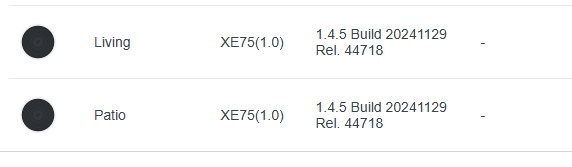
- Copy Link
- Report Inappropriate Content
Hi,
It's recommended that you describe the phenomenon you experienced in detail so we can better assist you. For instance:
1. How many client devices are connected to the Deco network, and how many client devices are connected to the IoT network? Have you enabled 2.4 GHz Wi-Fi only on the IoT network?
2. Do devices connected to the 2.4GHz IoT network frequently disconnect from Wi-Fi? Or do they often connect to Wi-Fi but lack internet access? How do you restore the network connection after the issue occurs?
3. Are the devices connected to the main or guest network working fine?
Best Regards
- Copy Link
- Report Inappropriate Content
Hi @Solla-topee, thanks for the reply. Here are the details:
Setup: 2x Deco XE75 V1 (one main, one satellite) + 3x Deco S7 satellites, distributed
around the house, wireless backhaul. IoT Network feature created from the Deco app.
1. Client counts and bands
- IoT Network: ~27 clients, and yes, it is 2.4GHz-only (all of them are 2.4GHz-only
devices anyway). Breakdown: 8 Wi-Fi cameras (EZVIZ), 6 mains-powered smart
plugs/wall switches/DIN-rail breakers (Tuya), ~10 battery-powered sensors
(door/window contact + plant sensors, ESPHome/Tuya — these deep-sleep and only
associate for a few seconds when they wake), 1 smart pet device, 1 A/C, 1 3D printer.
So concurrently associated at any moment it's typically ~15-18 clients.
- Main network: ~8-10 clients (phones, laptops, TV), almost all on 5GHz/6GHz.
Desktop PC and my Home Assistant server are wired to the main Deco.
2. Disconnect behavior — three distinct patterns, all exclusive to the 2.4GHz IoT network:
a) Devices that drop and NEVER reconnect on their own (the worst one): two
mains-powered devices (a smart plug and a 3-gang wall switch) lose Wi-Fi
association and stay offline for HOURS. They disappear from the client list —
it is a full Wi-Fi disconnect, not "connected without internet". The only ways
to restore them: physically power-cycle the device (unplug 30s), or
Block + Unblock them from the Deco app to force re-association.
b) Flapping: another smart plug logged 35 disconnect/reconnect cycles in a single
day (each ~10-20 seconds, recovers by itself).
c) Brief synchronized dropouts: several IoT clients drop at the same moment,
5-7 times a day, for ~10-20 seconds, then auto-recover. My 2.4GHz channel is
set to auto and I can see the Decos re-selecting channels when there is
congestion — the timing makes me suspect the IoT radios don't handle the
automatic channel switches gracefully.
Related: my cameras stay associated but get stuck to a far node and never roam
to the nearest satellite (ping goes from 2ms to 300-1600ms spikes). I have to
Block/Unblock them next to the correct unit to fix it. Battery sensors also
show association failures (signal reported as 0 until several retries).
3. Main/guest network: working perfectly. Wired clients and 5GHz/6GHz clients
have zero issues. The instability only affects the 2.4GHz IoT network.
- Copy Link
- Report Inappropriate Content
Hi,
I have sent a firmware to you via a private message. Please update the firmware via the Deco's web UI and check if it helps.
How to Update TP-Link Deco Firmware
Best Regards
- Copy Link
- Report Inappropriate Content
Information
Helpful: 0
Views: 740
Replies: 8
Voters 0
No one has voted for it yet.