
Solution Ethernet Backhaul not working


This Article applied to:
All Deco models
There are several typical network layouts for Ethernet Backhaul:
Case 1

Case 2

If your current network topology is similar to one of them, please refer to the following troubleshooting suggestions:
1. Temporarily the switch and connect the satellite Deco to the main Deco directly. If the Ethernet Backhaul is active immediately, please check whether your network switch supports IEEE 1905.1 protocol or not. Refer to Q4/Q5 in the below FAQ for more detailed explanation:
General questions about Ethernet Backhaul feature on your Deco
2. If the switch is confirmed IEEE 1905.1 protocol supported, please leave the model number of the switch here.
3. If you are using the TP-Link switches, login to the web UI of the switch, go to Monitoring > Loop Prevention to Disable the Loop Prevention:

Case 3:
Note: It also works in both wireless router and access point mode
Please refer to the troubleshooting suggestions:
1. Change the Ethernet cable between the Deco nodes.
2. Swap the location of the satellite Deco nodes to confirm that the issue is not caused by a specific Deco.
If the issue persists, comment below with the following information:
--What kind of Ethernet cable do you use, like UTP Cat5e?
--How long is the cable?
In the meantime, the following beta firmware has optimized the Ethernet Backhaul feature on Deco.
Please also install the firmware first and check whether Ethernet Backhaul could be successfully created.
>>How to update the firmware via web UI
| Deco M4 V1/V2 | 1.5.5 build 20221124 |
| Deco M4 V3 | 1.6.0 build 20221125 |
| Deco M4 V4 | 1.0.0 build 20221020 |
| Deco X20 V4 | 1.0.0 build 20220715 |
| Deco X60 V2 | 1.5.1 build 20230130 |
| Deco X60 V4 | 1.0.0 build 20221019 |
Note:
1. Be sure you have read the Terms and Conditions for TP-Link Beta Firmware before proceeding!
- Copy Link
- Subscribe
- Bookmark
- Report Inappropriate Content

@TP-Link Hi all,
I run my network with the previously described setup in case 1:

As a switch I use TP-Link TL-SG108PE V5 (updated to latest firmware) and the Decos are two TP-link Deco X50 PoE plus one TP-Link Deco X50 outdoor (all updated to latest firmware).
All decos are connected to the switch with ethernet backhaul, also for PoE power supply.
All decos are set in AP-mode and power supply over ethernet works perfectly fine, however connection is established to the "main" deco via wifi and not to the switch via ethernet.

I already disabled the loop prevention at the switch and conducted several reboots and resets on the switch as well as on the Decos.
How can I change the connection of Decos to the switch to ethernet backhaul?
Many thanks in advance for your support.
Regards
- Copy Link
- Report Inappropriate Content

@TP-Link I am experiencing exactly the same issue as that described in the previous post, with a Deco configuration in Case 1. Please advise on how to fix this – I’m losing my mind trying to figure it out via trial and error!
- Copy Link
- Report Inappropriate Content

sohel @TP-Link
- Copy Link
- Report Inappropriate Content
- Copy Link
- Report Inappropriate Content
- Copy Link
- Report Inappropriate Content

Where is X50?
That thing is like a paperweight. Sending Broadcast for Port 20001... But the recieving End has just Port 20002 Open. Yeha no ethernet Backhaul this way.
How about enabling Proper local management? How about enabling AP mode without any interconnect and Tp-Link account?
Fu**ing Scam buy those Decos.
- Copy Link
- Report Inappropriate Content

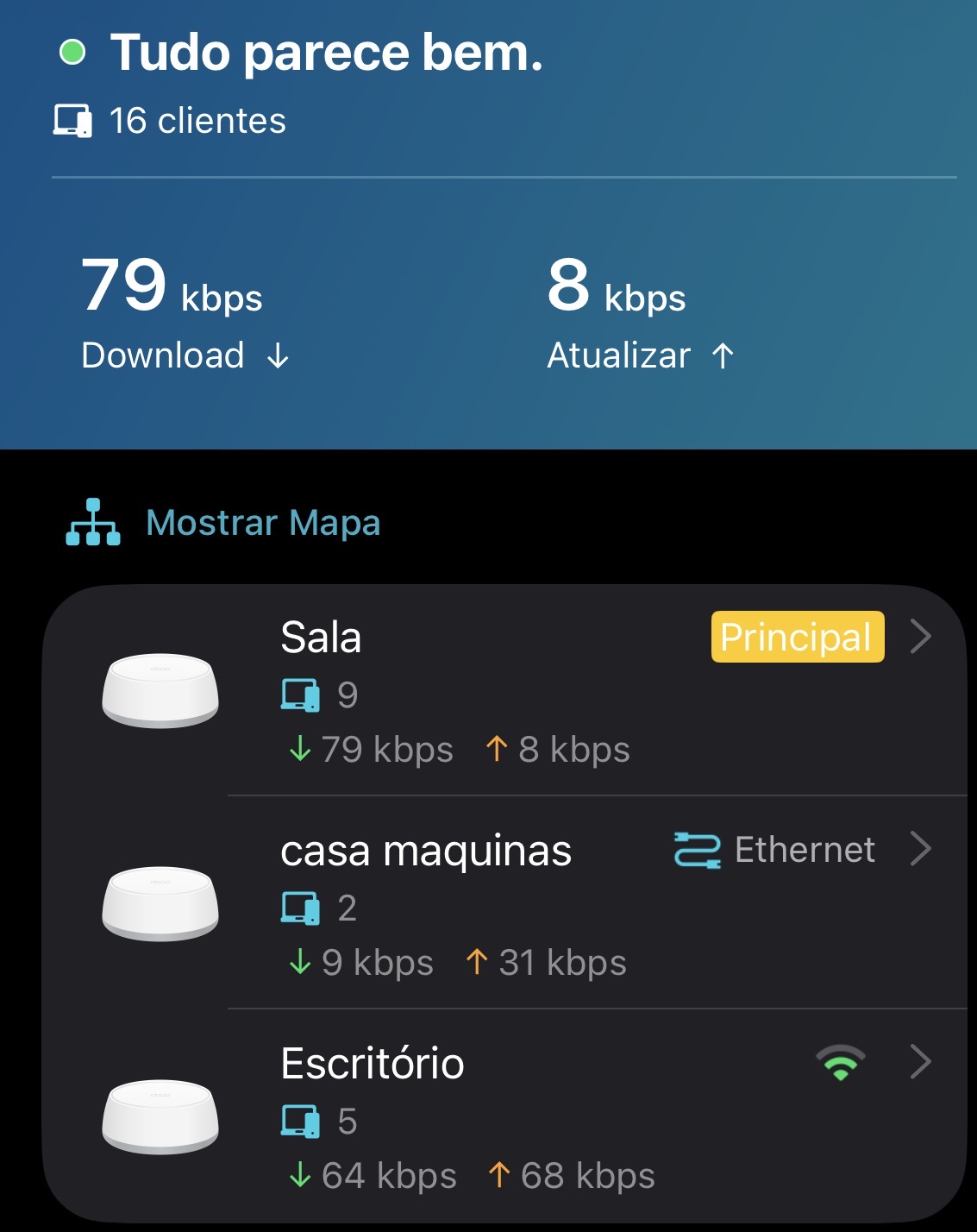
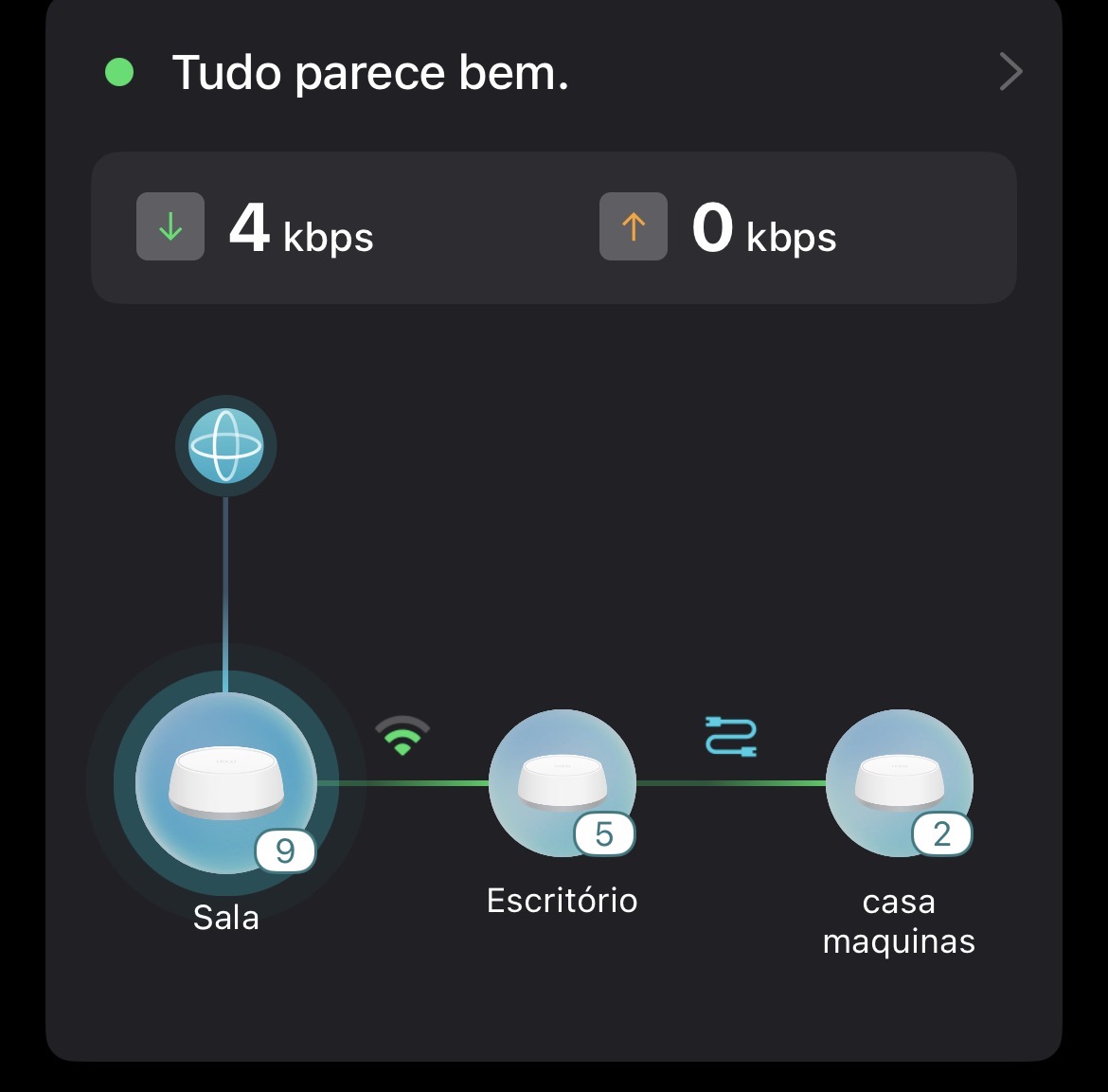
hi,
I have the same issue, Ethernet Blackhaul not working on one of the DECOs. I have the same configuration as you have, my switch supports the IEEE 1905.1 protocol. Its a mercusys MS105G. My router has the Wi-Fi OFF and all the DECOS are conected with Ethernet cable that Goes directly to the switch. I also must add that my house conection is Brand new ethernet cable 5e and it was verified by ANACOM that is the comunications regulator in my country... i bought this DECOs some days ago and if this not solve i will return them!
@tplink can you please help and advise?
- Copy Link
- Report Inappropriate Content
Information
Helpful: 3
Views: 63162
Replies: 47
Voters 1
