
Early Access Introducing AI QoS: Elevate Your Gaming Experience on the Archer GE800 Gaming Router!
 This thread has been locked for further replies. You can start a new thread to share your ideas or ask questions.

Update on Jan 16th, 2026:
The official version of Archer GE800 V1, 1.3.2 Build 20250929, has been released publicly. Users can check for updates via the router's web interface or through the Tether App to install the latest version manually.
If you cannot find the latest version, please download the firmware from the official website and upgrade it manually:
Archer GE800_V1_1.3.2 Build 20250929
We will manually lock this post to better focus on discussions regarding the new firmware. We also encourage all users to upgrade to the latest firmware for testing and to provide feedback.
--------------------------------------------------------------------------------
Hello Everyone,
We are excited to announce a pre-release firmware update introducing AI QoS (Quality of Service) for the Archer GE800 V1 before its official release. This allows our users to enjoy the ultimate gaming experience in advance.
AI QoS is designed to revolutionize your online gaming experience. Leveraging artificial intelligence, our new feature set transforms how your router manages bandwidth, ensuring seamless performance for all your applications. Here are the key features that make AI QoS a game-changer.
One-Click Acceleration
Say goodbye to complicated setups! With just a single click, you can enjoy lightning-fast performance without the hassle of complex configurations. Get ready to dive into your favorite games instantly.
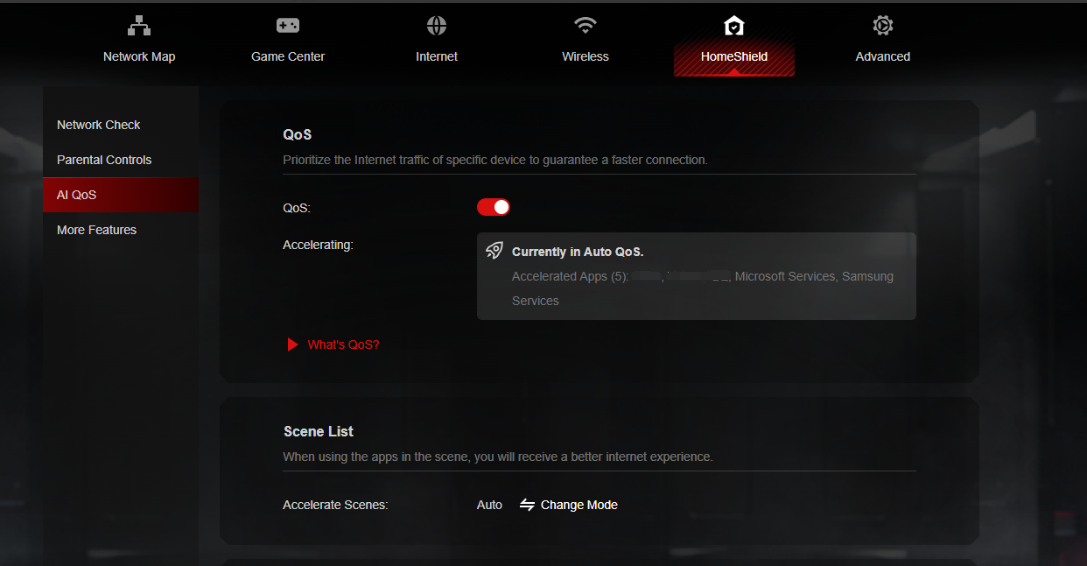
Dynamic Bandwidth Detection
Our advanced technology allows you to instantly assess your available bandwidth. By continuously monitoring network conditions, AI QoS helps prevent congestion, ensuring that your gaming and streaming sessions remain smooth and uninterrupted.
Enhanced QoS Optimization
Experience significantly reduced gaming latency, even in congested network scenarios. AI QoS intelligently optimizes your connection, minimizing lag and providing a competitive edge when it matters most.
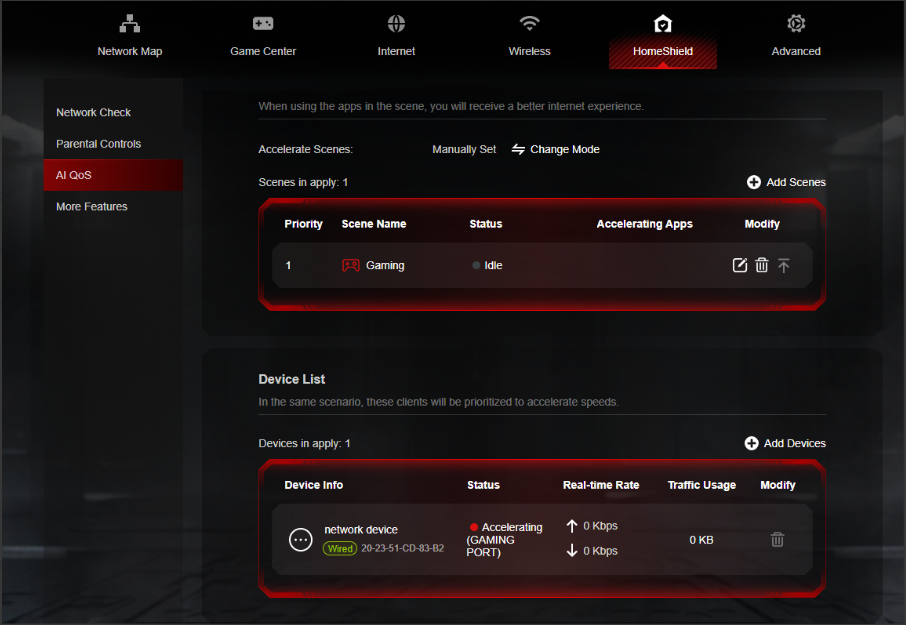
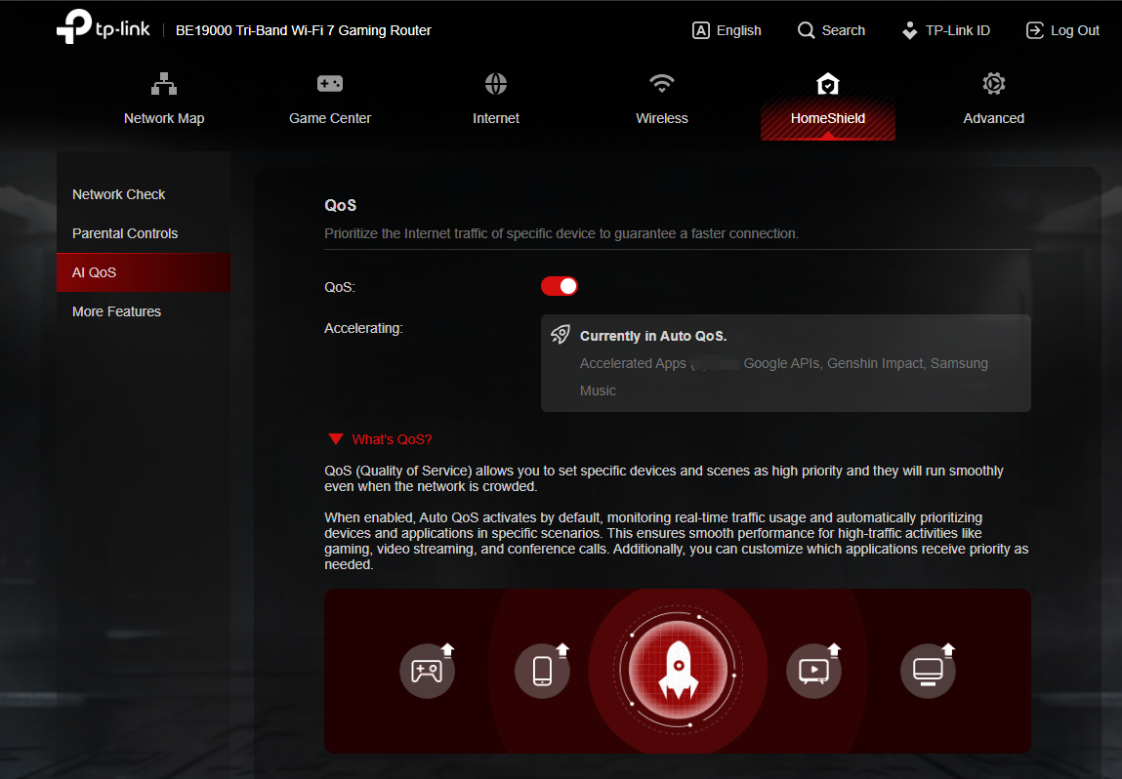
Intelligent Traffic Prioritization
Every application deserves the best performance. With AI QoS, traffic is prioritized intelligently, guaranteeing that all your applications run optimally. Whether you're gaming, streaming, or video conferencing, you can be confident that your experience will be top-notch.
More New Features and Modifications:
This pre-release firmware includes all the new features and modifications mentioned in previous posts below:
Pre-release Firmware for Archer GE800/GE550/GE650v1 Supports EasyMesh in AP Mode, DoH&DoT, ECO Mode
Bug Fixes:
Fixed the issue where enabling Bandwidth Control for the Guest Network will take effect for all networks.
Firmware Download:
Before the Upgrade
(1) Please be sure you have read the Beta Test Agreement before upgrading the pre-release firmware!
(2) For the sake of insurance, it's always recommended to save a copy of the router's Backup Config file before upgrading or downgrading.
(3) This pre-release firmware for Archer GE800 V1 can be applied to all versions (EU/US/AU/CA/etc).
(4) You may follow the guide to upgrade the firmware of your router. How to Upgrade the Firmware on the TP-Link Wi-Fi Routers.
(5) The screenshots in this article are taken from the web GUI of Archer GE800 V1 for reference only.
(6) This version of software can be degraded to the previous official version.
Direct Firmware Download Link
| Archer GE800_V1 | Archer GE800(EU)_V1_1.3.2 Build 20251013 (Updated Pre-release firmware) |
Additional Information
As always, we value your feedback. If somehow you encounter an issue during or after the router firmware upgrade, please comment below with the following info. Your input helps us continue to improve and provide the best products and support.
- Provide a detailed network layout, including how the devices are connected, especially if there are EasyMesh satellite devices.
- Detailed issue description, and provide more information on the specific conditions that seem to trigger the problem.
Thank you for your continued support and for being part of our community.
Update Log
Oct 13th, 2025:
Updated to provide a new pre-release firmware based on the latest 1.3.1 official version.
Jul 4th, 2025:
Updated to provide a new pre-release firmware based on the latest 1.2.1 official version.
Jun 13th, 2025:
Release of the article.
Related Articles
Pre-release Firmware for Archer GE800/GE550/GE650v1 Supports EasyMesh in AP Mode, DoH&DoT, ECO Mode
- Copy Link
- Subscribe
- Bookmark
- Report Inappropriate Content
@Zeryoung It is definitely strange that even in Bridge mode you don't see a significant improvement. However, one very important detail often overlooked is physical interference. When you were testing the GE800, did you make sure to completely disable the Wi-Fi radios (2.4GHz and 5GHz) on your ISP modem?
If both devices are sitting close to each other and both are broadcasting Wi-Fi signals, they will create massive interference and 'noise' on the wireless channels. This can lead to packet loss and higher latency, which would explain why the gameplay feels better when you use only the modem.
Also, have you checked if the GE800 is using the exact same cables as the modem? Sometimes a faulty Cat5e/6 cable between the modem and the router can bottleneck a high-end device like this. Since my experience with the firmware is completely stable, I still suspect there might be a localized environmental factor or a specific hardware handshake issue between your ISP equipment and the router
- Copy Link
- Report Inappropriate Content

- Copy Link
- Report Inappropriate Content
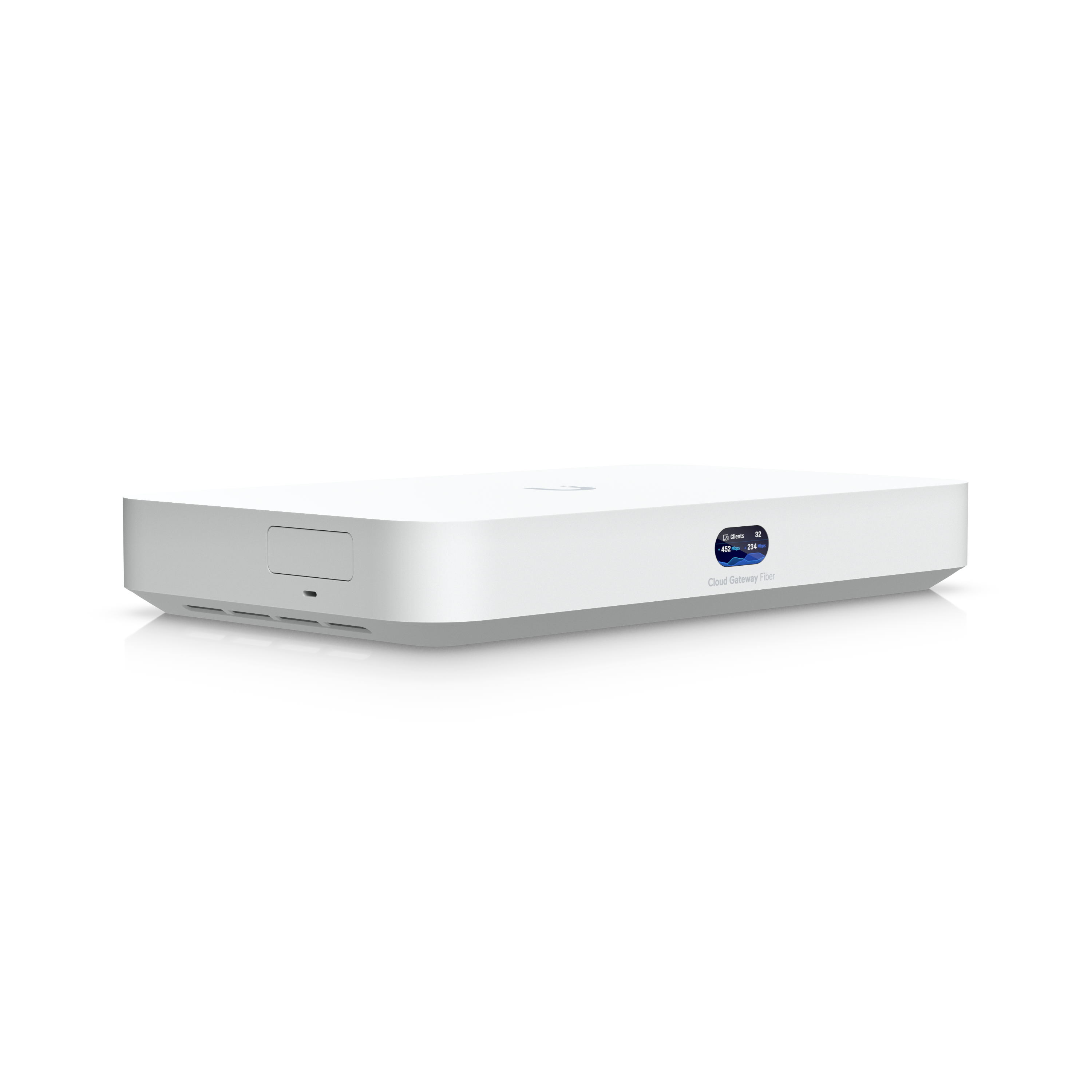
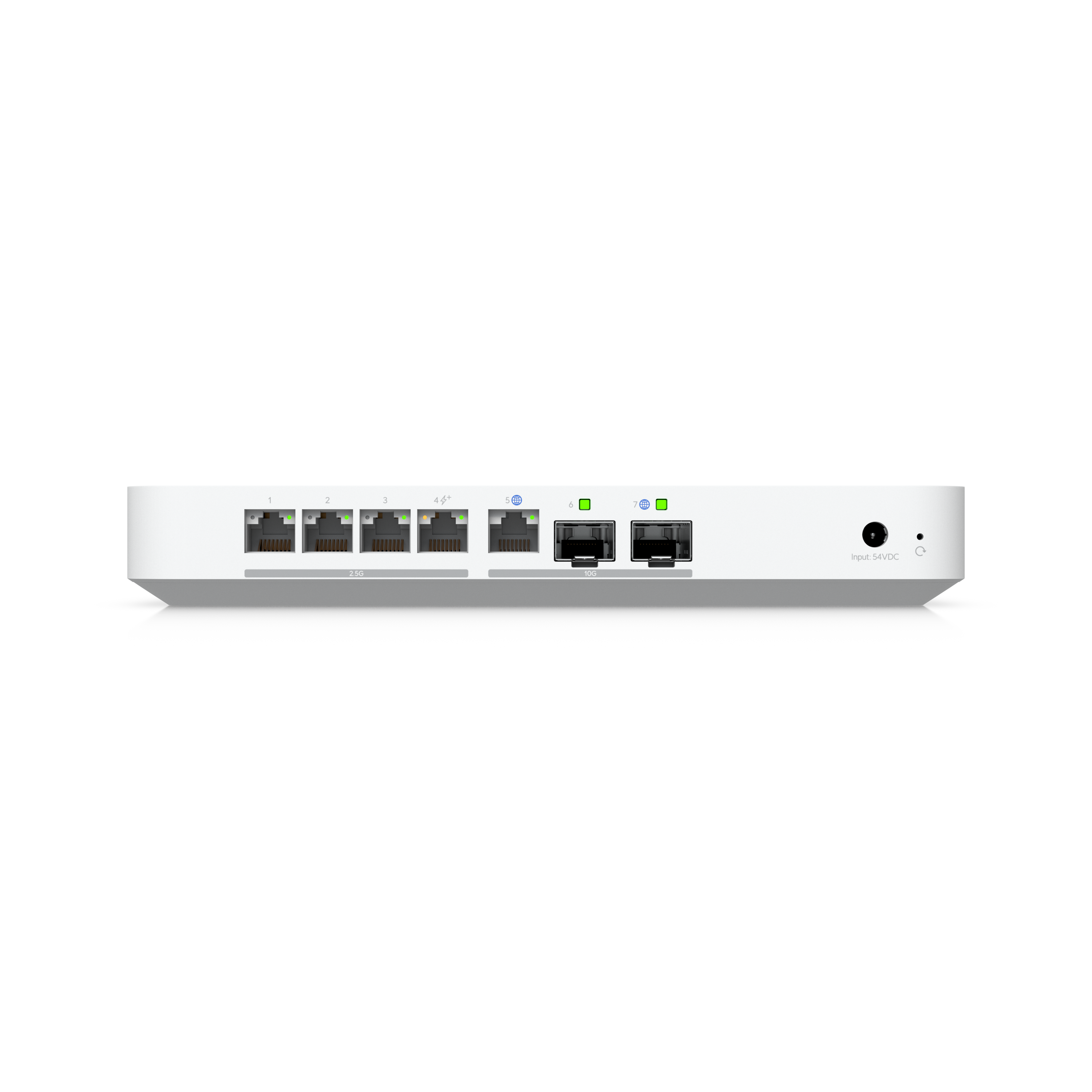
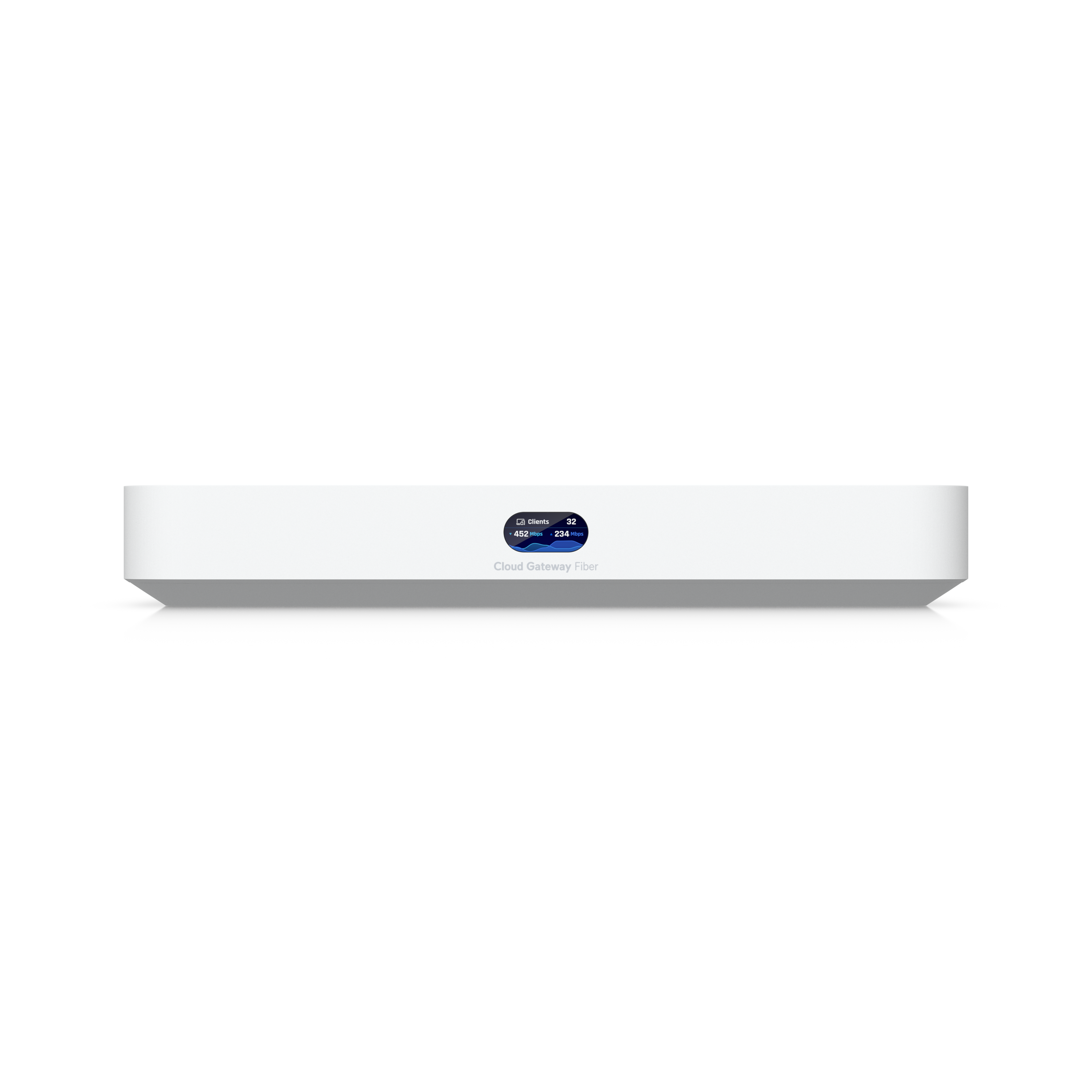
So I’ve finally settled on my decision: I’m moving to the UniFi ecosystem. I ordered the Cloud Gateway Fiber yesterday at a good price. It’s as powerful as the GE800 (same CPU), but this time with 3 GB of RAM. It doesn’t have Wi-Fi built in though, but I also ordered a Wi-Fi 7 Pro AP from the same company.
I think I’m done with ‘gaming’ routers, they don’t seem to bring much value at all. (from all the experienced I had with few of them) UniFi looks like a solid solution, costs about the same (router + AP), and is future-proof since I can add Wi-Fi 8 APs later, cameras, other things. The OS also seems very deep and with tons of options.
I tried the GL.iNet Flint 3 and it was really good, but it lacked some features, like having only a few 10G ports.
The GE800 has been too problematic for me. It has really great hardware, but unfortunately the firmware doesn’t live up to it. The router came out at the end of 2024 and is still unstable.
Anyway, I wish you all the best and hope the next firmware resolves most of your issues.
And thanks @Kevin_Z for the help you provide during this time.
- Copy Link
- Report Inappropriate Content

Hi Kevin, I have a problem, the MTU must support 1500 for PPPEO. I only use 1492 and that causes internet speed problems. Waiting for TP-Link: The GE800 is a high-end gaming router. You can submit a request to TP-Link Support for a firmware update that supports "Baby Jumbo Frames" (RFC 4638) for KPN/PPPoE.That's confirmation: the firmware of the TP-Link Archer GE800 does not currently support RFC 4638. Without this support, the router cannot send the necessary 1508 bytes (1500 data + 8 PPPoE overhead) over the WAN port, so you are stuck with 1492.
With a 4Gbps connection this is a major problem for two reasons:
Packet fragmentation: Because almost all servers on the Internet send 1500 bytes, your router has to "shop" every incoming packet into smaller pieces. This eats up the processor capacity.
CPU Bottleneck: As mentioned earlier, TP-Link handles PPPoE on a single processor core. Due to the extra fragmentation, that core reaches its limit much faster, so your speed is probably stuck somewhere between 1.5 and 2.2 Gbps.
- Copy Link
- Report Inappropriate Content

@Kevin_Z a famous commercial mentioned that: power is nothing without control and in my opinion it applies very well to the above mentioned top of the range router
- Copy Link
- Report Inappropriate Content
every manufacturer is required to provide proper features and no restrictions should be imposed and this causes internet problems every device has MTU 1500 but tp link blocks it to 1492 .
They need to fix this as soon as possible
- Copy Link
- Report Inappropriate Content
The answer I will get is already clear. Have you tested it? Where is the problem? What are the settings? We are saying that it is a ridiculous problem, but who cares? At this rate, TP-Link will lose a lot of customers. Leave it restricted, do not block the features that should be there. MTU 1500 add it, problem solved
- Copy Link
- Report Inappropriate Content
@Pro-gamer, while RFC 4638 support for MTU 1500 over PPPoE is a valid technical request for a flagship like the GE800, the claim that MTU 1492 causes a 50% drop in performance due to CPU bottlenecking seems very unlikely for this hardware.
The GE800 features a powerful 2.2GHz Quad-Core CPU designed to handle much heavier loads than simple packet fragmentation. Furthermore, many ISPs don't even support Baby Jumbo Frames on their end, making the MTU 1492 (or 1480 in some regions) the standard operating procedure.
In my professional experience working for an ISP, if the MTU settings match the provider's requirements, the performance remains stable. If someone is seeing their speed drop from 4Gbps to 1.5Gbps, the issue is likely elsewhere-perhaps in the PPPoE implementation itself or how the ISP handles high-bandwidth authentication, rather than just the lack of RFC 4638.
- Copy Link
- Report Inappropriate Content

Weird noob question: is it bad to turn off any and all 'flow control' options?
- Copy Link
- Report Inappropriate Content
@Jaybonaut that’s actually a very valid question! For a high-end router like the GE800, it is generally not recommended to turn off flow control unless you have a very specific reason and a perfectly optimized network environment.
Flow control (802.3x) acts as a traffic management system between your router and the connected devices. When one device is receiving data faster than it can process, it sends a pause frame to prevent the buffers from overflowing.
If you disable it, instead of a tiny pause, you might experience packet loss. When packets are dropped, they have to be resent, which causes jitter and spikes in latency-exactly what you want to avoid in gaming. Especially with 2.5G or 10G ports, flow control helps keep the data stream steady and synchronized. I’d suggest keeping it enabled for the best stability
- Copy Link
- Report Inappropriate Content
Information
Helpful: 7
Views: 95580
Replies: 521
Voters 7





