
Tapo C210 stuck with red light
 This thread has been locked for further replies. You can start a new thread to share your ideas or ask questions.
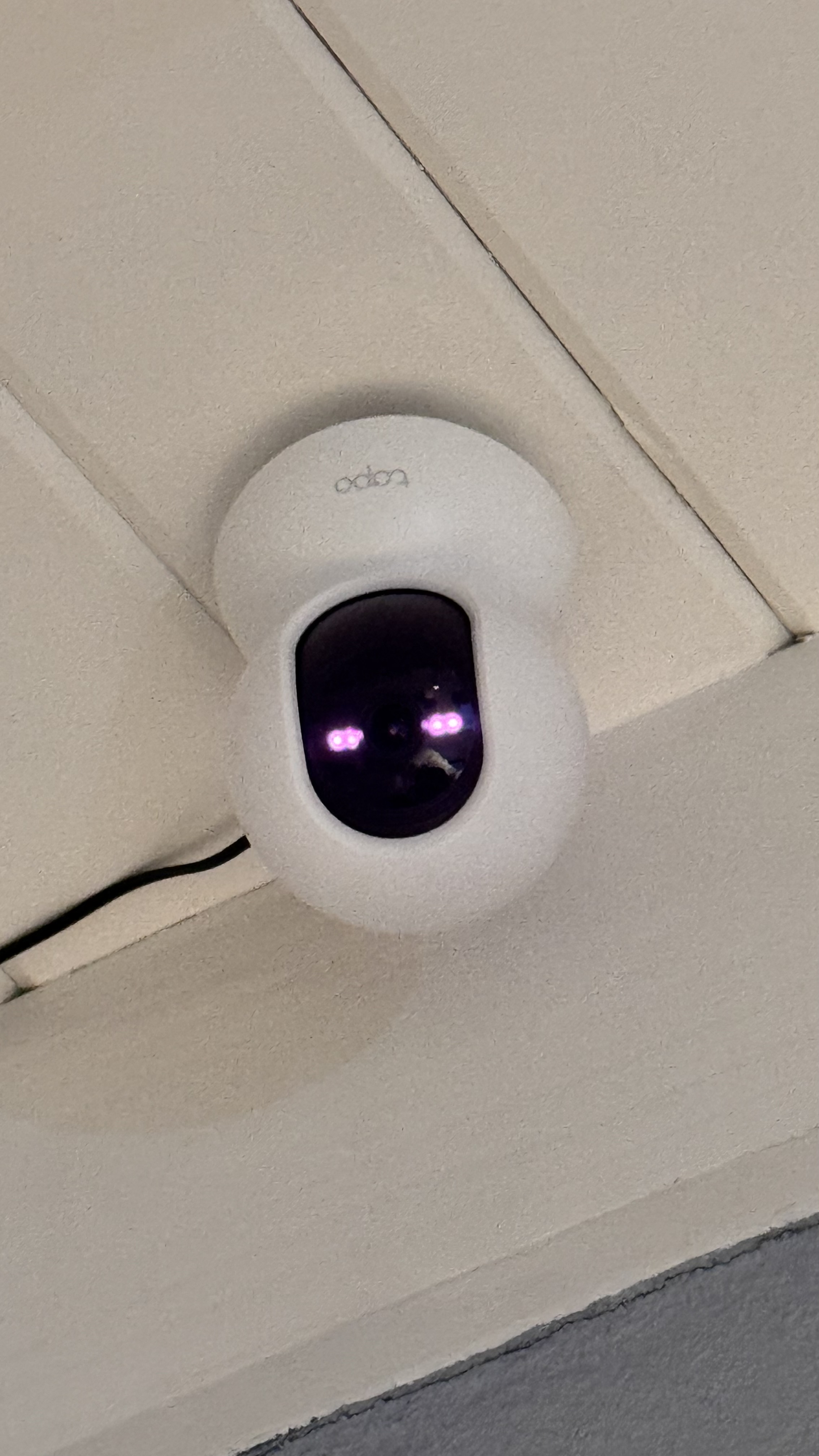 I bought a 2-pack in Amazon 2 months ago and one of them out of nowhere got stuck with red leds like this.
i tried everything, using the other cameras charger, resetting by pressing 2 minutes, using another outlet. Nothing works, did somebody fix this?
thanks!
- Copy Link
- Subscribe
- Bookmark
- Report Inappropriate Content


Hi,
You can refer to the following steps to troubleshoot the reported phenomenon.
1. Turn off the camera, remove the SD card from it if there is one, and turn it back on with the original power adapter.
2. Press the reset button for 10 seconds to perform a factory reset.
If the LED status on the camera does not respond to the reset operation, you can contact your retailer or our local team to check if the camera is under warranty.
Best Regards
- Copy Link
- Report Inappropriate Content
Hi,
You can refer to the following steps to troubleshoot the reported phenomenon.
1. Turn off the camera, remove the SD card from it if there is one, and turn it back on with the original power adapter.
2. Press the reset button for 10 seconds to perform a factory reset.
If the LED status on the camera does not respond to the reset operation, you can contact your retailer or our local team to check if the camera is under warranty.
Best Regards
- Copy Link
- Report Inappropriate Content
Yes, I've tried all that. I contacted both Amazon where I purchased the camera and TP-LINK for warranty and the return window for Amazon expired and TP-link informed that the warranty was US only and that I would have to pay for everything to return the camera, even though they have support in Argentina (I imported the camera to Argentina via Amazon). That is why I am asking the community if they were able to solve it without using the warranty.
- Copy Link
- Report Inappropriate Content
Hi,
There are no more suggestions if the camera does not respond to the reset operation. TP-Link does not provide an international warranty; we usually recommend purchasing a TP-Link product in your own region. For a detailed warranty policy, it's suggested to confirm with the local team.
Best Regards
- Copy Link
- Report Inappropriate Content
Information
Helpful: 2
Views: 976
Replies: 3
Voters 0
No one has voted for it yet.