NX500 Vs Lyca

NX500 Vs Lyca

NX500 Vs Lyca
NX500 Vs Lyca
2025-11-26 21:54:50 - last edited 3 weeks ago
Model: Archer NX500  
Hardware Version: V1
Firmware Version: 1.2.0 3.0.0 v60c7.0 Build 250806 Rel.72073n

Can't get cellular internet 


NX500 - ok on RJ45 plugged into WAN 

Firmware updated 


New Lyca SIM , not pin locked , ok in phone but when inserted into NX500 , I just get 'no internet ' 


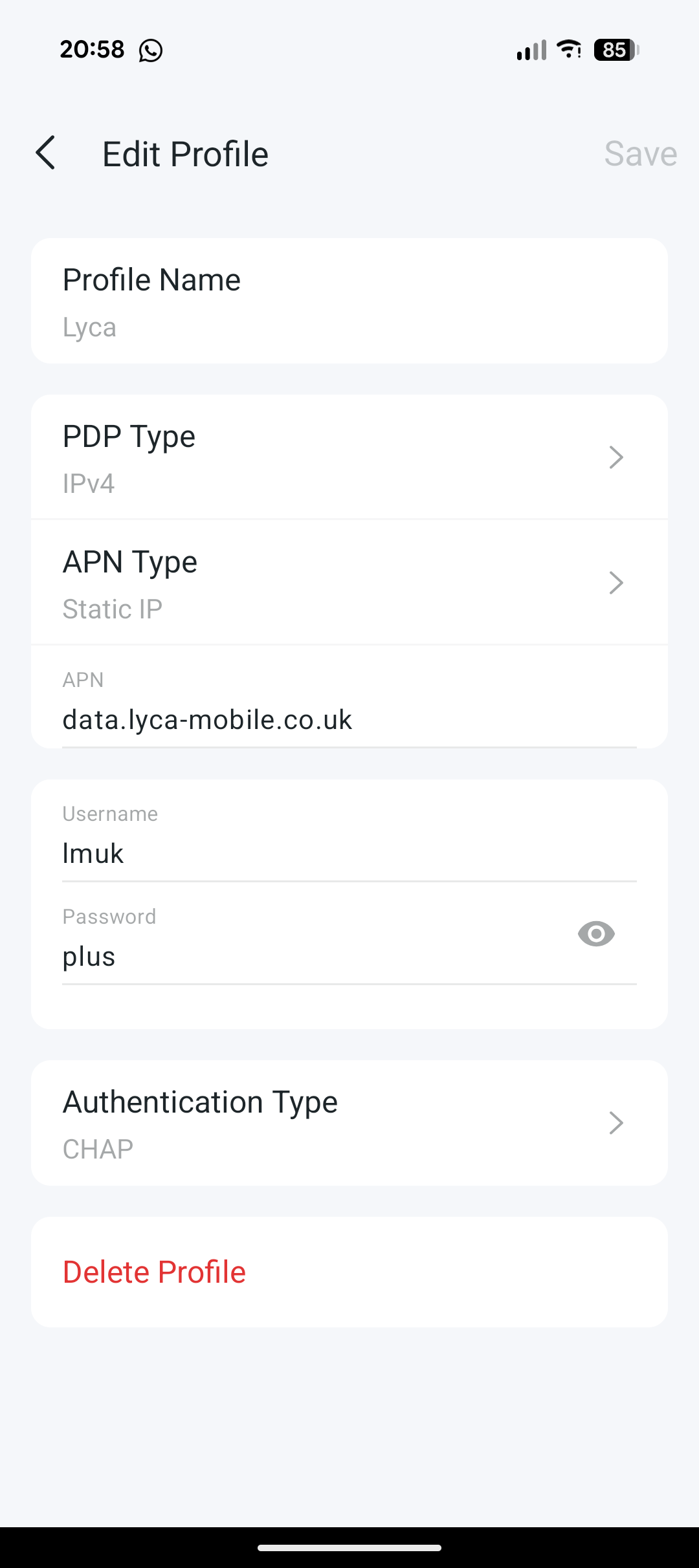
I've changed the settings from EE (default before firmware upgrade) manually to what the internet says and indeed since the firmware update , I've a new profile with the same settings 


Can anyone throw any light please ? 


  1      
  1      
#1
Options
4 Reply
Re:NX500 Vs Lyca
2025-11-26 21:58:12
  1  
  1  
#2
Options
Re:NX500 Vs Lyca
2025-11-27 08:56:57

  @Alanjo99 

Hi, when you're using the Lyca Mobile SIM card in the iPhone, can you enable mobile hotspot for other devices?


By the way, have you ever used the Lyca SIM card in any mobile routers before? I saw users reported that sometimes the mobile ISP might restrict users from using the SIM card in a mobile WiFi/4G/5G routers(4G/5G Routers Had no Internet Access When using PH Smart SIM Cards)


By the way, can you share a screenshot of the internet status on the web admin UI when the Archer NX500 uses the default auto-sync APN profile?

Wait for your reply.

Best regards.


  0  
  0  
#3
Options
Re:NX500 Vs Lyca
2025-11-29 13:30:55

  @David-TP 


Hi David , thanks for taking the time to reply 


I've tried the Lyca SIM in my phone and it hotspots ok , I've got it as where I'm going to be using it there is better signal coverage on Lyca /EE 


Similarly when I removed my Vodafone SIM out of my phone , I tried it in the NX500 and that works fine too. 


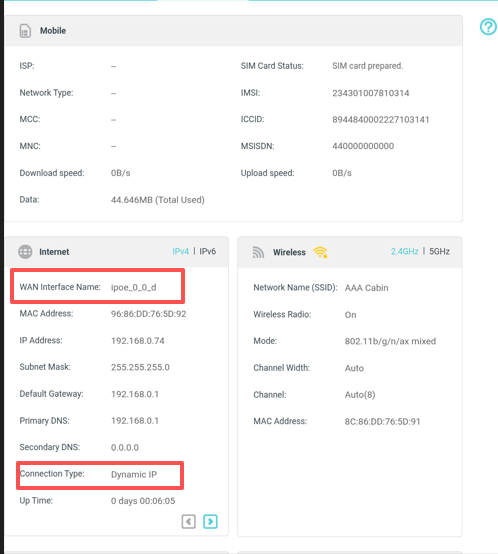
Screen grab of the settings with the Lyca SIM installed 


Many thanks 

File:
Screenshot_20251129-132534.pngDownload
  1  
  1  
#4
Options
Re:NX500 Vs Lyca
2025-12-01 02:59:48

  @Alanjo99 

Hi, thank you very much for the feedback.

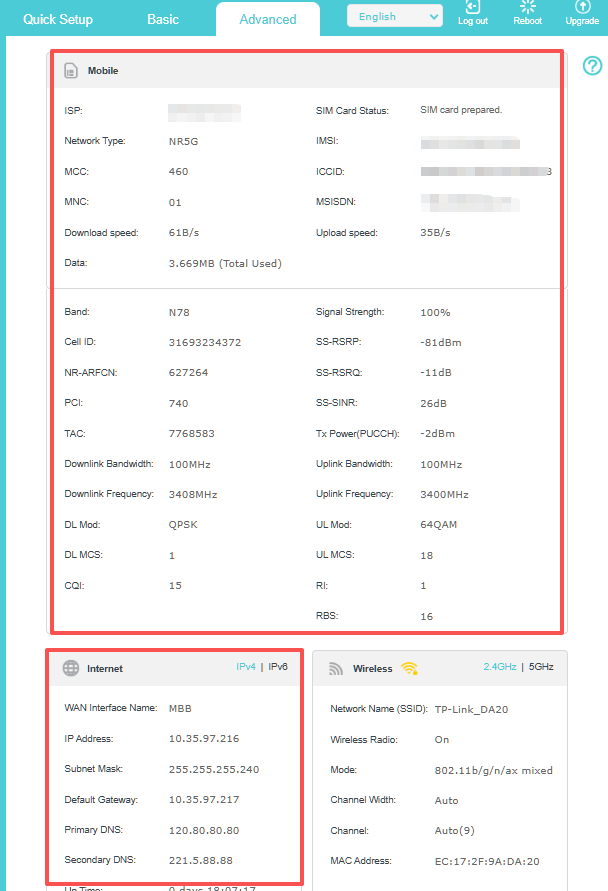
On the "Internet Status" settings, I see the "WAN Interface name" is IPoE. Usually, if the SIM card is the main Internet resource, it should be "MBB".

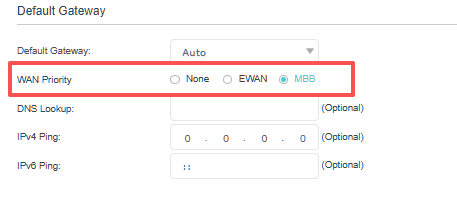
Could you please go to Advanced>Network>Internet>WAN Priority to make sure "MBB" is selected:

By the way, do you have an Ethernet device that is connected to the WAN/LAN port of the NX500?


Wait for your reply.

Best regards.

  0  
  0  
#5
Options