
Easy Mesh: Problem with 2.4GHz WiFi
Easy Mesh: Problem with 2.4GHz WiFi

Hello,
I have the following Easy Mesh system:
Main node: AX73
Satellites: AX55 and AX10
All with the latest firmware
All connected via Ethernet backhaul
I've disabled Smart Connect, set the 2.4GHz WiFi channel fix to 11, and the bandwidth to 20MHz.
The AX10 is the furthest away.
And that's exactly where the 2.4GHz Wi-Fi keeps dropping out despite the Ethernet backhaul. The 5GHz Wi-Fi is stable.
Could it be that the AX10 doesn't support Ethernet backhaul even though the web app shows Ethernet as the connection type?
Thanks.
- Copy Link
- Subscribe
- Bookmark
- Report Inappropriate Content
Hi,
What is the hardware version of your Archer AX10? (can be found in the firmware update menu of the GUI or on the serial number sticker)
Archer AX10 V1, V1.2 and V2 are listed as supporting EasyMesh via Ethernet backhaul, but V3 is not.
- Copy Link
- Report Inappropriate Content
Thanks for the feedback.
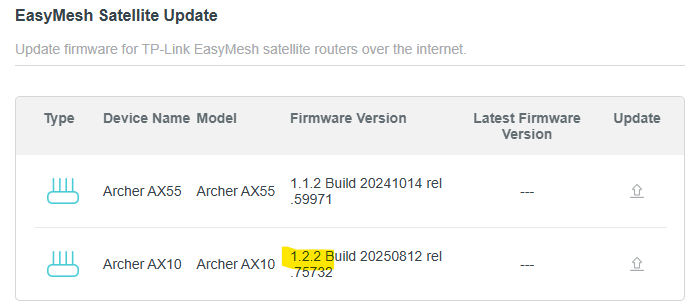
It seems to be version 1.2.2?
The entire WiFi mesh network is currently performing poorly.
- Copy Link
- Report Inappropriate Content
Firmware version 1.2.2 Build 20250812 rel.75732 is a firmware that belongs to the Archer AX10 V3.
In general, only the models and hardware versions listed in the first post of this thread https://community.tp-link.com/en/home/forum/topic/593722 support EasyMesh via Ethernet backhaul. The AX10 V3 is currently not in the list, which should mean that it doesn't support it.
Maybe someone from TP-Link can confirm this? @Joseph-TP
- Copy Link
- Report Inappropriate Content
Thanks for the feedback.
In that case, I'll replace the AX10 with a device from the list (possibly another AX73).
Thank you so much for the fast help!
- Copy Link
- Report Inappropriate Content


Update:
Hello @Markus7
Apologize for my previous inaccurate information about whether Archer AX10 V3 supports EasyMesh via Ethernet/Wired Backhaul. I confirmed it again with the development team and learned that it does support it.
If the 2.4G is not stable near the AX10, could you please confirm some details about your network?
1. Is the AX10 connected to the main AX73 via cable? Please show me the mesh network map, which can be found on the main AX73's status or mesh devices page.
2. When the 2.4G in that location disconnects, is it still visible? How about the signal strength? If you unplug the AX10 from the power socket, will the 2.4G band still be visible? How about the signal strength?
3. As suggested previously, try resetting the AX10 to factory defaults, and connect its LAN port to one of the LAN ports on the main AX73 again to confirm whether the 2.4G network is extended as expected.
How to Build an Ethernet Backhaul Using Two EasyMesh Routers (Scenario 2: Add a new satellite router to EasyMesh)
- Copy Link
- Report Inappropriate Content
Thanks for the feedback.
I'll order another AX73 and hope that everything runs smoothly then.
- Copy Link
- Report Inappropriate Content
@Markus7 Hi there,
I have been facing the same issue with my Archer AX10 (V3) after upgrading to 1.2.2 Build 20250812 rel.75732.
The 2.4GHz band turns on & off randomly, the 5GHz would remain stable.
As a workaround, you can turn off Smart Connect & the 5GHz band.
When the 5GHz band is turned off, the 2.4GHz band works reliably.
For a permanent fix, you could try resetting the AX10 to factory defaults (removing it from EasyMesh), then flash the previous firmware and connect it back to EasyMesh.
[I am not sure if the above fix will work, but it should.]
- Copy Link
- Report Inappropriate Content
Thanks for the feedback.
I've ordered an AX73 and will set it up as a satellite. Then my Wi-Fi cameras should run more smoothly and I'll also be able to use the 5GHz network.
- Copy Link
- Report Inappropriate Content
Hello,
I've replaced the AX10 in my Easy Mesh with an AX73, and the configuration is now as follows:
Main node: AX73
Satellites: AX55 and AX73
All with the latest firmware
All connected via Ethernet backhaul
Despite this, I'm still having problems:
Where I replaced the AX10 with the AX73, the 2.4GHz network still drops out sporadically, and the 5GHz network occasionally as well.
The LAN devices connected to the AX73 do not fail.
But I'm seeing it on a 2.4GHz WiFi switch that's losing commands and responding with a timeout.
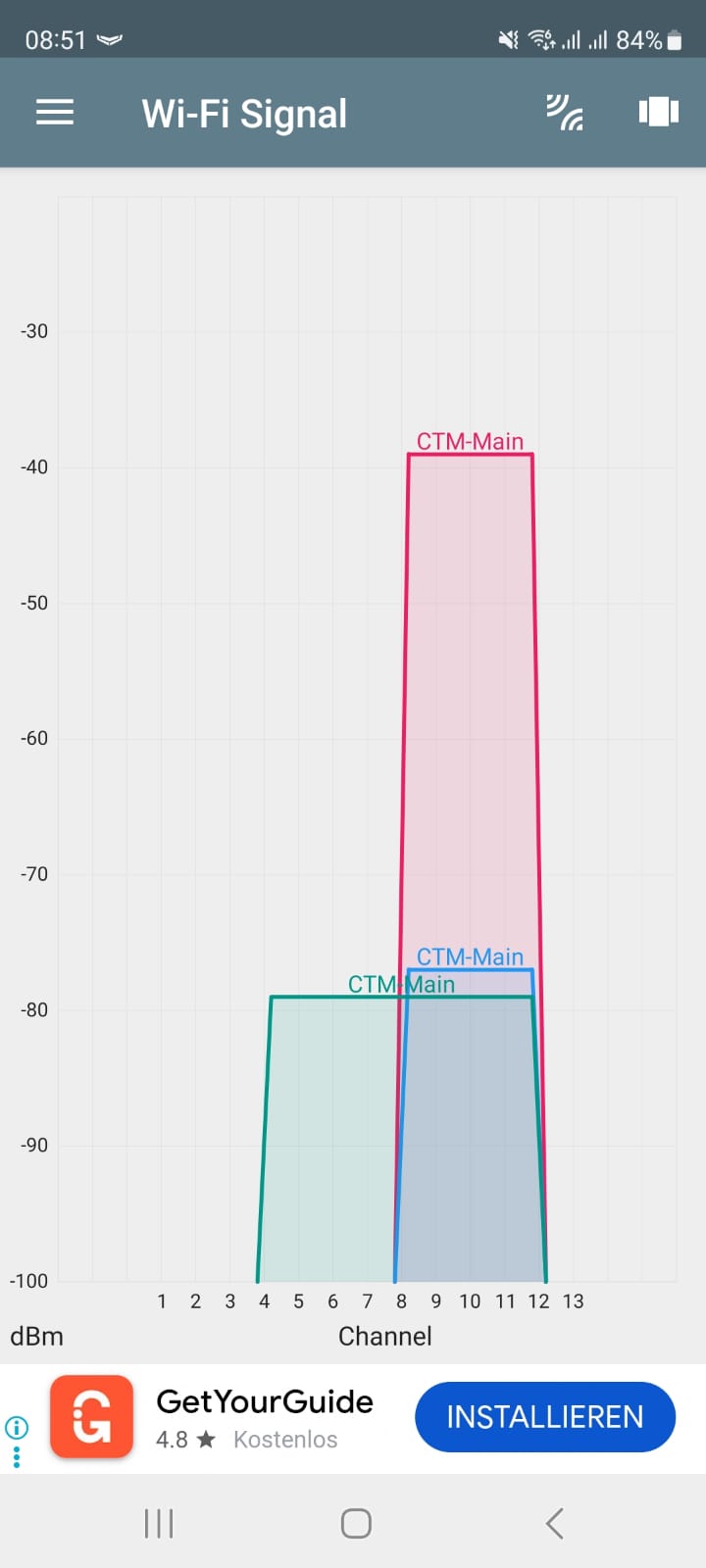
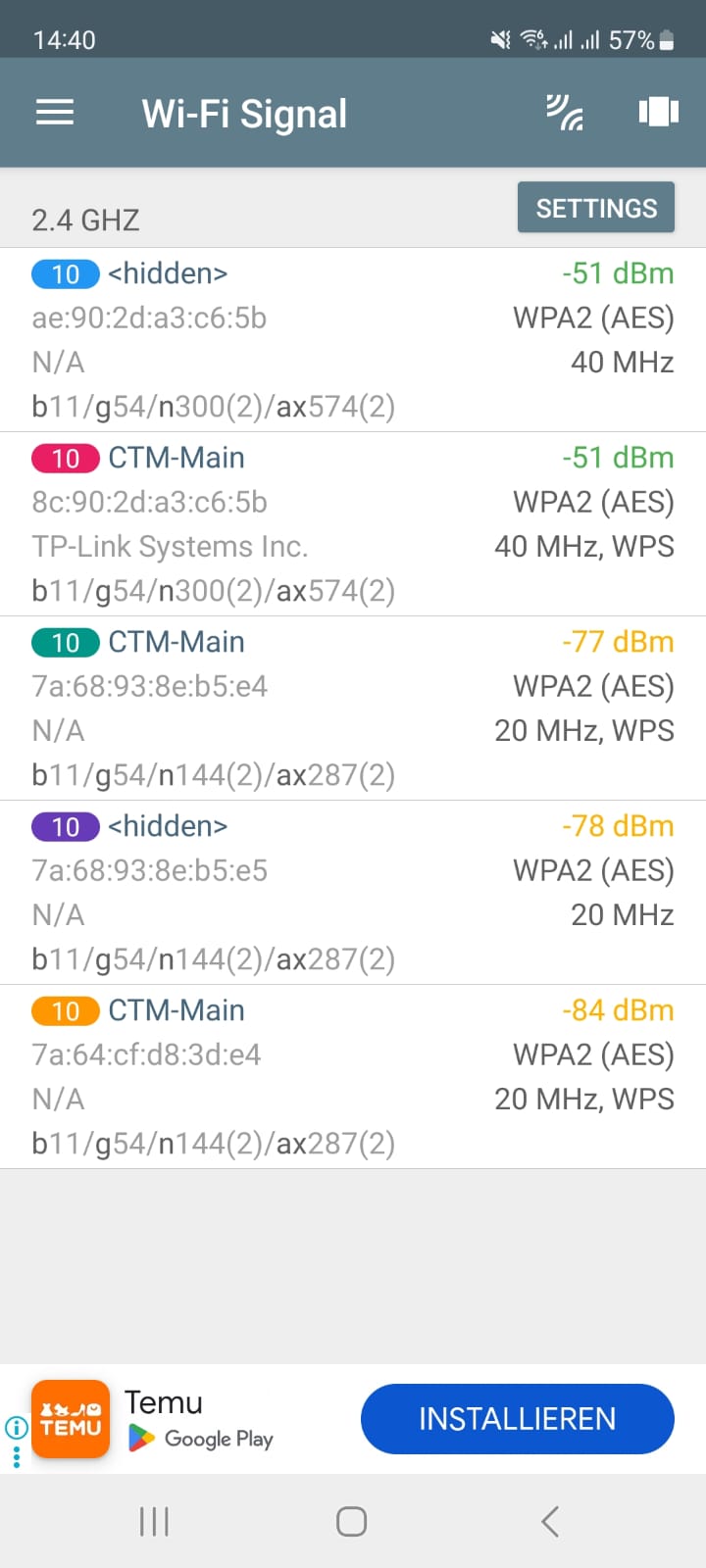
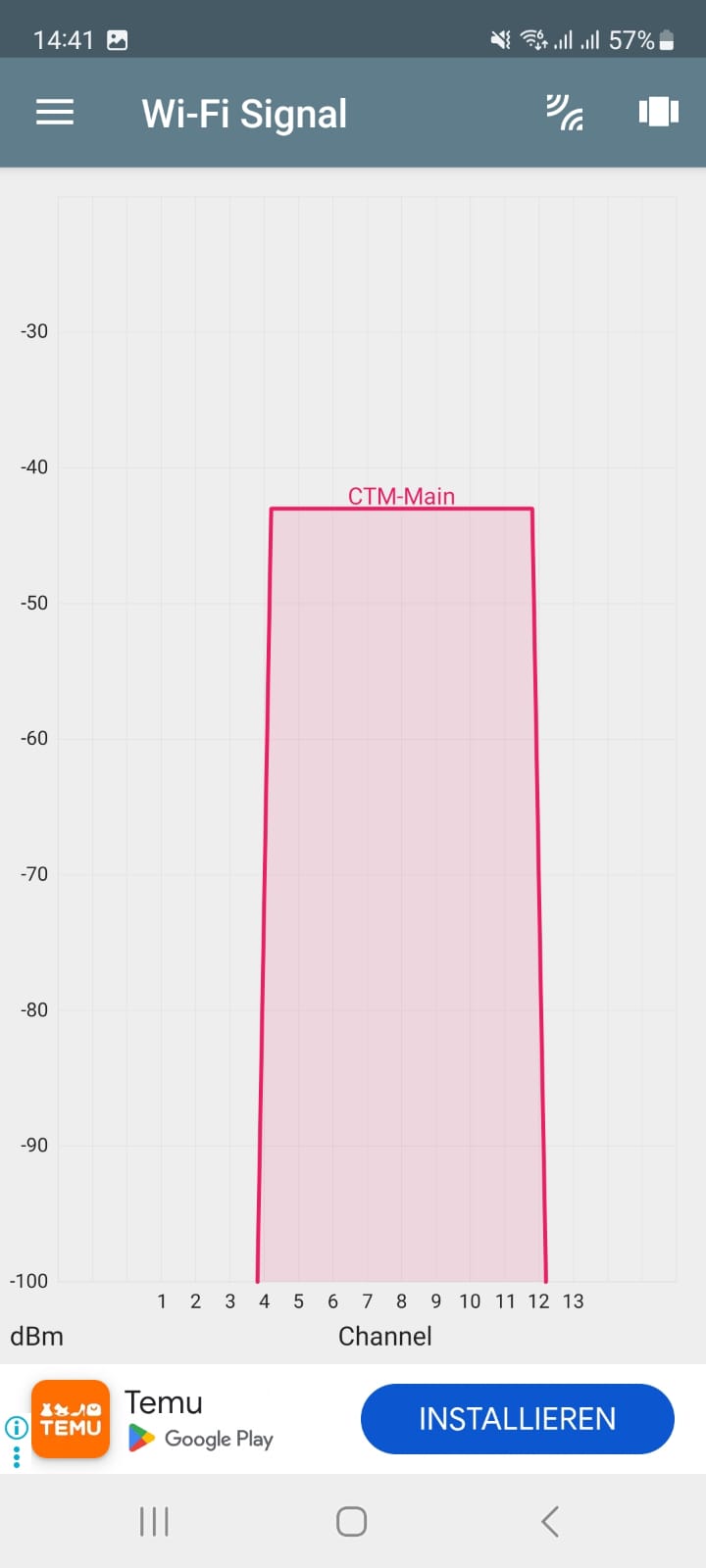
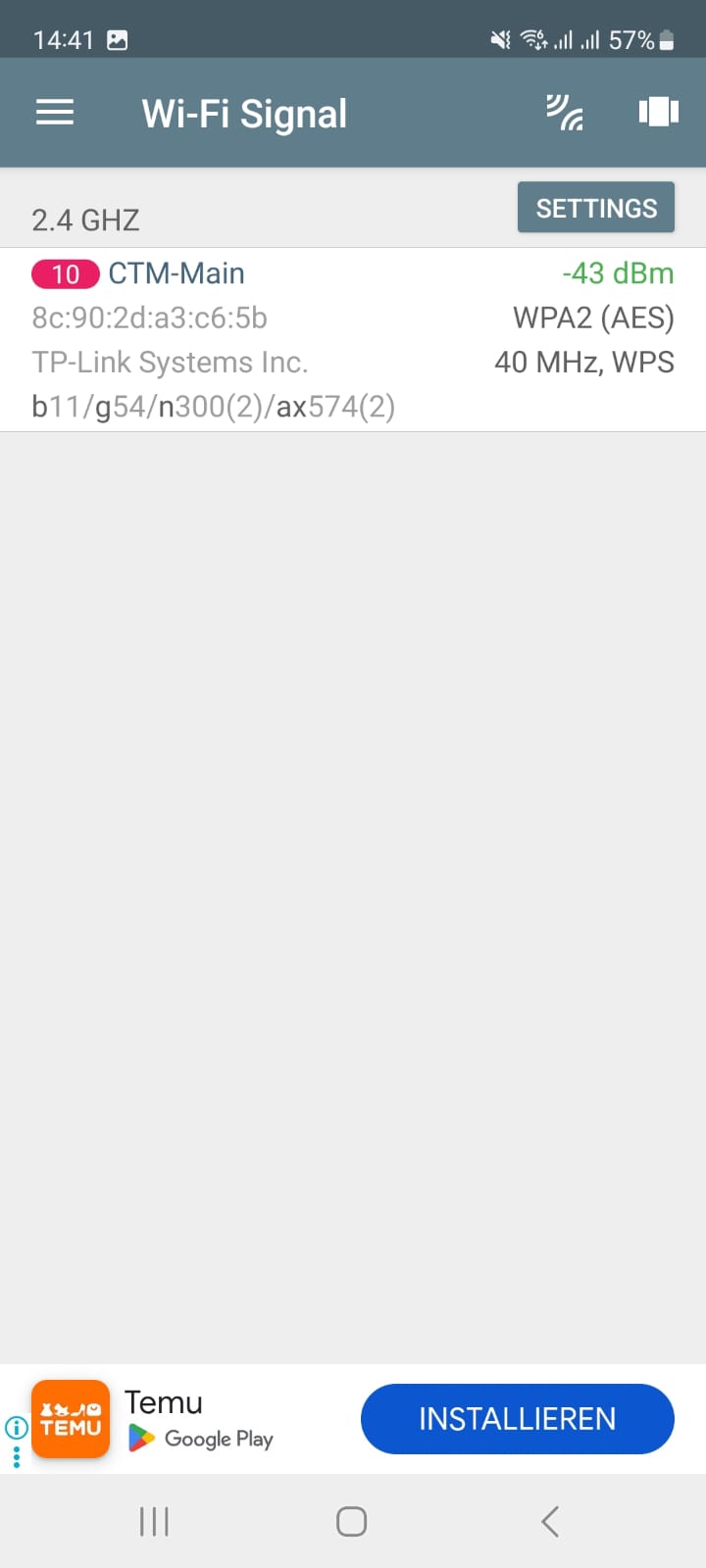
Using the network analyzer, I can see that the signal is sometimes strong, then disappears, or is only weak.
When I'm in the living room near the AX55, I constantly see the signals changing - see below
Is that normal?
Would it perhaps be better to dismantle the entire Easymesh setup and use one device as a router and the other two as access points, all with the same SSID?
- Copy Link
- Report Inappropriate Content
I did some more research and found out that Smart Connect might be the problem:
Specifically with "2.4GHz only clients." Smart Connect tries to force them to use 5GHz, which then causes the connection timeouts.
Exactly what I noticed with the WiFi switch.
Apparently, it's the AX series models that have this problem.
Today I deactivated Smart Connect and renamed the 5GHz network. So far, it seems to be running stably.
Time will tell if the problem is gone.
- Copy Link
- Report Inappropriate Content
Information
Helpful: 1
Views: 2910
Replies: 18
Voters 1
