
LED Control not working on EasyMesh Nodes

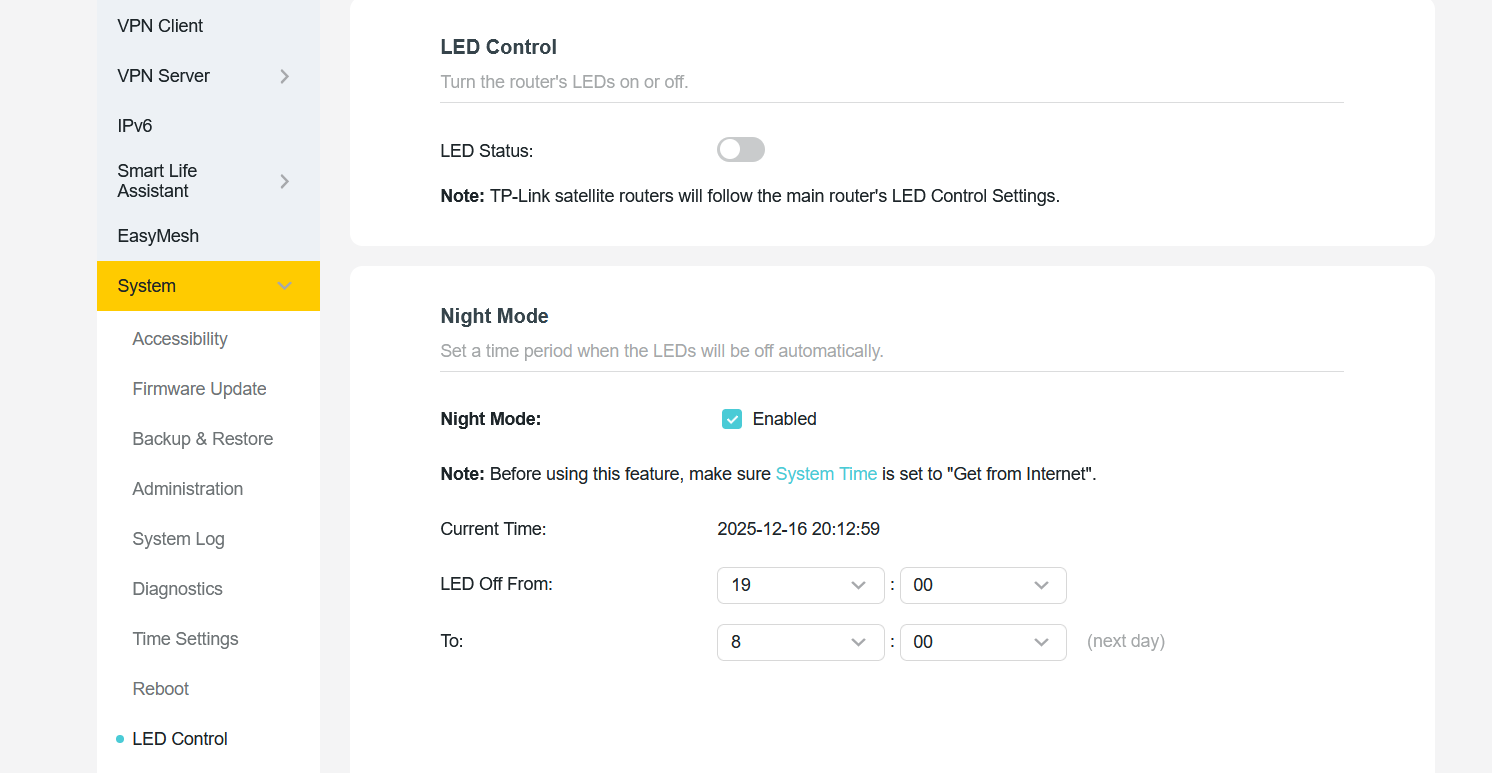
I have activated the LED Control that it should disable LED on all Nodes.
What actually happens is that it deactivates on the main router, but on the easy mesh nodes (two other BE800) the display is still light up.
As one BE800 is in the bedroom that is not usable and I have to disable LED complete that it is disabled on all Nodes.
- Copy Link
- Subscribe
- Bookmark
- Report Inappropriate Content

Hi,
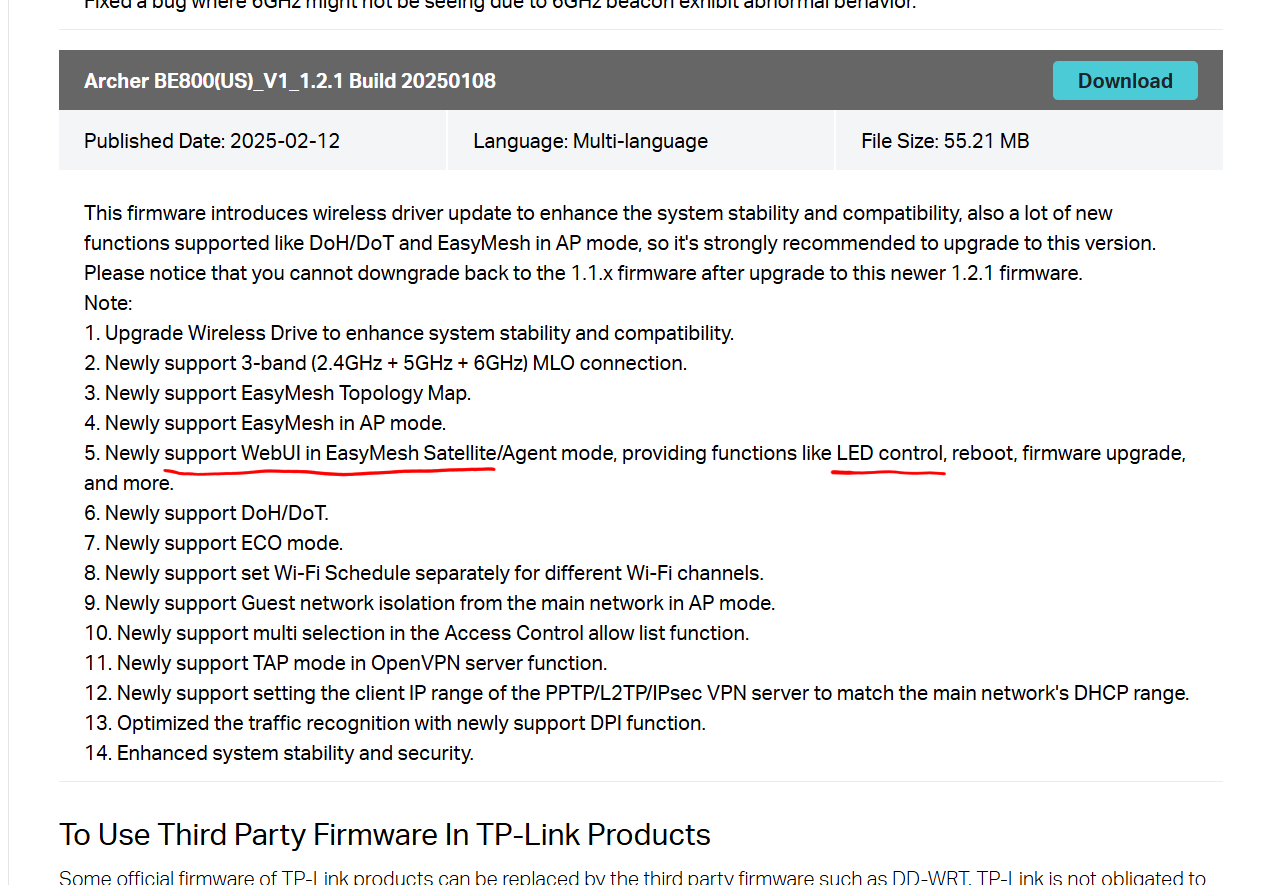
According to the firmware notes TP-Link has implemented a WebUI for Satellite mode into the Archer BE800 V1 since firmware version 1.2.1.
So, until TP-Link has fixed the issue you've described in your post, a possible workaround would be to log into the WebUI of the BE800 in the bedroom and deactivate its LED's from there. The current IP address of the Satellite BE800 can be obtained from the within main BE800 and then open the WebUI by typing that IP address into a web browser.
- Copy Link
- Report Inappropriate Content
Hi,
According to the firmware notes TP-Link has implemented a WebUI for Satellite mode into the Archer BE800 V1 since firmware version 1.2.1.
So, until TP-Link has fixed the issue you've described in your post, a possible workaround would be to log into the WebUI of the BE800 in the bedroom and deactivate its LED's from there. The current IP address of the Satellite BE800 can be obtained from the within main BE800 and then open the WebUI by typing that IP address into a web browser.
- Copy Link
- Report Inappropriate Content
@woozle Thanks. When I login to the web interface of the mesh node there is a led control. I will test if it works.
There is text it should change with the main router. But in my case it looks like only the main router switch leds and on the nodes no switch happens
- Copy Link
- Report Inappropriate Content

Hello @memzila ,
We are delighted to announce the pre-release firmware for the Archer BE800 V1! This update has new advanced features.
It is recommended that you try this firmware and take advantage of the new features.
New Firmware for Archer BE800 V1 to Support VPN Merge,Guest/IoT Network Extend in EasyMesh, and More
Any feedback and suggestions are welcome~
- Copy Link
- Report Inappropriate Content
Information
Helpful: 0
Views: 524
Replies: 3
Voters 0
No one has voted for it yet.