
Ethernet backhaul speeds indicator

Is there any way i can check the ethernet speeds my deco are connected to? Been checking the cable with lan tester and seems they are correctly connected but i sometimes get 100mbps only.
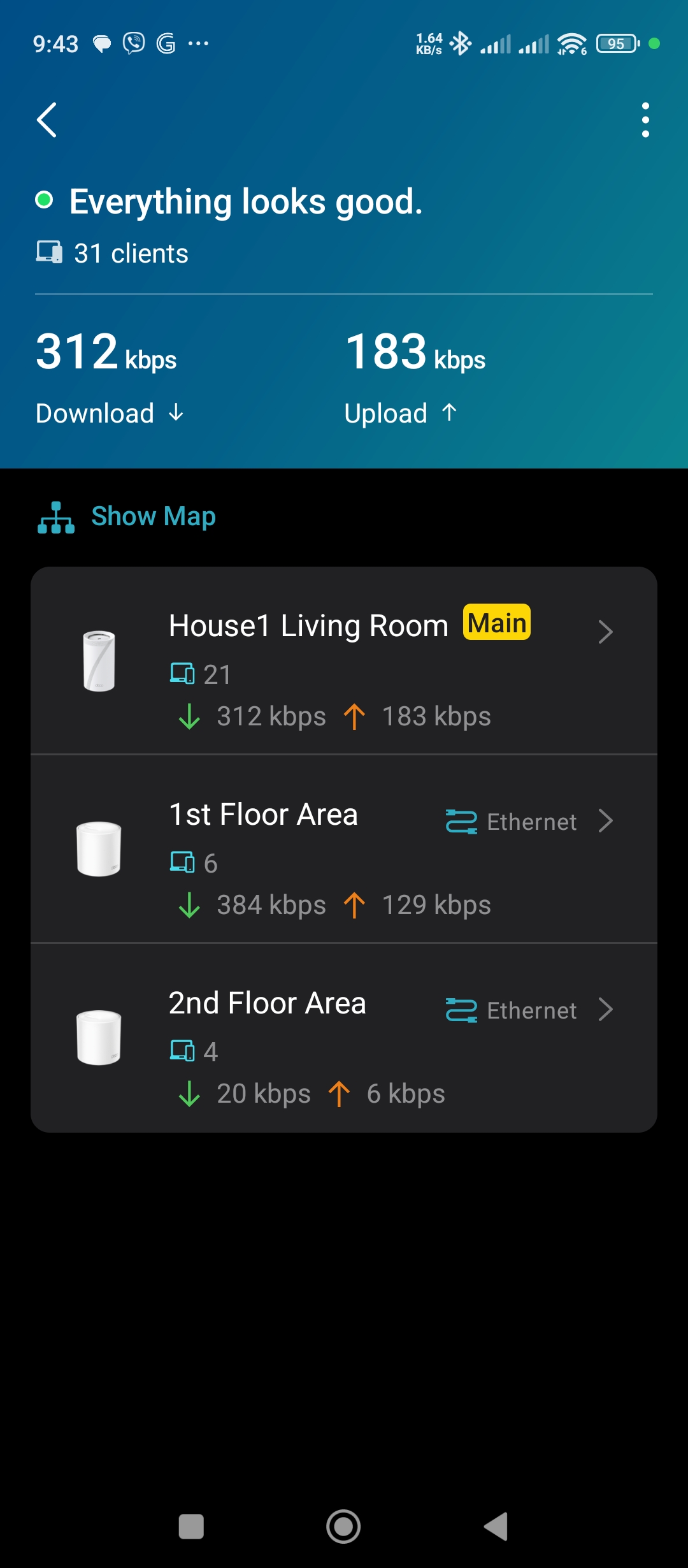
Here is the current setup with BE65 as main deco and 2 Deco X50s as satellite, i am having problem with satellites.
- Copy Link
- Subscribe
- Bookmark
- Report Inappropriate Content


Hi, thank you very much for your time and patience.
I'm afraid Deco App doesn't support displaying the Ethernet Backhaul speed. If it is lower than 1G/s, there will be a pop-up error notice on the Deco App.
It is suggested to test the latest 1.2.10 firmware here for Deco BE65_V2 to see whether it helps:
Deco BE65/BE65 Pro_1.2.10 New Firmware with Enhanced Stability & Interference Resistance
Best regards.
- Copy Link
- Report Inappropriate Content
Hi, welcome to the community.
How about "Test Internet Speed" on the Deco App? Can you receive over 100mbps?
As there are two satellite Deco X50s, did you have a network switch? Or do they both connect directly into the Ethernet ports of the main Deco BE65?
Are both satellite Deco X50s capped at 100mbps?
Please also try to replace a new Ethernet cable to connect the satellite X50 to the main Deco BE65.
By the way, can I have firmware versions on both Deco BE65 and Deco X50s?
Wait for your reply.
Best regards.
- Copy Link
- Report Inappropriate Content
I would like to see a speed test from X50 without going over to next house to check it
My current setup is in this order
ISP router
Deco BE65
2.5Gbe switch(media server)
2.5Gbe switch(PC)
1Gbe switch(both Deco X50s are connected to this)
Deco BE65 - 1.2.0 20250718 43949
Deco x50 - 1.4.6 20250211 39448
- Copy Link
- Report Inappropriate Content
Hi, thank you very much for your time and patience.
I'm afraid Deco App doesn't support displaying the Ethernet Backhaul speed. If it is lower than 1G/s, there will be a pop-up error notice on the Deco App.
It is suggested to test the latest 1.2.10 firmware here for Deco BE65_V2 to see whether it helps:
Deco BE65/BE65 Pro_1.2.10 New Firmware with Enhanced Stability & Interference Resistance
Best regards.
- Copy Link
- Report Inappropriate Content
Information
Helpful: 1
Views: 308
Replies: 3
Voters 1