EasyMesh settings doesn't propagate

EasyMesh settings doesn't propagate

EasyMesh settings doesn't propagate
Yesterday
Model: EX521  
Hardware Version: V1
Firmware Version: 0.1.0 3.0.0 v60e3.0 Build 250212 Rel.39994n

I recently bought three EX521 and set up two units as EasyMesh agents. 

I have been noticing my IoT devices disconnecting and not being able to reconnect to any of EX521 APs.


I tried to configure the settings of 2.4GHz network to use b/g/n modes only. 

However this setting is applied only to the EasyMesh Controller. 


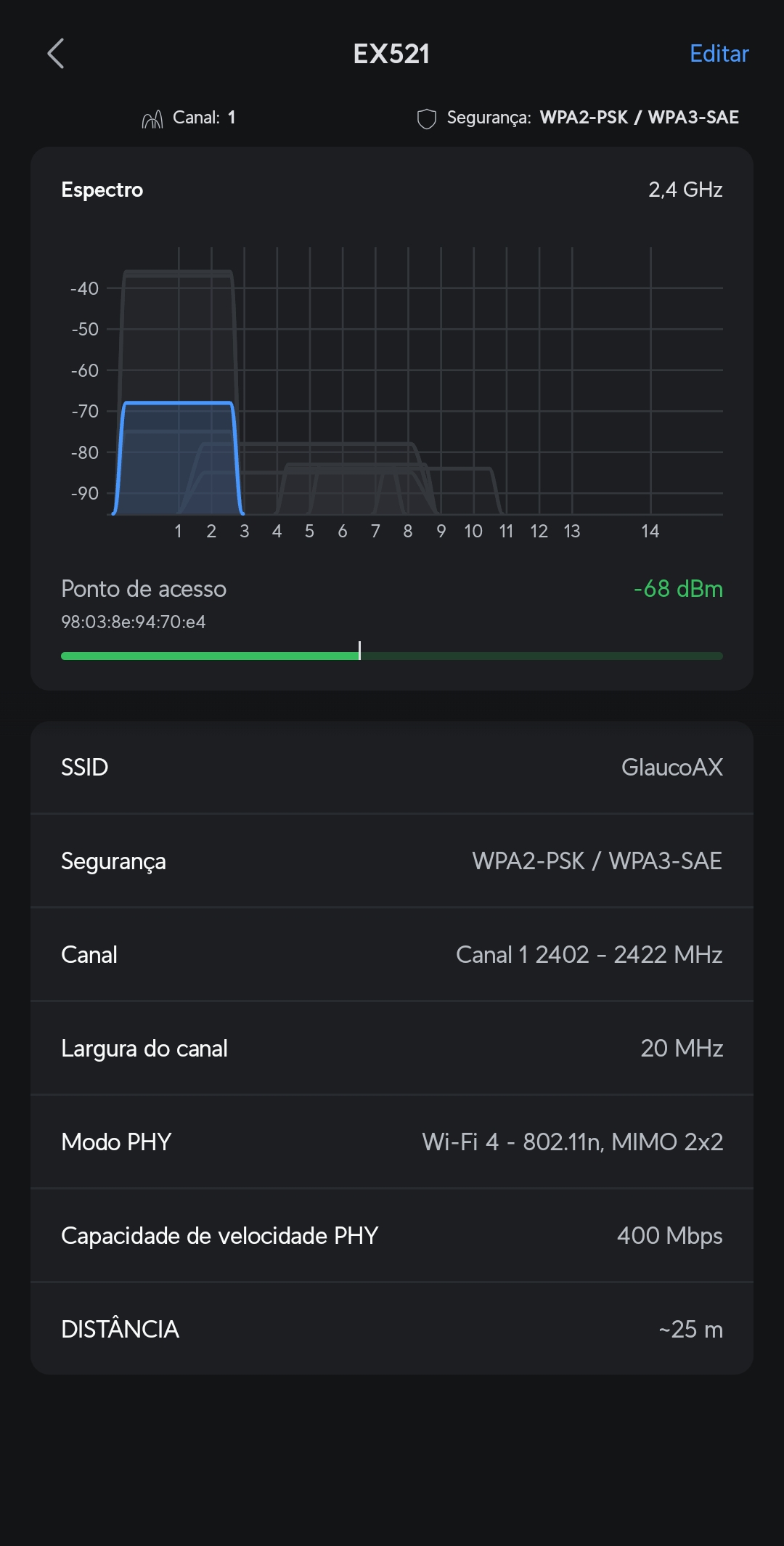
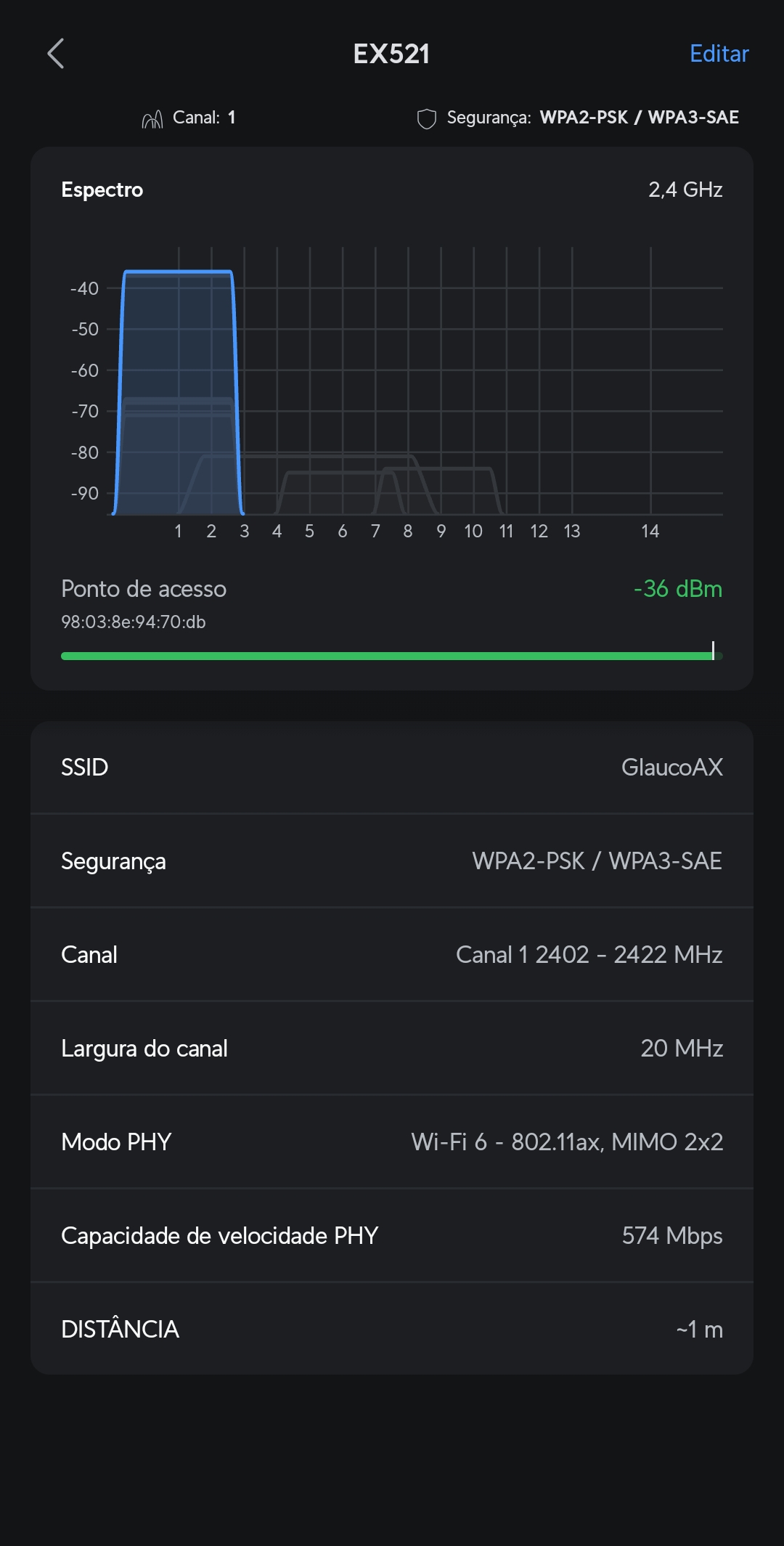
EasyMesh agents don't receive advanced settings, and still offer 2.4GHz in AX mode. 

This leads me to belive that other advanced settings are not propagated as well, such "long GI", or RTS Thresholds.


Unfortunately, in the current house I am in, I am unable to set a wired backhaul and try to configure each device as an AP (without mesh).


Since EasyMesh only sync network name and passwords, I would like too see any of these options available:


  1. Allow EasyMesh to sync advanced network settings;
  2. Allow to configure advanced settings in EasyMesh agents;
  3. Allow to configure the EX521 as a repeater, instead of EasyMesh Agent; (see RE605x as an example, which you can choose to create a 2.4GHz or 5GHz link between APs)


I believe any of these options would address the issue, while 2 and 3 would give more freedom for the use. 

  0      
  0      
#1
Options
2 Reply
Re:EasyMesh settings doesn't propagate
Yesterday
EasyMesh Controller 802.11n Wifi4 EasyMesh Controller 802.11n WiFi 4


EasyMesh Agent 802.11ax Wifi 6


  0  
  0  
#2
Options
Re:EasyMesh settings doesn't propagate
10 hours ago

Hello @Cattalins ,

Thanks for contacting our community.


I noticed that the EX521 is a custom-designed product, and many of its specifications may differ from our regular products.


However, regarding your inquiry, I can briefly reply:
1. The issue of the EasyMesh Satellite router being unable to extend the IoT network does indeed exist. This may require future firmware updates to support it.

2. Regarding whether the EX521 supports Repeater, I checked the model's specification; it currently only supports Router mode and Access Point mode.


Some general suggestions:
1. Test for wireless disconnections using:

2. Switch some IoT devices to the 2.4GHz main network.

3. Ensure the firmware is up-to-date.


If the problem persists, I suggest contacting your ISP (if your EX521 was provided by your ISP) or contacting Local Technical Support (if you bought the devices yourself).

Nice to Meet You in Our TP-Link Community. Check Out the Latest Posts: △New Firmware Update for Archer BE260/Archer BE400 to Support VPN Merge, New ECO Mode, and More △Connect TP-Link Archer BE550 to Germany's DS-Lite (Dual Stack Lite) Internet via WAN △Tether KidShield Test Recruitment - Safeguarding Children's Online Experience If you found the post or response helpful, please click Helpful. If an answer solves your problem, click "Recommended Solution" so that others can benefit from it.
  0  
  0  
#3
Options