
Theter App not working with NE200-Outdoor

 Good morning,
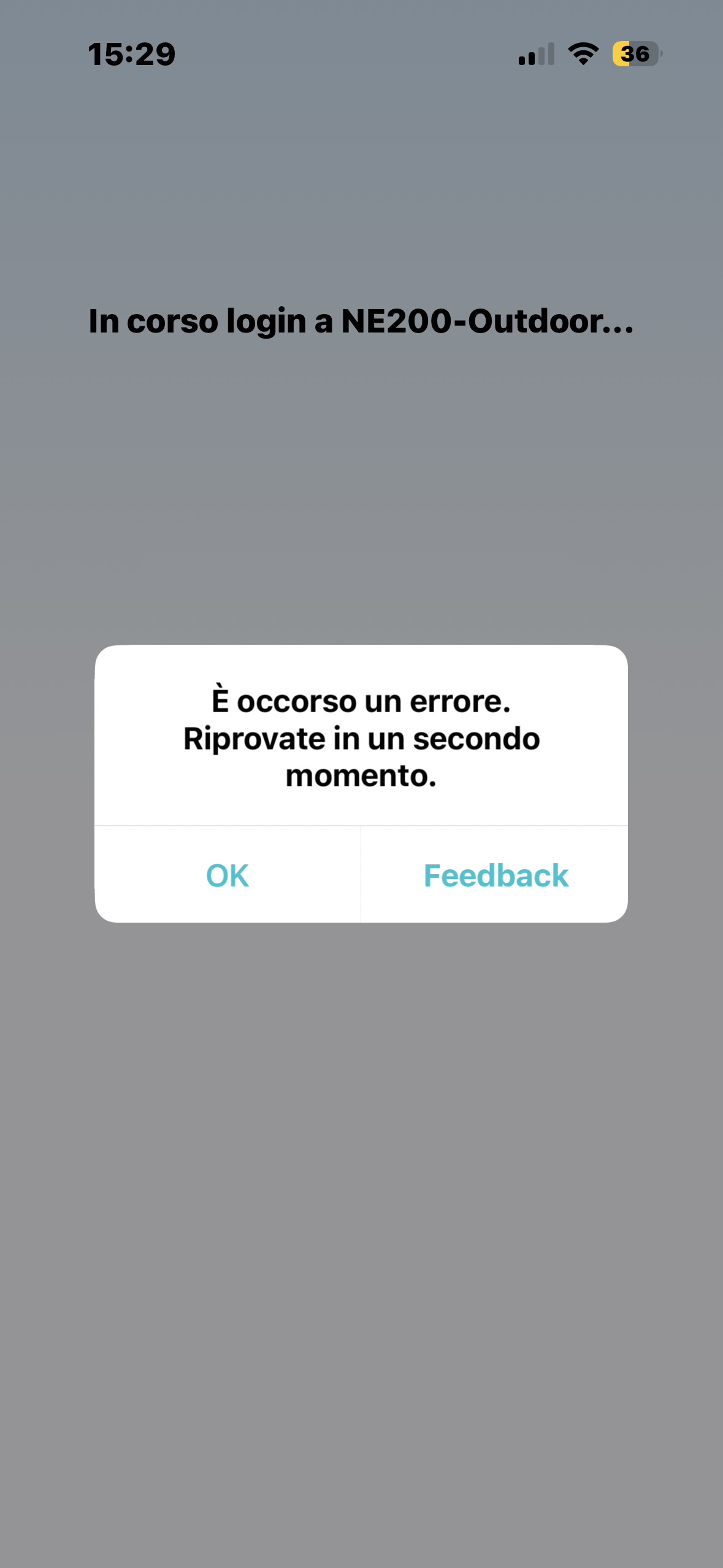
I purchased the NE200-Outdoor router in November 2025. The device works perfectly, but I have been unable to access it via the Tether app since the first day. Every time I try to log in, I receive the error:
“An error occurred. Please try again later”
and login is not allowed.
Here’s what I have already tried:
- Performing a factory reset — no success.
- Reinstalling the Tether app on both an iPhone 14 Pro and an iPad Pro 2022 — still does not work.
- Confirming that my TP-Link account is correctly registered via the NE200-Outdoor web interface.
- Using other TP-Link devices (MR200, MR600, RE220, RE190) — all work correctly with the Tether app.
Could you advise if there is a solution, or if there is any setting I might have missed?
Thank you in advance for your support.
- Copy Link
- Subscribe
- Bookmark
- Report Inappropriate Content
I assume this means that the Tether app will be corrected by removing the NE200-Outdoor from the list; therefore, it is not possible to connect the NE200-Outdoor to the Tether app because the functionality is completely missing on the router itself.
In that case, it would be interesting to submit this as a request for a new feature.
For me, it’s really convenient to manage settings and read messages directly from the app, as I already do with my MR200 and MR600, especially since the new NE200-Outdoor is installed in a mountain house that is difficult to reach in winter due to snow.
It’s true that you can still access the Web GUI remotely via DDNS, but this is an option that may be more complex for users without experience.
UPDATE!!!
If you would like this feature to be introduced in the future, please vote for my post requesting its addition.
- Copy Link
- Report Inappropriate Content


Hi, thank you very much for the feedback.
It was supposed to be a mismatch on the Tether App UI. NE200-outdoor doesn't have WiFi ability and doesn't support Cloud management via the Tether APP
This issue will be fixed later via the Tether App upgrade.
Thanks a lot.
Best regards.
- Copy Link
- Report Inappropriate Content
So it won’t be possible to manage the NE200-Outdoor remotely? This is really bad news… What’s the point, then, of being able to log in with a TP-Link account in the WebUI interface?
Kind regards, thank you
- Copy Link
- Report Inappropriate Content
Hi, it's a very good question.
I'm not sure what the initial concern of allowing binding to the TP-Link email ID on the web UI is, either. I'll check with the engineer to see if there are more details.
Update:
After checking with the senior engineer, currently, the email binding option on the web admin UI is reserved for the DDNS feature
Best regards.
- Copy Link
- Report Inappropriate Content

You said it would be fixed in the app. Do you mean adding NE200 support to the app, or just updating the app to clarify that the NE200 is web GUI only
Thx
- Copy Link
- Report Inappropriate Content
I assume this means that the Tether app will be corrected by removing the NE200-Outdoor from the list; therefore, it is not possible to connect the NE200-Outdoor to the Tether app because the functionality is completely missing on the router itself.
In that case, it would be interesting to submit this as a request for a new feature.
For me, it’s really convenient to manage settings and read messages directly from the app, as I already do with my MR200 and MR600, especially since the new NE200-Outdoor is installed in a mountain house that is difficult to reach in winter due to snow.
It’s true that you can still access the Web GUI remotely via DDNS, but this is an option that may be more complex for users without experience.
UPDATE!!!
If you would like this feature to be introduced in the future, please vote for my post requesting its addition.
- Copy Link
- Report Inappropriate Content

@David-TP Hello TP-Link Support Team,
I am writing to report and confirm a persistent connectivity issue between the TP-Link Tether app and my NE200-Outdoor v1.0 router.
Problem Description:
The Tether app successfully detects the NE200-Outdoor in the "My Devices" list. However, every time I attempt to connect to the device to manage its settings (specifically to access the Administration section), the app displays a "Connection Failed" error.
Steps I have already taken:
Verified that the smartphone is connected to the same Wi-Fi network.
Disabled mobile data and VPN on the smartphone to avoid interference.
Successfully bound the router to my TP-Link ID via the web interface (192.168.0.1), but the app still fails to connect.
Synchronized the system time and updated DNS settings (8.8.8.8) on the router.
Restarted both the router and the smartphone.
I have noticed similar reports in the TP-Link Community regarding this model. Could you please clarify if there is a firmware update or a beta version of the Tether app that resolves this compatibility issue?
I look forward to your guidance on how to enable full management of this device via the app.
Best regards and we will be glad to hear about solved status of this isue
- Copy Link
- Report Inappropriate Content
- Copy Link
- Report Inappropriate Content
Information
Helpful: 2
Views: 1052
Replies: 7
Voters 2