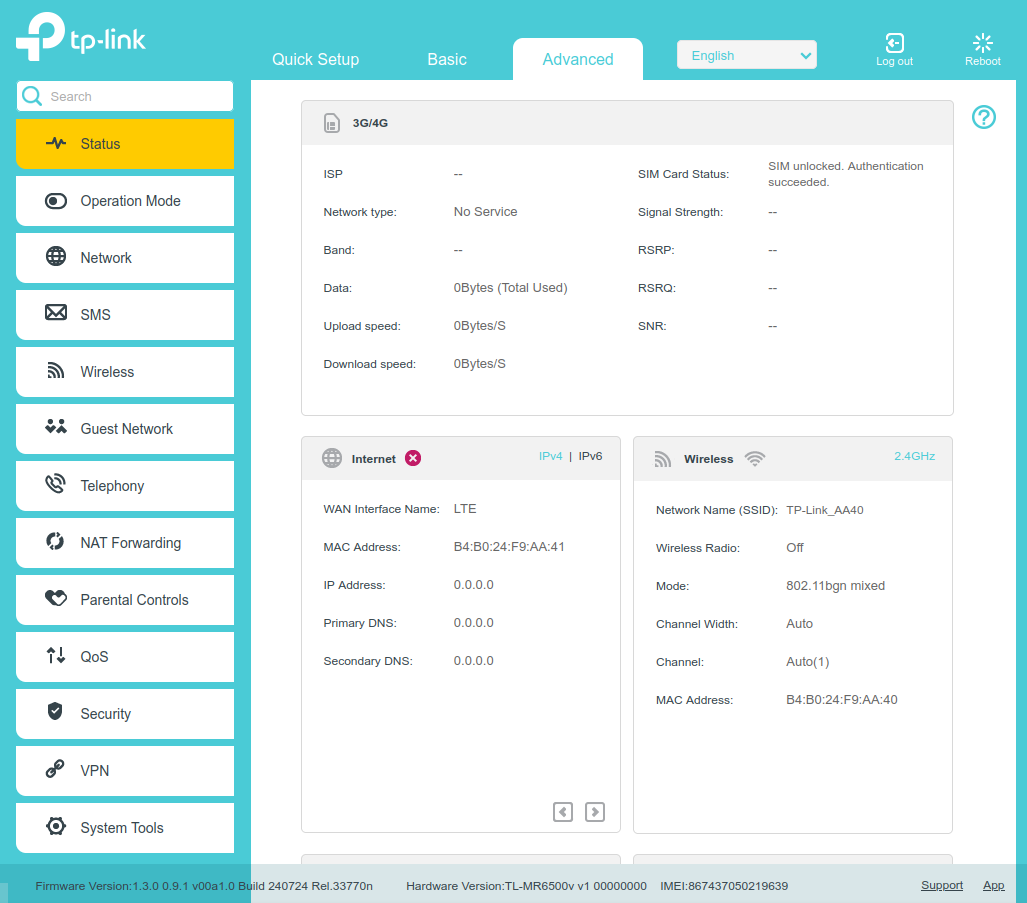
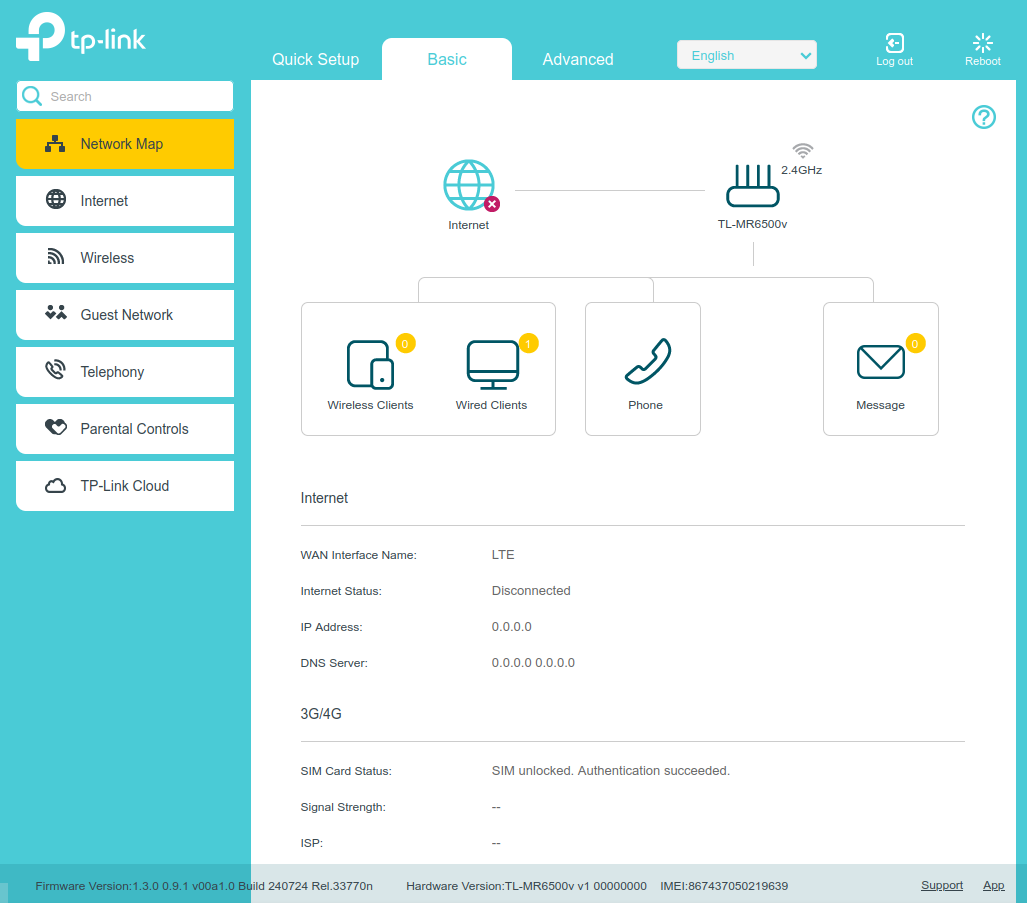
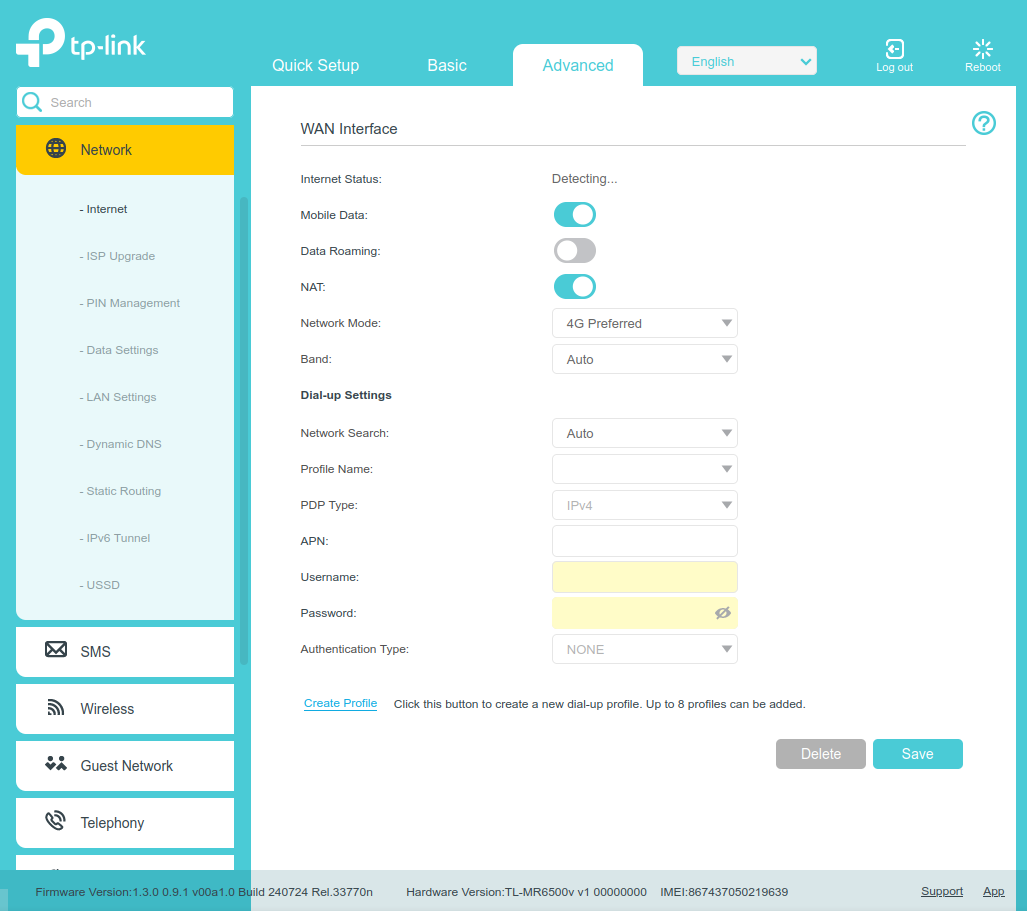
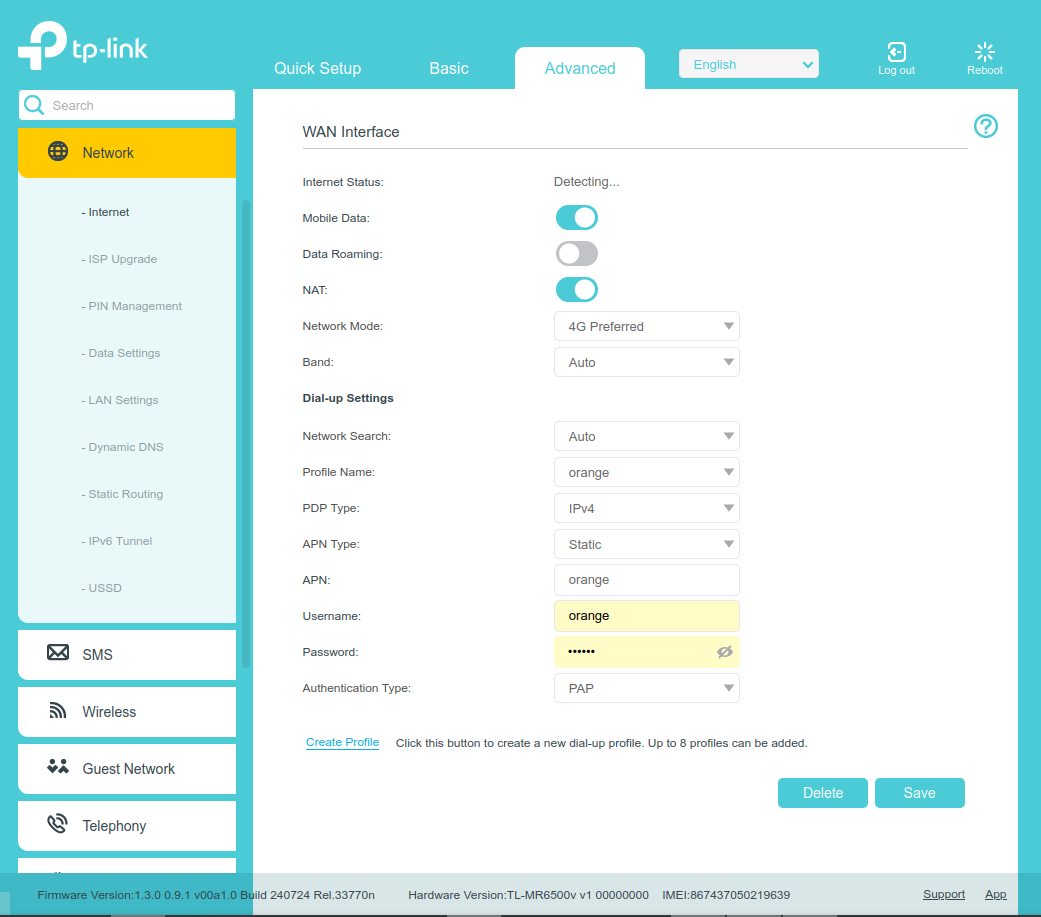
@Yankee63 I just tried that : factory reset, and insert a known functional SIM card,
It starts connecting, but the link is too slow to bring up a speed test web site
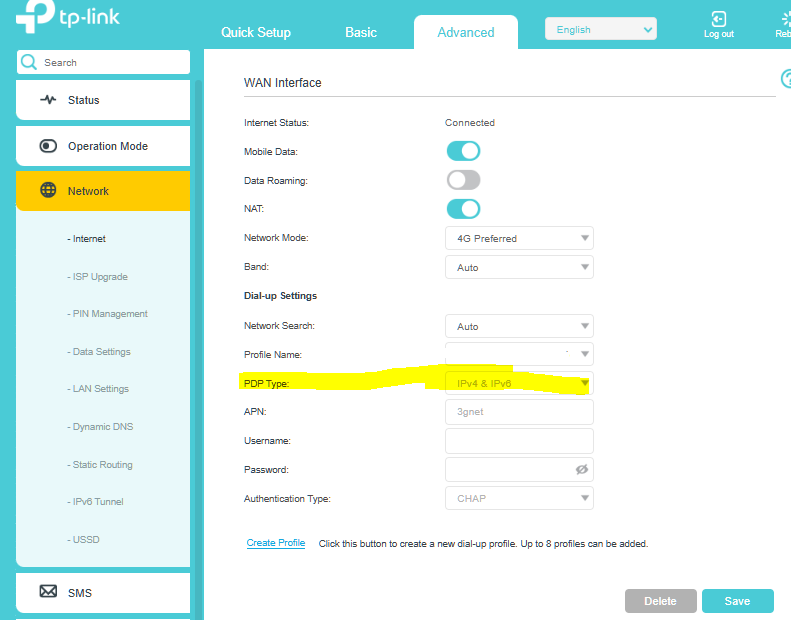
then I try to change the default profile, it gets disconnected and I cannot get the link up again
Here is the log :
2020-04-04 00:00:52 [6] LTE: ERROR: Post event to MOBILE server failed, errno = 2 (No such file or directory).
2020-04-04 00:00:52 [6] LTE: ERROR: Client communication with server failed.
2020-04-04 00:00:58 [6] LTE: ERROR: updateLTE_ISP_File.
2020-04-04 00:00:59 [6] LTE: ERROR: Post event to MOBILE server failed, errno = 2 (No such file or directory).
2020-04-04 00:00:59 [6] LTE: ERROR: Client communication with server failed.
2020-04-04 00:00:59 [5] LTE: init LTE module, set flowstat [enableDataLimit 0, enablePaymentDay 0, paymentDay 1, limitation 0, warningPercent 90]
2020-04-04 00:01:00 [5] LTE: LTE Module: profile num [1], default profile [1], active profile [0]
2020-04-04 00:01:00 [5] LTE: DM: profile num [0], default profile [0], active profile [0]
2020-04-04 00:01:00 [6] LTE: ERROR: Post event to MOBILE server failed, errno = 2 (No such file or directory).
2020-04-04 00:01:00 [6] LTE: ERROR: Client communication with server failed.
2020-04-04 00:01:01 [6] LTE: ERROR: Init raw table success.
2020-04-04 00:01:01 [6] LTE: ERROR: New sms count is 0
2020-04-04 00:01:01 [6] LTE: ERROR: Post event to MOBILE server failed, errno = 2 (No such file or directory).
2020-04-04 00:01:01 [6] LTE: ERROR: Client communication with server failed.
2020-04-04 00:01:01 [6] LTE: USER: Mobile device manager (qmi) initialized OK.
Init QMI services......
2020-04-04 00:01:02 [6] LTE: USER: Start get voice service object.
2020-04-04 00:01:02 [6] LTE: USER: VOICE Service Object got.
2020-04-04 00:01:02 [6] LTE: USER: VOICE QMI Client Init successfully, handle is 0x00A25938.
2020-04-04 00:01:02 [6] LTE: USER: Start get imss service object.
2020-04-04 00:01:02 [6] LTE: USER: imss Service Object got.
2020-04-04 00:01:02 [6] LTE: USER: imss QMI Client Init successfully, handle is 0x00A25990.
2020-04-04 00:01:02 [6] LTE: USER: Mobile device manager (qmi) initialized OK.
2020-04-04 00:01:04 [6] LTE: ERROR: [band scan] product band_support_mask: 0x1a0000800c5
2020-04-04 00:01:04 [6] LTE: ERROR: [band scan] product lte_category = 4.
2020-04-04 00:01:04 [6] LTE: ERROR: [band scan] DM band_support_mask: 0x1a0000800c5
2020-04-04 00:01:04 [6] LTE: ERROR: [band scan] DM lte_category = 4.
2020-04-04 00:01:05 [6] LTE: ERROR: [band scan] Modem band seletion : 0x1a0000800c5. config band : 0x1a0000800c5
2020-04-04 00:01:05 [6] LTE: USER: Not registered, searching!
2020-04-04 00:01:05 [6] LTE: WARN: Sim card is inserted.
2020-04-04 00:01:05 [5] System: Enable IPv4 SPI Firewall
2020-04-04 00:01:05 [5] System: Enable IPv6 SPI Firewall
2020-04-04 00:01:07 [6] LTE: ERROR: 0x00000034 QMI_ERR_DEVICE_NOT_READY
2020-04-04 00:01:07 [6] LTE: ERROR: Failed to get smsc address (0).
2020-04-04 00:01:07 [6] DHCPD: Recv DISCOVER from 3C:07:54:59:F2:72
2020-04-04 00:01:07 [5] DHCPD: Send OFFER with ip 192.168.1.100
2020-04-04 00:01:08 [5] DHCPD: Send ACK to 192.168.1.100
2020-04-04 00:01:09 [6] LTE: ERROR: 0x00000034 QMI_ERR_DEVICE_NOT_READY
2020-04-04 00:01:09 [6] LTE: ERROR: Failed to get smsc address (0).
2020-04-04 00:01:09 [6] LTE: ERROR: 0x00000034 QMI_ERR_DEVICE_NOT_READY
2020-04-04 00:01:09 [6] LTE: ERROR: Failed to get smsc address (0).
2020-04-04 00:01:09 [6] LTE: USER: The service status is limited.
2020-04-04 00:01:09 [6] LTE: USER: Network type is LTE.
2020-04-04 00:01:43 [6] LTE: ERROR: 0x00000010 QMI_ERR_NOT_PROVISIONED
2020-04-04 00:01:43 [6] LTE: ERROR: Get sim gid failed (0).
2020-04-04 00:01:45 [6] LTE: WARN: Event (0x10000001) not found its logic thread.
2020-04-04 00:01:45 [6] LTE: USER: The service is available.
2020-04-04 00:01:45 [6] LTE: USER: Registered with a network!
2020-04-04 00:01:45 [6] LTE: USER: Get ISP's profile now.
2020-04-04 00:01:45 [6] LTE: USER: GetCurrProf result is:ipver:2 staticApn:0 authType:2 pkgName:SFR profname:SFR apn:websfr usr: psw:
2020-04-04 00:01:45 [6] LTE: USER: Start connecting to the network!
2020-04-04 00:01:45 [6] LTE: USER: Get ISP's profile now.
2020-04-04 00:01:45 [6] LTE: USER: GetCurrProf result is:ipver:2 staticApn:0 authType:2 pkgName:SFR profname:SFR apn:websfr usr: psw:
2020-04-04 00:01:46 [6] LTE: USER: Connected to the network!
2020-04-04 00:01:46 [6] LTE: ERROR: 0x00000047 QMI_ERR_INVALID_QMI_CMD
2020-04-04 00:01:46 [6] LTE: ERROR: 0x00000047 QMI_ERR_INVALID_QMI_CMD
2020-04-04 00:01:51 [6] LTE: LTE connection up
2020-04-04 00:01:51 [5] LTE: LTE internet connected.
2020-04-04 00:01:51 [5] LTE: get LTE wan4 100.78.56.210
2020-04-04 00:01:51 [5] LTE: get LTE wan6
2020-04-04 00:01:51 [5] LTE: set LTE wan6 conn status Connecting
2020-04-04 00:01:51 [5] LTE: set LTE wan6 name LTE
2020-04-04 00:01:51 [5] LTE: set LTE wan6 prefix ::
2020-04-04 00:01:51 [5] LTE: set LTE wan4 100.78.56.210
2020-04-04 00:01:51 [5] LTE: set LTE wan6 ::
2020-04-04 00:01:51 [5] LTE: set LTE dns6 2a02:8400::2:0,2a02:8400::2:1
2020-04-04 00:01:51 [5] LTE: set LTE default gw ::
... Had to remove the part about the connection test to Microsoft NCSI because of "the rules of the community"
2026-03-26 09:57:07 [6] LTE: USER: Start disconnecting from the network!
2026-03-26 09:57:07 [6] LTE: ERROR: Now will call send_wan_ipv6_disconnect_msg func ...
2026-03-26 09:57:07 [6] LTE: USER: Get user's profile now.
2026-03-26 09:57:07 [6] LTE: USER: GetCurrProf result is: ipver:0 staticApn:0 authType:2 pkgName:SFR_IPv4 profname:SFR_IPv4 apn:websfr usr: psw:
2026-03-26 09:57:07 [6] LTE: USER: Start connecting to the network!
2026-03-26 09:57:07 [5] LTE: set LTE static IP connection, needSetDefaultGw:1
2026-03-26 09:57:08 [6] LTE: USER: Fail to connect to the network, start autoconnect!
2026-03-26 09:57:08 [6] LTE: USER: Get user's profile now.
2026-03-26 09:57:08 [6] LTE: USER: GetCurrProf result is: ipver:0 staticApn:0 authType:2 pkgName:SFR_IPv4 profname:SFR_IPv4 apn:websfr usr: psw:
2026-03-26 09:57:08 [6] LTE: USER: ConnectBackHaul attach ip ver not equal to profile
2026-03-26 09:57:08 [6] LTE: USER: Get user's profile now.
2026-03-26 09:57:08 [6] LTE: USER: GetCurrProf result is: ipver:0 staticApn:0 authType:2 pkgName:SFR_IPv4 profname:SFR_IPv4 apn:websfr usr: psw:
2026-03-26 09:57:08 [6] LTE: USER: LG enter CMobileManagerQmi ReAttach
2026-03-26 09:57:09 [6] LTE: USER: Get user's profile now.
2026-03-26 09:57:09 [6] LTE: USER: GetCurrProf result is: ipver:0 staticApn:0 authType:2 pkgName:SFR_IPv4 profname:SFR_IPv4 apn:websfr usr: psw:
2026-03-26 09:57:09 [6] LTE: ERROR: Now will call send_wan_ipv6_disconnect_msg func ...
2026-03-26 09:57:09 [6] LTE: USER: Connected to the network!
2026-03-26 09:57:09 [6] LTE: ERROR: 0x00000047 QMI_ERR_INVALID_QMI_CMD
2026-03-26 09:57:10 [6] LTE: USER: The network disconnected, start autoconnect!
2026-03-26 09:57:10 [6] LTE: USER: Get user's profile now.
2026-03-26 09:57:10 [6] LTE: USER: GetCurrProf result is: ipver:0 staticApn:0 authType:2 pkgName:SFR_IPv4 profname:SFR_IPv4 apn:websfr usr: psw:
2026-03-26 09:57:10 [6] LTE: USER: Get user's profile now.
2026-03-26 09:57:10 [6] LTE: USER: GetCurrProf result is: ipver:0 staticApn:0 authType:2 pkgName:SFR_IPv4 profname:SFR_IPv4 apn:websfr usr: psw:
2026-03-26 09:57:10 [6] LTE: ERROR: 0x0000000E QMI_ERR_CALL_FAILED
2026-03-26 09:57:10 [6] LTE: ERROR: Call end reason = 3.
2026-03-26 09:57:10 [6] LTE: ERROR: Verbose Call end reason = 2001, type = 3.
2026-03-26 09:57:12 [5] LTE: lte internet disconnected.
2026-03-26 09:57:12 [6] LTE: LTE connection down
2026-03-26 09:57:27 [6] LTE: USER: The service is not available.
2026-03-26 09:57:27 [6] LTE: USER: Not registered, searching!
2026-03-26 09:57:27 [6] LTE: USER: Network type is NONE.
2026-03-26 09:57:52 [6] LTE: USER: Get user's profile now.
2026-03-26 09:57:52 [6] LTE: USER: GetCurrProf result is: ipver:2 staticApn:0 authType:2 pkgName:SFR_IPv4 profname:SFR_IPv4 apn:websfr usr: psw:
2026-03-26 09:57:52 [5] LTE: set LTE static IP connection, needSetDefaultGw:1
2026-03-26 09:58:04 [6] LTE: USER: Get user's profile now.
2026-03-26 09:58:04 [6] LTE: USER: GetCurrProf result is: ipver:0 staticApn:0 authType:2 pkgName:SFR_IPv4 profname:SFR_IPv4 apn:websfr usr: psw:
2026-03-26 09:58:04 [5] LTE: set LTE static IP connection, needSetDefaultGw:1
2026-03-26 09:58:19 [6] LTE: USER: Get ISP's profile now.
2026-03-26 09:58:19 [6] LTE: USER: GetCurrProf result is:ipver:2 staticApn:0 authType:2 pkgName:SFR webphone profname:SFR webphone apn:sl2sfr usr: psw:
2026-03-26 09:58:19 [5] LTE: set LTE static IP connection, needSetDefaultGw:1
2026-03-26 09:58:29 [6] LTE: USER: The service status is limited.
2026-03-26 09:58:29 [6] LTE: USER: Network type is LTE.
2026-03-26 09:58:29 [6] LTE: WARN: Sim card is pulled out.
2026-03-26 09:58:50 [6] LTE: WARN: Event (0x10000001) not found its logic thread.
2026-03-26 09:58:50 [6] LTE: WARN: Sim card is inserted.
2026-03-26 09:58:50 [6] LTE: ERROR: 0x00000010 QMI_ERR_NOT_PROVISIONED
2026-03-26 09:58:50 [6] LTE: ERROR: Get sim gid failed (0).
2026-03-26 09:58:53 [6] LTE: USER: GET_SMSC_ADDRESS response, value = +33609001390
2026-03-26 09:58:53 [6] LTE: USER: The service is available.
2026-03-26 09:58:53 [6] LTE: USER: Registered with a network!
2026-03-26 09:58:53 [6] LTE: USER: Get ISP's profile now.
2026-03-26 09:58:53 [6] LTE: USER: GetCurrProf result is:ipver:2 staticApn:0 authType:2 pkgName:SFR webphone profname:SFR webphone apn:sl2sfr usr: psw:
2026-03-26 09:58:53 [6] LTE: USER: Start connecting to the network!
2026-03-26 09:58:53 [6] LTE: USER: ConnectBackHaul attach ip ver not equal to profile
2026-03-26 09:58:53 [6] LTE: USER: Get ISP's profile now.
2026-03-26 09:58:53 [6] LTE: USER: GetCurrProf result is:ipver:2 staticApn:0 authType:2 pkgName:SFR webphone profname:SFR webphone apn:sl2sfr usr: psw:
2026-03-26 09:58:53 [6] LTE: USER: LG enter CMobileManagerQmi ReAttach
2026-03-26 09:58:53 [6] LTE: USER: Get ISP's profile now.
2026-03-26 09:58:53 [6] LTE: USER: GetCurrProf result is:ipver:2 staticApn:0 authType:2 pkgName:SFR webphone profname:SFR webphone apn:sl2sfr usr: psw:
2026-03-26 09:58:54 [6] LTE: USER: Connected to the network!
2026-03-26 09:58:54 [6] LTE: ERROR: 0x0000000F QMI_ERR_OUT_OF_CALL
2026-03-26 09:58:54 [6] LTE: ERROR: Get runtime param for ip#0 failed (0), result:1 , error:15.
2026-03-26 09:58:54 [6] LTE: ERROR: 0x00000047 QMI_ERR_INVALID_QMI_CMD
2026-03-26 09:58:54 [6] LTE: ERROR: 0x0000000E QMI_ERR_CALL_FAILED
2026-03-26 09:58:54 [6] LTE: ERROR: Call end reason = 1.
2026-03-26 09:58:54 [6] LTE: ERROR: Verbose Call end reason = 0, type = 0.
2026-03-26 09:58:54 [6] LTE: USER: The network disconnected, start autoconnect!
2026-03-26 09:58:54 [6] LTE: USER: Get ISP's profile now.
2026-03-26 09:58:54 [6] LTE: USER: GetCurrProf result is:ipver:2 staticApn:0 authType:2 pkgName:SFR webphone profname:SFR webphone apn:sl2sfr usr: psw:
2026-03-26 09:58:54 [6] LTE: USER: Get ISP's profile now.
2026-03-26 09:58:54 [6] LTE: USER: GetCurrProf result is:ipver:2 staticApn:0 authType:2 pkgName:SFR webphone profname:SFR webphone apn:sl2sfr usr: psw:
2026-03-26 09:58:55 [6] LTE: ERROR: 0x0000000E QMI_ERR_CALL_FAILED
2026-03-26 09:58:55 [6] LTE: ERROR: Call end reason = 3.
2026-03-26 09:58:55 [6] LTE: ERROR: Verbose Call end reason = 2001, type = 3.
2026-03-26 09:58:55 [6] LTE: ERROR: 0x0000000E QMI_ERR_CALL_FAILED
2026-03-26 09:58:55 [6] LTE: ERROR: Call end reason = 3.
2026-03-26 09:58:55 [6] LTE: ERROR: Verbose Call end reason = 2001, type = 3.
2026-03-26 09:59:11 [6] LTE: USER: The service is not available.
2026-03-26 09:59:11 [6] LTE: USER: Not registered, searching!
2026-03-26 09:59:11 [6] LTE: USER: Network type is NONE.