Doorbell LED not activating

Doorbell LED not activating

Doorbell LED not activating
a week ago
Model: TD21  
Hardware Version:
Firmware Version: 1.1.0 Build 251015 Rel.59297n

Good morning! 
 

Doorbell was working fine until this morning, went to charge it and no LED indicator to say it's charging? Does charge OK.


Put doorbell back and the LED won't light up when detecting movement, however LED ring does light up if I activate the spotlight?


Have rebooted doorbell twice and issue still persists.


Please help, really like this doorbell too!

  0      
  0      
#1
Options
4 Reply
Re:Doorbell LED not activating
a week ago
Can anyone help with this? I have reset the device completely and paired again in app but the LED still does not work? It's still under warranty, can I get a replacement?
  0  
  0  
#2
Options
Re:Doorbell LED not activating
a week ago

  @jackman86 


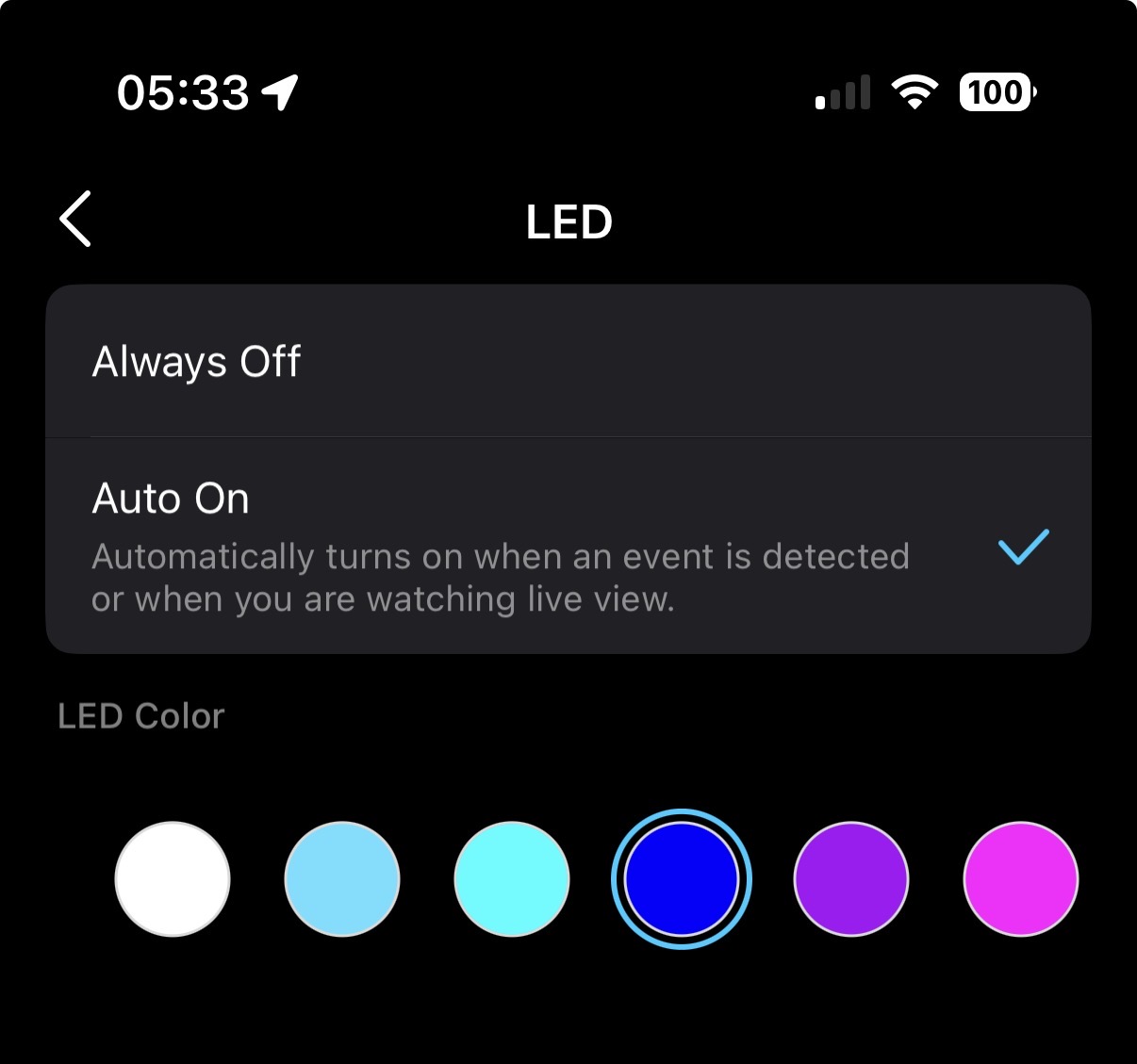
Please check your doorbell's LED settings. Is it set to Always Off? 


When charging, the device’s LED only lights up briefly right after being plugged in, it should flash orange quickly for about 3 seconds. Could you check if you’ve noticed that?

CES 2026 Meet TP-Link AI Assistant and More New Products!
  0  
  0  
#3
Options
Re:Doorbell LED not activating
a week ago

  @Wayne-TP


Hi Wayne,


It's set to Auto On and no it doesn't do the usual very short flash when plugged into charger


Kind regards


Jack

  0  
  0  
#4
Options
Re:Doorbell LED not activating
a week ago

  @jackman86  The issue you’re experiencing does seem unusual. I’d suggest arranging a replacement to start. To move forward with a warranty claim, please contact either the retailer where you made the purchase or your local TP‑Link support. Contact TP-Link Technical Support

CES 2026 Meet TP-Link AI Assistant and More New Products!
  0  
  0  
#5
Options