
Deco BE25 v1.0 - VPN totally broken on 1.1.7 Build 20260114 Rel. 14971 (latest)

Hello to the community,
i found out that the VPN (client & server) is totally broken on the latest firmware. I did try multiple times/days to find a solution and nothing worked. Vpn is never connected (Wireguard & OpenVpn tcp or udp) and vpn server is not reachable any more.
Donwgraded to 20250718 and everything works smooth again. Why is that? I am very dissatisfied with the latest updated kn the deco units. Seems that tplink is not emphasising any more in some devices. I was expecting better stability over their new releases but every time seems worse. I dont know if we can trust any more security updates for our devices if such settings like vpn are not checked and published/pushed while completely broken.
- Copy Link
- Subscribe
- Bookmark
- Report Inappropriate Content


Hi,
I suggest trying the beta firmware(https://community.tp-link.com/en/home/forum/topic/860466). It can be downgraded to v1.1.0 if the VPN feature has the same performance as v1.1.7.
Please feel free to reply if there are any updates.
Best Regards
- Copy Link
- Report Inappropriate Content

- Copy Link
- Report Inappropriate Content
Hi,
Typically, official firmware undergoes extensive testing before release to ensure all features function properly. Regarding the phenomenon you experienced where the VPN feature no longer works after upgrading to firmware version 1.1.7, we'll need more specific information for further analysis. Please provide the details below to identify the root cause. Thank you for your cooperation.
1. How many Deco devices do you have? Please also describe your network topology.
2. Is the Deco acting as a VPN server or a VPN client?
3. When you attempt to establish the VPN connection, what error message (if any) do you see? Or, please describe what happens during the process.
In addition, we've pre-released firmware for the Deco BE25 in the community. If you'd like to try it and see whether the VPN will work on that version, please refer to this link: https://community.tp-link.com/en/home/forum/topic/860466.
Best Regards
- Copy Link
- Report Inappropriate Content
Hey,
my current setup is my ISP modem, the BE25 v1.0 acting like a router and after that a deco M4R connected to the main BE25 extending my network.
My BE25 is downgraded now to 20250718 in which the vpn client and server(using both) works fine now.
The M4R is up to date with the 20251017 version.
Both have EU versions.
On the BE25:
vpn client was throwing an error on wireguard (Failed to setup.Please try a different server). Something like that.. On Open Vpn (utc or udp) it could save the server but always showed disconnected. Even trying uploading the config files nanually for both wireguard and openvpn but without any success.
My Vpn provider is Surfshark.
tell my if you need any more details. Do you suggest trying the beta firmware?
- Copy Link
- Report Inappropriate Content
Hi,
I suggest trying the beta firmware(https://community.tp-link.com/en/home/forum/topic/860466). It can be downgraded to v1.1.0 if the VPN feature has the same performance as v1.1.7.
Please feel free to reply if there are any updates.
Best Regards
- Copy Link
- Report Inappropriate Content
Tried the beta firmware and seems that the vpn issues have been fixed. I will update again if i have any news
- Copy Link
- Report Inappropriate Content
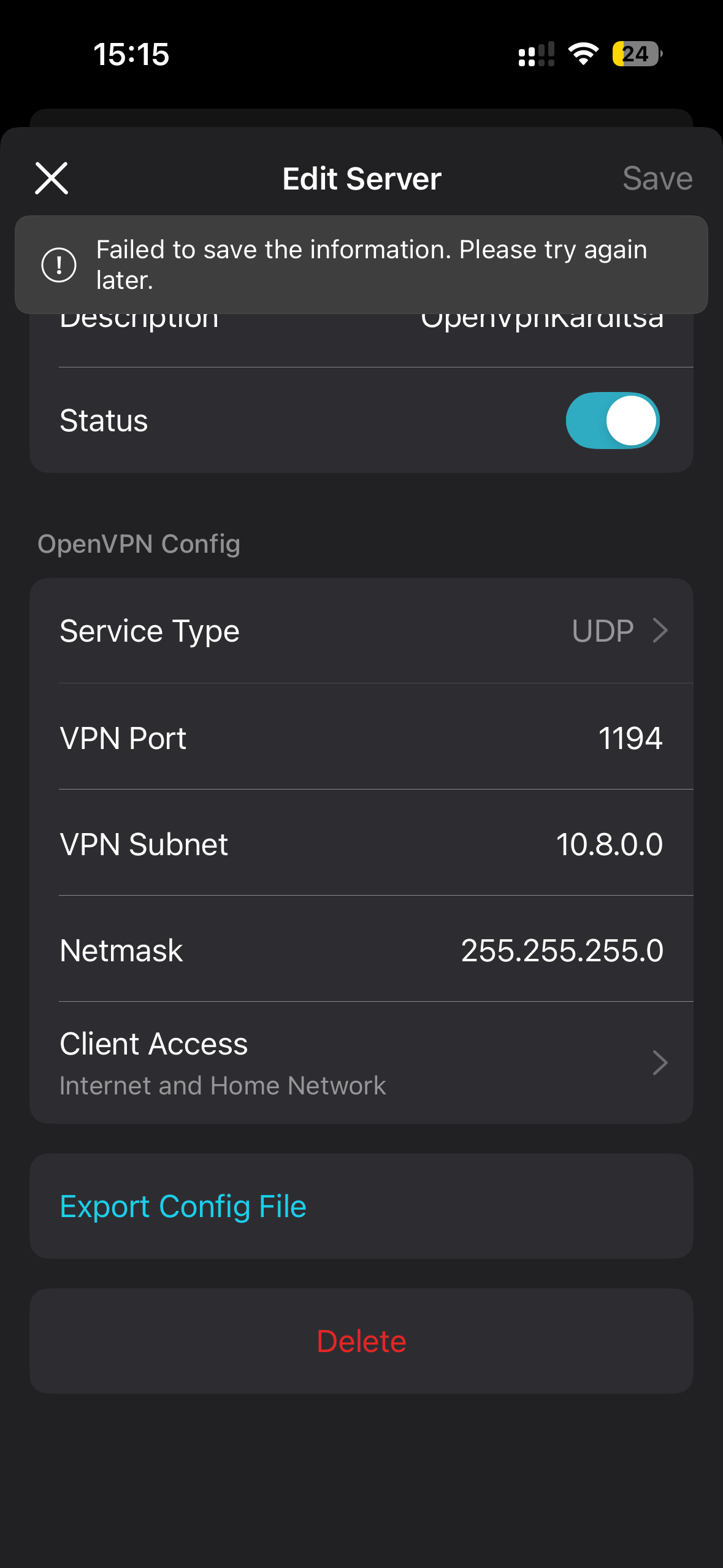
- Copy Link
- Report Inappropriate Content
Hi,
Thank you for your attempt. In this case, please refer to the instructions below to send us the app log. After that, please attach your reference number (such as email TKIDXXX) to the thread so we can find it quickly.
How to collect the system log of the Deco app
In the meantime, I have escalated your case to our tech team, and they will contact you via email to assist you further. Please wait patiently.
Best Regards
- Copy Link
- Report Inappropriate Content
Information
Helpful: 0
Views: 105
Replies: 7
Voters 0
No one has voted for it yet.