
Deco S7 V1 Upload speed dropped severely after firmware upgrade

Hi @David-TP
I just purchased a deco S7 V1 (US VERSION) with the firmware:
1.4.1 Build 20230324 Rel. 50892
Then upgraded it to 1.5.2 Build 20240927 Rel. 68997 via the Deco app. However, right after all devices (3 phones 1 pc), the upload speeds dropped sharply, 60% on desktop and almost 90% on mobile phones.
I have a symmetric internet bandwidth of 110mbps, but the phone gets a maximum of 20 upload and pc gets 50/60mbps.
Before the upgrade everything was fantasic, and I was getting more than my allocated bandwidth speeds on the speed test results. So it's definitely the firmware.
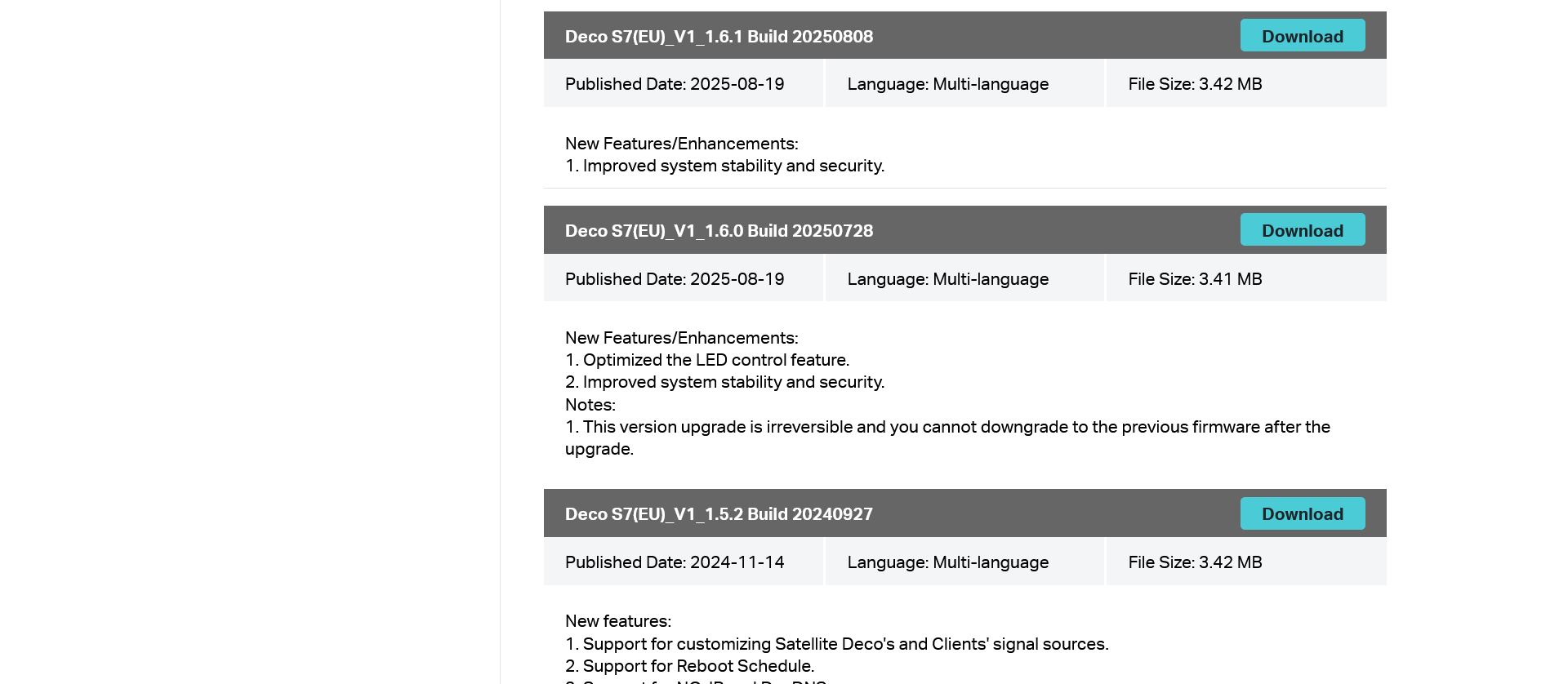
I saw others are making the same complain on the forums about the upgrade. You recommended someone to download the old firmware via a link but the old firmware is not there.
Can you please share the file so I can downgrade. I spent quite a lot of money buying this router and this is not working for me.
https://www.tp-link.com/en/support/download/deco-s7/v1/
- Copy Link
- Subscribe
- Bookmark
- Report Inappropriate Content

Most ONU (Optical Network Unit) devices support bridge mode, which allows them to function as a pure fiber modem, passing the public IP address directly to a third-party router.
This mode is ideal for users wanting to use their own high-performance router to manage NAT, DHCP, and Wi-Fi
Putting the ONU is bridge mode shuts off it's ability to handle NAT, DHCP, and Wi-Fi and allows the deco to handle these things.
If the ONU isn't in bridge mode then both the ONU and deco are trying to handle NAT at the same time which can cause an issue know as Double NAT.
You can read more about Double NAT here
Your ONU may already have bridge mode turned it you would have to call them to see.
- Copy Link
- Report Inappropriate Content


Hi,
Thank you for the information provided.
I have escalated your case to our tech team, and they will contact you via email to assist you further. Please wait patiently.
Best Regards
- Copy Link
- Report Inappropriate Content
I have been contact by the support engineers and was recommended to download the EU fw version 1.61.
I have done so and the results look promising.
Please close this thread for now.
Thanks again all for your support!
- Copy Link
- Report Inappropriate Content
Hi,
Thank you for the update, and glad to hear that your case is resolved.
Usually, the thread will remain open for some time to allow other users to reference or participate in the discussion. If there are no further replies, the thread will be automatically locked.
Best Regards
- Copy Link
- Report Inappropriate Content

I have a Deco S7 with firmware version S7(US)_V1_1.5.2 Build 20240927 installed. I was experiencing many instabilities that disappeared when I disabled IPv6. I bought an X50 unit and moved the S7 unit to work as a satellite unit.
The problem is that the S7 unit is the only one that doesn't receive an IPv6 address.
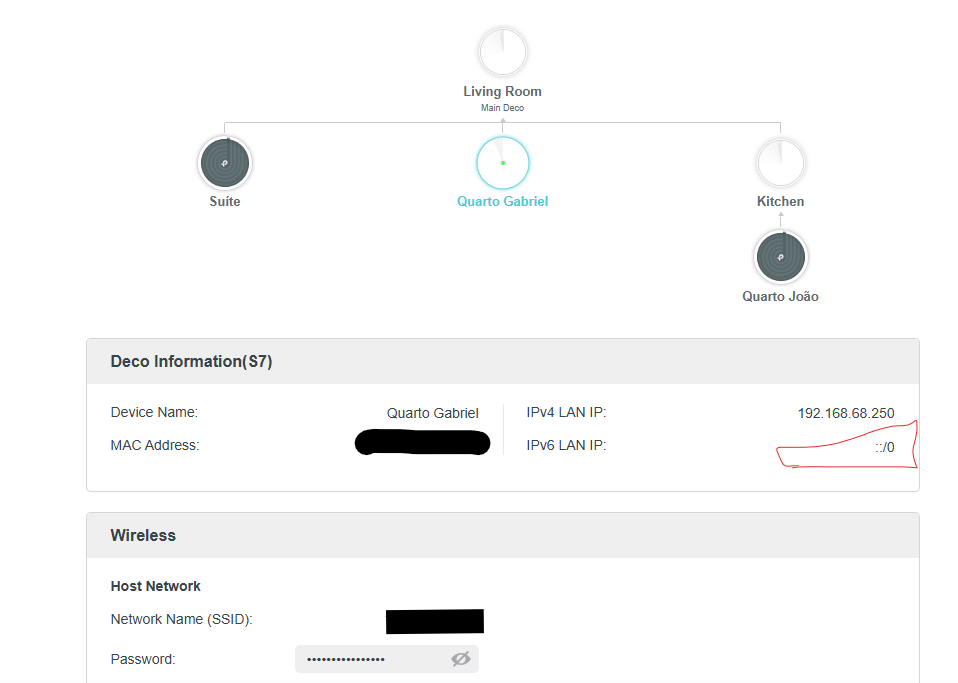
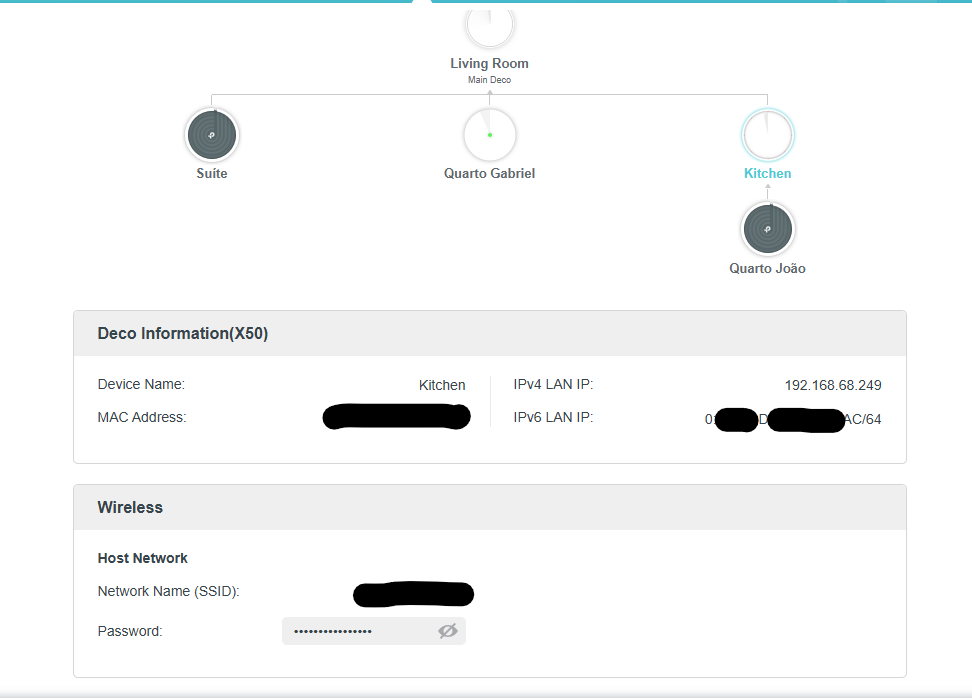

I have already reseted S7 Unit and not resoved it.
- Copy Link
- Report Inappropriate Content
That has to be a bug in the firmware as the product page for the S7 says it supports both IPv4 and IPv6.
I'm going to have you submit your logs so they can look into this for you. Please submit your logs using the instructions below.
Once they have been submitted you should get an email with a TKID number please reply to this post with your TKID number.
Thanks
- Copy Link
- Report Inappropriate Content
- Copy Link
- Report Inappropriate Content
If it was in the email then yes :)
I do not have the ability to move the ticket on so we will have to wait for @Solla-topee to push it along for us.
- Copy Link
- Report Inappropriate Content
Hi,
The TP20260505023734 is not a ticket reference number. The correct number for an email usually starts with "TKID".
In your case, do the client devices connected to the Deco X50 and S7 have IPv6 addresses?
Best Regards
- Copy Link
- Report Inappropriate Content
Yes. They do have.
- Copy Link
- Report Inappropriate Content
Information
Helpful: 0
Views: 715
Replies: 21
Voters 0
No one has voted for it yet.