Deco X50-PoE Ethernet Backhaul Not Detected Despite Working Wired Network

Hi,
Hi TP-Link Support,
I’m looking for help with a Deco X50-PoE mesh setup where one satellite Deco is not switching to Ethernet backhaul, even though the wired network connection appears to be working.
Equipment
-
Deco X50-PoE mesh units
-
Main Deco location: Living Room
-
Satellite Deco location: Study Room
-
Additional Deco: Hallway, wireless
-
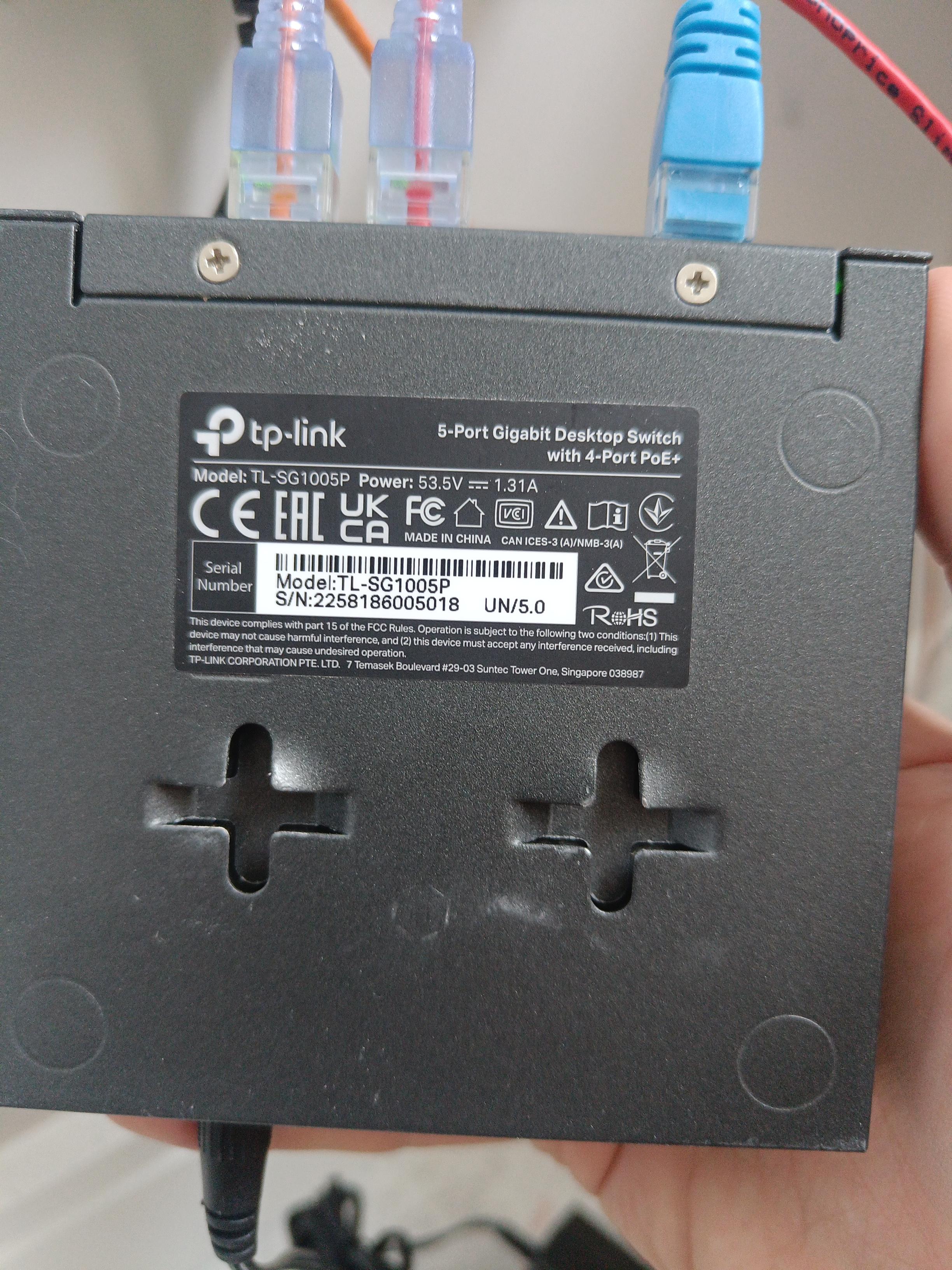
Switch: TP-Link TL-SG1005P 5-Port Gigabit Desktop PoE Switch
-
4 PoE+ ports
-
65 W total PoE budget
-
Extend mode: Off
-
Recovery mode: Off
-
-
Operation mode in Deco app: Wi-Fi Router
Current network layout
The main Deco is configured as the router:
Modem/ONT → Main Deco X50-PoE
Main Deco X50-PoE → wall port → living-room/upstairs PoE+ switch → Study Deco X50-PoE
The main Deco has:
Ethernet port 1: connected directly to the modem/ONT
Ethernet port 2: connected to the RJ45 wall port feeding the PoE+ switch
Power: Deco power adapter connected
The Study Deco is connected to the TP-Link TL-SG1005P switch. The current switch layout is:
Port 5: uplink to the wall port / main Deco network
Port 1–4: Study Deco X50-PoE
The Study Deco powers on successfully from the PoE+ switch.
What is working
A laptop connected by Ethernet to the same upstairs switch gets internet access successfully.
The laptop receives an IPv4 address of:
192.168.68.XX
The main Deco / Deco LAN appears to be:
192.168.68.XX
This seems to confirm that the main Deco is correctly feeding the wired network through the wall port and PoE+ switch.
The laptop also appears as a connected client in the Deco app when wired into the switch.
Problem
The Study Deco still shows as connected wirelessly to the Hallway Deco instead of using Ethernet backhaul.
In the Deco app, the Study Deco shows something like:
Connected to: Hallway
2.4 GHz / 5 GHz
Signal: Medium
In the “Specified Connection” / signal source screen, the current signal source is still Hallway rather than Ethernet.
Troubleshooting already tried
-
Confirmed Deco system is in Wi-Fi Router mode
-
Confirmed main Deco has two Ethernet cables connected:
-
modem/ONT into main Deco
-
main Deco out to wall port / switch network
-
-
Confirmed main Deco power adapter is connected
-
Confirmed laptop works over Ethernet from the same switch
-
Confirmed laptop receives a Deco LAN IP address:
192.168.68.52 -
Used the same Ethernet cable and same switch port that worked with the laptop and connected it to the Study Deco
-
Tried rebooting / power cycling the Study Deco
-
Tried both Ethernet ports on the Study Deco
-
Confirmed the Study Deco powers on via PoE+
-
Confirmed TL-SG1005P Extend mode is Off
-
Confirmed TL-SG1005P Recovery mode is Off
-
Changed switch layout so Port 5 is used as the uplink to the wall port, and PoE ports 1–4 are used for the Study Deco
-
Checked the Deco app, but the Study Deco still shows wireless backhaul via the Hallway Deco
Request
Can you please advise why the Deco X50-PoE is not detecting or switching to Ethernet backhaul in this setup, even though the wired network is working for other devices?
Could you also confirm:
-
Whether the TL-SG1005P is fully compatible with Deco X50-PoE Ethernet backhaul.
-
Whether the Deco X50-PoE should use Ethernet backhaul automatically when connected through this unmanaged PoE+ switch.
-
Whether there are any Deco app settings, firmware updates, or topology requirements that could prevent Ethernet backhaul from activating.
-
Whether I should remove and re-add the Study Deco while it is connected by Ethernet.
-
Whether using PoE power and Ethernet data through the same TL-SG1005P port is supported for Deco X50-PoE backhaul.
Thanks.