
Home shield parental control doesn’t work

Hi, I'm subscribing home shield pro with fee.
but bed time, time limit and off time, any of them doesn't work but the devices under control can get acccess to internet without limitations.
The devices are iPhone x3, chrome book x 2 and win11 tablet x1.
I confirmed random and private MAC are off and fixed.
I rebooted the deco, I recreated the parental control profiles, but I found no change and improvement.
I found the manual MAC address block works and I'm using this way temporarily but unbearable to on/off kids devices manually everyday.
here, it's my deco configuration :
ONU-wire-X50-wire-hub-wire-X20
+-wire-x20
x50 is main deco ,2 x20 are connected by wire.
please give me advice to fix this issue.
I uploaded my deco log through support form in deco app and I explained my issues in Japanese.
Thank you,
- Copy Link
- Subscribe
- Bookmark
- Report Inappropriate Content

- Copy Link
- Report Inappropriate Content


Hi,
Here is a pre-release firmware for the Deco X50 V3.0. You can try the new firmware and check if it helps.
Deco X50/X50Pro/X50-PoE Pre-Release Firmware 1.7.0 Introduces DoH/DoT, Channel Selection, and More!
Please confirm the following information if the same phenomenon persists.
1. If you have configured a parental control profile for an iPhone, when the iPhone should have no internet but it does (such as during bedtime period), please record the iPhone's MAC address in the parental control profile, and then go to the Deco app > online client list to check the same iPhone's MAC address. Are the two MAC addresses the same?
2. If you have sent the Deco app log to our support team via email, do you have an email reference number(such as TKIDXXXX)? If so, please send it to us.
3. Please send us the detailed parental control settings pages via email, such as the screenshots of the Bedtime, Time Limits, and Offtime pages.
Best Regards
- Copy Link
- Report Inappropriate Content
Thank you for tour reply. I will try to update the firmware to see if any improvement first.
Stay tuned....
- Copy Link
- Report Inappropriate Content

I can confirm that it doesnt work unless blocked individually like mentioned.
- Copy Link
- Report Inappropriate Content
Welcome to the community.
Do you also have a Deco X50 V3.0? Did you try the steps in the following post? If your deco isn't the X50 V3 can you please provide the following.
- Deco model number
- Deco firmware version - How to find the firmware version of Deco
- Deco hardware version - How to Find the Hardware Version on Your TP-Link Device
Thanks
- Copy Link
- Report Inappropriate Content
I updated the firmware ,but unfortunately no improvements.
I sent the log over the customer support in the deco app.
Could you check the log?
I saw the a lot of fopen fail mesaage for temp files.
Thank you,
- Copy Link
- Report Inappropriate Content
When you submited your logs you should have gotten an email with a TKID number. Can you please provide this number for @Solla-topee
Thanks
- Copy Link
- Report Inappropriate Content
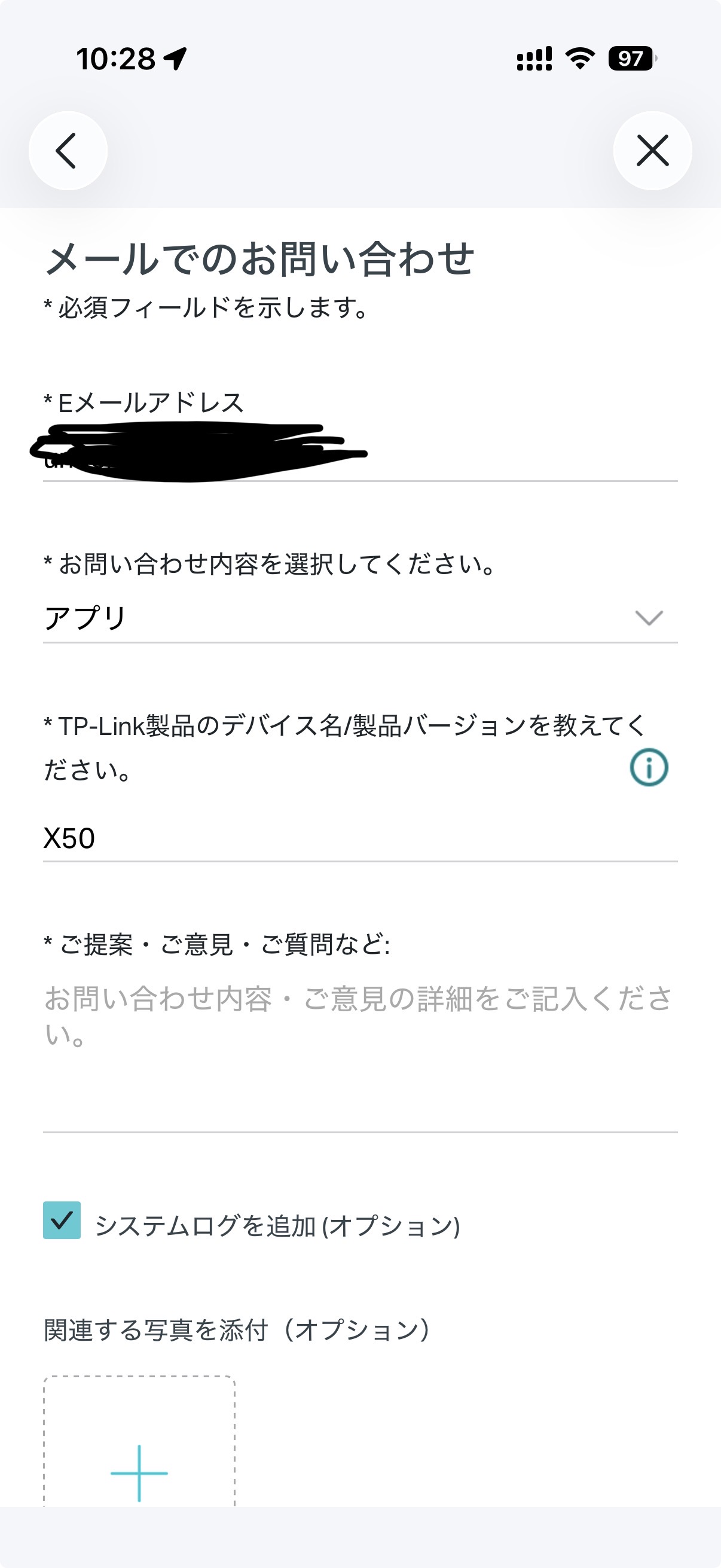 Hi, I sent my log and problem statement using deco app customer support feature. But I have not received any email from you, no idea about TKID. I also checked the spam email box but I confirmed I have no emails from you. I sent the log twice using the deco app. How can I check if my log is sent as expected?
I attached the pic to explain how I sent the log using deco app.
- Copy Link
- Report Inappropriate Content
Hi,
The email reference number for your case is TKID260582343. Our support team is following up on the case and will reply to you via email. Please wait patiently.
Best Regards
- Copy Link
- Report Inappropriate Content
Information
Helpful: 1
Views: 230
Replies: 9
Voters 0
No one has voted for it yet.