
Nightime mode.
 This thread has been locked for further replies. You can start a new thread to share your ideas or ask questions.
Hi I have three outdoor cameras, one C320ws and two C310.
The 310 in my garden is excellent but the two on my drive the 320 and 310 are dark at night and show no detail like the garden one, they both have the red eyes on as you would expect but only show darkness.
I've tried different settings and even manually selecting night mode but nothing works.
Any advice would be great.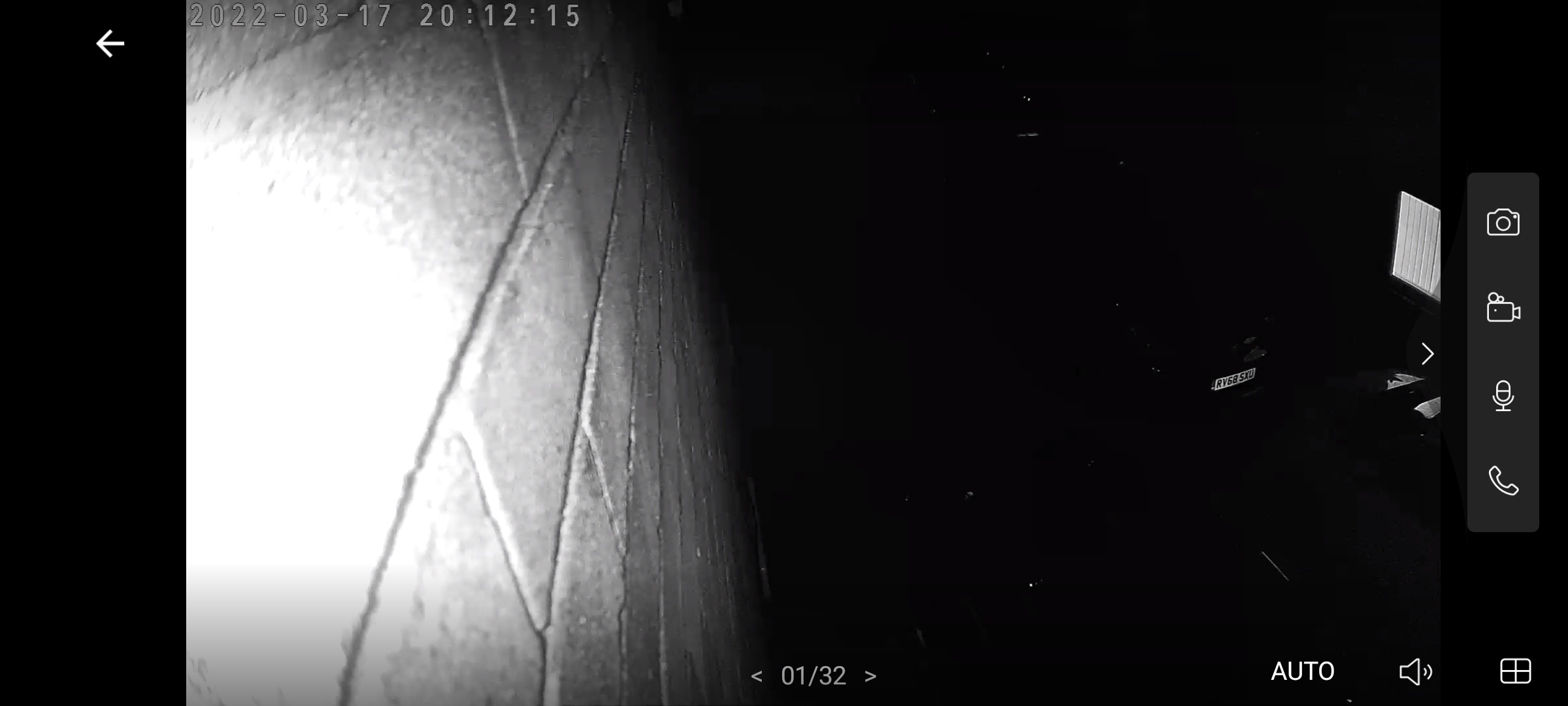
- Copy Link
- Subscribe
- Bookmark
- Report Inappropriate Content
this is the daytime view from that same camera.
- Copy Link
- Report Inappropriate Content


Hello @Martin123457
You could adjust camera Len a little further from the wall ,face the drive more and see if that helps
If still the same, can you provide some information here
1. Mac address of the camera on the drive (please share Mac by private message)
Firmware & hardware version of the camera
2. Switch to Day mode and take a photo ( to see environment light) Do you have any light besides the camera or light for the drive?
are the photos for Tapo C310Ws, or C310, can you take the photo of the night mode for C310?
- Copy Link
- Report Inappropriate Content
@Solla-topee Hi thank you for the reply, the two Included photos are both the c310 but I also have a 320ws which has the same problem and is also attached to the wall looking the opposite way, could the proximity to the wall be causing the problem? If I move the camera further from the wall it will be pointing at my neighbours window which will cause privacy issues.
- Copy Link
- Report Inappropriate Content
The hardware version on the 320 is 1.0 and the Firmware is 1.1.14 and the 310 is 1.0 and 1.1.12 respectively.
- Copy Link
- Report Inappropriate Content
Hello @Martin123457
How to avoid the overexposure of image?
The infrared Led on the camera will shed some infrared light on the object to help produce an image in the night, but it seems that the infrared Led is facing the wall right now, Can you try to install a holder (a holder stick out from the wall) with the camera to adjust its position for a test.Or you could get one of the camera to garden and see if works fine in night to compare with the camera in garden.
- Copy Link
- Report Inappropriate Content
- Copy Link
- Report Inappropriate Content
Hello @Martin123457
Here is a guide for tp-link VIGI cameras that helps explain the situation, in Night mode intensive infrared light to object could cause an overexposure in the Live view.
- Copy Link
- Report Inappropriate Content
Thank you. @Solla-topee
- Copy Link
- Report Inappropriate Content
Information
Helpful: 0
Views: 1308
Replies: 8
Voters 0
No one has voted for it yet.