
Video más fluido
 This thread has been locked for further replies. You can start a new thread to share your ideas or ask questions.
Hola buenas tardes!
Quería saber si hay alguna configuración para que los videos sean mas fluidos, los movimientos de las personas autos etc.
Saludos!
- Copy Link
- Subscribe
- Bookmark
- Report Inappropriate Content


Hi,
Do you have a problem when watching the camera's live stream or video recordings(cloud video recordings or local video recordings saved on the SD card)? Can you share with us a video that shows the phenomenon?
You can go to the Tapo app>camera's Device Settings>Device Info page, and tap the Wi-Fi icon to see the detailed Wi-Fi signal strength value. If the value is too small(<-70dBm), it's suggested to move the camera close to the router.
You can also go to the camera's Device Settings>Video & Display>Video Quality page to adjust the video quality and check if it will help in your case.
Best Regards
- Copy Link
- Report Inappropriate Content
Hi! Thanks for the quick answer. Im not at home right now, so I cant download the video. I can show you the Wifi signal. Later ill show you the video.
Thanks!
Solla-topee wrote
Hi,
Do you have a problem when watching the camera's live stream or video recordings(cloud video recordings or local video recordings saved on the SD card)? Can you share with us a video that shows the phenomenon?
You can go to the Tapo app>camera's Device Settings>Device Info page, and tap the Wi-Fi icon to see the detailed Wi-Fi signal strength value. If the value is too small(<-70dBm), it's suggested to move the camera close to the router.
You can also go to the camera's Device Settings>Video & Display>Video Quality page to adjust the video quality and check if it will help in your case.
Best Regards
Solla-topee wrote
Hi,
Do you have a problem when watching the camera's live stream or video recordings(cloud video recordings or local video recordings saved on the SD card)? Can you share with us a video that shows the phenomenon?
You can go to the Tapo app>camera's Device Settings>Device Info page, and tap the Wi-Fi icon to see the detailed Wi-Fi signal strength value. If the value is too small(<-70dBm), it's suggested to move the camera close to the router.
You can also go to the camera's Device Settings>Video & Display>Video Quality page to adjust the video quality and check if it will help in your case.
Best Regards
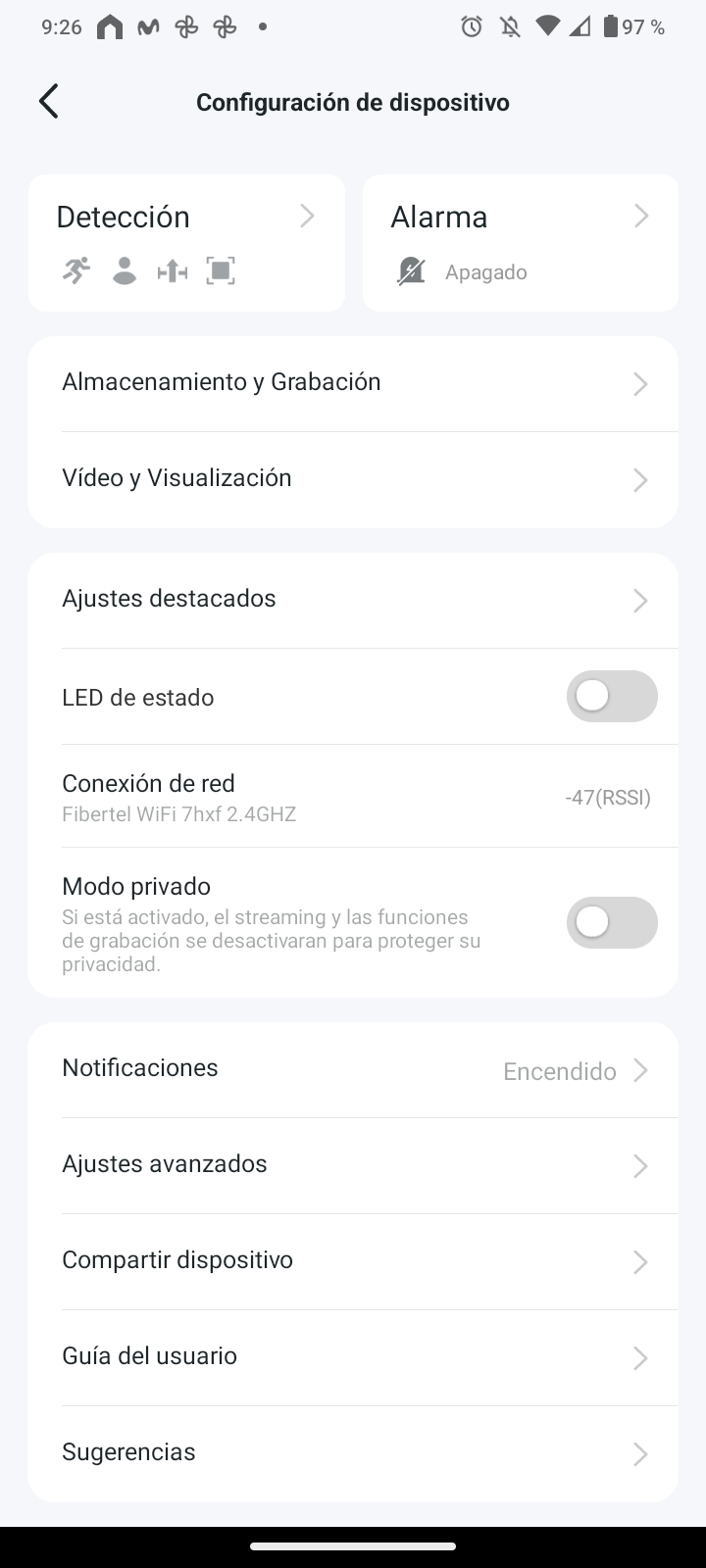
- Copy Link
- Report Inappropriate Content
Hi,
Thank you for the updated info.
On the camera's Device Settings>Advanced Settings>Display Settings page, please try to select the Compatible Mode, and check if the video recordings saved on the microSD card will go smoothly.
Best Regards
- Copy Link
- Report Inappropriate Content
Information
Helpful: 0
Views: 1
Replies: 0
Voters 0
No one has voted for it yet.