
Tapo C420 Camera Unresponsive After Battery Ran Out
 This thread has been locked for further replies. You can start a new thread to share your ideas or ask questions.
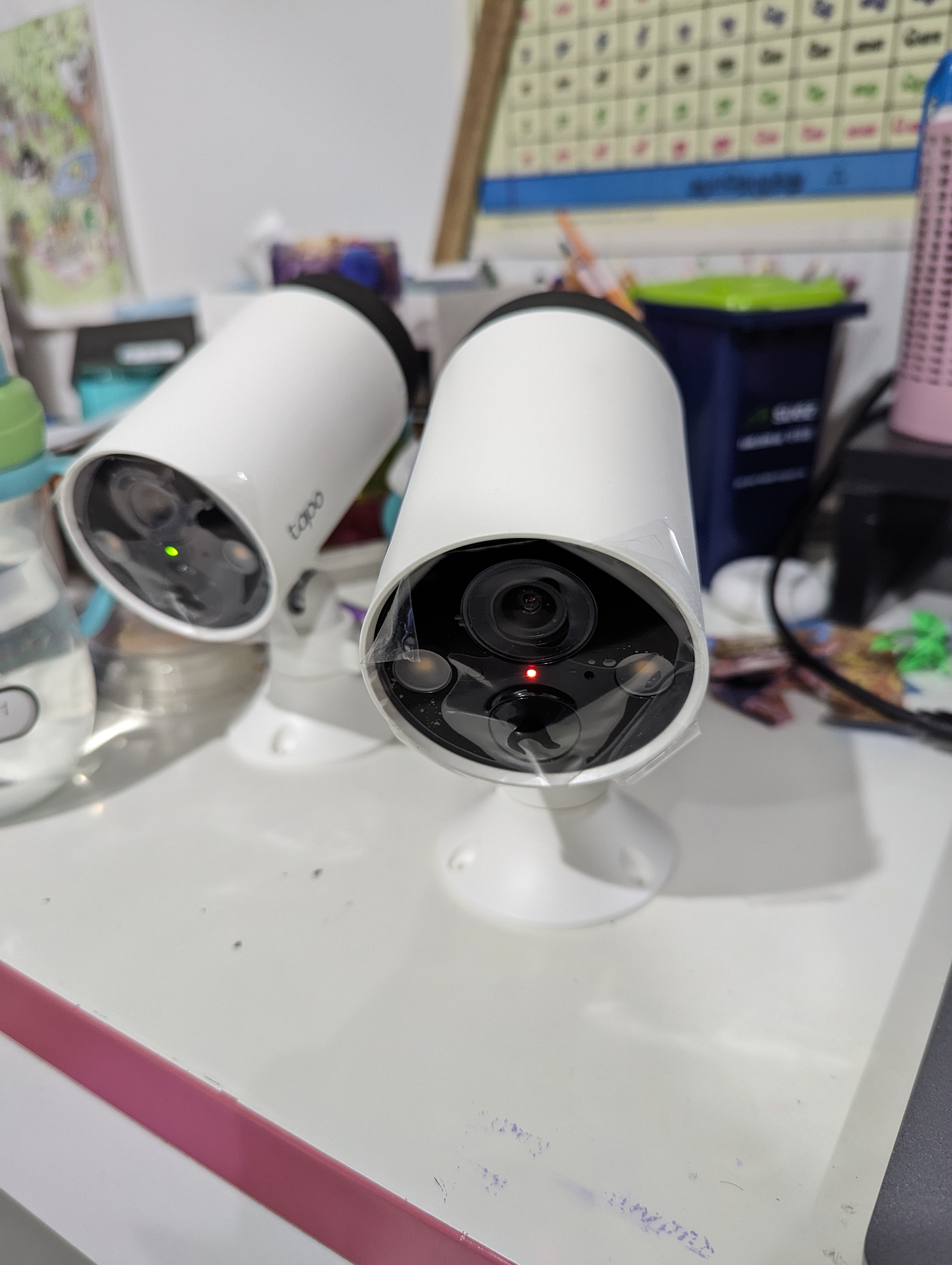
Tapo C420 Camera Unresponsive After Battery Ran Out.
They LED is on steady red. Tried resetting, but won't go to pairing mode.
Removed the camera from the app, but still won't enter pairing mode.
Any help on this is really appreciated.
- Copy Link
- Subscribe
- Bookmark
- Report Inappropriate Content


Hi,
The solid red LED means the camera is staring up according to the UG. In this situation, please confirm:
1. Is the battery inserted into the camera fully charged? How about the LED status on the battery when charging it?
2. You can remove the battery and insert it for a try, and ensure the battery is installed correctly.
3. Try to use the battery in another Tapo C420 on this problematic camera and then check if the LED status changes.
4. Hold the reset button for 10 seconds to reset the camera and check if the LED status changes.
Best Regards
- Copy Link
- Report Inappropriate Content
- Copy Link
- Report Inappropriate Content
Hi,
The solid red LED means the camera is staring up according to the UG. In this situation, please confirm:
1. Is the battery inserted into the camera fully charged? How about the LED status on the battery when charging it?
2. You can remove the battery and insert it for a try, and ensure the battery is installed correctly.
3. Try to use the battery in another Tapo C420 on this problematic camera and then check if the LED status changes.
4. Hold the reset button for 10 seconds to reset the camera and check if the LED status changes.
Best Regards
- Copy Link
- Report Inappropriate Content
@Solla-topee the battery is fully charged, and I verified it by swapping the battery to a working unit.
I tried the reset steps, but still no luck.
- Copy Link
- Report Inappropriate Content
Hi,
In this case, you can contact your retailer or local support to check if your camera is under warranty.
Best Regards
- Copy Link
- Report Inappropriate Content
Information
Helpful: 0
Views: 686
Replies: 4
Voters 0
No one has voted for it yet.