Tapo HUB H200 fails to show playback if the camera (Tapo C420) is battery dead

This thread has been locked for further replies. You can start a new thread to share your ideas or ask questions.

Tapo HUB H200 fails to show playback if the camera (Tapo C420) is battery dead

This thread has been locked for further replies. You can start a new thread to share your ideas or ask questions.
Tapo HUB H200 fails to show playback if the camera (Tapo C420) is battery dead
2025-04-10 20:28:56 - last edited 2025-10-31 13:42:18
Model: Tapo C420S1   Tapo H200   Tapo C420  
Hardware Version: V1
Firmware Version: 1.3.1

Tapo HUB H200 fails to show playback if the camera (Tapo C420) is battery dead / disconnected

I have TapoC420S1

Which has 2 devices 

1.Camera (C420)
2.Hub (H200)

I bought it as it has an isolated recording and not an onboard memory card feature.
Thought was in case the camera is stolen, the recording will still be there on the HUB and I will be able to see it.

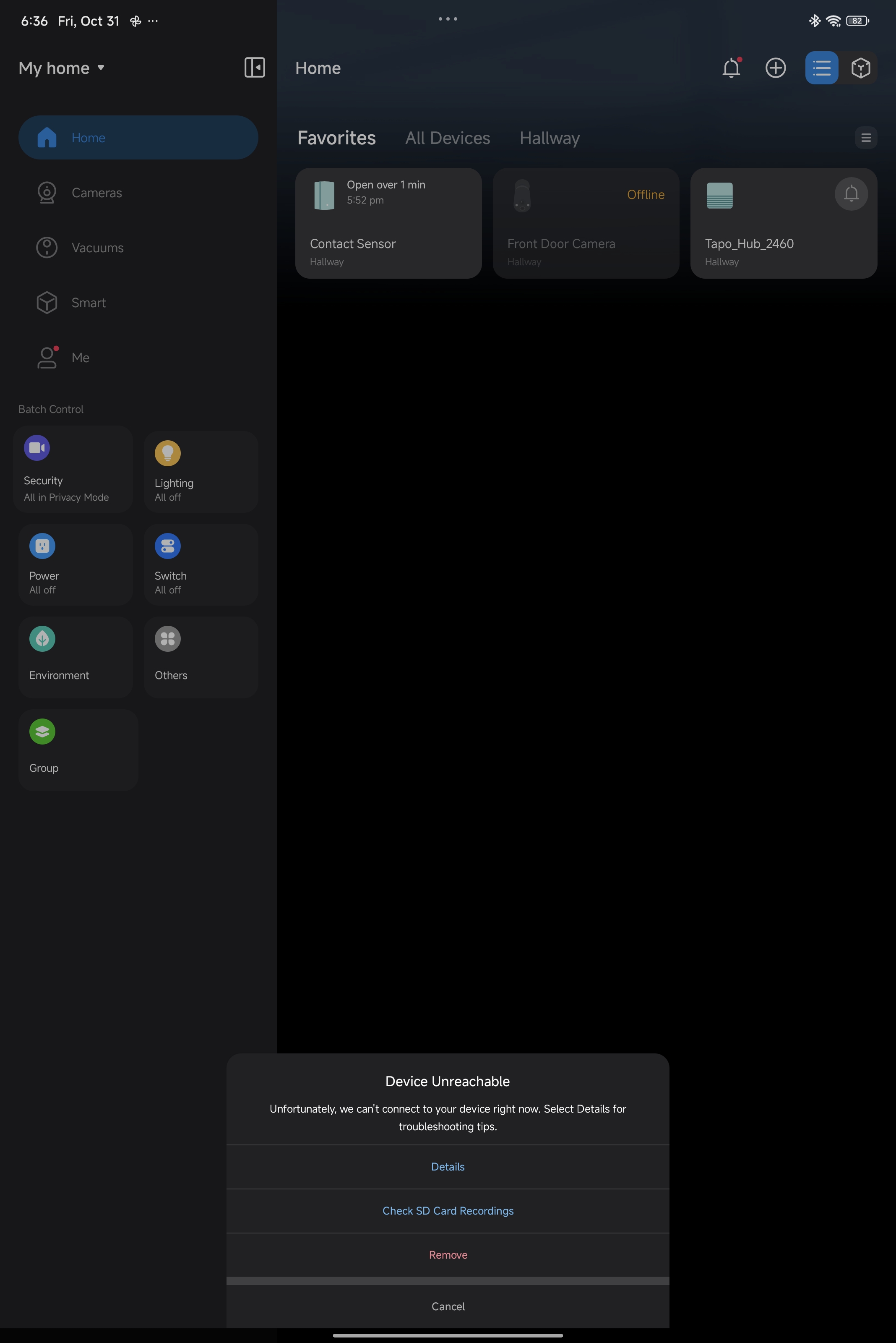
But recently, my camera got battery dead. And I wanted to check the old recordings that were stored on HUB
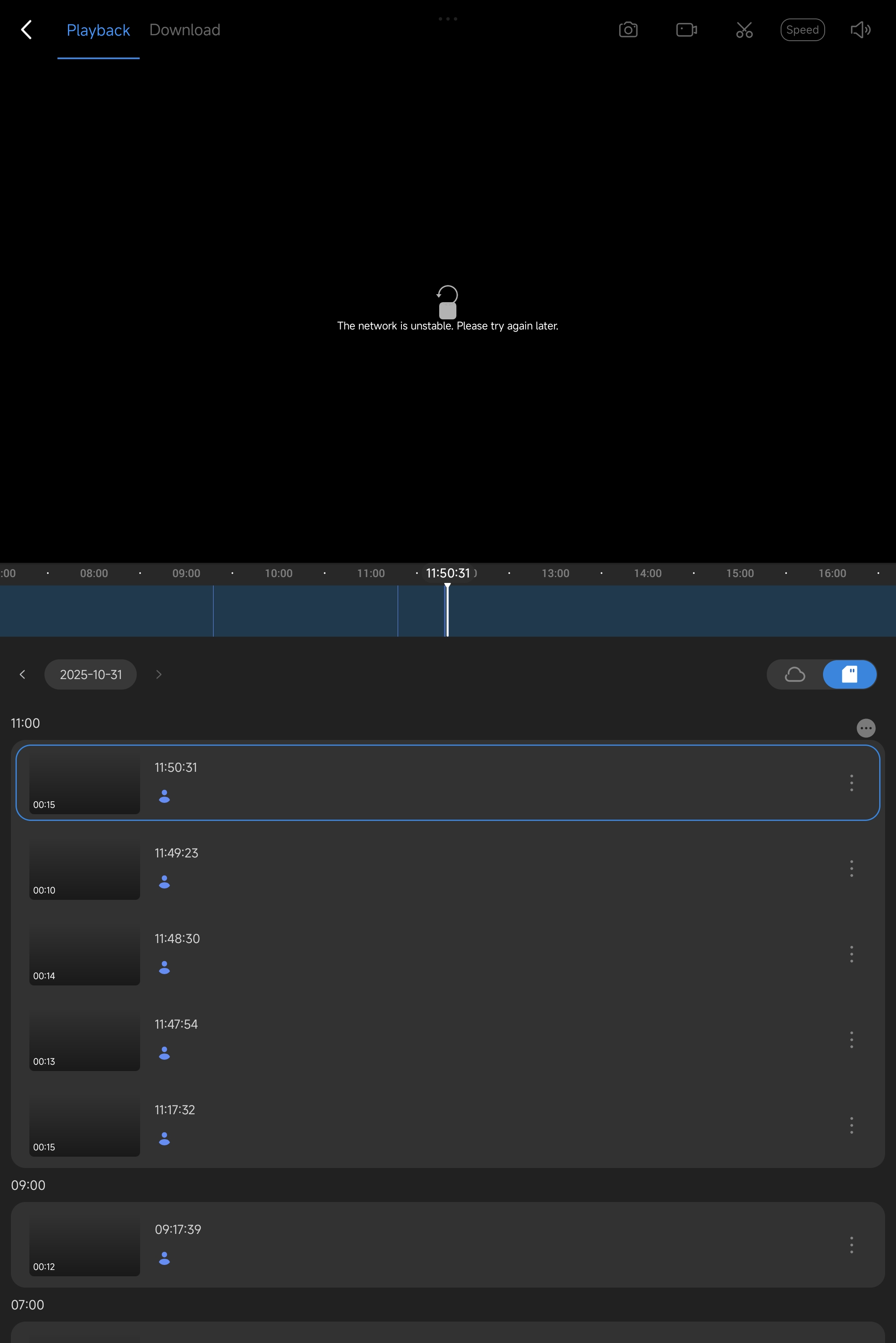
But to my surprise, App fails to show any recording on HUB playback, not even the ones recorded on its memory card.

I request Tapo Team to please fix this issue, because lets say if the camera is destoryed / stolen by a thief then having the HUB was totally useless
Please Tapo team, fix the issue and allow the user to see the old recorded saved videos which are stored on the Tapo HUB's Memory card from the APP.


---


Thanks Tapo team for your response in last thread, but it was closed so had to create new one


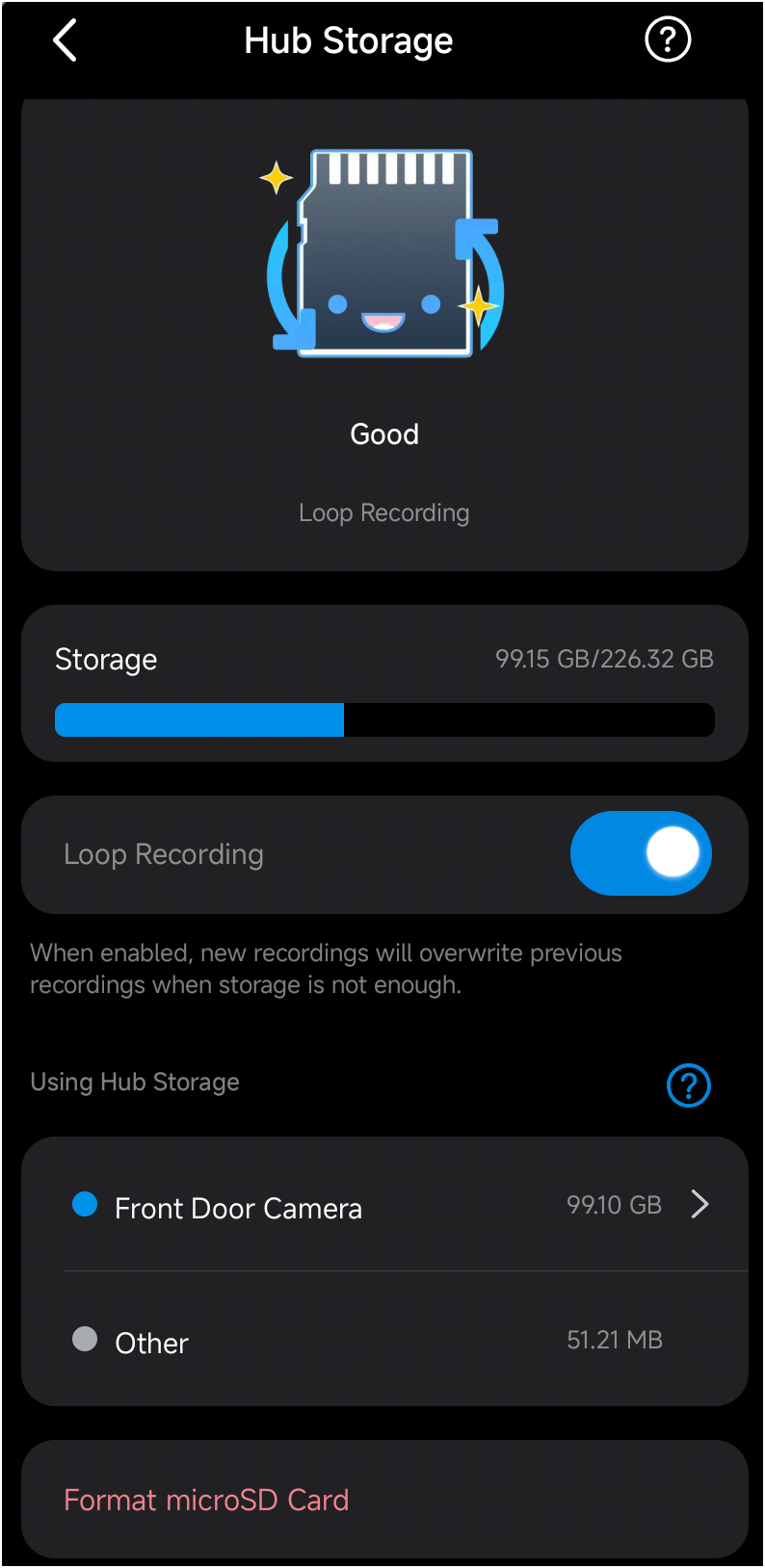
Below are the requested screenshot 
 

Home

Storage


Please help


  1      
  1      
#1
Options
1 Accepted Solution
Re:Tapo HUB H200 fails to show playback if the camera (Tapo C420) is battery dead-Solution
2025-04-11 07:03:02 - last edited 2025-05-09 09:26:56

  @aasisodiya 


This isn't normal. The camera videos stored in the Tapo hub are still accessible when the camera is offline. User can check it either through Tapo hub's device page > Camera Playback, or go the Me page > Playback & Download. *On the playback page, switch the 'cloud' or 'sd card' tabs to check the corresponding videos, and make sure to choose the correct dates.


Please share more details of your case, we can help to check what the problem might be. Where were you visiting in the app? Can you share some relevant screenshots here? What's the status of the sd card on the hub? Does it show the used and available storage?

Tapo P110M Matter 1.3 Release Energy Monitoring through Matter ▶ Smart HomeBase Tapo H500 - Even More Powerful Smart Hub ▶ First Smart Switch Module! Tapo S112 Smart Switch Module with Roller and Switch Dual ModesTapo Camera Image Style & Image Brightness Try out a different image style for your camera!
Recommended Solution
  0  
  0  
#2
Options
1 Reply
Re:Tapo HUB H200 fails to show playback if the camera (Tapo C420) is battery dead-Solution
2025-04-11 07:03:02 - last edited 2025-05-09 09:26:56

  @aasisodiya 


This isn't normal. The camera videos stored in the Tapo hub are still accessible when the camera is offline. User can check it either through Tapo hub's device page > Camera Playback, or go the Me page > Playback & Download. *On the playback page, switch the 'cloud' or 'sd card' tabs to check the corresponding videos, and make sure to choose the correct dates.


Please share more details of your case, we can help to check what the problem might be. Where were you visiting in the app? Can you share some relevant screenshots here? What's the status of the sd card on the hub? Does it show the used and available storage?

Tapo P110M Matter 1.3 Release Energy Monitoring through Matter ▶ Smart HomeBase Tapo H500 - Even More Powerful Smart Hub ▶ First Smart Switch Module! Tapo S112 Smart Switch Module with Roller and Switch Dual ModesTapo Camera Image Style & Image Brightness Try out a different image style for your camera!
Recommended Solution
  0  
  0  
#2
Options