
c220 2k QHD The 30fps option is gone.
 This thread has been locked for further replies. You can start a new thread to share your ideas or ask questions.
As title,when I reset my camera I'm sure I have 30fps option,but after maybe few hours,I can't find it
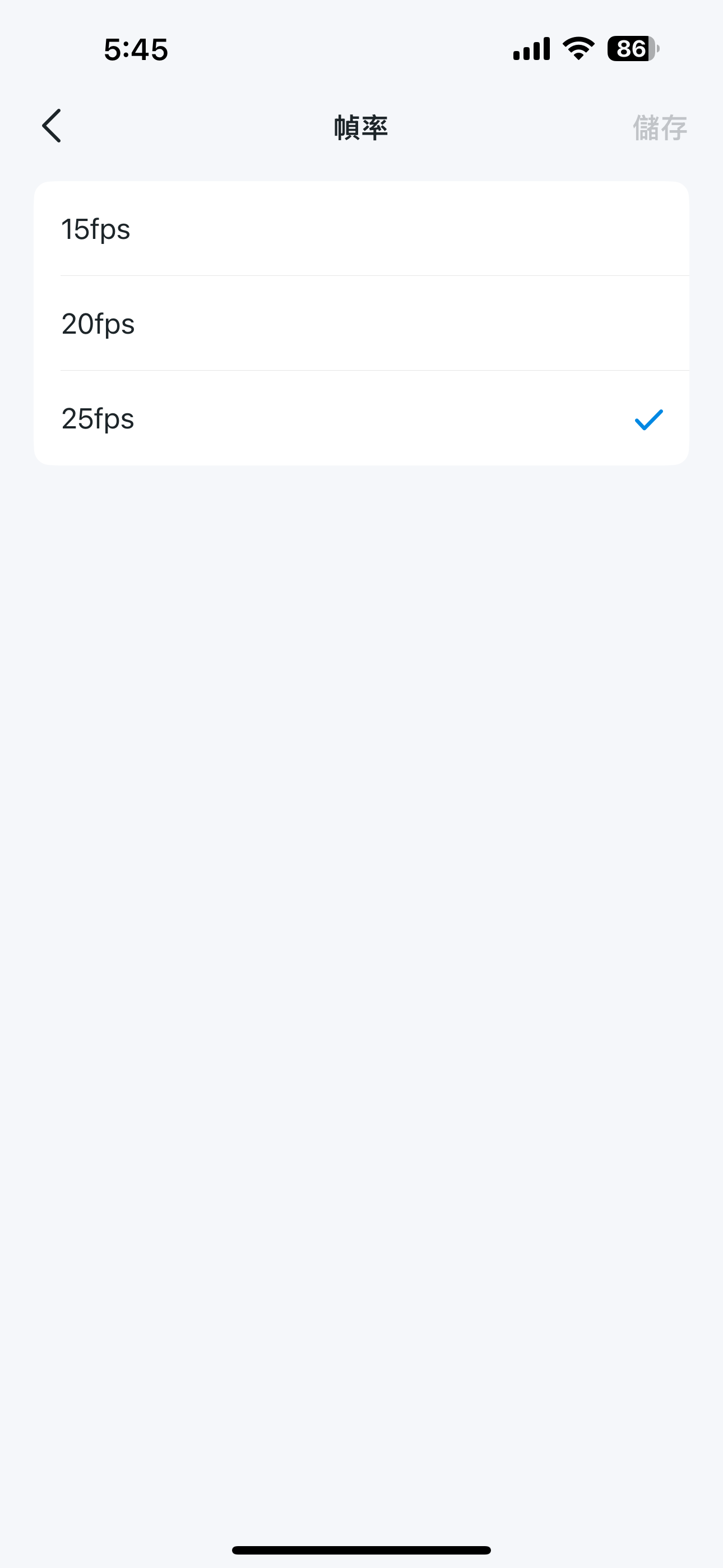
How can I do?
- Copy Link
- Subscribe
- Bookmark
- Report Inappropriate Content
Update: if you go to the tapo app, go into your cameras settings - advanced settings - power line frequency and change this to 60hz. That should sort it.
All of my cameras have lost the 30 FPS option. I have the c212 which is connected via ethernet to my router and I still cannot view 30 FPS.
- Copy Link
- Report Inappropriate Content


Hi,
Usually, you can go to the Tapo app > Camera's Device Settings > Advanced Settings > Powerline Frequency to select the 60Hz option if you want to choose the 30fps option on the Video & Display > Frame Rate page.
If you can't see the 30fps option after selecting 60Hz on the Powerline Frequency page, please send me (@Solla-topee) your region and the camera's MAC address via private message.
Best Regards
- Copy Link
- Report Inappropriate Content
Update: if you go to the tapo app, go into your cameras settings - advanced settings - power line frequency and change this to 60hz. That should sort it.
All of my cameras have lost the 30 FPS option. I have the c212 which is connected via ethernet to my router and I still cannot view 30 FPS.
- Copy Link
- Report Inappropriate Content
Hi,
Usually, you can go to the Tapo app > Camera's Device Settings > Advanced Settings > Powerline Frequency to select the 60Hz option if you want to choose the 30fps option on the Video & Display > Frame Rate page.
If you can't see the 30fps option after selecting 60Hz on the Powerline Frequency page, please send me (@Solla-topee) your region and the camera's MAC address via private message.
Best Regards
- Copy Link
- Report Inappropriate Content
- Copy Link
- Report Inappropriate Content

- Copy Link
- Report Inappropriate Content
Information
Helpful: 2
Views: 643
Replies: 4
Voters 1
