
automation when you leave a location
automation when you leave a location

The camera obeys the set automation sometimes and sometimes not. The camera should turn on when my phone leaves the home address, but it doesn't always do so. What's the reason?
- Copy Link
- Subscribe
- Bookmark
- Report Inappropriate Content


Hi,
You can refer to the following instructions to troubleshoot if the automation entry does not work sometimes.
What can I do if the Smart Action/Automation doesn't take effect as expected?
Please confirm the following information if the phenomenon remains.
1. Please describe the detailed configurations of the automation entry.
2. If the automation entry does not work again, please record the date, time, and time zone, then send them to me. On the Smart tab, please tap the Page icon at the top right corner to see the smart action histories, and send me a screenshot of the failed automation entry.
3. Please send me (@Solla-topee) the camera's MAC address via a private message.
Best Regards
- Copy Link
- Report Inappropriate Content
Hi,
You can refer to the following instructions to troubleshoot if the automation entry does not work sometimes.
What can I do if the Smart Action/Automation doesn't take effect as expected?
Please confirm the following information if the phenomenon remains.
1. Please describe the detailed configurations of the automation entry.
2. If the automation entry does not work again, please record the date, time, and time zone, then send them to me. On the Smart tab, please tap the Page icon at the top right corner to see the smart action histories, and send me a screenshot of the failed automation entry.
3. Please send me (@Solla-topee) the camera's MAC address via a private message.
Best Regards
- Copy Link
- Report Inappropriate Content

Ik having this exact issue since switching from the Pixel 8 to the Pixel 10 Fold.
Automation only worked when I managed to force it somehow but never again after that.
- Copy Link
- Report Inappropriate Content
- Copy Link
- Report Inappropriate Content
@Solla-topee I've already attempted it by deleting the automations.
Also did a data/cache erase and uninstall and reinstall of the app.
Please confirm the following information if the phenomenon remains.
1. There is Return Home and Go away automation.
Go home is set to a location that I must leave and then it disabled privacy mode on the selected camera.
Return home is when I enter the area it turns on privacy mode on the selected camera
2. If the automation entry does not work again, please record the date, time, and time zone, then send them to me. On the Smart tab, please tap the Page icon at the top right corner to see the smart action histories, and send me a screenshot of the failed automation entry.
I've added a screenshot from the Google Home where my automation for light (LIFX) is triggered by the location to turn on on the 24th. I had to manually set my house to leave in Tapo a few hours later.
I've also done test on the days after. The 25th, 26th and 27th. Leaving around 9:00 GMT +1/CET and returning around 16:00 GMT +1/CET.
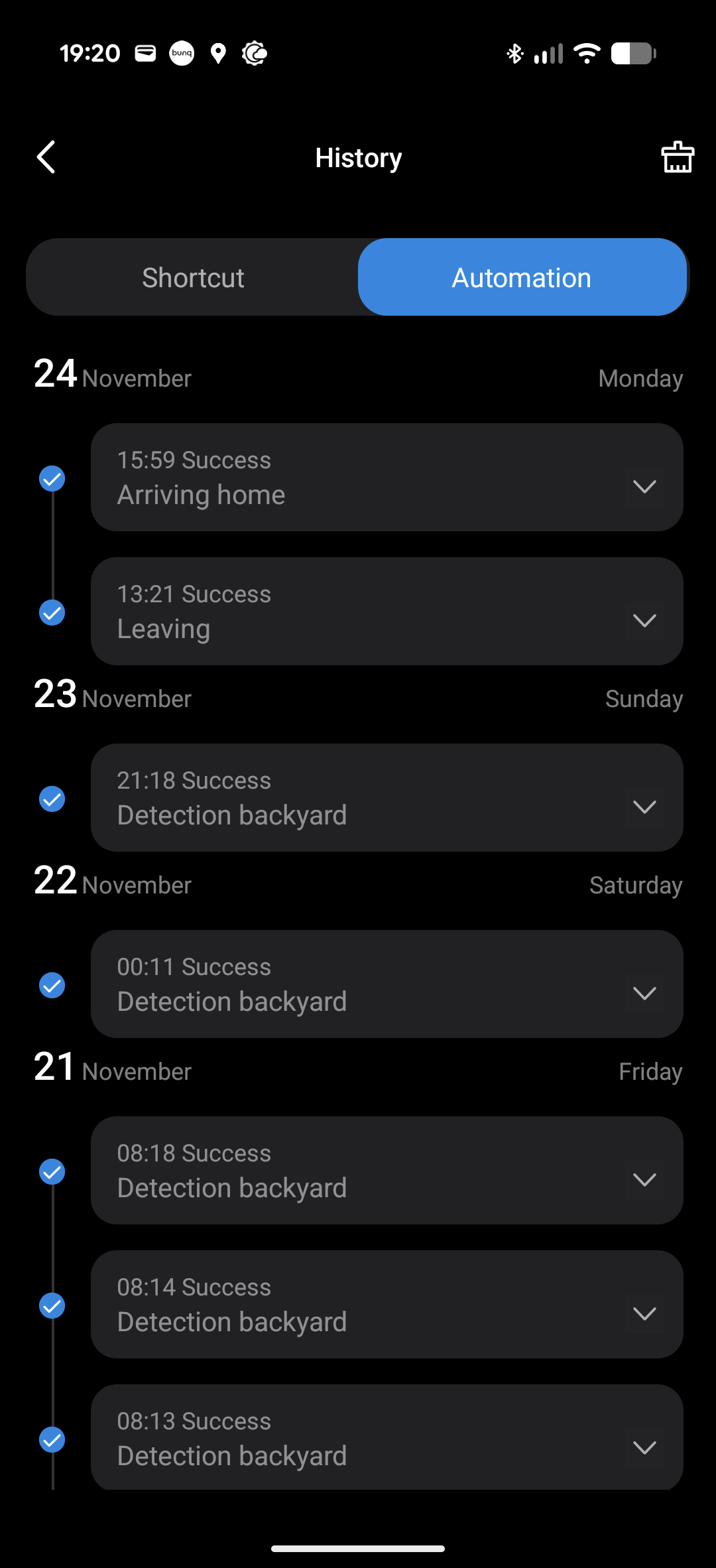
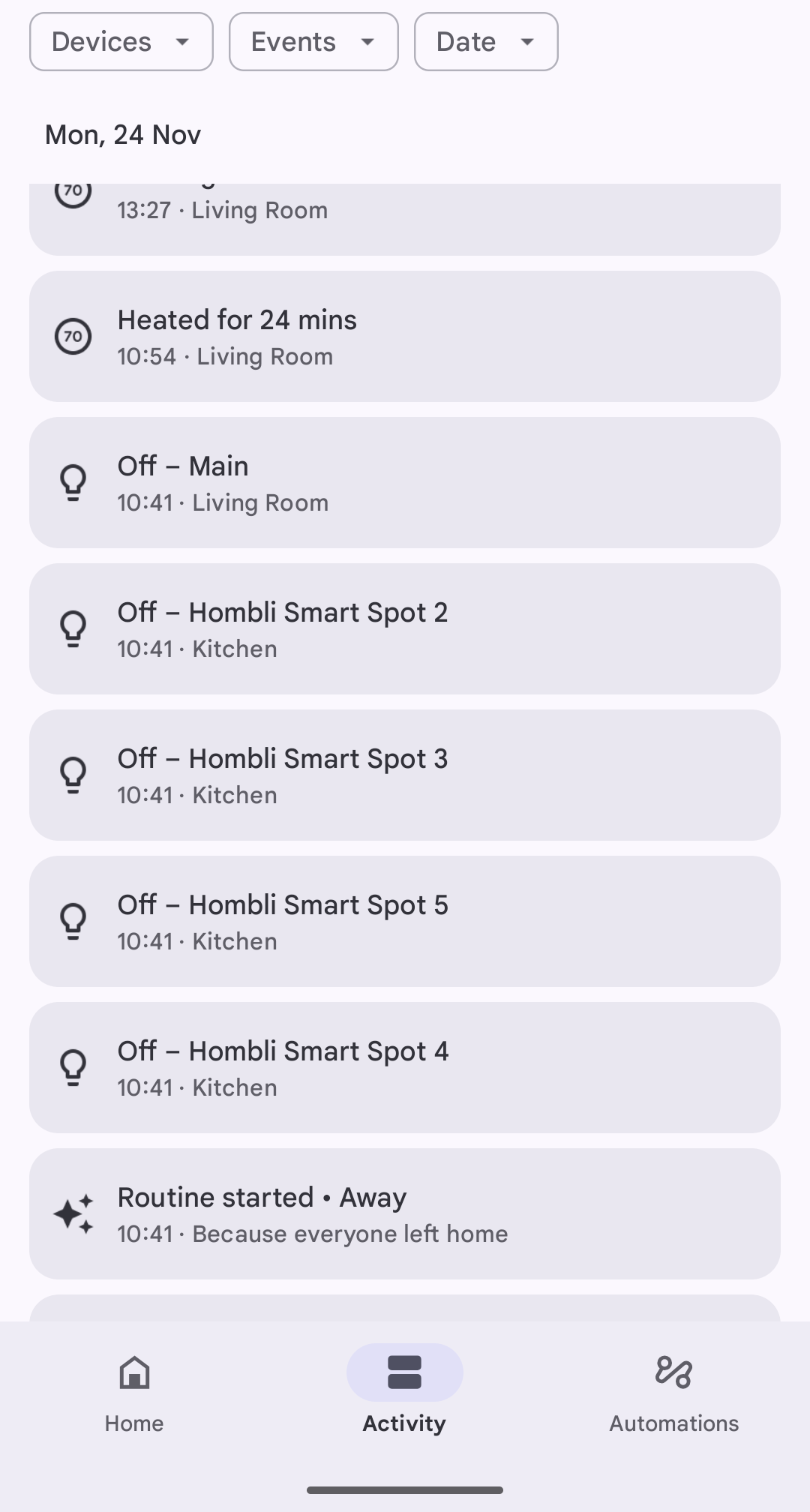
3. Please send me (@Solla-topee) the camera's MAC address via a private message.
PM sent
- Copy Link
- Report Inappropriate Content
Hi,
When (date, time, and time zone) was the last time the "Return Home" or "Go Home/Go Away" automation entry (used to turn camera privacy mode on/off) failed to take effect as expected? If possible, please provide data from the last 3-4 days.
Best Regards
- Copy Link
- Report Inappropriate Content
@Solla-topee here you go
December 3rd
16:40 (leave home)
17:33 (return home)
December 4
6:24 (leave home)
19:25 (return home)
December 5
11:00 (leave home)
17:58 (return home)
All times in CET
Nohing happened
- Copy Link
- Report Inappropriate Content
Hi,
In your situation, please go to your new phone(Pixel 10 Fold) > Settings page to find the Battery and Location options, then ensure the Tapo app is set to "No restrictions" under battery saver, the location permission is set to "Always allow", and "Precise location" is enabled for the Tapo app.
In the Tapo app >Smart tab > Automation page, please ensure "This Phone/Tablet" is enabled in the trigger of the "Arriving home" and "Leaving home" automation entries.
Then test whether the automation entries in the Tapo app work properly.
If the same phenomenon persists, please confirm the following information.
1. What do you mean by "Automation only worked when you managed to force it"? Please explain the specific steps you took to make the automation entries in the Tapo app take effect.
2. When the automation entries work, whether the location/GPS icon appears on your phone, and when they do not work, whether the location/GPS icon disappears?
Best Regards
- Copy Link
- Report Inappropriate Content
@Solla-topee I've followed your instructions.
I had already double checked if the trigger was enabled. I even checked each day to make sure nothing had changed.
The setting in the Tapo app to always allow under batter saver had not effect.
I then used the enhanced location and that triggered things.
Sadly this wasn't necessary before, as I don't like having persistent notifications unless they're really important.
1. What do you mean by "Automation only worked when you managed to force it"? Please explain the specific steps you took to make the automation entries in the Tapo app take effect.
This was when I used the option under short cuts.
When the automation entries work, whether the location/GPS icon appears on your phone, and when they do not work, whether the location/GPS icon disappears?
I cannot remember if this happened when the app/automation did work as intended.
- Copy Link
- Report Inappropriate Content
Hi,
If the automation entry works after you use the enhanced location, it's suggested to keep the "enhanced location" option enabled. Usually, the "enhanced location" option on your phone won't affect the camera's notification feature.
Best Regards
- Copy Link
- Report Inappropriate Content
@Solla-topee I'm confused, what does my camera notification have to do with this?
I don't want the persistent notification for the enhanced location.
It worked without before and now it doesn't.
- Copy Link
- Report Inappropriate Content
Information
Helpful: 2
Views: 985
Replies: 12
Voters 0
No one has voted for it yet.