D210 camera blurred

D210 camera blurred

D210 camera blurred
D210 camera blurred
2025-12-02 10:56:53 - last edited 2026-01-13 03:18:56
Model: Tapo D210  
Hardware Version: V1
Firmware Version: 1.10 Build 251025

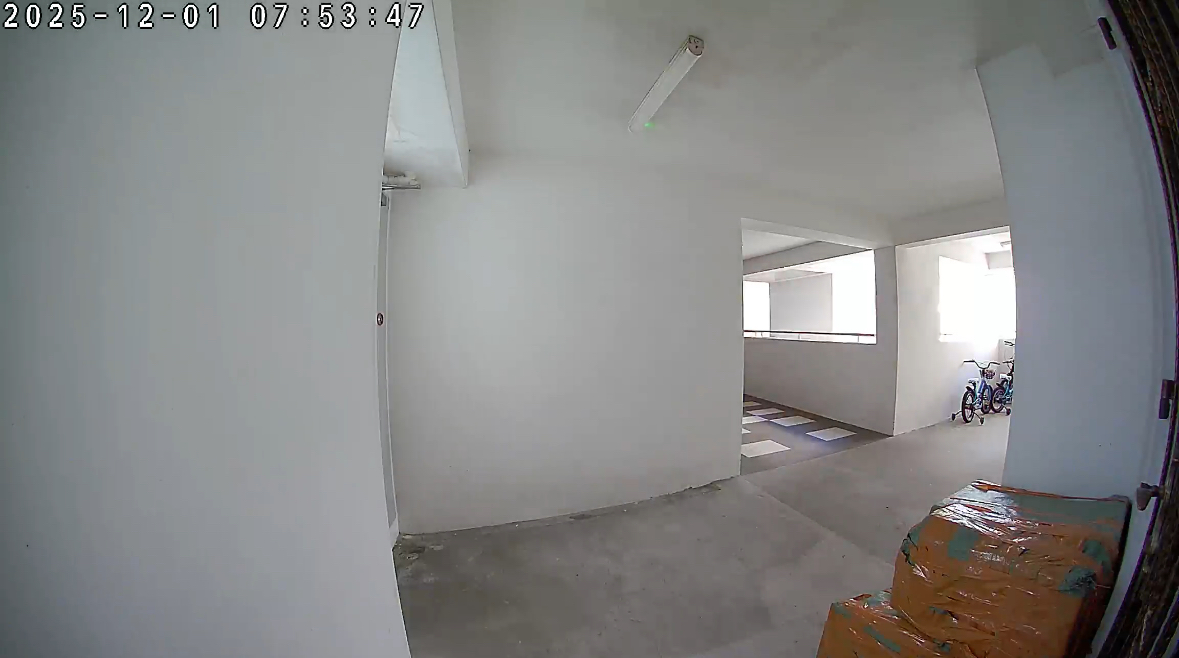
Originally the camera image quality was as attached above.


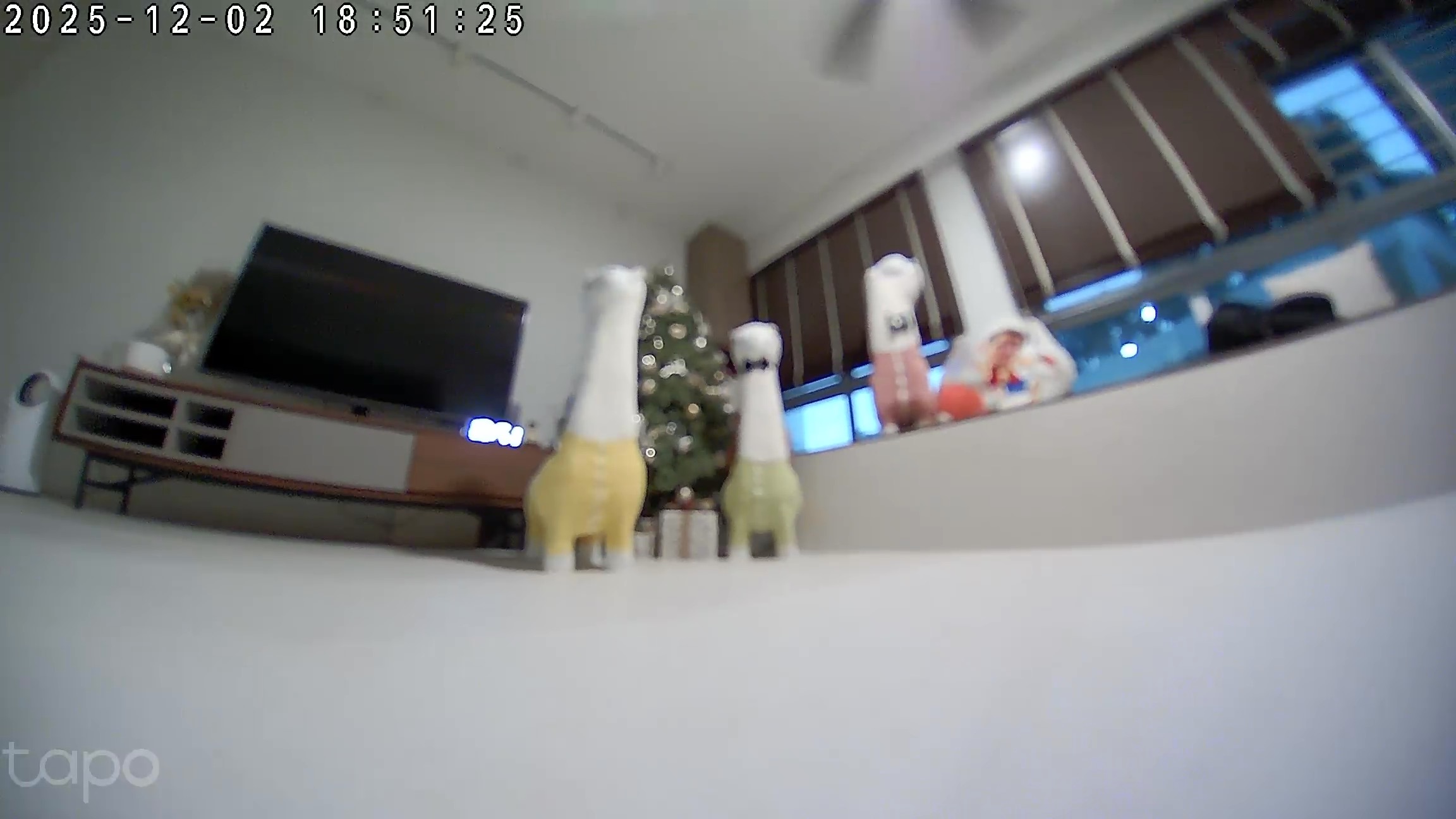
The D210 camera suddenly become blurred and the color is sometimes off. Image attached are the current camera condition. Resetting the camera and syncing the device again doesnt help.


  0      
  0      
#1
Options
1 Accepted Solution
Re:D210 camera blurred-Solution
2025-12-05 01:49:52 - last edited 2026-01-13 03:18:56

  @forcese 


This seems like a focus issue, potentially caused by the large area of white flooring below. You may try to adjust the doorbell's position, for example, by placing it vertically on a table. Ensure there are no objects positioned too close to the doorbell, as these can draw focus away from the main area you want to monitor.

CES 2026 Meet TP-Link AI Assistant and More New Products!
Recommended Solution
  0  
  0  
#3
Options
2 Reply
Re:D210 camera blurred
2025-12-02 10:59:14
Confirmed not connection issue and not dirty lens or fogging
  0  
  0  
#2
Options
Re:D210 camera blurred-Solution
2025-12-05 01:49:52 - last edited 2026-01-13 03:18:56

  @forcese 


This seems like a focus issue, potentially caused by the large area of white flooring below. You may try to adjust the doorbell's position, for example, by placing it vertically on a table. Ensure there are no objects positioned too close to the doorbell, as these can draw focus away from the main area you want to monitor.

CES 2026 Meet TP-Link AI Assistant and More New Products!
Recommended Solution
  0  
  0  
#3
Options