
Posição default da camera invertida

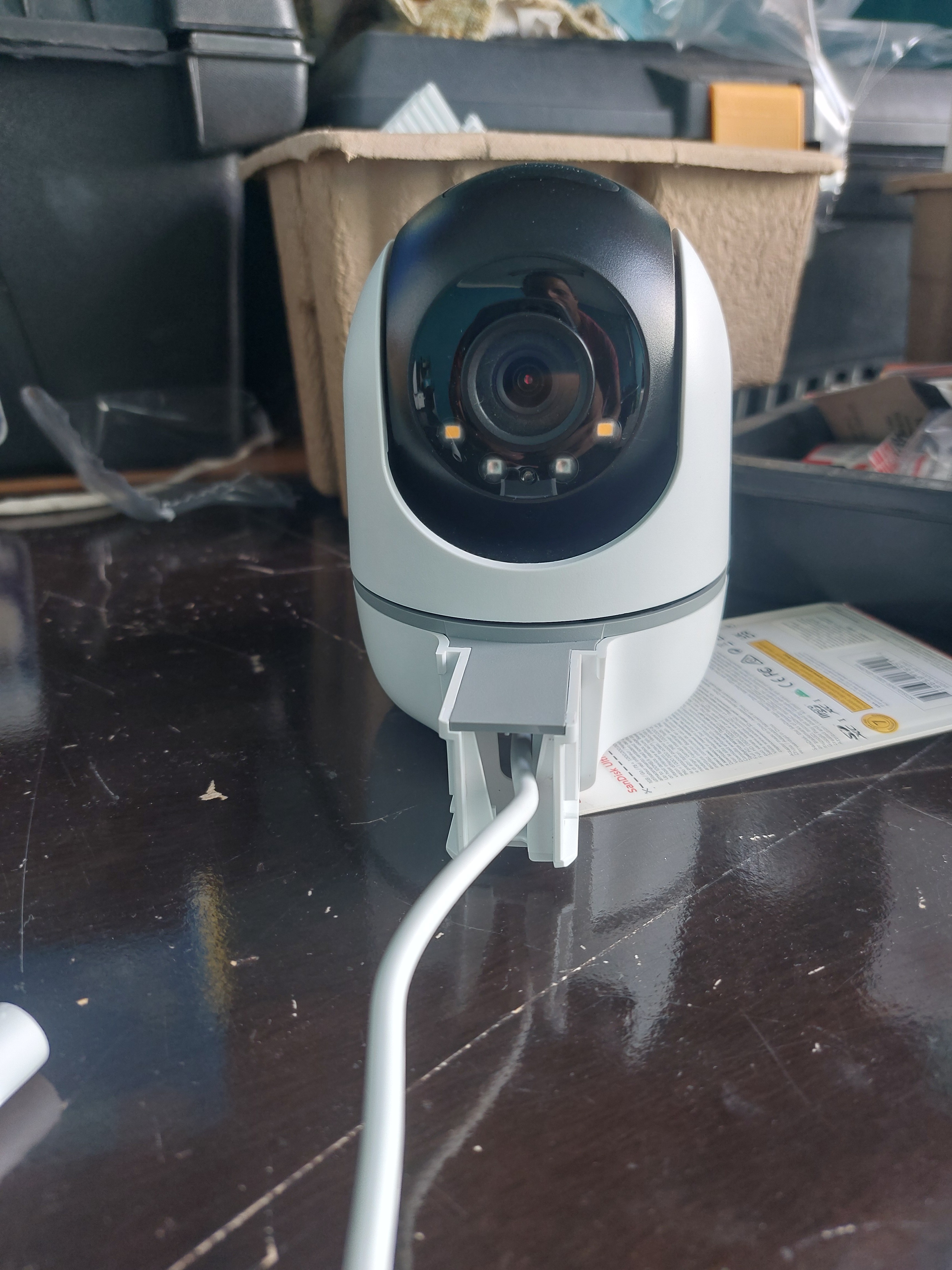
Ao ligar a camera ou restar ela, a posição padrão está com a lente virada para o lado da parede. Isso é um erro de montagem?
- Copy Link
- Subscribe
- Bookmark
- Report Inappropriate Content


Hi All,
After setting up your camera, if its lens is facing the side as the picture provided in this post, even after tapping the Pan & Tilt Correction button on the Tapo app > camera's Device Settings > Pan & Tilt page, I suggest contacting our local support team with the following information to check whether your camera is under warranty. (Note: Manually disassembling the camera may void its warranty.)
1) Proof of purchase (invoice/receipt)
2) Product identification (model and, if available, serial number)
3) A brief description of the phenomenon you are experiencing (what is happening, when it started, and any troubleshooting already performed)
Best Regards
- Copy Link
- Report Inappropriate Content
Hi,
You can refer to the QIG to install your TC40.
The position shown in the provided picture is not waterproof; we do not recommend using this position outdoors. If you need to invert the camera's image, please go to the camera's Device Settings > Video & Display page to enable the Invert Image option.
Best Regards
- Copy Link
- Report Inappropriate Content
Hi,
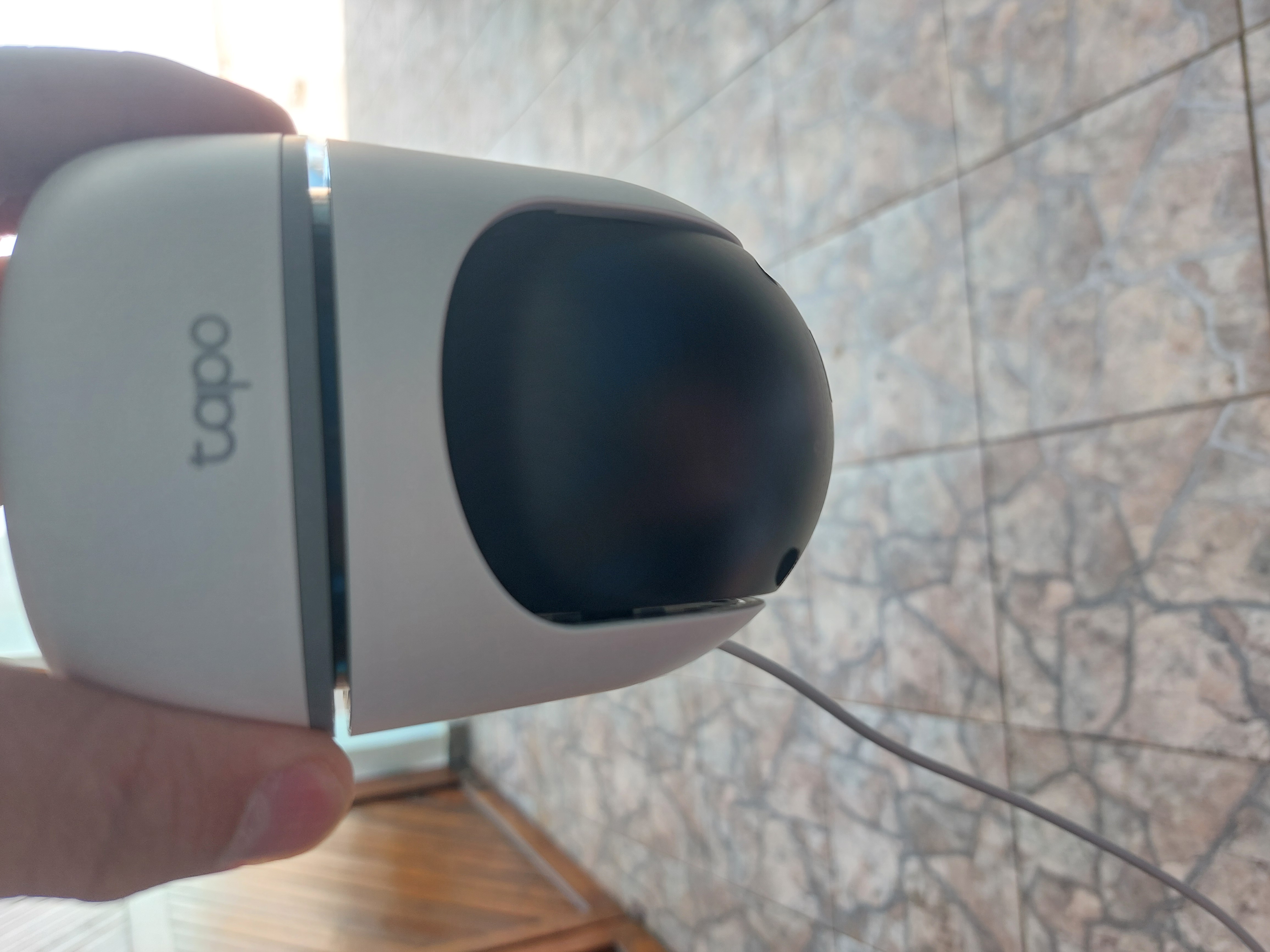
In fact, I don't want to invert the camera image via the application. With the image I attached, I tried to show that when turning on the camera, the default position is with the lens facing the side where the wall bracket will be fixed, different from what is shown in the installation manual. Watching some videos on YouTube, after turning on the camera, the default position of the lens is always forward, where there is the TAPO logo.
- Copy Link
- Report Inappropriate Content
Hi,
Typically, after the camera reboots, it will remain in the position it was in before restarting. If your camera's lens is facing the side where the wall bracket will be fixed after powering on, it may be that the lens was facing that side before powering on.
In the Tapo app > camera's Device Settings > Pan & Tilt page, please tap Pan & Tilt correction, then the camera will rotate to its default position.
Best Regards
- Copy Link
- Report Inappropriate Content

Recentemente adquiri uma câmera com o mesmo problema. Essa falha trata-se de um erro de montagem na fábrica, ficando o mecanismo de movimento vertical invertido em 180°. Caso você possua uma boa tolerância ao risco, esse erro erro é relativamente fácil de corrigir. Basta remover a capa de proteção branca da parte que gira na horizontal (4 travas de pressão internas, 2 em cada lateral), localizar o limitador que fica montado onde passam os cabos de alimentação, remover o 2 parafusos phillips, remover o limitador, girar o mecanismo de movimento vertical para a posição correta, remontar o limitador e remontar a capa de proteção.
- Copy Link
- Report Inappropriate Content
Hi All,
After setting up your camera, if its lens is facing the side as the picture provided in this post, even after tapping the Pan & Tilt Correction button on the Tapo app > camera's Device Settings > Pan & Tilt page, I suggest contacting our local support team with the following information to check whether your camera is under warranty. (Note: Manually disassembling the camera may void its warranty.)
1) Proof of purchase (invoice/receipt)
2) Product identification (model and, if available, serial number)
3) A brief description of the phenomenon you are experiencing (what is happening, when it started, and any troubleshooting already performed)
Best Regards
- Copy Link
- Report Inappropriate Content

@Rafaeleme A minha está da mesma forma e vou devolver ao vendedor
- Copy Link
- Report Inappropriate Content

I bought 2 TC40 cams and both came with lens mounted to the wrong direction.
Unbelievable. Was any QA done before shipping?
Comprei 2 câmeras e AMBAS vieram montadas ao contrário, com a lente apontando para a parede.
Inacreditável a falta de QA..
- Copy Link
- Report Inappropriate Content
Hi,
If the camera's position remains the same as shown in the picture in this post after tapping Pan & Tilt Correction, I suggest contacting your retailer or our local support team to check whether your camera is under warranty.
Note:
1. Manually disassembling the camera may void its warranty.
2. You can click here to view the detailed warranty policy for your region.
Thank you for your valuable feedback. I have forwarded the reported cases in this thread to the relevant team, and we will continue to enhance our products and services in the future.
Best Regards
- Copy Link
- Report Inappropriate Content
Information
Helpful: 0
Views: 572
Replies: 8
Voters 0
No one has voted for it yet.