
C501GW smart device only controlled locally

Hi all scratching my head with this
purchased the c501 use it with POE works fine on house internet won't work when not on the house broadband band- can only be controlled locally. Have contacted support the advised turning off parental setting on our router this made no difference I also disabled firewall again no difference. Cannot update firmware on the camera as it says network unstable.
The camera is connected to a linkys Ethernet poe switch. We also have an internal camera Tc70 connected WiFi to an access point connected to the same Poe switch which works fine viewing remotely when away from house. Both cameras are on the same Tapo account along with various smart sockets that all work fine remotely.
Tapo support advised we purchased a replacement camera as the first one could be faulty but as I suspected it's exactly the same. Something dome where is stopping the camera talk to the outside world. Have read some articles about changing DNS settings on the router but we cannot do this.
seems strange the WiFi camera works fine Poe not !
We are on BT fibre
Using memory card inside the camera, don't think that makes any difference
I would like to get this working as I like the Tapo interface would like all my smart devices on one app
thanks
- Copy Link
- Subscribe
- Bookmark
- Report Inappropriate Content
hi I have had time to take a new look at this we think a second TP-Link access point plugged into the main router is th cause of this issue not the cameras I will have more time to double check in th next few days and will let you know
- Copy Link
- Report Inappropriate Content


Hi,
Please confirm the following information for the reported phenomenon.
1. What's the LED status on the camera, such as solid green, solid amber, etc.?
2. Please disconnect the Ethernet cable from the camera, connect the cable to a PC directly, and then test if the PC has an internet connection. If not, the problem may be that the wired connection is not working; you can try switching the Ethernet cable or contact your router & switch support team for assistance.
3. Please try powering the camera with the original power adapter and cord, factory reset the camera by pressing the reset button for 10 seconds, insert a SIM card into it, then configure it in the Tapo app, and check whether you can control it locally and remotely.
How to Set Up Outdoor Pan/Tilt 4G LTE Camera
If so, update the camera's firmware to the latest version, factory reset it, reconnect it to the Ethernet cable, reconfigure it, and check if it works properly.
Best Regards
- Copy Link
- Report Inappropriate Content
Hi Thanks for the reply
I have done all items in point 3 this let me update the cameras with the SIM card
I thought this had done the job when reboot and re registered the cameras as a Poe the 'local connection only' notification was not showing but when I turned my WiFi off and used cellular the cameras were not found.
Points to note
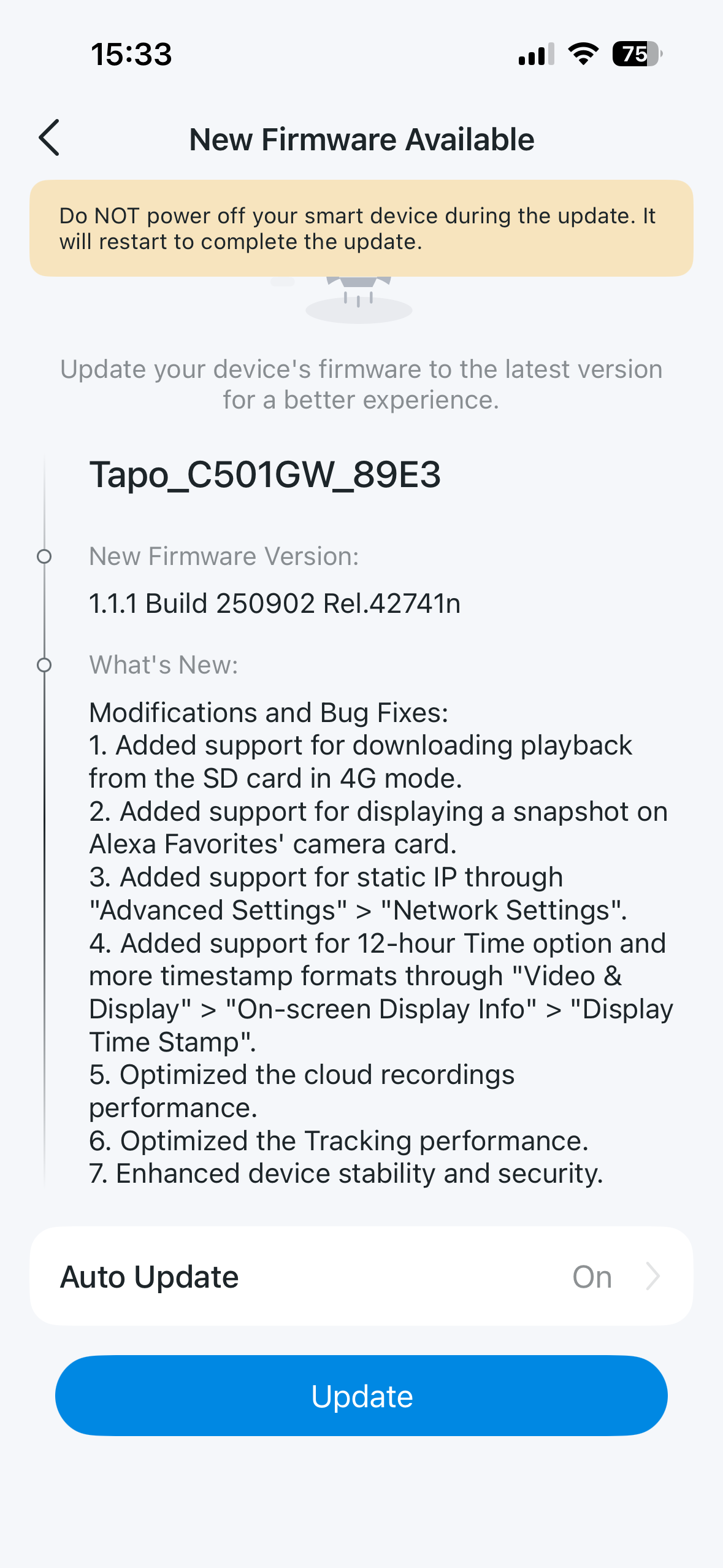
software is showing as attached photo although updated on the SIM card there is a red dot 🔴 saying update needed I try and update it says try again later , the other camera on 1-1-1 says network unstable when request update ( both were updated on SIM card)
the time and date are set to the correct region but are completely wrong the date and time
This is extremely frustrating and time consuming I would think a Poe camera would be plug and play ??
Thank you
- Copy Link
- Report Inappropriate Content
Hi,
From the information provided, the Tapo C501GW_89E3 is not connected to the internet or our cloud server, so it's unable to update the firmware successfully, and the date & time can't be synced.
How many Tapo C501GW do you have? When you tried point 3 in this post and updated the camera's firmware, what are the firmware version and MAC address of the camera? You can find the camera's MAC address in its Device Settings > Device Info, and please send it to me (@Solla-topee) via a private message. It seems the Tapo C501GW_89E3 is not the camera you inserted a SIM card into.
Best Regards
- Copy Link
- Report Inappropriate Content
- Copy Link
- Report Inappropriate Content
Hi,
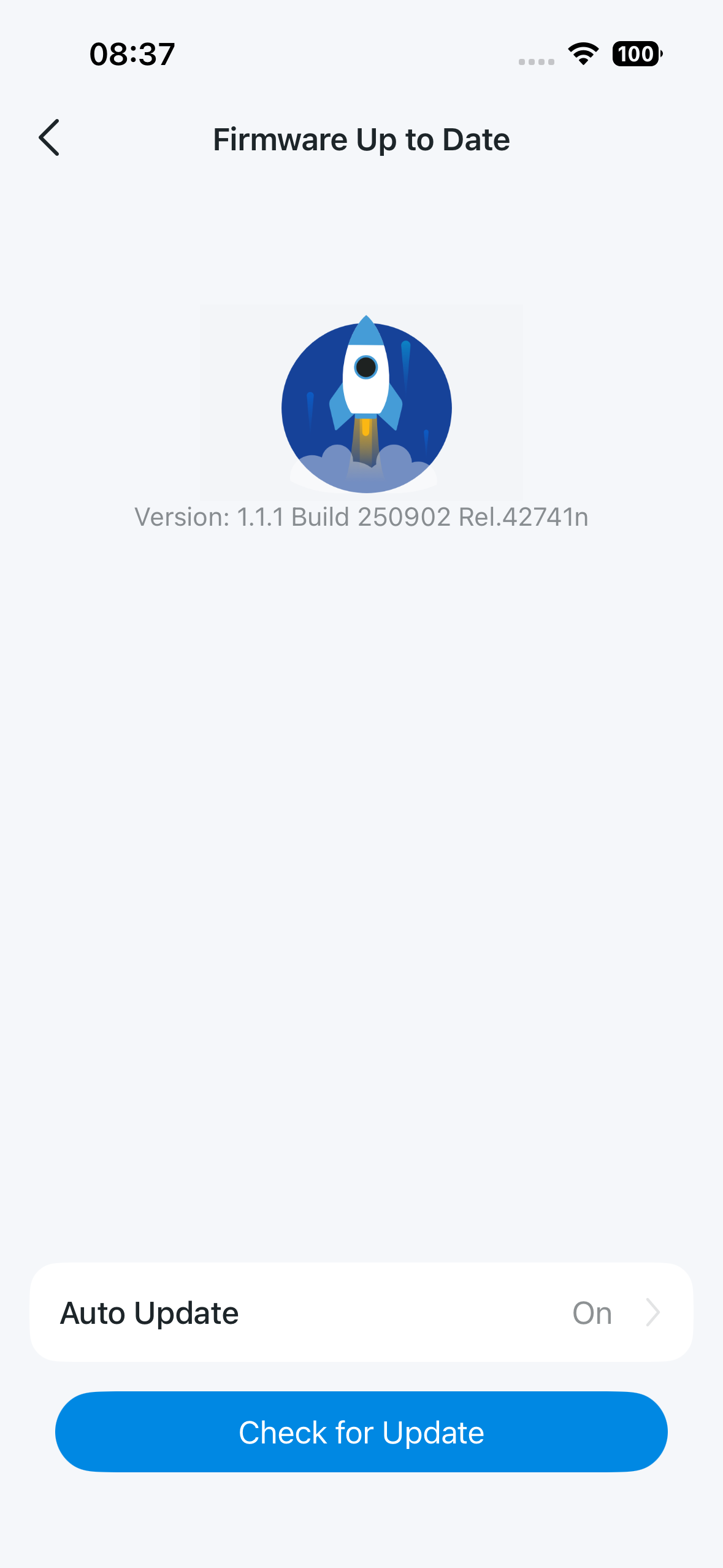
If your camera can update the firmware successfully when inserting a SIM card, it means the camera is working. It's able to connect to the internet and our cloud server.
In this situation, please try powering the camera with the power adapter, connect it directly to the router with an Ethernet cable, and then check whether it can be controlled remotely after configuration. You can also try connecting the camera to a different router and test whether the remote control failure is caused by network limitations.
Best Regards
- Copy Link
- Report Inappropriate Content

- Copy Link
- Report Inappropriate Content
- Copy Link
- Report Inappropriate Content
hi I have had time to take a new look at this we think a second TP-Link access point plugged into the main router is th cause of this issue not the cameras I will have more time to double check in th next few days and will let you know
- Copy Link
- Report Inappropriate Content
Information
Helpful: 0
Views: 545
Replies: 8
Voters 0
No one has voted for it yet.