Deco X1500 – Recurrent Wi-Fi stack failure, logs show Realtek driver issues

Deco X1500 – Recurrent Wi-Fi stack failure, logs show Realtek driver issues

Deco X1500 – Recurrent Wi-Fi stack failure, logs show Realtek driver issues
Monday
Model: Deco X1500  
Hardware Version: V1
Firmware Version: 1.3.0 Build 20250725 Rel. 54254

Hello everyone,


I’m sharing a long-term stability issue I’ve been troubleshooting for several weeks with TP-Link Deco X1500, hoping to confirm whether this is a known firmware/driver problem and whether a fix exists.


Environment
Model: Deco X1500 (2 units)
Firmware: 1.3.0 Build 20250725 Rel. 54254 (Latest available via Deco app)
Operation Mode: Access Point (no routing, no NAT)
Backhaul: Wired Ethernet
Switch was tested and later removed (APs directly connected)
Mesh per-client: disabled for every device
Fast roaming: disabled
Beamforming: disabled
OFDAM/MU-MIMO: disabled
Clients: ~45 devices (phones, PCs, IoT, cameras, media devices)


Symptoms
Network is stable for hours or days, then suddenly:
    Wi-Fi becomes unstable
    Some clients disconnect and reconnect
    IoT devices (especially 2.4 GHz cameras) fail to reconnect at all
One AP occasionally showed solid red LED
Web UI remains accessible and logs can still be downloaded
Reboot temporarily fixes the issue, but it always returns (auto reboot scheduled 04:00 every day)


Key log patterns (repeated across many days)
The logs consistently show:
Realtek driver errors:
    rtk_get_vap_status: cfg80211 return -19
Wi-Fi stack resets without system reboot:
    wifi reload
    Restarting network stack
    AP sync timer expires
hostapd losing control:
    wpa_ctrl_open fail
    hostapd_update_tpie: send vendor_elements fail


Important detail:
There is no kernel panic
The device is not fully crashed
The Wi-Fi stack appears to enter a deadlock / corrupted state


Based on behavior and logs, this looks like:
A firmware / Realtek Wi-Fi driver stability issue
Triggered by client density, IoT traffic, or sustained load
Causing partial Wi-Fi stack failures where some clients never recover


Questions for TP-Link / community
Is this a known issue with Deco X1500?
Is there a newer or beta firmware that addresses:
    cfg80211 return -19
    Wi-Fi stack reload loops without reboot?
What are recommended settings?


Please, assist in this issue. I can provide DEBUG-level logs showing multiple occurrences of this behavior.


Thanks!

  1      
  1      
#1
Options
4 Reply
Re:Deco X1500 – Recurrent Wi-Fi stack failure, logs show Realtek driver issues
Tuesday

  @srss 

Hi, thanks for the update.

I've left a message with a beta firmware for Deco X1500_V1_1.3.0. Could you please help me test whether it helps?

Wait for your reply.

Best regards.

  0  
  0  
#2
Options
Re:Deco X1500 – Recurrent Wi-Fi stack failure, logs show Realtek driver issues
Tuesday

Hi @David-TP 


Firmware updated.

Both APs are now at 1.3.0 Build 20251218 Rel. 72238

Will test and report back soon.


Thanks a lot!


  2  
  2  
#3
Options
Re:Deco X1500 – Recurrent Wi-Fi stack failure, logs show Realtek driver issues
Yesterday

Hi @David-TP,


I've tested the provided beta firmware.

It does improve stability duration (the network remains operational for longer periods), however the root issue still persists and eventually reproduces with the same failure pattern observed on previous firmware.


Observations

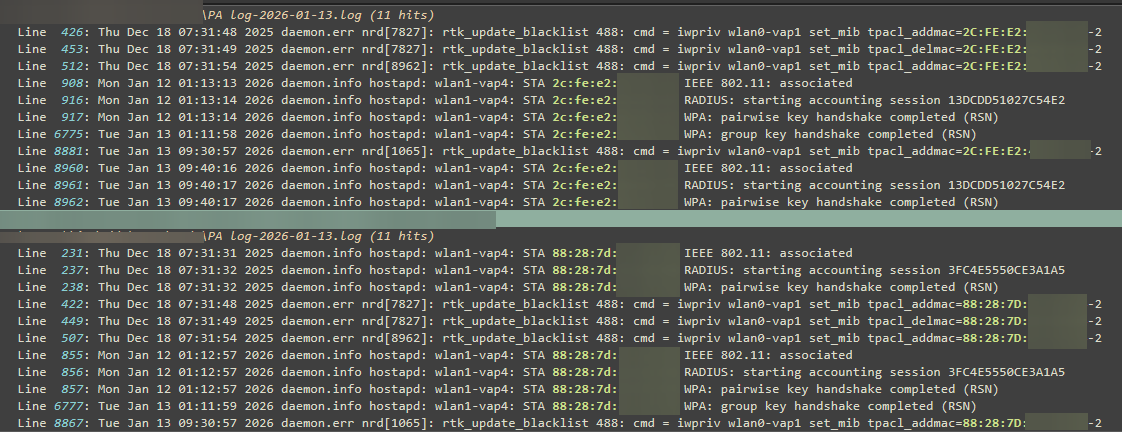
On 2026-01-07, after hours of normal operation, the primary AP (PA) entered a degraded state again.

Same architectural errors as before, key points from the logs:

   * wpa_ctrl_open fail
   * apsd_check_eth_has_neigh
   * uci: Entry not found
   * smartip open error

are still present on beta firmware.


The beta firmware extends the time to failure, but does not eliminate the defect.
I can provide full DEBUG logs for the event on request.

Thank you for your continued assistance.


Kind regards

  0  
  0  
#4
Options
Re:Deco X1500 – Recurrent Wi-Fi stack failure, logs show Realtek driver issues
8 hours ago

  @srss 

Hi, is there any chance that you can connect the second Deco X1500 also via an Ethernet cable to the main Deco or ISP router?


What are the model numbers of the devices that still dropped out?

-Did the disconnection mainly occur when the devices are roaming around?

-If the devices are stationary, it is also recommended to set a preferred Deco and wireless band for these devices.


By the way, may I know how long you have had the Deco X1500?

Thank you very much.

Best regards.

  0  
  0  
#5
Options