
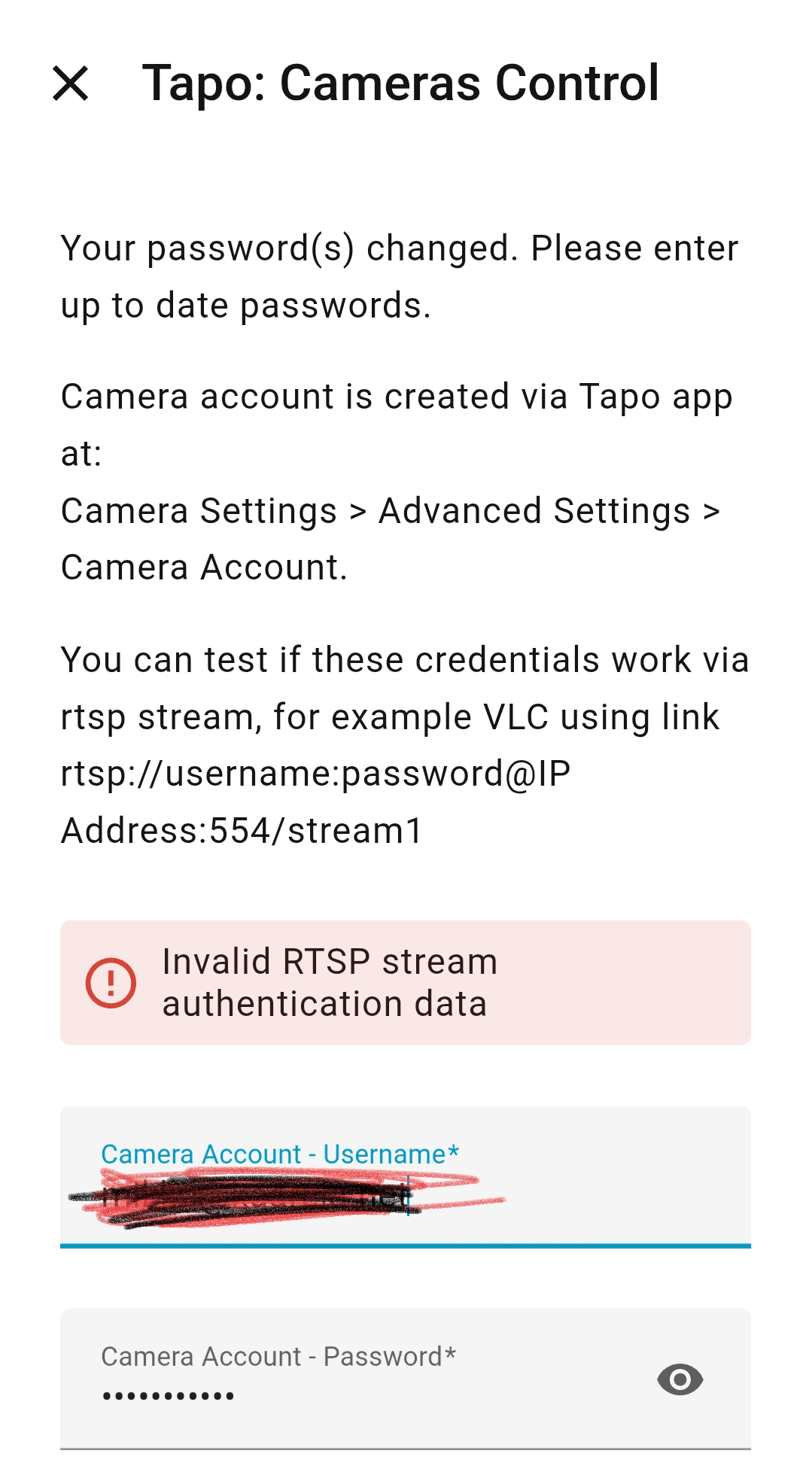
Why this error msg in Home Assistant?

- Copy Link
- Subscribe
- Bookmark
- Report Inappropriate Content


Hi,
The reported message appears in Home Assistant may be because the camera account password is incorrect.
You can go to the Tapo app > camera's Device Settings > Advanced Settings > Camera Account page, tap Account Information, then enter your password to confirm whether it's correct. If so, refer to the instructions below to stream the camera via VLC and test whether it works.
How to view Tapo camera on PC/NAS/NVR through RTSP/Onvif Protocol
If our camera account information is no problem, please contact Home Assistant support for further assistance regarding the reported message.
If you don't remember the password, on the Tapo app > Camera Account > Account Information page, please tap Forget Password, enter the password of your TP-Link account (the one you used to log in to the Tapo app), then set a new password for the camera account.
Best Regards
- Copy Link
- Report Inappropriate Content
- Copy Link
- Report Inappropriate Content
Hi,
The reported message appears in Home Assistant may be because the camera account password is incorrect.
You can go to the Tapo app > camera's Device Settings > Advanced Settings > Camera Account page, tap Account Information, then enter your password to confirm whether it's correct. If so, refer to the instructions below to stream the camera via VLC and test whether it works.
How to view Tapo camera on PC/NAS/NVR through RTSP/Onvif Protocol
If our camera account information is no problem, please contact Home Assistant support for further assistance regarding the reported message.
If you don't remember the password, on the Tapo app > Camera Account > Account Information page, please tap Forget Password, enter the password of your TP-Link account (the one you used to log in to the Tapo app), then set a new password for the camera account.
Best Regards
- Copy Link
- Report Inappropriate Content
Information
Helpful: 0
Views: 256
Replies: 2
Voters 0
No one has voted for it yet.