Solution Tapo C410/TC82 V2 Turns Offline or Live Stream Stops When Connected to a Solar Panel


This Article Applies To
Tapo C410/TC82/C411/C402/C403 - V2.0, Firmware 1.3.3 Build 251215 Rel.74534n or earlier versions
Description
The camera goes offline, or its live feed cuts out, as soon as it is connected to a solar panel. The connection will be restored after disconnecting the solar panel.
Solution
This issue will be addressed in the upcoming firmware.
Workaround
Before the official release, a beta version is available for community users. If you want to try it, follow the steps below to apply the beta firmware.
How to Apply Beta Firmware
1. Find the Mac address of your Tapo camera: Open the Tapo app and navigate to the camera's Device Settings page > Device Info.
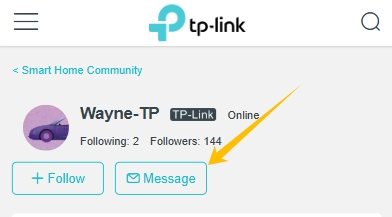
2. Send a private message to @Wayne-TP with the following format. For users from the United States, send your request to forumsupport.usa@tp-link.com.
[Forum ID 856382] + Mac address of your Tapo camera
Before the Upgrade
(1) Please be sure you have read the Beta Test Agreement before upgrading the Pre-release firmware!
(2) How to update the firmware of the Tapo devices on the Tapo App
(3) Firmware downgrade is not supported. When a new official version is released, updating it will overwrite the beta version.